Key Takeaways
- Intel offers 50% more cores at similar pricing, benefiting multitasking workloads
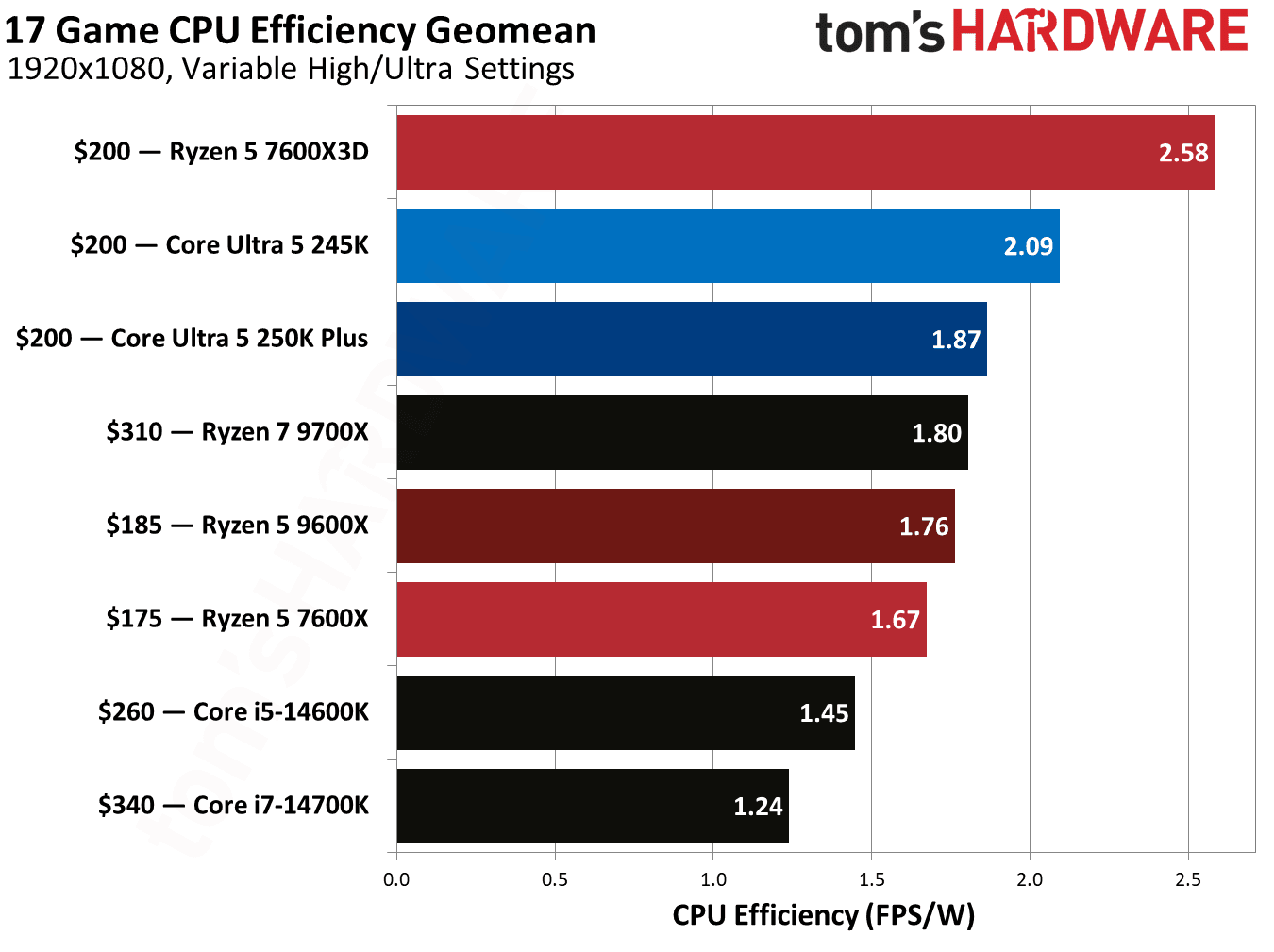
- AMD's 65W TDP vs Intel's 125W means significant power cost differences at scale
- Both CPUs hit the performance sweet spot for business workstations under $200
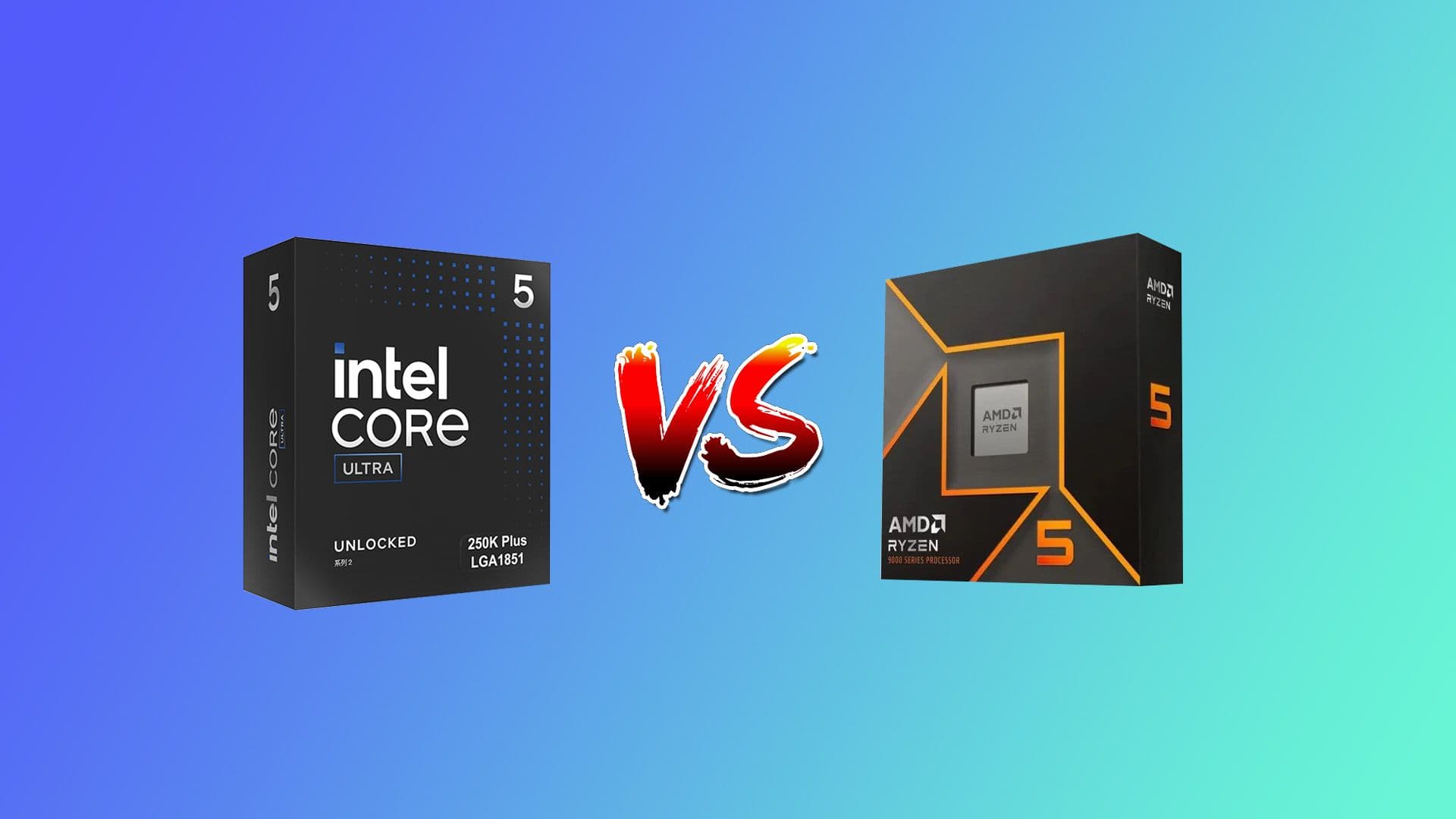
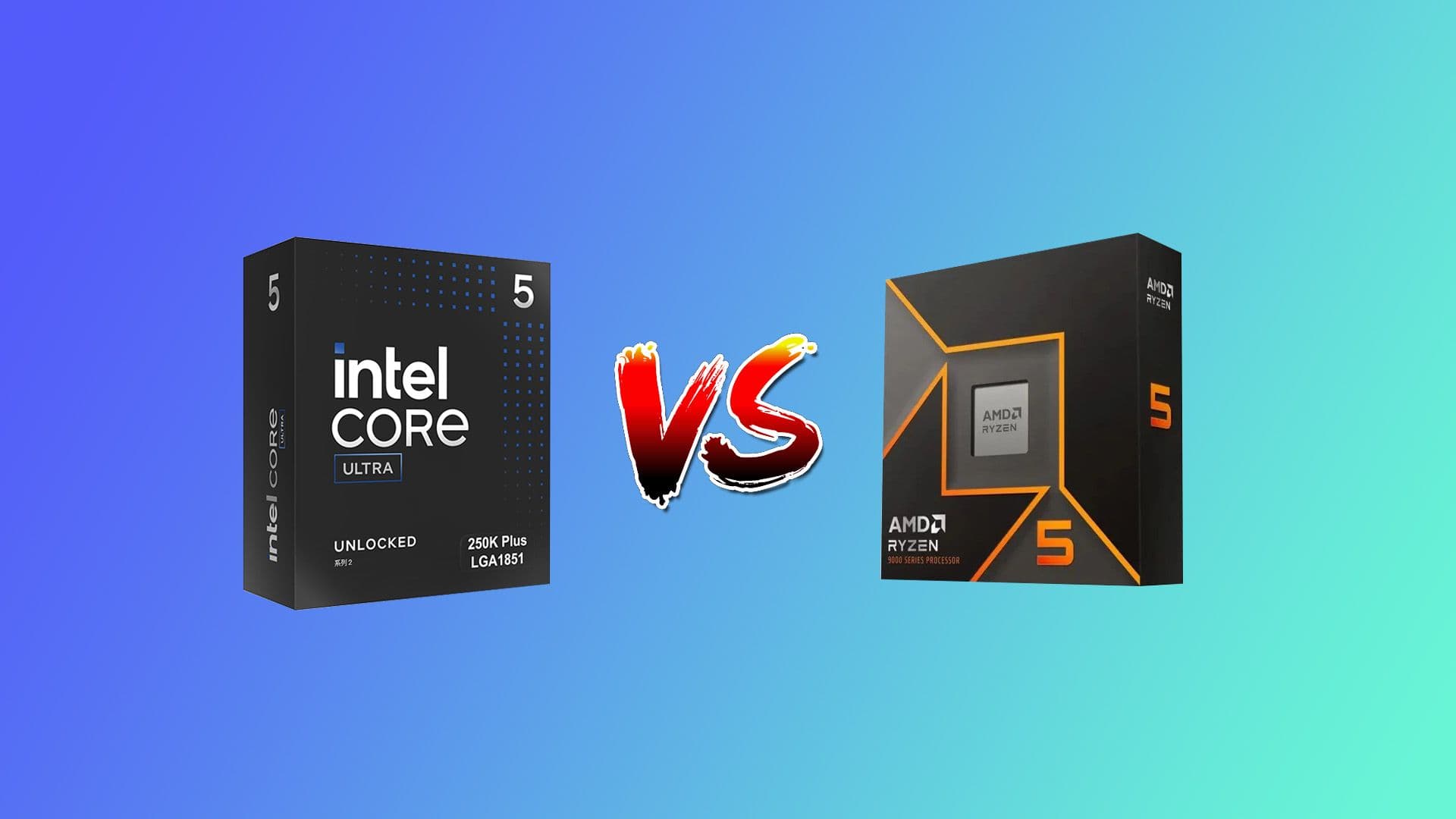
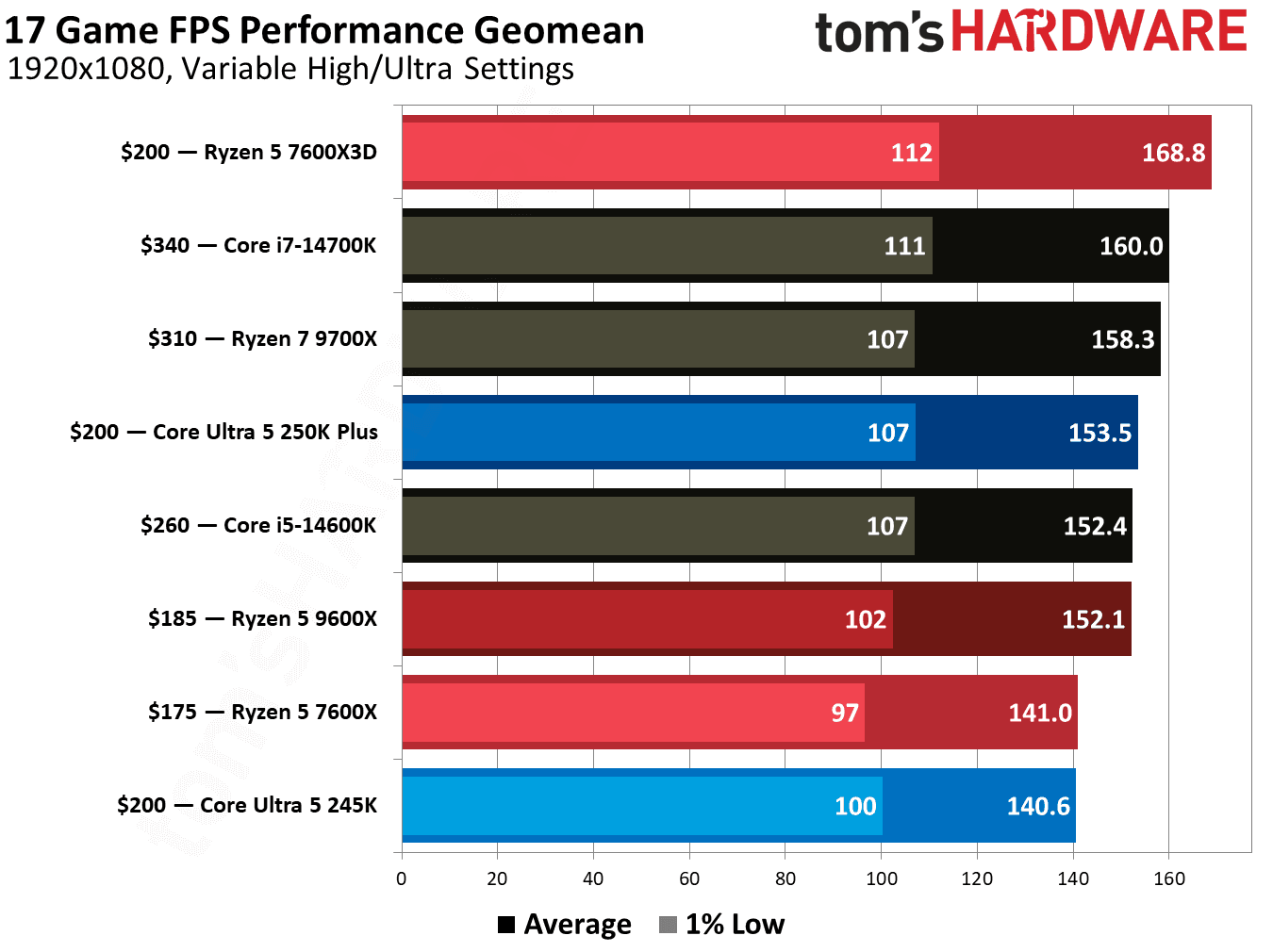
According to [Tom's Hardware](https://www.tomshardware.com/pc-components/cpus/intel-core-ultra-250k-plus-vs-amd-ryzen-5-9600x-faceoff), Intel's Core Ultra 5 250K Plus has emerged as a compelling value option in the $200 CPU segment, delivering gaming performance that outpaces even Intel's more expensive Core Ultra 7 265K while competing directly with AMD's efficient Ryzen 5 9600X.
If you're a CTO planning a workstation refresh or a startup founder building out your first engineering team's hardware, the CPU choice at this price point directly impacts your total cost of ownership. The difference between Intel and AMD here isn't just about benchmark scores. It's about power bills, cooling infrastructure, and how many browser tabs your team can have open during a Zoom call without everything grinding to a halt.
Why Should Business Leaders Care About $200 CPUs?
Here's the business case in plain terms: the $200 CPU segment represents the sweet spot for 80% of office workstations. You're not paying for cores you'll never use, but you're getting enough power to run modern productivity suites, video conferencing, light data analysis, and development environments without bottlenecks.
When you're deploying 20, 50, or 100 machines, the per-unit savings compound. But so do the differences in power consumption and cooling requirements. A 60W TDP difference between these chips translates to real money when multiplied across a fleet running 8+ hours daily.
Intel 250K Plus vs AMD 9600X: Core Specs Compared
| Specification | Intel Core Ultra 5 250K Plus | AMD Ryzen 5 9600X |
|---|---|---|
| Street Price | $199-219 | $185 |
| Architecture | Arrow Lake (3nm) | Zen 5 (4nm) |
| Core Count | 18 (6P + 12E) | 6 |
| Thread Count | 18 | 12 |
| Max Boost Clock | 5.3 GHz | 5.4 GHz |
| Total Cache | 60MB | 38MB |
| Base TDP | 125W | 65W |
| Max TDP | 159W | 88W |
| Memory Support | DDR5-7200 | DDR5-5600 |
The spec sheet tells an interesting story. Intel brings 18 cores to AMD's 6, but there's a catch. Intel's hybrid architecture mixes 6 high-performance cores with 12 efficiency cores, while AMD's 6 cores are all full-fat Zen 5 units. For single-threaded tasks like everyday office work, they'll feel similar. For multithreaded workloads like video rendering or compiling code, Intel's extra cores start pulling ahead.
What's the Total Cost of Ownership for Each CPU?
Purchase price is just the beginning. Let's break down what you're actually paying over a 3-year workstation lifecycle.
Running the numbers: if a workstation operates 8 hours daily, 250 days per year, that 60W difference equals roughly 120 kWh annually per machine. At average commercial electricity rates of $0.12/kWh, you're looking at $14.40 per machine per year. Across 50 workstations over 3 years, AMD saves you about $2,160 in power costs alone.
But wait. Intel's 250K Plus costs $15-35 more upfront. Over 50 machines, that's $750-1,750 extra at purchase. The power savings with AMD offset this within the first year. However, if your workloads genuinely benefit from Intel's extra cores, the productivity gains might justify the higher operating cost.
Executive Summary: TCO Calculation
For general office and productivity workloads, AMD's 9600X offers lower 3-year TCO. For teams running CPU-intensive tasks like code compilation, 3D rendering, or data processing, Intel's 250K Plus may deliver better value despite higher power consumption.
How Do These CPUs Perform in Real Business Workloads?
Benchmark numbers matter, but they need context. Here's what Tom's Hardware testing revealed and what it means for actual business use cases.
- Video Conferencing + Multitasking: Both CPUs handle Teams, Zoom, and Chrome with dozens of tabs effortlessly. No meaningful difference for typical knowledge workers.
- Software Development: Intel's additional cores shine when compiling large codebases. Expect 15-25% faster build times on multi-threaded compilation.
- Data Analysis: For Excel, Power BI, or Python data scripts, AMD's single-thread performance keeps pace. Intel pulls ahead on parallel processing tasks.
- Creative Work: Video editing and rendering favor Intel's core count. Photoshop and lighter creative tools see negligible differences.
- Gaming (yes, some employees game): Intel's 250K Plus actually outperforms its own more expensive sibling here, making it excellent value for gaming-capable workstations.
The pattern is clear: if your team's workflow is single-task focused, AMD delivers equivalent performance at lower power draw. If multitasking and parallel workloads are common, Intel's architecture earns its keep.
If you're optimizing hardware costs, server virtualization offers another major savings opportunity
Platform and Upgrade Considerations
CPUs don't exist in isolation. Your motherboard choice, RAM, and future upgrade path all factor into the decision.
✅ Pros
- • Intel's Arrow Lake platform supports DDR5-7200, giving slight memory bandwidth advantages
- • Intel's LGA 1851 socket is new, potentially offering longer upgrade runway
- • Both platforms support PCIe 5.0 for future storage and GPU upgrades
❌ Cons
- • Intel motherboards typically cost $30-50 more than AMD equivalents
- • AMD's AM5 platform has proven reliability from longer market presence
- • Intel's higher TDP may require better cooling solutions, adding $20-40 per build
For fleet deployments, AMD's mature AM5 ecosystem means more predictable builds and wider motherboard selection. Intel's newer platform offers potential longevity but carries some early-adopter risk.
When Should You Choose Intel 250K Plus?
Intel makes sense when your team runs workloads that can actually use 18 threads. Engineering teams compiling code, video production departments rendering content, data teams running parallel processing scripts. These users will feel the difference daily.
It's also the pick if you're building dual-purpose machines. Some startups equip developers with capable workstations that double as gaming machines for after-hours team building. The 250K Plus excels here without paying gaming-tier premium pricing.
When Should You Choose AMD 9600X?
AMD wins when efficiency matters most. If you're deploying at scale, prioritizing quiet operation, or building machines for general productivity, the 9600X delivers everything most employees need at lower TCO.
The 65W TDP also simplifies deployments. Smaller cases, quieter cooling solutions, and less strain on your building's HVAC during summer months. These factors compound across large deployments in ways that don't show up on spec sheets.
Hardware decisions at the enterprise level mirror the strategic choices OEMs make about product lines
The Bottom Line for Business Buyers
Both CPUs represent exceptional value at the $200 price point. The right choice depends entirely on your workload profile and deployment scale.
Quick Decision Framework
**Choose Intel 250K Plus if**: Your team runs multi-threaded workloads like code compilation, video rendering, or parallel data processing. The extra cores deliver measurable productivity gains that justify higher power costs. **Choose AMD 9600X if**: You're deploying at scale, prioritizing energy efficiency, or equipping teams doing standard productivity work. Lower TCO and simpler thermal requirements make fleet management easier.
Logicity's Take
At Logicity, we've built workstations for our development team using both Intel and AMD platforms over the years. Our honest assessment: for the AI agent development and web work we do daily, including running local LLMs, building Next.js applications, and testing Claude API integrations, the AMD 9600X handles everything without breaking a sweat. The Intel option makes sense if you're regularly training models locally or running heavy containerized workloads. But most business users we work with in Hyderabad and across India are better served by AMD's efficiency profile. The power cost difference is even more relevant here given electricity pricing and backup power requirements. One thing worth noting for Indian tech businesses: the cooler AMD runs, the less strain on your UPS systems and the longer your hardware lasts in our climate. These practical considerations matter as much as benchmark numbers when you're running a lean operation.
Frequently Asked Questions
Is the Intel 250K Plus worth $35 more than the AMD 9600X?
It depends on your workload. For multi-threaded tasks like compilation or rendering, Intel's extra cores deliver 15-25% faster performance, justifying the premium. For general productivity, AMD offers better value.
How much will power costs differ over 3 years?
At 8 hours daily operation, the 60W TDP difference equals roughly $14 per machine annually. Across 50 machines over 3 years, AMD saves approximately $2,160 in electricity costs.
Which CPU is better for a developer workstation?
Intel's 250K Plus offers faster compile times for large codebases due to its 18 threads. For web development or lighter workloads, AMD's 9600X provides sufficient performance at lower power consumption.
Do these CPUs require expensive cooling solutions?
AMD's 65W TDP works well with stock or budget coolers. Intel's 125W-159W draw may require $30-50 aftermarket cooling for optimal performance, especially in compact cases.
Which platform has better long-term upgrade potential?
Both platforms support DDR5 and PCIe 5.0. Intel's newer LGA 1851 socket may see longer support, while AMD's AM5 has a proven track record. Neither is a clear winner here.
Strategic decision-making frameworks apply whether you're choosing hardware or content investments
Need Help Planning Your Hardware Strategy?
Logicity helps startups and growing businesses make smart technology decisions. Whether you're building out your first engineering team's workstations or planning a company-wide hardware refresh, we can help you balance performance, cost, and scalability. Reach out to discuss your specific requirements.
Source: Latest from Tom's Hardware
Huma Shazia
Senior AI & Tech Writer
Produced with AI assistance and reviewed by the Logicity editorial team. Learn more in our Editorial Policy.