Key Takeaways
- n8n can log Home Assistant events directly to Google Sheets or Excel for easier analysis
- Email content can trigger Home Assistant automations through n8n without complex template sensors
- Pairing n8n with Home Assistant unlocks cross-platform workflows that neither tool handles alone
Home Assistant is powerful. You can build automations that run circles around Alexa or Google Home's native systems. But it has blind spots. Some workflows are either impossible or require convoluted workarounds involving template sensors, custom integrations, and YAML files that make your eyes water.
That's where n8n comes in. It's an open-source workflow automation platform that connects to hundreds of services. When you pair it with Home Assistant, you get capabilities neither tool has on its own.
Log Home Assistant Events to a Spreadsheet
Home Assistant already tracks history, logs, and long-term statistics. The problem is getting that data into a format you can actually use. Try sharing your humidity trends with your HVAC contractor or analyzing air quality patterns over six months. It's not fun.
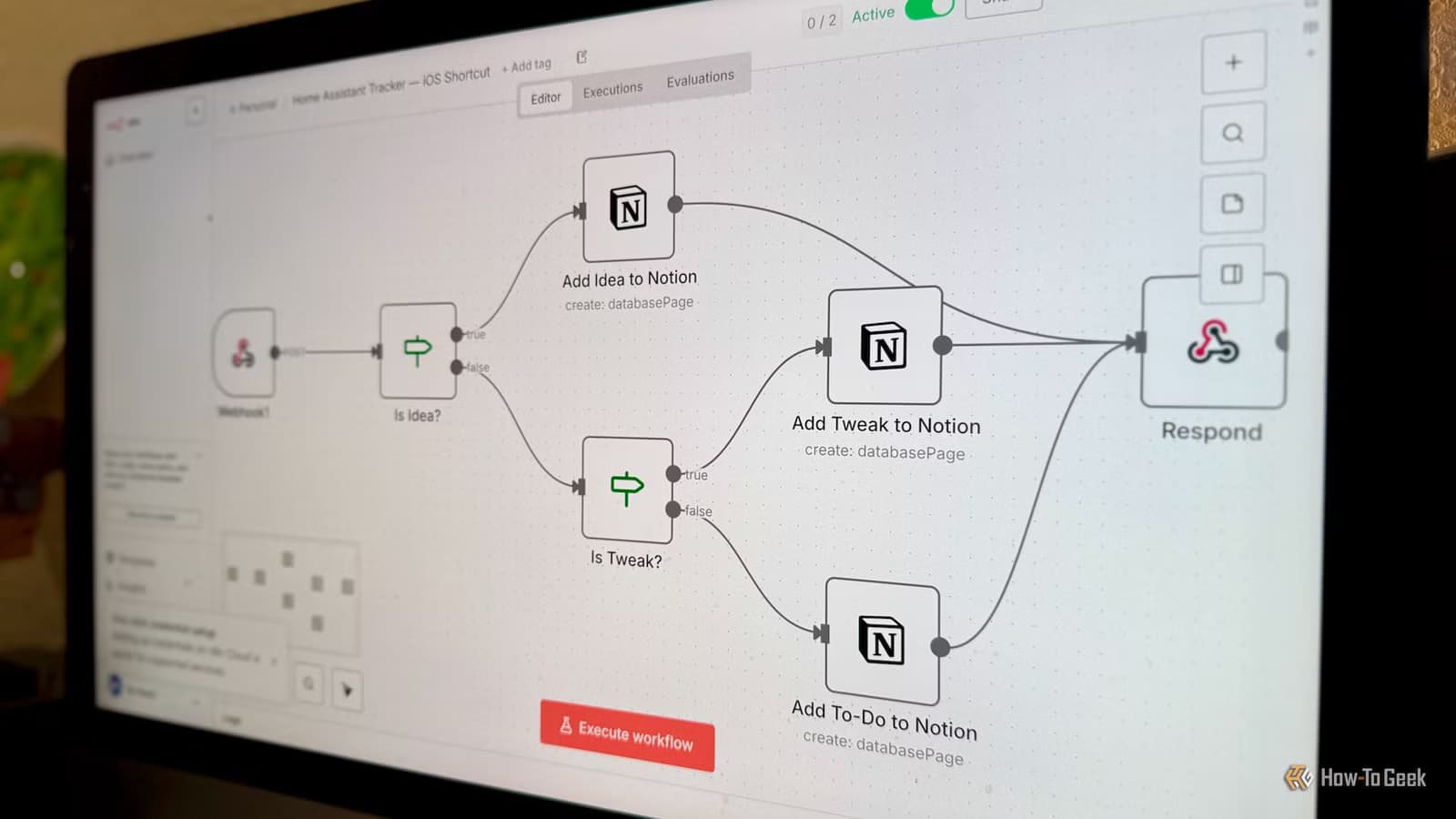
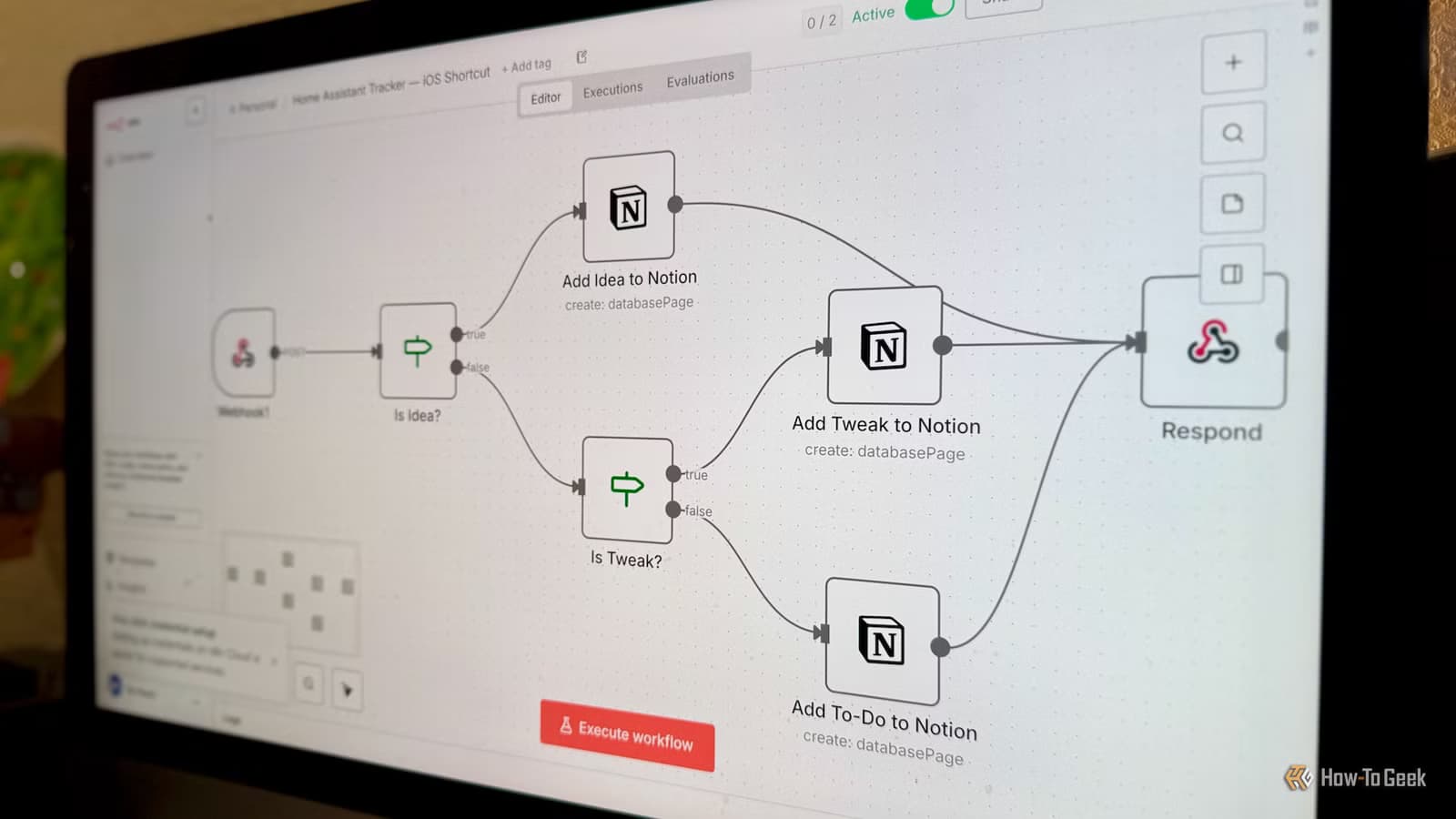
With n8n, Home Assistant can send data via webhook or HTTP request. n8n then pushes that data to Google Sheets or Excel. You pick what goes in: timestamp, entity name, state, attributes. Whatever you need.
A practical example: snapshot your indoor air quality every two hours. Log PM2.5, CO2, VOCs, and humidity to a spreadsheet. After a few weeks, you can spot patterns. Maybe air quality tanks every time you cook, or spikes correlate with running the dryer. Finding those patterns in Home Assistant's native interface would take far longer.
Yes, add-ons like InfluxDB and Grafana can log and visualize this data. But spreadsheets are easier to share, and most people are more comfortable analyzing data in Excel than writing database queries.
Trigger Automations From Email Content
You can technically use emails to trigger Home Assistant automations. In practice, it's a mess. You'll need template sensors, complex filters, and likely a custom integration to catch specific emails reliably.
n8n handles email triggers natively. It connects to your inbox, watches for specific senders or subject lines, parses the content, and fires a webhook to Home Assistant. The whole flow takes minutes to set up, not hours.
Think about use cases: a delivery notification email triggers your porch light to flash. A calendar reminder email arms your security system. An alert from your bank triggers a notification on your smart display. None of these require writing a single line of YAML.
Another workflow automation combining multiple tools
Why This Pairing Works
Home Assistant excels at local control. It talks to your lights, sensors, locks, and thermostats. It processes events fast because everything runs on your local network. But it's not designed to be a general-purpose integration platform.
n8n is the opposite. It connects to cloud services, APIs, and web apps. It's built for workflows that span multiple platforms. Email, spreadsheets, Slack, databases, CRMs. The list runs into hundreds of integrations.
Together, they cover gaps neither handles well alone. Home Assistant becomes the hub for physical devices. n8n becomes the bridge to everything outside your home network.
Getting Started
Both tools can run on the same hardware. If you're already running Home Assistant on a Raspberry Pi or mini PC, n8n can run alongside it in a Docker container. The Home Assistant Green, priced at $219 on Amazon, is a dedicated hub that handles both workloads.
The connection between them is straightforward. Home Assistant fires a webhook when something happens. n8n receives it, processes the data, and takes action. Going the other way, n8n can call Home Assistant's REST API to trigger automations or change device states.
More on workflow automation tools for small teams
Logicity's Take
Frequently Asked Questions
Can n8n run on the same server as Home Assistant?
Yes. n8n runs in a Docker container and can share hardware with Home Assistant. A Raspberry Pi 4 or any mini PC handles both.
Is n8n free to use?
n8n is open source and free to self-host. There's also a cloud-hosted version with paid tiers for teams that don't want to manage infrastructure.
What's the easiest way to connect Home Assistant to n8n?
Webhooks. Home Assistant sends HTTP requests to n8n when events occur. n8n can call Home Assistant's REST API to trigger actions in return.
Do I need coding skills to use n8n with Home Assistant?
Basic workflows require no code. n8n uses a visual drag-and-drop interface. Complex logic might need simple JavaScript expressions, but nothing heavy.
Need Help Implementing This?
Source: How-To Geek
Huma Shazia
Senior AI & Tech Writer
Produced with AI assistance and reviewed by the Logicity editorial team. Learn more in our Editorial Policy.






