Key Takeaways
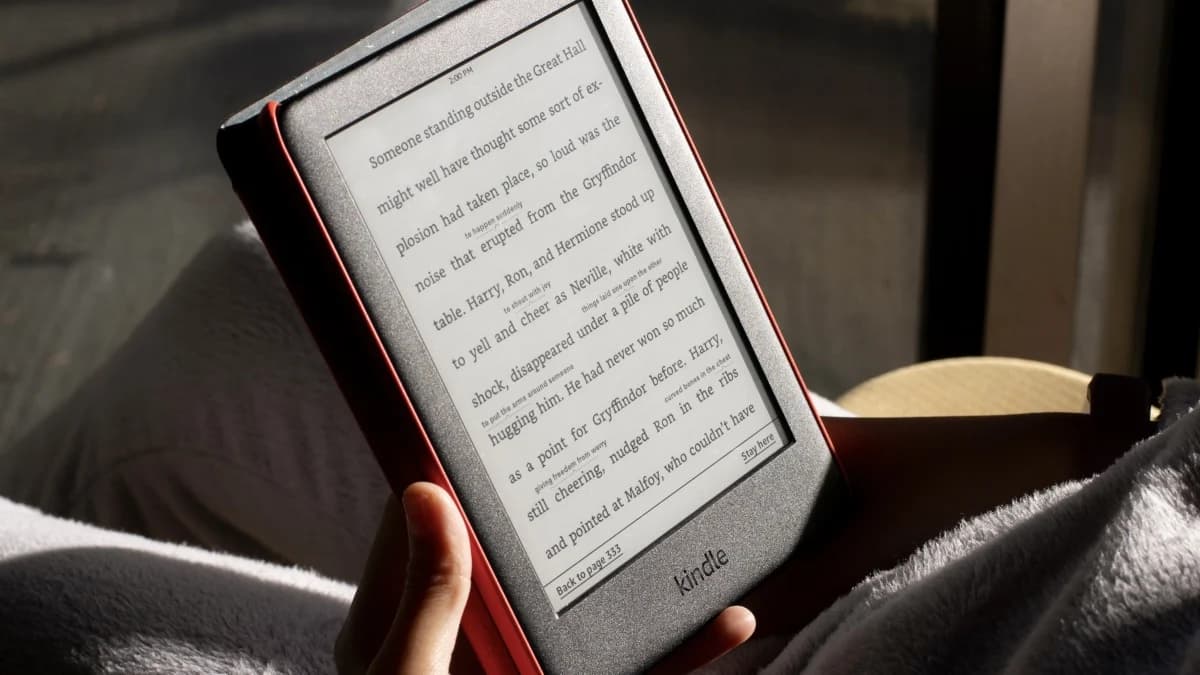
- Amazon will stop supporting Kindles from 2012 and earlier starting May 20, 2026
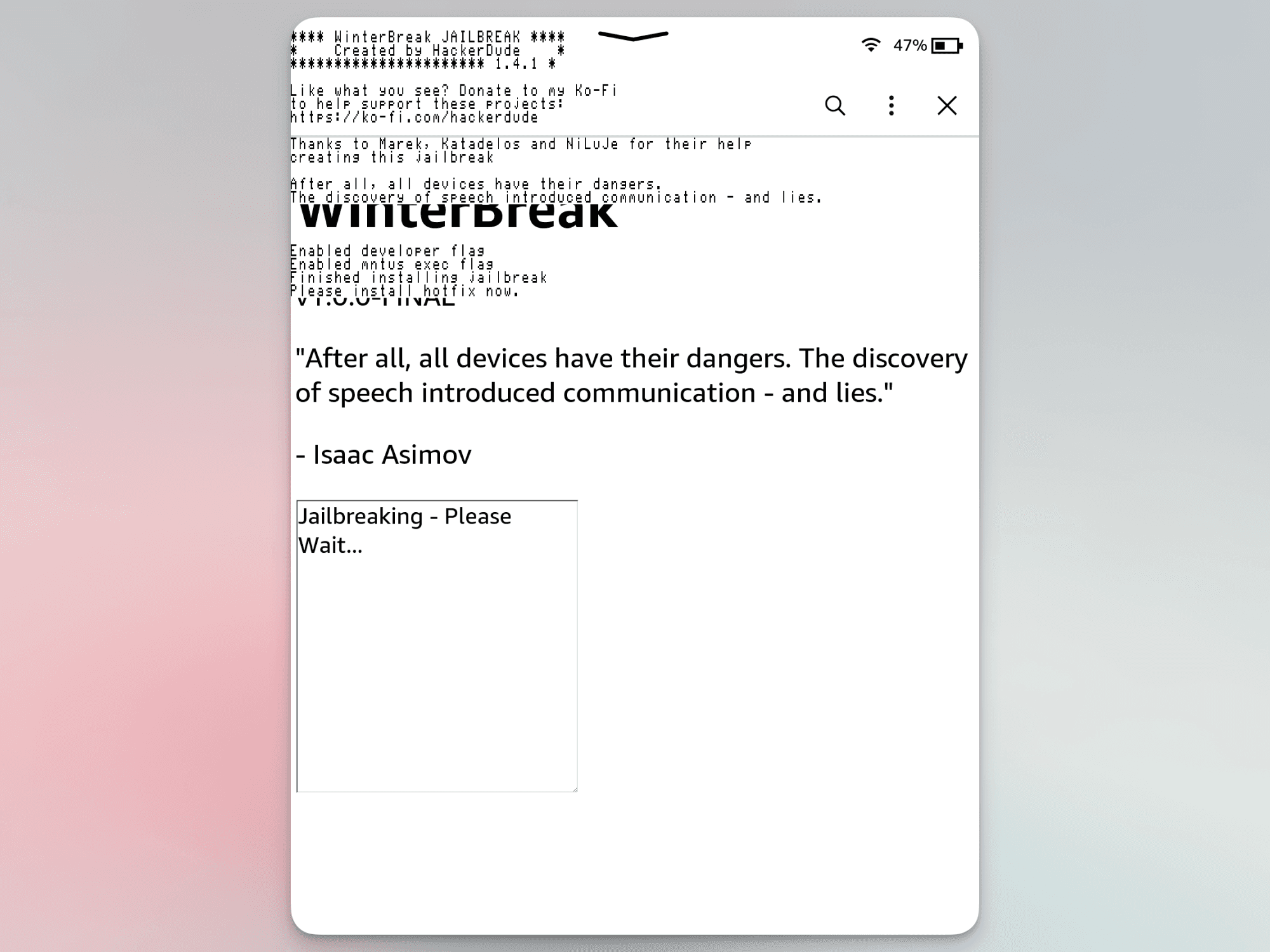
- Jailbreaking installs custom software like KOReader that reads ePub files natively
- You'll lose access to Amazon's store but gain full control over your device
- The process requires a factory reset on older devices, so back up your data first
- There are real risks including bricking your device and potential malware exposure
Read in Short
Amazon is killing support for older Kindles in May 2026, meaning your device won't be able to buy or download books anymore. But here's the good news: you can jailbreak your Kindle, install KOReader, and keep reading for years without Amazon's permission. It's not risk-free, but it's totally doable.
So Amazon just dropped some news that's got a lot of Kindle owners pretty annoyed. Starting May 20th, 2026, they're pulling the plug on all Kindle devices released in 2012 and earlier. And we're not talking about just missing out on new features. These e-readers will completely lose access to Amazon's store. No buying books. No borrowing from libraries. Nothing.
The thing is, Kindles are built to last. There are people still rocking devices from the early 2010s without a single hardware issue. The battery life on these things is legendary, and the e-ink screens basically don't age. So why should perfectly functional hardware become paperweights just because Amazon says so?
Look, Amazon obviously wants you to shell out for a new Kindle Paperwhite at $160. And sure, if you want the seamless Amazon experience with all the bells and whistles, that's one option. But it's not your only option. You can take matters into your own hands and jailbreak your Kindle instead.
What Does Jailbreaking a Kindle Actually Do?
When you jailbreak your Kindle, you're essentially replacing Amazon's locked-down operating system with custom software that you control. The most popular choice right now is KOReader, which is this open-source document reader that's honestly pretty impressive for what it is.
Once you've got KOReader running, your Kindle transforms into something different. The Amazon store? Gone. Those annoying lock screen ads? Gone. What you're left with is a clean, focused reading experience that actually prioritizes, you know, reading.
✅ Pros
- • Read ePub files natively without converting to Mobi format
- • No more Amazon ads on your lock screen
- • Completely free from Amazon's ecosystem and arbitrary cutoffs
- • Custom fonts and extensive UI customization
- • Cool features like book maps showing your reading progress visually
- • Wirelessly sideload books using Calibre
❌ Cons
- • Factory reset required on older devices, wiping all data
- • Risk of bricking your device during the process
- • You're downloading unofficial software from forums
- • Loses access to Amazon's lending library and store
- • Some technical knowledge required
- • No official support if something goes wrong
The ePub Problem Amazon Created
Here's something that's always bugged me about Kindles. Amazon locked their devices to proprietary formats like Mobi and AZW, which means you couldn't just download an ePub file and start reading. You had to convert everything first. It was annoying by design.
With KOReader, that headache disappears. The software supports a ton of formats natively, including ePub. You can grab books from wherever you want, transfer them wirelessly using an app like Calibre, and just read. No conversion. No DRM hassles. Just books.
Legal Note
Sideloading books puts you in some gray legal territory. But there are legitimate ways to get ePub files, including DRM-free purchases from stores like Smashwords, Project Gutenberg's free public domain library, and authors who sell directly. You're not automatically doing something sketchy here.
The Risks You Need to Know About
I'm not going to pretend jailbreaking is risk-free, because it's definitely not. Before you start this process, you need to understand what could go wrong.
- Factory reset is required on older devices, meaning everything gets wiped. If you haven't backed up your highlights, annotations, and books, they're gone forever.
- There's a real chance you could brick your Kindle. Your device might get stuck on the boot screen or just refuse to turn on entirely. Sometimes you can recover from this. Sometimes you can't.
- You're downloading software from unofficial forums. The communities are generally trustworthy and problems are rare, but you're still taking a risk with potential malware.
- Once jailbroken, you're on your own. No Amazon support, no warranty coverage, no easy fixes if something breaks.
That said, if your alternative is a Kindle that Amazon is about to abandon anyway? The risk calculus changes pretty significantly. A device that might get bricked versus a device that's definitely becoming useless in 2026. Not a hard choice for a lot of people.
What You Can Do With a Jailbroken Kindle
Beyond just escaping Amazon's control, a jailbroken Kindle opens up customization options that the stock software never offered. We're talking custom fonts, completely redesigned home screens, and features Amazon never bothered to implement.
One of the coolest additions is something called a book map. It's this visual representation of your reading progress that shows you where you've been in a book. Way more satisfying than a percentage counter, honestly.
If you're looking to upgrade your reading setup, great earbuds for audiobooks pair perfectly with an e-reader
How to Actually Jailbreak Your Kindle
The exact process depends on which Kindle model you have and what firmware version it's running. If your device is running anything below firmware 5.14, you've got options. Here's the general roadmap.
- Check your Kindle's firmware version in Settings > Device Options > Device Info
- Back up absolutely everything you care about, including books, highlights, and notes
- Find the jailbreak method specific to your device model on MobileRead forums
- Download the required files and follow the instructions carefully
- Factory reset your device when prompted
- Install the jailbreak following the guide step by step
- Install KOReader or your preferred custom reader software
- Set up Calibre on your computer for wireless book transfers
Where to Find Jailbreak Guides
The MobileRead forums are the go-to resource for Kindle jailbreaking. They have device-specific guides, active communities for troubleshooting, and the actual software downloads. Search for your specific Kindle model plus 'jailbreak' and you'll find what you need.
Is This Worth It?
Here's my take. If you've got a Kindle that Amazon is about to abandon, jailbreaking is almost a no-brainer. Your device is headed for planned obsolescence anyway. Why not try to save it?
For newer Kindles that still have years of Amazon support ahead? It's a harder call. You're trading convenience and ecosystem integration for freedom and customization. Some people will love that trade. Others will miss being able to buy a book with one tap.
But the bigger picture here matters too. Amazon deciding when your hardware stops working, even when the hardware itself is fine, is kind of gross. Jailbreaking is one way to push back against that. Your device, your rules.
The Bottom Line
Amazon gave Kindle owners until May 2026 to figure out what they're doing with their older devices. That's actually generous notice, as far as these things go. But the expectation that everyone should just buy new hardware when the old stuff works perfectly? That's the part that doesn't sit right.
Jailbreaking isn't for everyone. It requires some technical comfort, involves real risks, and means saying goodbye to Amazon's ecosystem entirely. But for people who just want to keep reading on hardware they already own? It's a legitimate path forward.
Your Kindle doesn't have to die just because Amazon decided it should. And honestly? There's something satisfying about taking control back from a company that assumed you'd just buy whatever they told you to.
Frequently Asked Questions
Will jailbreaking my Kindle void the warranty?
Yes, absolutely. But if your device is old enough to be affected by the 2026 cutoff, your warranty expired years ago anyway.
Can I undo a jailbreak and go back to stock Amazon software?
In most cases, yes. You can usually restore the original firmware, though the process varies by device. But if you brick your Kindle during jailbreaking, restoration might not be possible.
Do I need to be connected to WiFi after jailbreaking?
Nope. One of the benefits is that your device becomes completely independent from Amazon's servers. You can sideload books via USB or use Calibre over your local network.
What Kindle models can be jailbroken?
Most Kindle models have jailbreak methods available, but the process differs significantly between devices. Check MobileRead forums for your specific model and firmware version.
Source: Lifehacker
Huma Shazia
Senior AI & Tech Writer
Produced with AI assistance and reviewed by the Logicity editorial team. Learn more in our Editorial Policy.






