Key Takeaways
- RAID protects against drive failure but not against accidental deletion, corruption, or misconfiguration
- A simple backup system would have reduced hours of recovery to minutes of restoration
- Knowledge without action is worthless. Knowing backups matter means nothing if you never set them up
The Disaster: One Update, Hours of Pain
Patrick Campanale, a tech writer who has been in the space for over a decade, learned an expensive lesson a few weeks ago. His NAS server had an update. He ran it. The update changed the path mapping for NFS mounts. His Proxmox servers, which stored their VMs on the NAS for high availability, could no longer see the virtual machines.
Under normal circumstances, this would be a minor annoyance. Remap the drive, everything comes back online. But Campanale did not realize what had happened. The result: multiple virtual machines and Docker containers lost. Hours spent recovering what a simple backup would have restored in minutes.
The Root Cause: RAID Is Not a Backup
Campanale admits he knew the cardinal rule. RAID is not a backup. He knew it intellectually. He just never acted on it.
This is a common trap in homelab setups. RAID protects against a specific failure mode: a single drive dying. It mirrors or stripes data across multiple disks so that one drive failure does not take down your system. But RAID does nothing to protect against deleted files, ransomware encryption, software corruption, or configuration changes that make your data invisible to the systems that need it.
In Campanale's case, the data was still on the drives. The RAID array was intact. But the NFS path mapping change meant Proxmox could not find the VMs. Without a backup of the VM configurations and data stored separately, recovery became a manual process.
Knowledge vs. Wisdom
Campanale draws a useful distinction between knowledge and wisdom. Knowledge is acquiring facts. Wisdom is applying them. He had the knowledge that RAID is not a backup. He lacked the wisdom to set up actual backups before disaster struck.
This is not a character flaw unique to Campanale. It is a pattern anyone running infrastructure recognizes. The backup system is always the next project. It never feels urgent until after the failure. The failure, by definition, arrives before the backup system does.
As Campanale puts it: a failure to plan is planning to fail.
What a Simple Backup Would Have Done
The fix here is not complicated. Proxmox has built-in backup tools. Most NAS systems can snapshot and replicate data to a second device or cloud storage. Even a basic rsync script running nightly to an external drive would have provided a recovery path.
The time investment to set up a simple backup system? Campanale estimates it would have taken about five minutes to configure a basic backup job in Proxmox. The time spent on recovery? Hours.

This is the math that makes backup procrastination irrational. Five minutes of prevention versus hours of recovery. Yet the prevention never feels urgent until after you need it.
The 3-2-1 Rule Still Applies
The classic backup strategy remains the 3-2-1 rule: three copies of your data, on two different types of media, with one copy offsite. For a homelab, this might look like primary storage on a NAS, local backups to an external drive, and cloud backups to Backblaze B2 or a similar service.
- Primary copy: your working data on the NAS or local storage
- Second copy: scheduled backups to a separate device in the same location
- Third copy: offsite backup to cloud storage or a remote location
For VM and container backups specifically, Proxmox Backup Server is a free tool designed for exactly this purpose. It handles incremental backups, deduplication, and verification. Setting it up takes more than five minutes, but not much more.
Why This Matters Beyond Homelabs
Campanale's disaster happened in a homelab, but the lesson scales to production environments. The complexity of your infrastructure does not change the fundamental requirement: you need a way to recover data that does not depend on the primary system being functional.
High availability clusters, RAID arrays, and redundant systems protect against specific failure modes. They do not protect against every failure mode. A backup stored separately from the primary system is the only protection against the failures that affect the primary system as a whole.
Logicity's Take
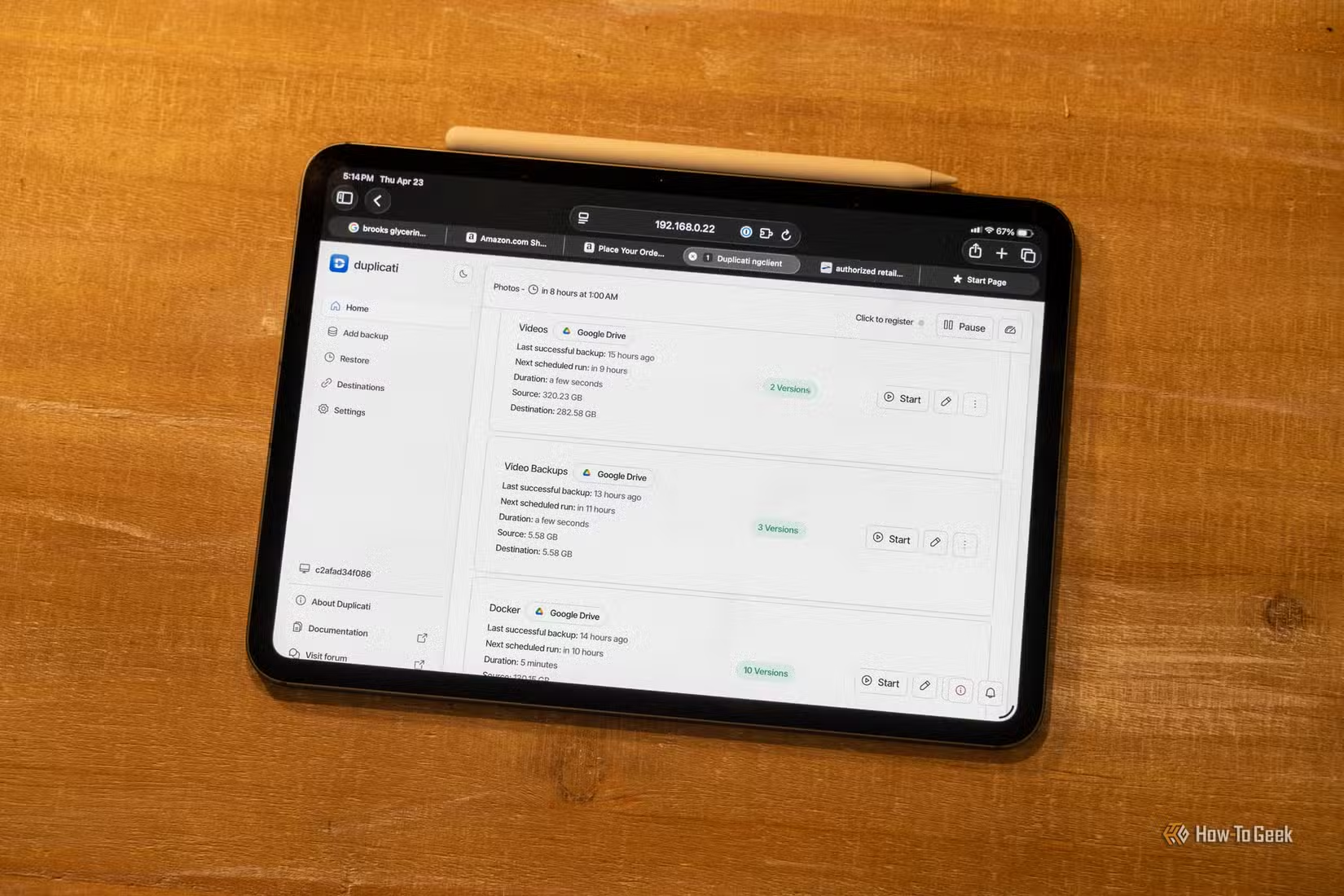
Another practical setup improvement that takes minutes but saves hours
Action Items for Homelab Operators
- Enable Proxmox Backup Server or equivalent for VM and container backups
- Schedule automated backups to run at least daily
- Store backups on a device separate from the primary storage
- Test recovery by actually restoring from backup periodically
- Consider offsite replication for critical data
The last point deserves emphasis. A backup you have never tested is not a backup. It is a hope. Recovery testing is what turns hope into a plan.
Frequently Asked Questions
Why is RAID not considered a backup?
RAID protects against drive failure by spreading data across multiple disks. It does not protect against file deletion, ransomware, corruption, or configuration errors. If a file is deleted from a RAID array, it is deleted from all drives simultaneously.
What is the 3-2-1 backup rule?
The 3-2-1 rule recommends keeping three copies of your data, on two different types of media, with one copy stored offsite. This provides protection against multiple failure scenarios including theft, fire, and hardware failure.
How often should homelab backups run?
Daily backups are a reasonable baseline for most homelab setups. Critical data or frequently changing systems may warrant more frequent backups. The key metric is: how much work are you willing to lose?
What is Proxmox Backup Server?
Proxmox Backup Server is a free, open-source backup solution designed for Proxmox VE environments. It supports incremental backups, deduplication, and encrypted offsite replication. It integrates directly with Proxmox VE for VM and container backups.
How do I test if my backups actually work?
The only reliable test is to restore from backup. Pick a non-critical VM or container, delete it from the primary system, and restore it from backup. If the restore succeeds and the system functions correctly, your backup works.
Need Help Implementing This?
Source: How-To Geek
Manaal Khan
Tech & Innovation Writer
Produced with AI assistance and reviewed by the Logicity editorial team. Learn more in our Editorial Policy.






