Key Takeaways
- Samsung Galaxy S25 Ultra charges wirelessly but won't stay attached to MagSafe stands without a case
- The phone supports Qi2 protocol but omits the magnets that make magnetic accessories work
- Users switching from iPhone lose their caseless MagSafe setup unless they add a magnetic case
Here's a frustration many Android users switching from iPhone won't see coming: Samsung's Galaxy S25 Ultra supports wireless charging but won't stick to your MagSafe stand. The phone will charge if you hold it there. Let go, and it falls.
Tech writer Sydney Butler discovered this the hard way after picking up an S25 Ultra on a carrier clearance deal. After four years on iPhone, he'd built a workflow around MagSafe. Charging stand on the desk. The phone doubles as a clock with widgets on the always-on display. Occasionally a magnetic wallet or power bank. All of it caseless.
Samsung broke that setup with a single design choice: no alignment magnets in the phone itself.
The Qi2 Problem
Samsung's S25 Ultra does support Qi2, the wireless charging standard that incorporates MagSafe-style magnetic alignment. But supporting the protocol and including the magnets are two different things. Samsung chose the former and skipped the latter.
The result: the phone charges on any Qi2 pad, but it won't magnetically attach. No desk stand use. No magnetic car mounts. No snap-on accessories. Not without a case that adds the missing magnets.
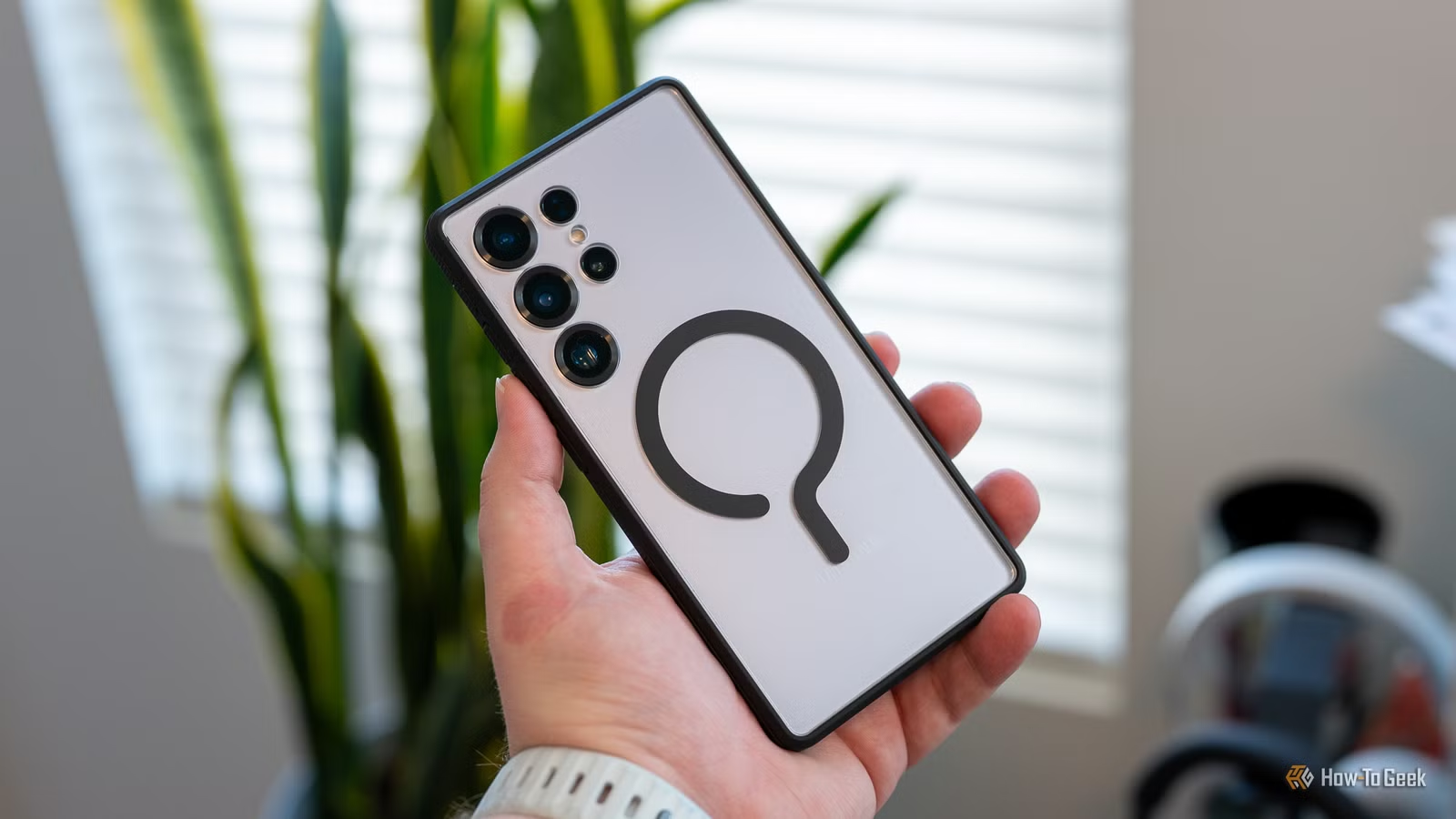
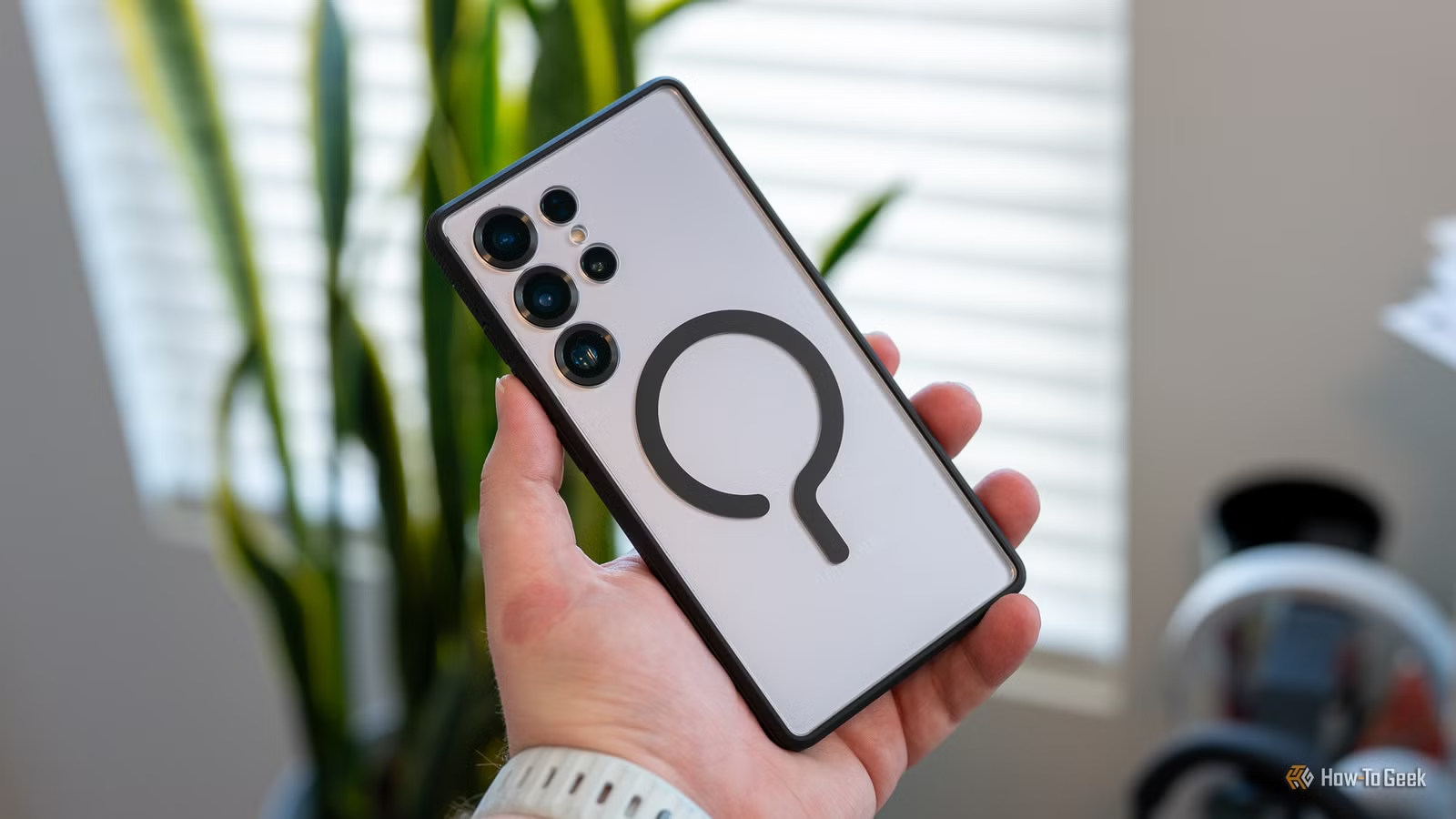
Butler ended up buying a dbrand Ghost 2.0 clear case specifically because it includes a magnetic ring. It's a workaround, not a fix. He still has a case on a phone he bought partly for its design.
Why This Matters Beyond Aesthetics
The caseless preference isn't just vanity. Phone manufacturers spend considerable engineering effort on materials, weight distribution, and hand feel. A case negates most of that work. It also adds bulk to devices that keep getting thinner.
More practically, magnetic attachment has become infrastructure. Desk stands, car mounts, camera rigs, payment terminals. All designed around the assumption that the phone sticks. Samsung's choice to omit magnets means S25 Ultra owners need third-party hardware to access an ecosystem their $1,200+ phone technically supports.
The Workaround Options
If you're in Butler's situation, you have three choices:
- Use a magnetic case. Clear cases like dbrand's Ghost 2.0 preserve most of the phone's look while adding MagSafe compatibility.
- Stick a magnetic ring to the back. Thinner than a case, but you're still adding hardware to a phone that should have it built in.
- Skip magnetic accessories entirely. Use the phone caseless and accept that wireless charging means laying it flat on a pad.
None of these are great. The first two defeat the purpose of buying a phone with premium materials. The third abandons a genuinely useful accessory ecosystem.
What About the Galaxy S26 Ultra?
The upcoming S26 Ultra could fix this. Samsung hasn't confirmed magnet inclusion, but the company has faced enough criticism over the S25 Ultra's missing magnets that a change seems likely. Until then, S25 Ultra owners are stuck with workarounds.
Logicity's Take
The Bigger Picture
This isn't just a Samsung problem. It's a standards problem. Qi2 defines magnetic alignment as optional, so manufacturers can claim compatibility while shipping incomplete implementations. Until the standard requires magnets, expect more phones to pull this move.
For now, if you're switching from iPhone to a Galaxy S25 Ultra and you rely on MagSafe accessories, budget for a magnetic case. Your caseless days are over.
More on hardware decisions that create unexpected limitations
Frequently Asked Questions
Does the Samsung Galaxy S25 Ultra support MagSafe?
It supports Qi2 wireless charging, which is compatible with MagSafe chargers. But it lacks the built-in magnets needed to attach to MagSafe accessories. You'll need a magnetic case to use snap-on accessories.
Why doesn't Samsung include magnets in the S25 Ultra?
Samsung hasn't explained the decision. The Qi2 standard makes magnetic alignment optional, so the company can claim Qi2 compatibility without including the magnets.
What case adds MagSafe to the Galaxy S25 Ultra?
Cases with built-in magnetic rings, like the dbrand Ghost 2.0, add MagSafe compatibility. Several other manufacturers offer similar options.
Will the Samsung Galaxy S26 Ultra have magnets?
Samsung hasn't confirmed this. Given user feedback about the S25 Ultra, magnet inclusion in the S26 Ultra is possible but not guaranteed.
Can I add magnets to my S25 Ultra without a case?
Yes. Thin magnetic rings or stickers can be attached directly to the phone's back. This is less bulky than a case but still modifies the phone's appearance.
Need Help Implementing This?
Source: How-To Geek
Huma Shazia
Senior AI & Tech Writer
Produced with AI assistance and reviewed by the Logicity editorial team. Learn more in our Editorial Policy.






