Key Takeaways

- Workato offers 1,400+ prebuilt connectors and faster deployment for SaaS-heavy environments
- MuleSoft excels at connecting legacy systems and on-prem infrastructure with 250+ deep connectors
- Workato uses task-based SaaS pricing; MuleSoft charges by infrastructure capacity
Workato and MuleSoft solve related problems but target different realities. Workato is built for speed: connect SaaS apps, build workflows, ship. MuleSoft is built for control: design your APIs, govern your architecture, then deploy. For operations and RevOps teams evaluating enterprise integration platforms in 2026, the choice depends less on features and more on what your tech stack actually looks like.
Disclosure
Some links in this post are affiliate links — Logicity earns a commission if you sign up, at no extra cost to you. We only link products we have used or actively recommend.
Both platforms sit in the iPaaS category, but they emerged from different philosophies. Workato prioritizes getting integrations live quickly, even in enterprise environments. MuleSoft prioritizes getting integrations right from the start, with heavy upfront architecture work. Neither approach is wrong. They just lead to different timelines, team compositions, and budgets.
How do deployment speeds compare?
The gap here is significant. Workato's low-code interface lets development teams connect apps and deploy workflows faster than MuleSoft typically allows. You're still working with an enterprise platform that benefits from dedicated dev resources, but the path from idea to production is shorter.
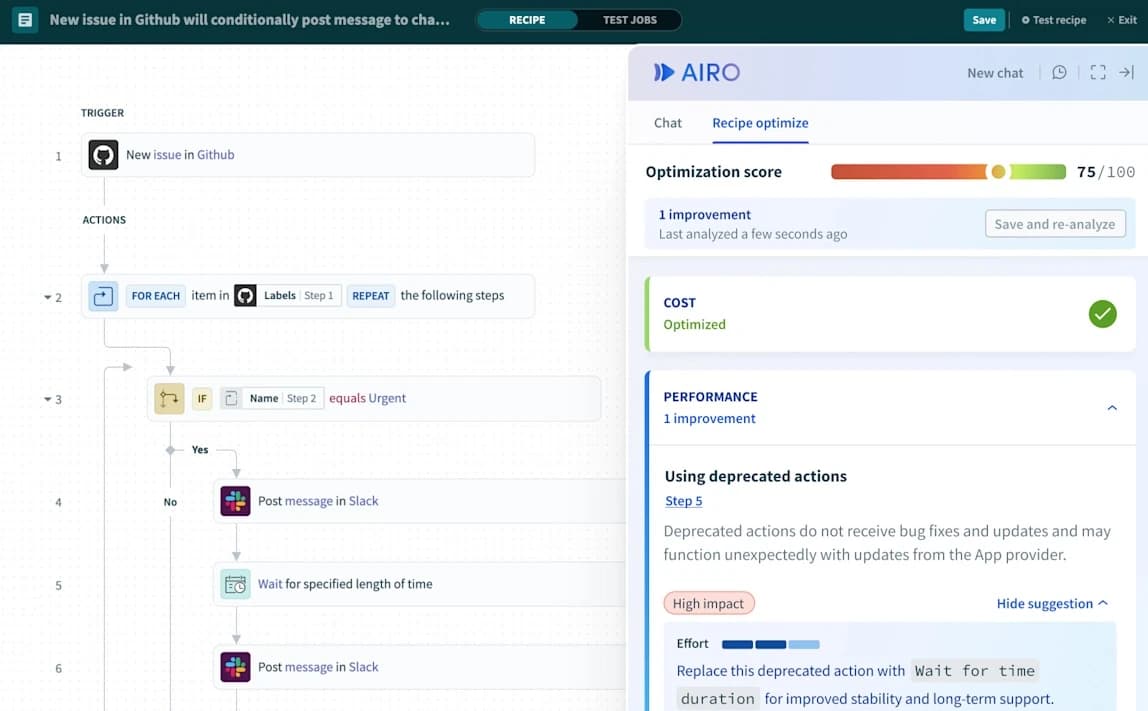
MuleSoft takes a more deliberate approach. Before you build anything, you're making decisions about APIs, data flows, and system architecture. That deliberation pays off in complex environments with custom code and legacy systems, but it also means a steeper learning curve and heavier reliance on developers and architects.
For comparison, tools like Zapier, Make, and n8n remove the technical dependency almost entirely. Zapier in particular lets anyone describe a workflow in plain English and deploy it without a developer. That's a different market segment, but worth noting if your team doesn't have dedicated integration engineers.
What about prebuilt connectors?
Workato offers 1,400+ prebuilt connectors, mostly targeting modern SaaS applications. If your stack is Salesforce, HubSpot, Slack, and Snowflake, you'll find ready-made connections. The connector library is designed for the SaaS-first enterprise.
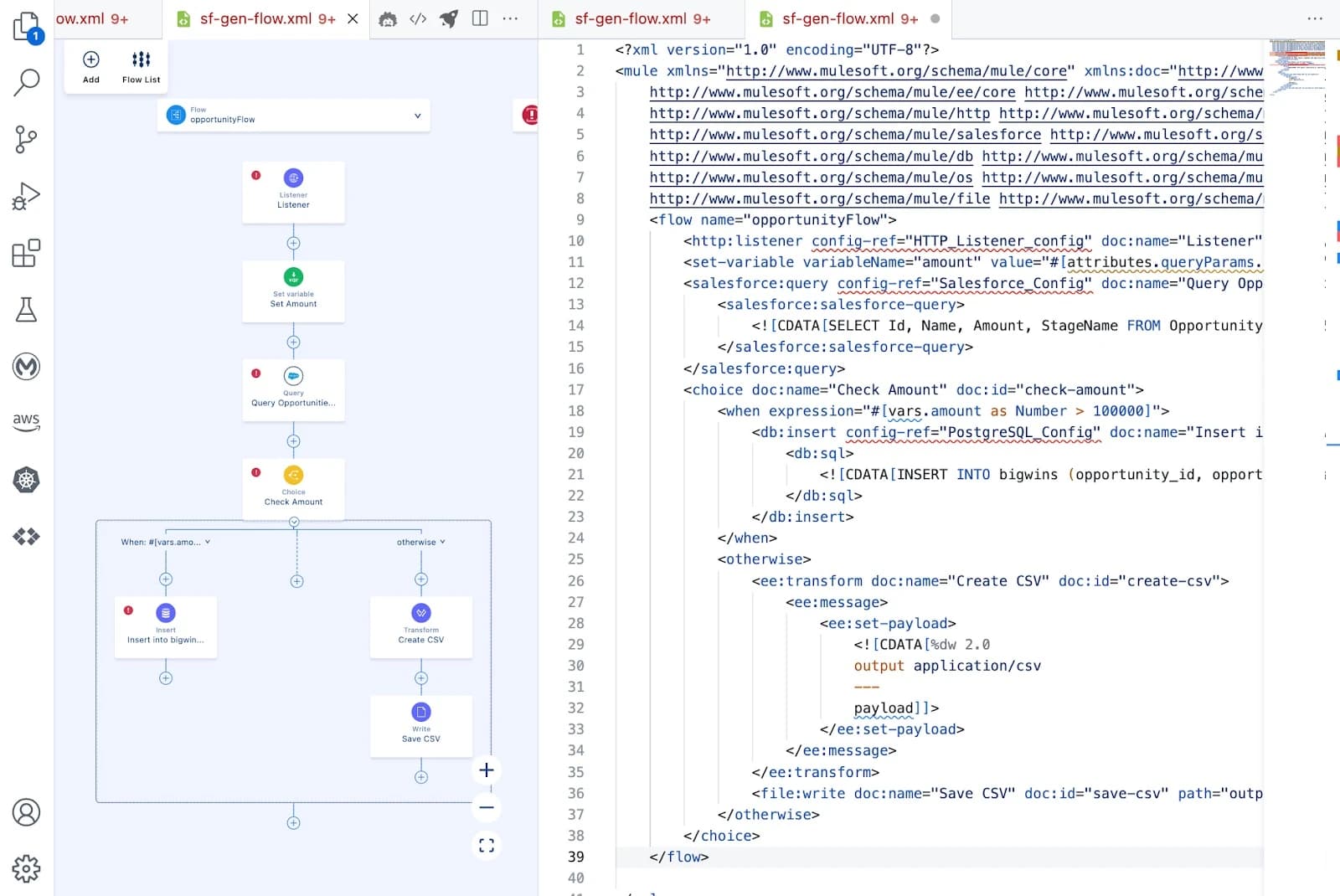
MuleSoft has fewer prebuilt connectors (250+), but they go deeper. The platform is designed to connect everything: SaaS apps, custom databases, mainframes, and on-prem systems. If you're integrating SAP, Oracle, or proprietary internal systems, MuleSoft's connector depth matters more than Workato's connector count.
| Feature | Workato | MuleSoft |
|---|---|---|
| Prebuilt connectors | 1,400+ | 250+ |
| Primary focus | SaaS applications | Legacy systems & APIs |
| Learning curve | Moderate (low-code) | Steep (developer-heavy) |
| Deployment speed | Days to weeks | Weeks to months |
| Pricing model | Task-based (SaaS) | Capacity-based (infrastructure) |
How do the AI features differ?
Workato has leaned into agentic AI, building features that help automate decision-making within workflows. The platform positions itself as an AI facilitator, where intelligent agents can trigger and execute automations based on context.
MuleSoft's AI story is tied to Salesforce. Since Salesforce acquired MuleSoft in 2018 for $6.5 billion, the platform has integrated with Salesforce's AI infrastructure. The emphasis is on governance and secure use rather than autonomous agents. If you're already in the Salesforce ecosystem, that integration is valuable. If not, the AI features may feel less relevant.
Which platform scales better?
Workato is cloud-native and scales as your workflows grow. Adding new integrations or expanding existing ones doesn't require infrastructure planning. You pay for what you use.
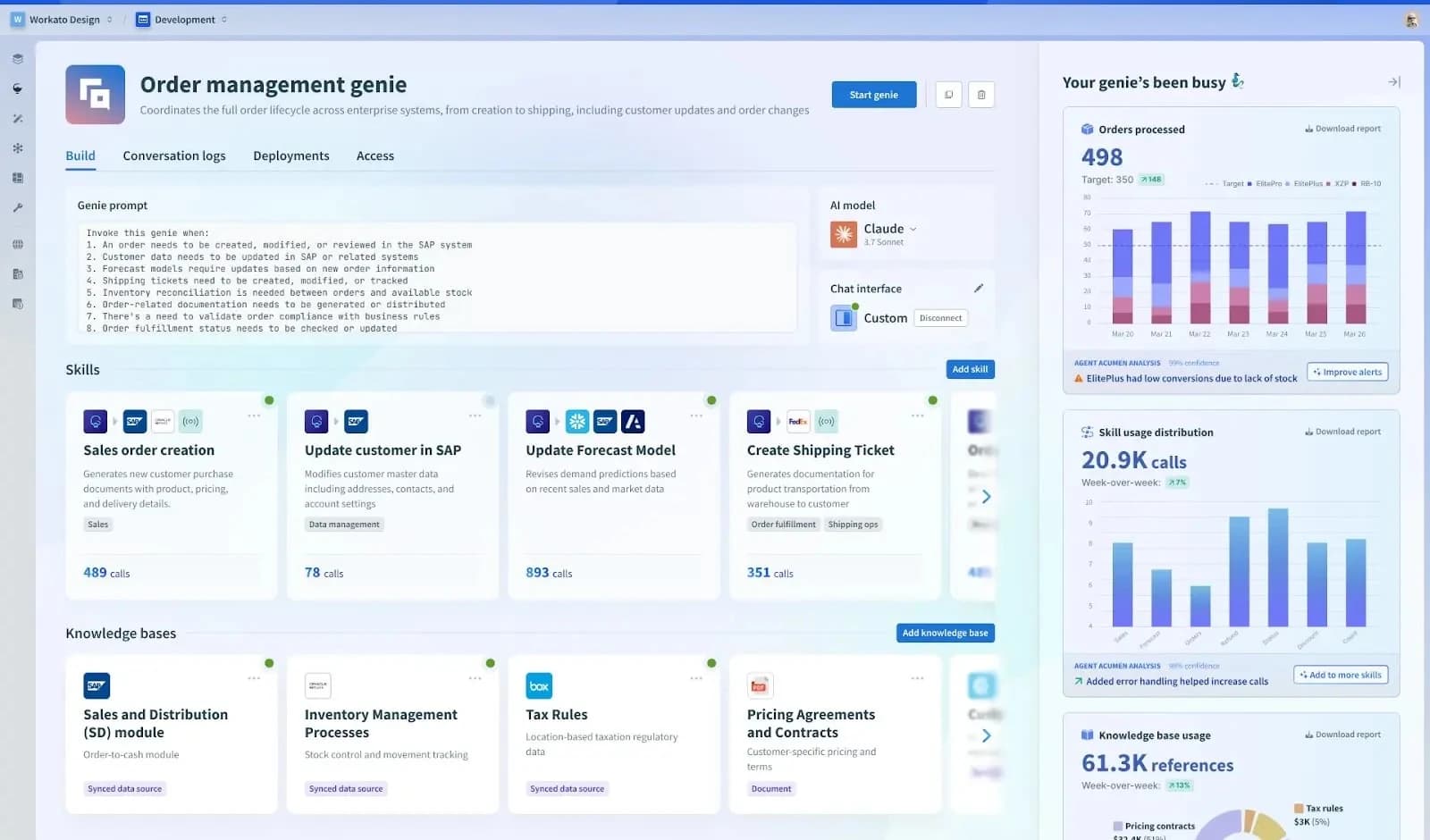
MuleSoft scales well too, but it requires deliberate architecture. You need to plan your API layers, design for reusability, and manage infrastructure capacity. That's not a weakness for organizations with the resources to do it right. It's just a different operating model.
The real question for RevOps teams: do you want to grow organically with usage-based costs, or invest upfront in infrastructure that supports controlled expansion? Both work. One is faster; the other is more predictable.
How does pricing work?
Workato uses SaaS-style pricing tied to tasks and workflows. You pay based on how many automations you run, which makes costs easier to predict and scale incrementally.
MuleSoft charges by infrastructure capacity. Think of it like buying server capacity rather than paying per transaction. That model works for organizations with stable, predictable integration loads, but it can create friction for teams that want to experiment or iterate quickly.
Neither company publishes transparent pricing. Both require sales conversations. For most organizations, Workato's model will feel more familiar. MuleSoft's model requires a CFO who understands infrastructure investments.
Logicity's Take
For RevOps teams at SaaS-heavy companies, Workato is the faster path to value. You'll get integrations live in weeks, not months. But if your stack includes legacy systems, on-prem databases, or heavy compliance requirements, MuleSoft's architecture-first approach prevents technical debt. The real trap is choosing based on features rather than your actual tech environment. A company running [HubSpot](https://logicity.in/r/hubspot), [Salesforce](https://logicity.in/r/salesforce), and [Slack](https://logicity.in/r/slack) has different needs than one integrating SAP with custom ERPs.
Which platform should you pick?
Choose Workato if your stack is primarily SaaS applications, you want faster time-to-value, and your team has developers who can work in a low-code environment. The 1,400+ connectors and task-based pricing make it approachable for growing operations teams.
Choose MuleSoft if you're connecting legacy systems, need API governance at scale, or you're already invested in the Salesforce ecosystem. The steeper learning curve and infrastructure pricing make sense for organizations that treat integration as a long-term architectural investment.
And if you don't have dedicated integration engineers? Consider simpler tools first. Zapier handles most SaaS-to-SaaS workflows without code. You can always upgrade to Workato or MuleSoft when your needs outgrow it.
Frequently Asked Questions
Is Workato better than MuleSoft for small teams?
Generally yes. Workato's low-code interface and task-based pricing scale better for smaller teams. MuleSoft's architecture-first approach requires more dedicated resources.
Does MuleSoft require developers?
Yes. MuleSoft is designed for developers and architects. Business users can trigger workflows, but building and maintaining integrations requires technical expertise.
Can Workato connect to legacy systems?
Workato can connect to some legacy systems, but its strength is modern SaaS applications. MuleSoft has deeper support for mainframes, on-prem databases, and custom systems.
How much does MuleSoft cost?
MuleSoft doesn't publish pricing. Costs are based on infrastructure capacity and typically require a sales conversation. Enterprise contracts often start at $50,000+ annually.
Is Zapier a viable alternative to Workato?
For simpler workflows, yes. Zapier requires no code and handles most SaaS integrations. Workato offers more enterprise features like governance, but Zapier works for many RevOps use cases.
Another head-to-head comparison for teams evaluating development tools
Shows automation solving real operational problems
Need Help Implementing This?
Choosing an integration platform is one thing. Rolling it out across your operations is another. If you're evaluating Workato, MuleSoft, or simpler alternatives for your RevOps stack, reach out to discuss your specific requirements.
Source: The Zapier Blog
Huma Shazia
Senior AI & Tech Writer
Produced with AI assistance and reviewed by the Logicity editorial team. Learn more in our Editorial Policy.