Key Takeaways
How to Use Wispr Flow - The Best Voice to Text App (FULL GUIDE)
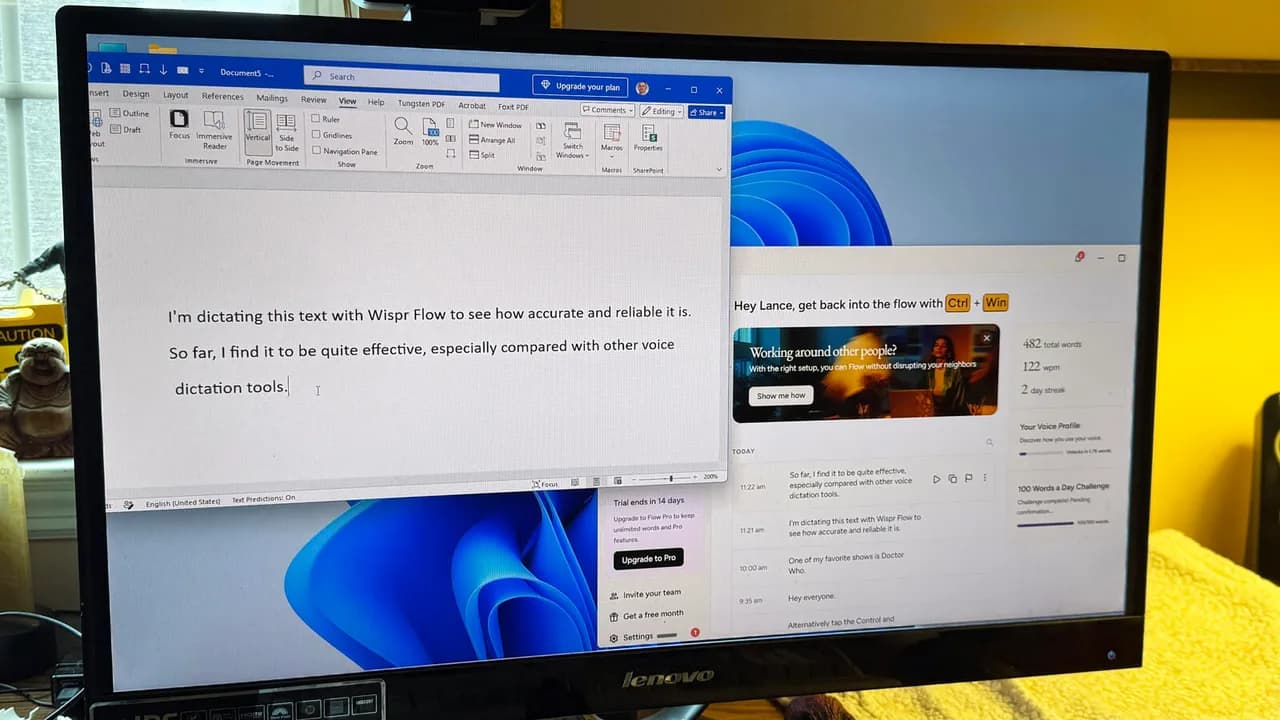
- Wispr Flow's free tier includes 2,000 words per week on desktop, 1,000 on mobile
- The $12-15/month Pro plan removes caps and adds advanced AI models
- Flow works as a keyboard on mobile and a system-wide shortcut on desktop
Wispr Flow is a cross-platform voice dictation tool that runs on Windows, macOS, iOS, and Android, positioning itself as a sharper alternative to the speech-to-text features baked into your OS. The company, backed by $80 million in Series B funding at a $600 million valuation, claims Flow can transcribe faster and more accurately than Apple's Dictation or Windows Speech Recognition. A free tier lets you test that claim without paying.
What makes Flow different from built-in dictation?
The built-in voice tools on Windows and macOS transcribe words. Flow tries to transcribe meaning. It learns your vocabulary, including names, jargon, and product terms specific to your work, and adjusts its output to match how you actually write. The result is supposed to sound like you typed it, not like you dictated it.
On desktop, Flow installs as a standalone app you trigger with a keyboard shortcut inside any program. On mobile, it's a replacement keyboard, so you can dictate into any text field. The company also pitches it for meeting transcription: Flow can identify speakers, answer questions about what was said, and connect to calendar and meeting tools like Slack.
For developers experimenting with vibe coding, the natural language software development approach, Flow claims to understand programming instructions well enough to be useful.
Disclosure
Some links in this post are affiliate links — Logicity earns a commission if you sign up, at no extra cost to you. We only link products we have used or actively recommend.
How the free, Pro, and Enterprise tiers compare
Wispr offers three editions. The free tier includes support for 100+ languages, vocabulary learning, speaker identification in transcripts, and integration with AI tools like ChatGPT and Claude. The catch is usage caps.
On desktop, free users hit a soft cap at 2,000 words per week, triggering a warning. Push past 5,000 words and Flow slows down until your quota resets. Mobile is tighter: a 1,000-word soft cap and 1,500-word hard cap. For casual email and quick notes, that's workable. For heavy writing, it's not.
Pro costs $15 per month billed monthly, or $12 per month on an annual plan. It removes word limits, adds access to what Wispr calls advanced AI thinking models, includes priority support, and offers centralized billing for teams. Signing up for free automatically starts a 14-day Pro trial. You can also earn a free month of Pro by referring someone.
Enterprise adds audit logs, domain-level security controls, and complimentary seats for IT admins. Pricing isn't public.
How to set up Wispr Flow
- Download Flow from wispr.ai for your platform: Windows, macOS, iOS, or Android.
- Create a free account. Your 14-day Pro trial starts immediately.
- On desktop, open the app and set your preferred keyboard shortcut to activate dictation.
- On mobile, enable the Wispr Flow keyboard in your device's keyboard settings, then switch to it in any text field.
- Start speaking. Flow transcribes in real time and learns your vocabulary as you use it.
The desktop app works inside any program, from email clients to code editors. The mobile keyboard replaces your default keyboard when selected, so you can dictate into messaging apps, notes, or browser fields.
Privacy and data handling
Wispr states that your data stays private and the service is HIPAA-ready. There's an optional toggle that lets the AI model train on your data to improve accuracy. It's off by default, and you can disable it in settings if it's been enabled.
For teams in regulated industries, that opt-in model matters. You control whether your transcripts feed back into Wispr's training pipeline.
Logicity's Take
Wispr Flow's real competition isn't the built-in dictation tools. It's other AI transcription services like Otter.ai, which offers a free tier at 300 minutes per month, and Notta, which focuses on meeting transcription. Flow's edge is its cross-platform keyboard integration, letting you dictate anywhere, not just in a dedicated app. The $12/month Pro tier is competitive, but the weekly word caps on free make it hard to test seriously without committing to a trial.
Who should try Flow?
If you've tried your OS's built-in dictation and found it frustrating, inaccurate, or robotic, Flow is worth the free trial. Writers, executives who burn time on email, and anyone with a repetitive strain injury will notice the difference. The 14-day Pro window is enough time to judge whether the accuracy gains justify the subscription.
The mobile keyboard is the underrated feature. Dictating texts and notes on your phone is faster than thumb-typing, and Flow's vocabulary learning means fewer corrections over time.
Related automation tools that reduce manual input for business teams
Frequently Asked Questions
Does Wispr Flow work offline?
Flow requires an internet connection for transcription. The AI processing happens on Wispr's servers, not locally on your device.
Can I use Flow with coding tools?
Yes. Flow supports vibe coding, meaning it can interpret natural language instructions for software development. It works inside any desktop application, including code editors.
What happens when I hit the free tier word limit?
At the soft cap (2,000 words on desktop, 1,000 on mobile), you get a warning. At the hard cap (5,000 words on desktop, 1,500 on mobile), Flow slows down until your weekly quota resets.
Is Wispr Flow HIPAA compliant?
Wispr says the service is HIPAA-ready and allows you to disable AI training on your data. For full compliance, you'd need to review their BAA and security documentation.
Need Help Implementing This?
If you're evaluating voice dictation tools for your team or need help integrating productivity software into your workflow, get in touch with Logicity's advisory desk.
Source: Latest news
Manaal Khan
Tech & Innovation Writer
Produced with AI assistance and reviewed by the Logicity editorial team. Learn more in our Editorial Policy.