Key Takeaways
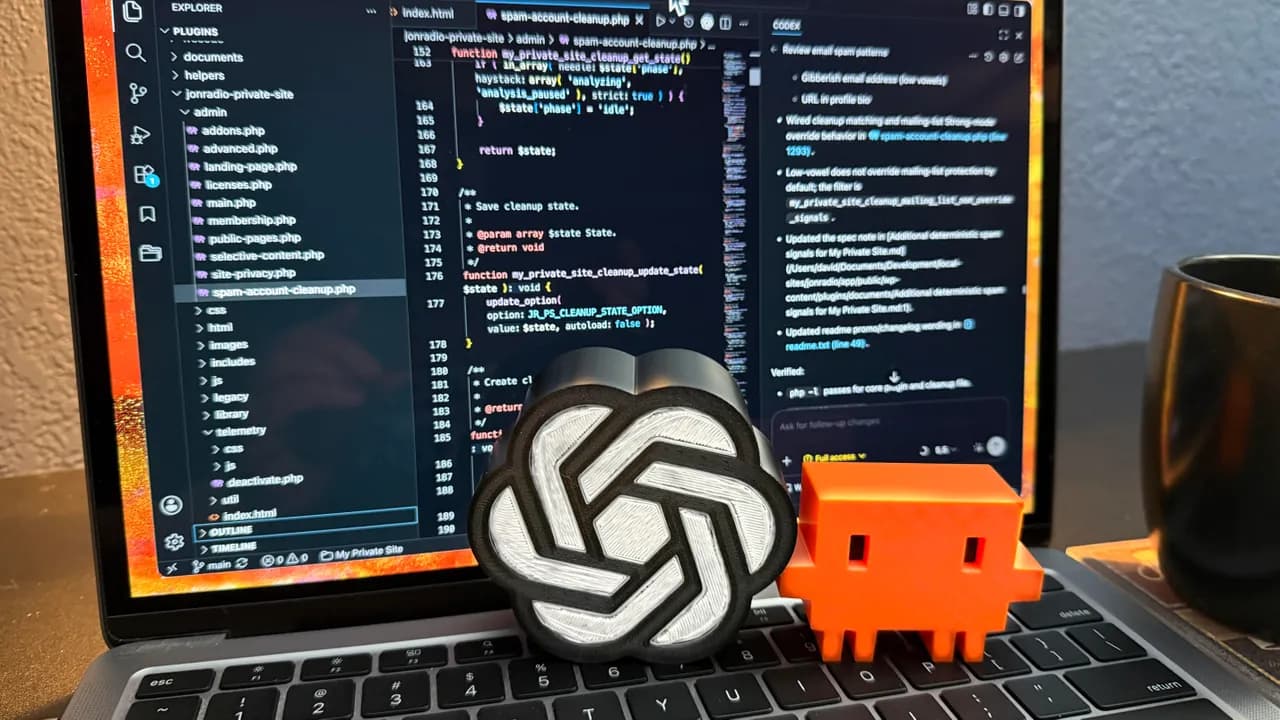
- A WordPress site hit 39,000 spam accounts and 700,000 user meta records before AI-assisted code stopped the attack
- Using Claude for analysis and Codex for code generation cut development time from weeks to two days
- AI coding tools work best when you split tasks: one AI for strategic analysis, another for implementation
David Gewirtz's WordPress database ballooned to 39,000 fake user accounts and 700,000 junk meta records in a single week. His hosting provider gave him an ultimatum: fix it or get shut down. Using Claude for analysis and OpenAI's Codex for code generation, he wrote 4,700 lines of defensive code in two days. The attack stopped.
Disclosure
Some links in this post are affiliate links — Logicity earns a commission if you sign up, at no extra cost to you. We only link products we have used or actively recommend.
The ZDNET senior editor runs a security plugin for WordPress as a side project. He'd already deployed a commercial anti-spam product to guard registrations. It failed spectacularly. Spammers were stuffing crypto bait into username fields: phrases like "check balance," "withdraw funds," and "BTC transfer." WordPress dutifully emailed him every fake registration. Thousands of them.
Why did the first fix fail?
Gewirtz's initial response came in early June. He fed a few hundred spam emails into Codex, asked it to write a mitigation routine compatible with his existing plugin, and deployed the patch within an hour. The attack went silent.
Then the spammers adapted. By late June, they'd found new vectors. The registration flood returned "like a lion." Gewirtz notes a pattern he's seen for years: attackers probe, get blocked, and probe again with variations. He suspects AI is now accelerating these cycles on the attacker side too.
Splitting work between Claude and Codex
Here's where the approach gets interesting. Gewirtz keeps his AI tools siloed by project. Claude handles his Apple ecosystem development. Codex handles WordPress. But he didn't want to upgrade from ChatGPT Plus ($20/month) to the Pro tier ($200/month) just to fix one problem.
His solution: use Claude Cowork for anything that didn't involve writing code, like analyzing attack patterns and designing the defense strategy. Then feed those plans into Codex for implementation. The split worked because each tool handled what it does best. Claude has higher reasoning capacity for architecture decisions. Codex excels at churning out code that integrates with existing systems.
"To say this mix of services worked well would be a vast understatement," Gewirtz wrote.
What the 4,700 lines actually do
The article doesn't publish the code, but describes the approach: stronger pattern detection on username fields, automated cleanup tools for junk database entries, and more aggressive blocking at the registration level. The user dashboard, which had become so clogged it wouldn't load, now functions again.
Gewirtz also notes he built cleanup utilities into the plugin so other users can purge their own databases if they get hit by similar attacks. This is a developer shipping a fix to his user base, not just patching his own site.
The cost math for AI-assisted coding
Gewirtz is transparent about his subscription stack. He pays $100/month for Claude Max for Apple development. He dropped to ChatGPT Plus at $20/month after shipping his last major WordPress update. For this emergency, he avoided upgrading by offloading strategic work to Claude and reserving Codex for the code itself.
That's $120/month total for two AI coding assistants. A weekend's work would have cost a freelance developer several thousand dollars, minimum. Even if Gewirtz had upgraded to ChatGPT Pro for a month, his out-of-pocket would have been $300 for the month plus his time.
What this tells us about AI coding tools
The case confirms something developers have been discovering for the past year: AI coding assistants don't replace expertise, but they compress timelines dramatically. Gewirtz is already a capable developer. He built the plugin in the first place. The AI didn't architect the solution from scratch. It accelerated execution once he knew what to build.
The other pattern worth noting: specialization matters. Using two different AI tools for different parts of the workflow got better results than using one tool for everything. Claude's reasoning handled the "what should we do" questions. Codex handled the "write the code that does it" questions.
Logicity's Take
This case shows AI coding assistants at their most practical: emergency response under deadline pressure. Gewirtz didn't have weeks. He had a hosting provider ready to pull the plug. For CTOs evaluating these tools, the takeaway isn't that AI replaces developers. It's that AI lets your existing developers move faster when speed matters most. If you're running WordPress at scale, consider managed hosting from [Cloudways](https://logicity.in/r/cloudways), [Kinsta](https://logicity.in/r/kinsta), or [WP Engine](https://logicity.in/r/wp-engine). All three offer hardened environments that block many spam attacks before they reach your application layer.
Frequently Asked Questions
Which AI coding assistant is better for WordPress development?
OpenAI's Codex integrates well with existing codebases and handles PHP/WordPress patterns effectively. Claude excels at architectural reasoning and analyzing attack patterns. Using both in tandem, as Gewirtz did, can be more effective than relying on one.
How much does it cost to use AI coding assistants for security projects?
ChatGPT Plus runs $20/month, Claude Max is $100/month, and ChatGPT Pro is $200/month. Gewirtz solved his emergency using $120/month in subscriptions by splitting work between Claude (analysis) and Codex (code generation).
Can AI coding assistants help stop WordPress spam attacks?
Yes, but they require a developer who understands the problem. AI tools can rapidly generate detection patterns, write cleanup utilities, and implement blocking rules. They don't identify vulnerabilities on their own without human guidance.
Why do commercial WordPress security plugins sometimes fail?
Attackers continuously probe for new vectors. A plugin that blocked last month's attack pattern may miss this month's variation. Custom defenses built for your specific site can address gaps that generic products miss.
Compares AI-powered development tools for different use cases
Need Help Implementing This?
If your WordPress site is getting hammered by registration spam and you need custom defenses, reach out to the Logicity team. We can connect you with developers who specialize in AI-assisted security hardening for WordPress and other CMS platforms.
Source: Latest news
Huma Shazia
Senior AI & Tech Writer
Produced with AI assistance and reviewed by the Logicity editorial team. Learn more in our Editorial Policy.




