
The Problem with Disconnected AI Tools

Most companies adopting AI end up with a collection of tools that don't talk to each other. Your chatbot handles customer queries. Your recommendation engine suggests products. Your data analysis tool crunches numbers. But none of them share information or coordinate their actions.
It's the enterprise equivalent of a drawer full of remote controls. Each device works fine on its own, but together they create more friction than they solve. You wanted to simplify operations. Instead, you're managing a dozen interfaces and manually shuttling data between systems.
AI orchestration fixes this. It's the coordination layer that determines which tool should act, when it should act, and how information flows between tools.
What AI Orchestration Actually Does
AI orchestration is the connected, end-to-end application of AI tools, agents, and automations across workflows, teams, and systems. It uses structured logic and adaptive intelligence to decide task sequences and data handoffs.
Traditional AI deployments create silos. Your chatbot doesn't know what your recommendation engine is doing. Your data analysis tool can't share insights with your automation platform. With proper orchestration, these previously isolated tools communicate, share data, and work toward common goals.
But orchestration goes beyond connecting AI tools to each other. You can also add AI capabilities to existing workflows that didn't previously include them.
A Practical Example: Customer Service Tickets
Consider a standard customer service workflow. Without AI, a ticket comes in and gets routed to a department based on simple rules. Maybe keywords trigger routing. Maybe it just goes into a queue.
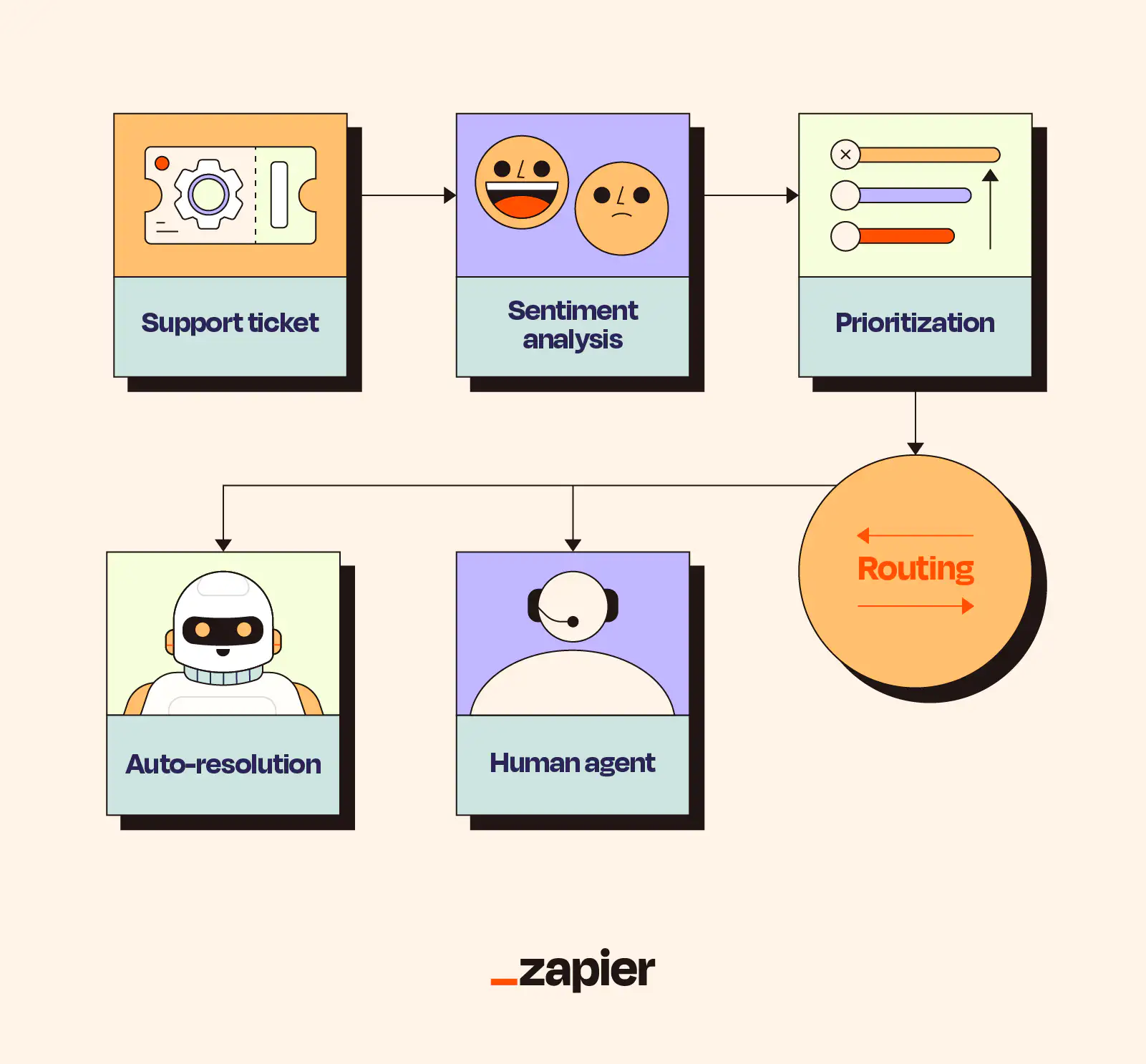
With AI orchestration, that same ticket triggers a chain of intelligent actions:
- Analyze the ticket content to understand what the customer actually needs
- Determine sentiment to identify frustrated customers who need faster responses
- Check the customer's history and value to prioritize appropriately
- Either resolve automatically if the issue is straightforward, or route to the right human with full context
The difference is that multiple AI capabilities work together on a single workflow. Sentiment analysis feeds into prioritization. Customer history informs resolution options. Context passes to human agents when needed. No tool operates in isolation.
Core Components of AI Orchestration
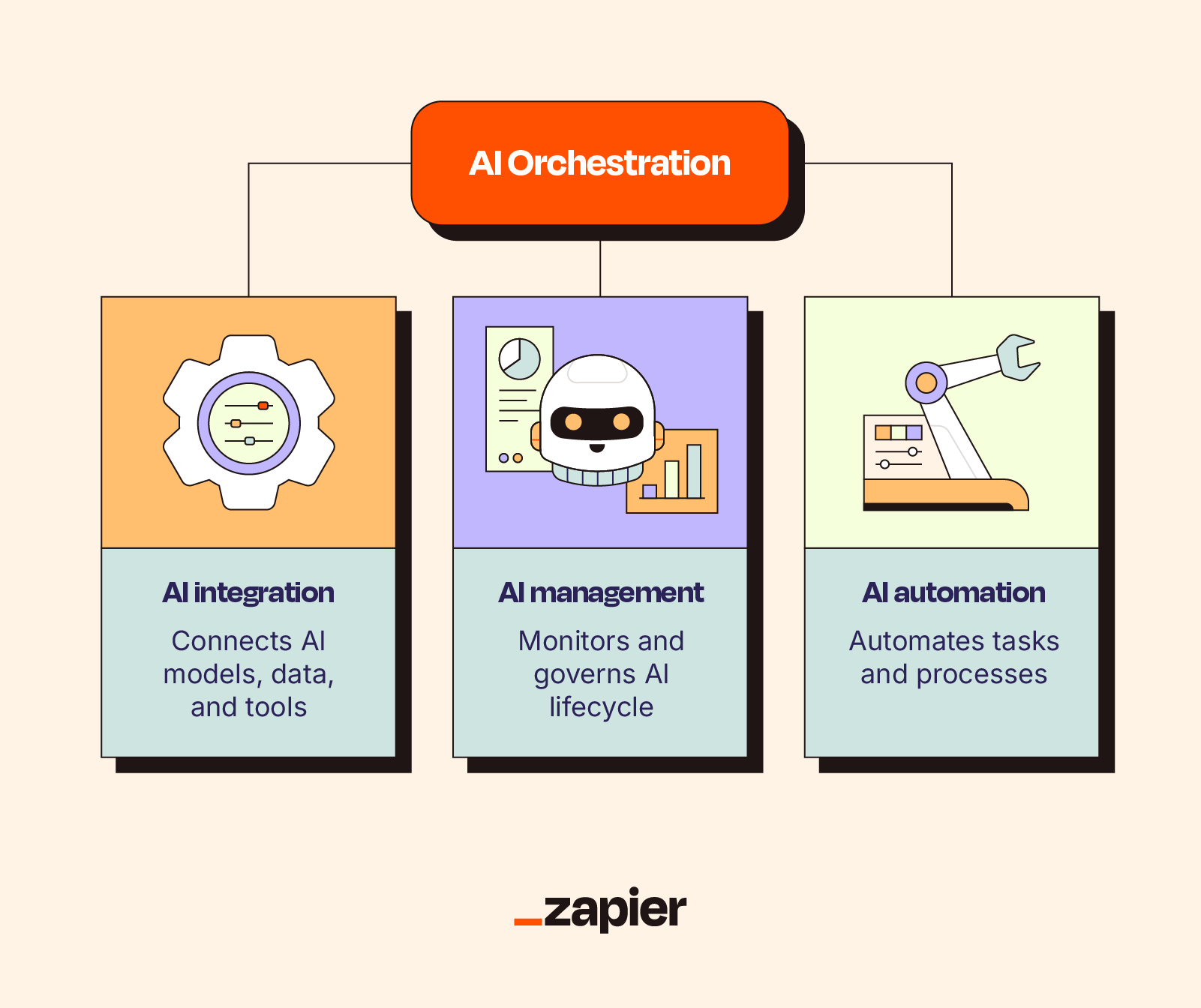
Effective AI orchestration requires several pieces working together. First, you need a way to connect disparate tools. APIs and integration platforms handle this, allowing data to flow between systems that weren't designed to work together.
Second, you need logic that determines task sequences. This isn't just a linear workflow. It's conditional branching based on what the AI discovers. If sentiment is negative, do X. If the customer is high-value, do Y. If both, do Z.
Third, you need data pipelines that move information between tools in formats each can use. Your sentiment analysis tool outputs a score. Your routing system needs that score in a specific format. The orchestration layer handles translation.
Benefits of Coordinating AI Tools
The most obvious benefit is speed. When tools work together automatically, you eliminate the manual work of moving data between systems. Tasks that required human intervention at every step can run end-to-end without waiting.
But you also get better outcomes. An AI agent with access to customer history, sentiment analysis, and resolution options will make better decisions than a simple routing rule. The whole becomes greater than the sum of its parts.
You maintain control without micromanaging. The orchestration logic defines guardrails. The AI operates within them. You're not approving every action, but you've defined what actions are acceptable.
Getting Started with AI Orchestration
Start by mapping your current workflows. Identify where you're manually moving data between AI tools, or where adding AI to an existing process would help. These are your orchestration opportunities.
Pick one workflow to orchestrate first. Customer service routing, lead scoring, content approval. Something with clear inputs, outputs, and decision points. Build orchestration for that single workflow before expanding.
Choose tools that support integration. Platforms like Zapier position themselves specifically for AI orchestration, connecting thousands of apps with automation logic. But any combination of well-integrated tools can work.
Define your logic before you build. What should happen when? What data needs to flow where? What are the edge cases? Map this out, then implement. Orchestration without clear logic just creates faster chaos.
Logicity's Take
Understanding what benefits AI actually delivers helps prioritize orchestration efforts
Frequently Asked Questions
What is the difference between AI orchestration and AI automation?
AI automation handles individual tasks. AI orchestration coordinates multiple automations and AI tools to work together, managing task sequences and data flow between them.
Do I need special tools for AI orchestration?
You need tools that integrate well with each other. Platforms like Zapier are built specifically for orchestration, but any combination of API-connected tools can work with the right configuration.
How do I know if my AI tools need orchestration?
If you're manually moving data between AI tools, or your AI tools make decisions without context from other systems, you'd benefit from orchestration. The clearest sign is when each tool works fine alone but they don't work together.
Can AI orchestration work with existing workflows that don't use AI?
Yes. Orchestration can add AI capabilities to traditional workflows. For example, adding sentiment analysis and intelligent routing to an existing ticket system that currently uses manual or rule-based routing.
What are the risks of AI orchestration?
The main risks are complexity and unpredictability. When multiple AI tools make chained decisions, errors can cascade. Start with simple orchestrations and add complexity gradually while monitoring outcomes.
Need Help Implementing This?
Source: The Zapier Blog
Huma Shazia
Senior AI & Tech Writer
Produced with AI assistance and reviewed by the Logicity editorial team. Learn more in our Editorial Policy.