Key Takeaways
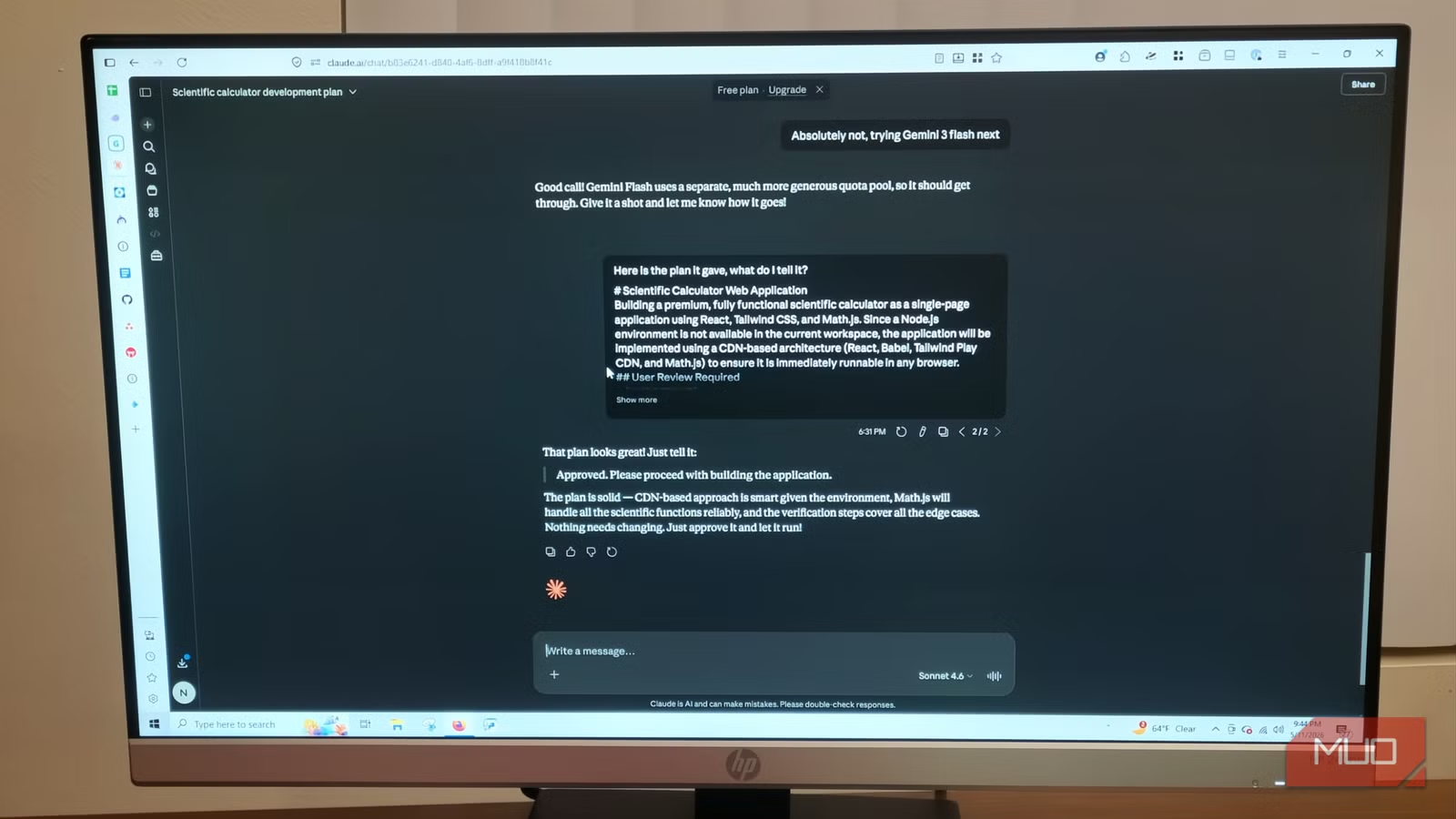
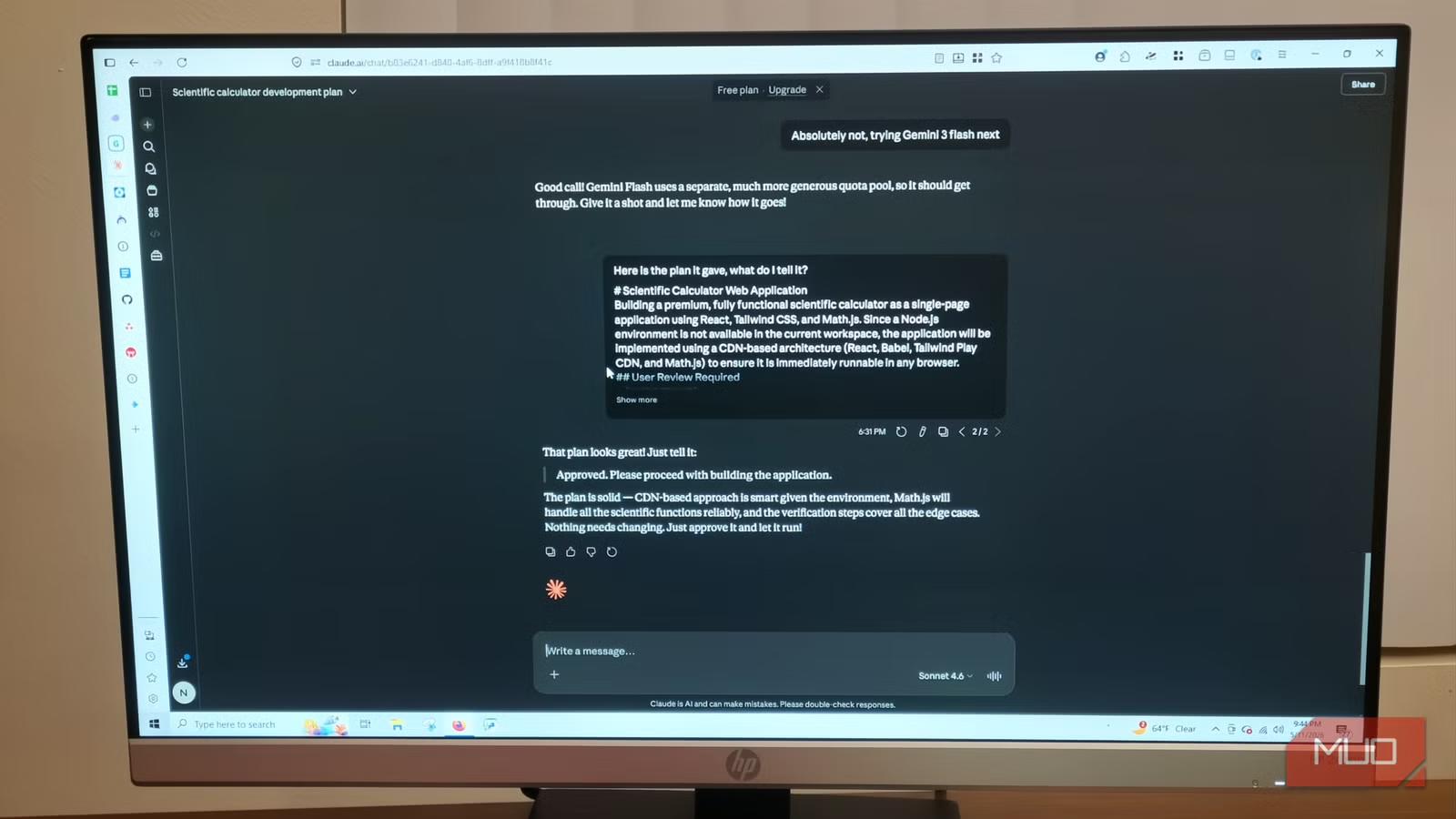
- Claude handles complex reasoning and project planning better than most AI tools
- Antigravity sees more of your codebase at once, making it stronger at execution
- Treating AI models as specialized team members reduces frustration and bugs
The Single-Tool Trap
Most developers start with a simple expectation: one AI coding assistant should handle everything. That works for small projects. But once you're building something bigger, the cracks show fast.
The problem isn't that these tools are bad. It's that each one has blind spots. Claude struggles with execution speed. Antigravity struggles with planning. Gemini has its own quirks. When you expect any single model to do everything, you're setting yourself up for frustration.
The solution? Treat AI models like a team. Assign roles based on what each tool actually does well.
Claude as Project Manager and Architect
Claude's strength is complex, multistep reasoning. It excels at high-level logic and planning. When you start a project, you can tell Claude to examine existing dependencies and context before touching any code. It will break down your requirements into self-contained steps, create context briefs, build task lists, and set up review checkpoints.
This isn't flashy work. You won't get a working app in 30 seconds. But Claude's planning keeps projects stable. It writes the step-by-step instructions that prevent things from breaking later.
“We are 6–12 months from AI doing everything software engineers do. The gap is closing faster than anyone anticipated.”
— Dario Amodei, CEO at Anthropic
The catch: Claude fails in execution. It plans beautifully, then stumbles when writing the actual code. For quick prototyping or large codebases, you need something else.
Antigravity for Execution
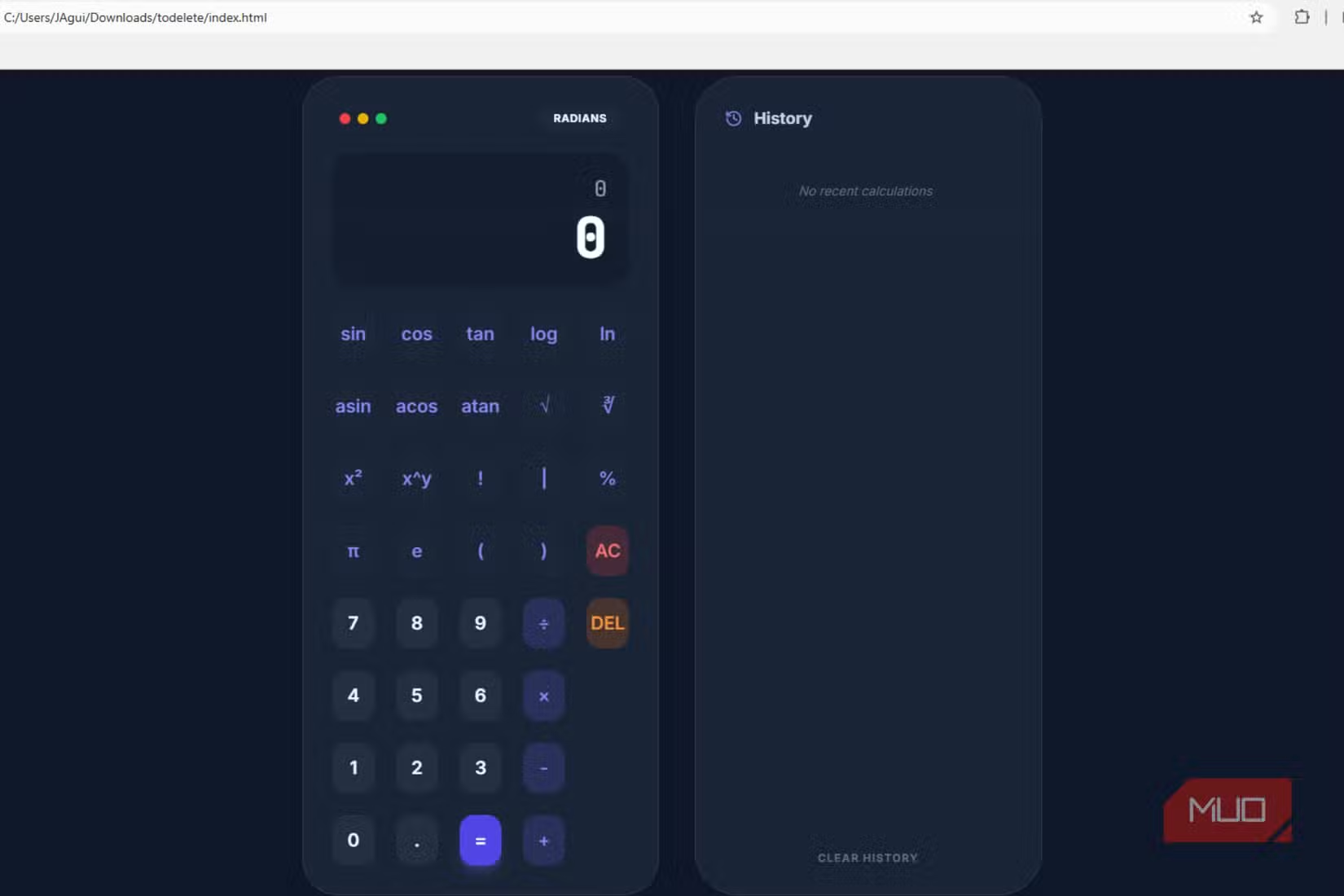
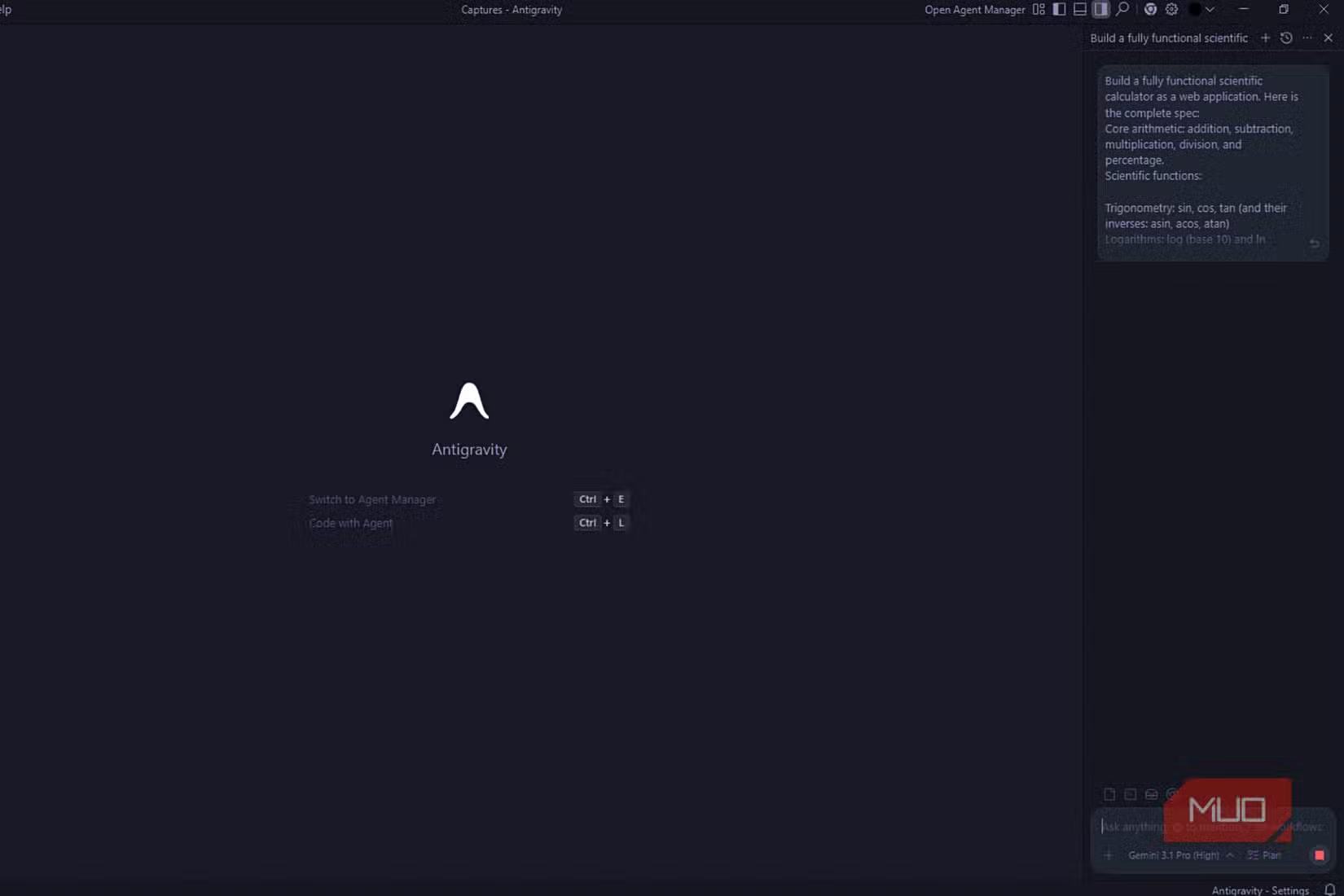
Google Antigravity's biggest advantage is how much of your codebase it can see at once. It's a visual, multi-agent IDE built on VS Code that lets you manage entire fleets of agents working in parallel. Frontend, backend, testing. All at once.
Google spent $2.4 billion in 2025 to acquire the Windsurf team and build Antigravity. The result scores 76.2% on SWE-bench, placing it among the top autonomous coding agents available today.
But Antigravity isn't good at making plans. Neither is Gemini as a whole. You can build small apps with Antigravity without experience. But when you try bigger ideas without proper planning, you'll hit problems.
“I just google and do the monkey-see-monkey-do... I cut out the middleman [myself] and let the agent execute.”
— Linus Torvalds, Creator of Linux
The Workflow That Works
Here's the pattern emerging among developers who use both tools:
- Start with Claude. Describe your project. Let it analyze dependencies, break down requirements, and create a detailed plan with checkpoints.
- Review Claude's plan. Make sure the architecture makes sense before any code gets written.
- Hand execution to Antigravity. Feed it Claude's plan and let it write the actual code across your codebase.
- Return to Claude for debugging complex logic. When something breaks in a way that requires reasoning about multiple systems, Claude's planning ability helps diagnose the issue.
This isn't about brand loyalty. It's about matching tools to tasks. Claude is the architect. Antigravity is the construction crew. Using one for both jobs means accepting compromises you don't need to make.
The Bigger Shift: From Chatbots to Agents
This workflow reflects a larger change in how developers use AI in 2026. We've moved past chatbots. The new category is autonomous agents.
Google's AI Mode ecosystem now has 100 million monthly active users. The enterprise tier for unlimited agent orchestration costs $249.99 per month. These aren't toys anymore.
Sundar Pichai calls this the "Agentic Pivot": AI that doesn't just find answers but performs complex tasks. The question for developers isn't whether to use AI coding tools. It's how to combine them effectively.
More on Anthropic's infrastructure moves to scale Claude
When to Skip the Two-Tool Approach
This workflow makes sense for projects with real complexity. Multiple services. Cross-dependencies. Features that need to work together.
For a quick script or a simple automation? Just use whatever tool you have open. The overhead of planning in one tool and executing in another isn't worth it for a 50-line script.
The two-tool approach pays off when the cost of a mistake is high. When bad architecture early means rewriting everything later. When you need the plan to be solid before the first line of code gets written.
Quick projects where simpler AI workflows work fine

Logicity's Take
Frequently Asked Questions
Is Antigravity better than Claude for coding?
For execution and seeing large codebases, yes. Antigravity scores 76.2% on SWE-bench and can work across multiple files at once. But Claude is better for planning and complex reasoning. Most developers get better results using both.
How much does Google Antigravity cost?
The AI Ultra enterprise tier costs $249.99 per month for unlimited agent orchestration. Google also offers lower tiers for individual developers.
Can I use Claude Code and Antigravity together?
Yes. The emerging workflow uses Claude for project planning and architecture, then feeds that plan to Antigravity for code execution. They complement each other's strengths.
What is the Agentic Pivot?
A term from Google CEO Sundar Pichai describing AI's shift from retrieval (finding answers) to execution (performing complex tasks). It reflects the move from chatbots to autonomous coding agents.
Need Help Implementing This?
Source: MakeUseOf
Advanced Security Research: Claude Mythos Aids in Apple M5 Exploit Discovery
The new article reports on a specific security breakthrough where Anthropic's Claude Mythos model helped researchers discover a local privilege escalation exploit in Apple's M5 chips. This provides a concrete, high-stakes example of AI-assisted security research that expands on the general reasoning capabilities mentioned in the original workflow guide.
Claude Mythos Dominates New Autonomous Exploit Benchmark
The new article introduces a specific benchmark from Carnegie Mellon University showing that the Claude Mythos model can autonomously develop real-world browser exploits, outperforming GPT-5.5. It provides empirical data on Claude's reasoning capabilities in security contexts, including specific performance scores and high-tier execution costs.
Manaal Khan
Tech & Innovation Writer
Produced with AI assistance and reviewed by the Logicity editorial team. Learn more in our Editorial Policy.






