Key Takeaways
- HFDL radio signals can track aircraft over 1,000+ miles, far beyond ADS-B's 250-mile line-of-sight limit
- Free KiwiSDR receivers let you decode flight data in a browser without owning radio hardware
- This hobbyist approach reveals aircraft in oceanic blind spots that standard trackers miss
Why Standard Flight Trackers Have Blind Spots
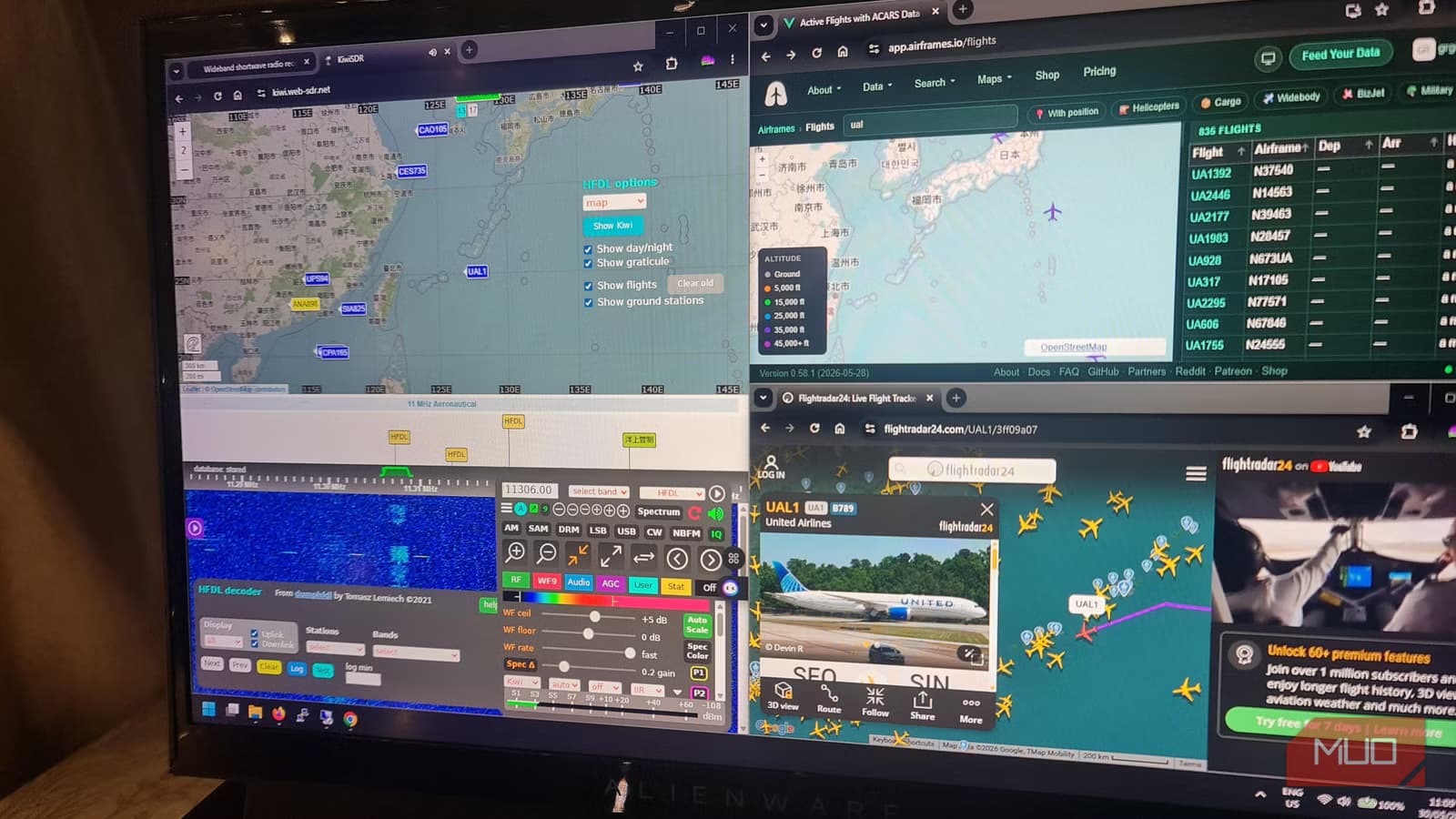
Flightradar24, FlightAware, and ADS-B Exchange all rely on the same underlying technology: ADS-B receivers on the ground that pick up transponder signals from aircraft overhead. The catch is line-of-sight. These receivers max out at roughly 250 miles, which works fine over land but leaves massive gaps over oceans and polar regions.
HFDL, or High Frequency Data Link, solves this by using shortwave radio. Aircraft transmit data on HF bands, and those signals bounce off the ionosphere to reach ground stations thousands of miles away. It's the same principle ham radio operators have used for decades to communicate across continents.
How KiwiSDR Makes This Accessible
Before web-based software-defined radios became common, tracking HFDL meant buying your own receiver, antenna, and decoder software. You'd plot aircraft positions manually from message content. Now, the KiwiSDR network has hundreds of public receivers around the world that anyone can use through a browser.
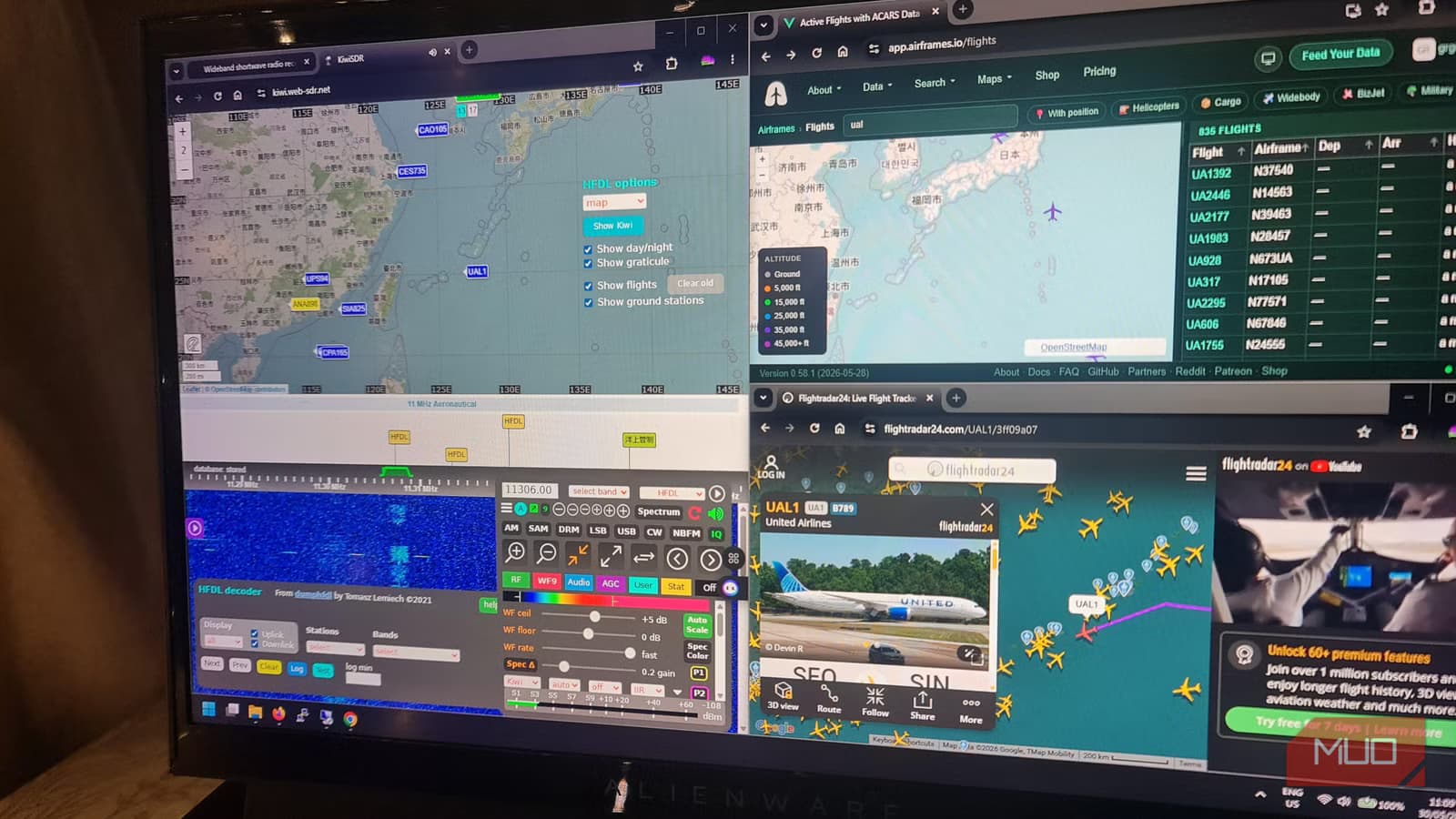
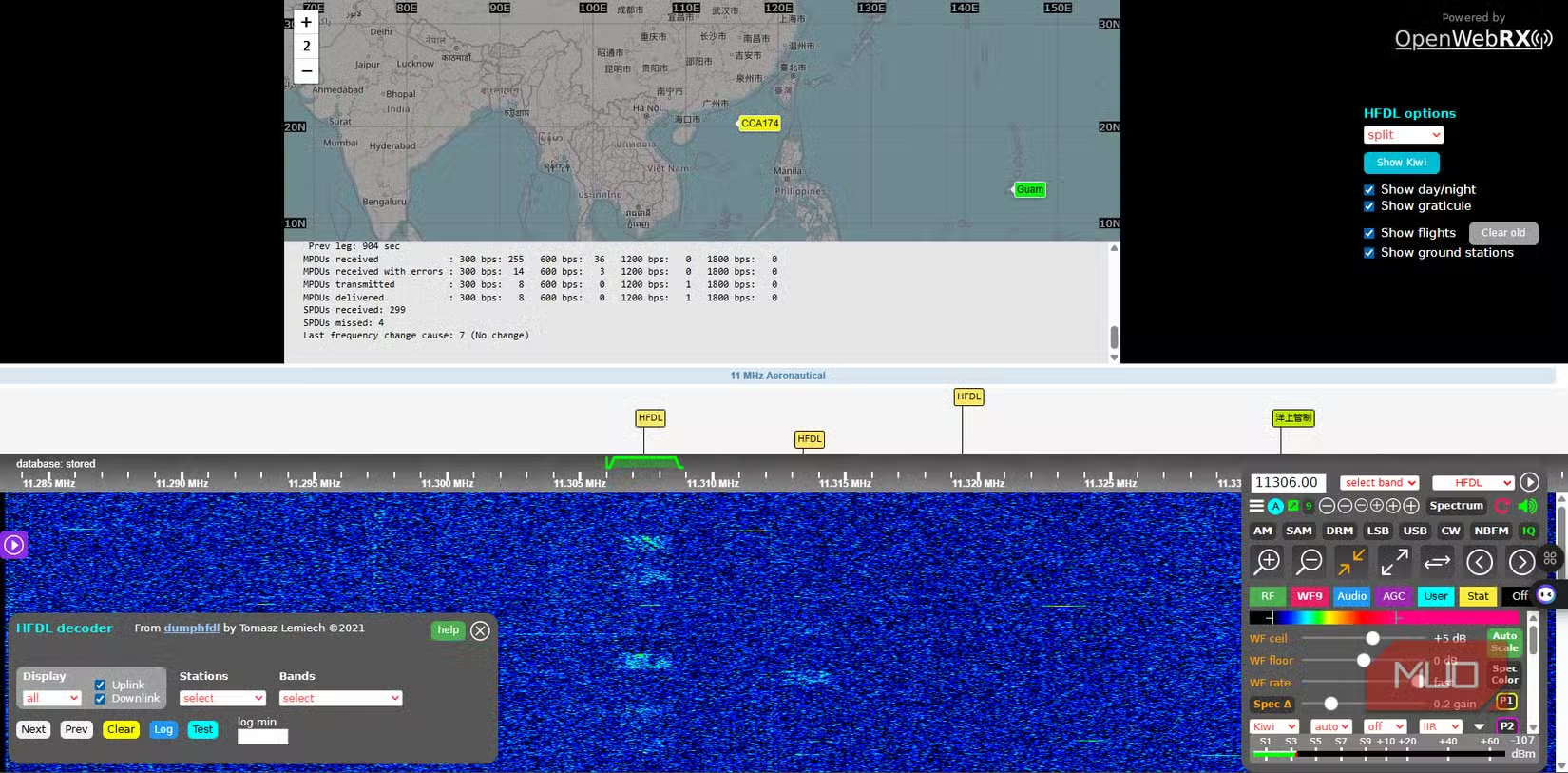
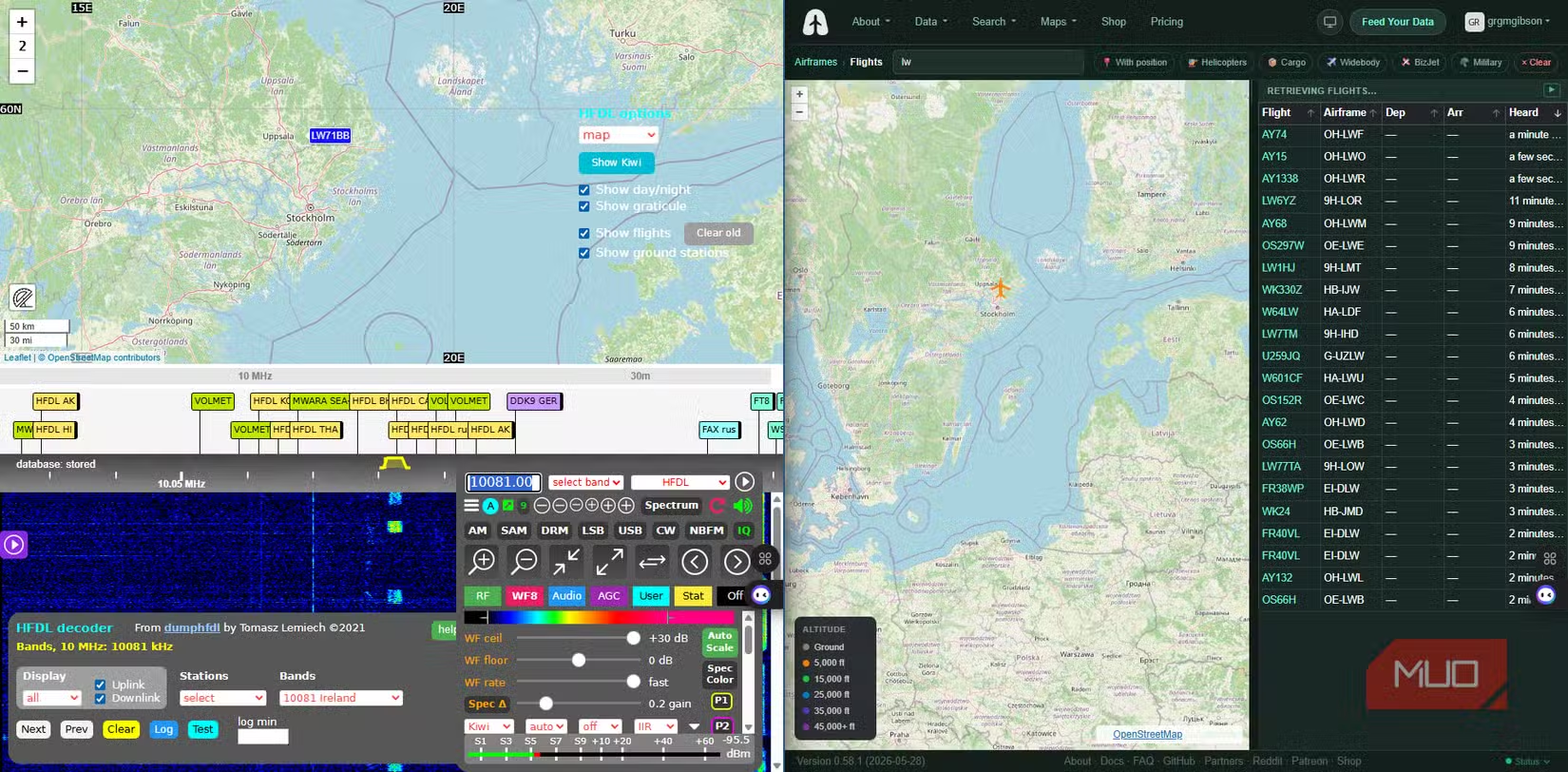
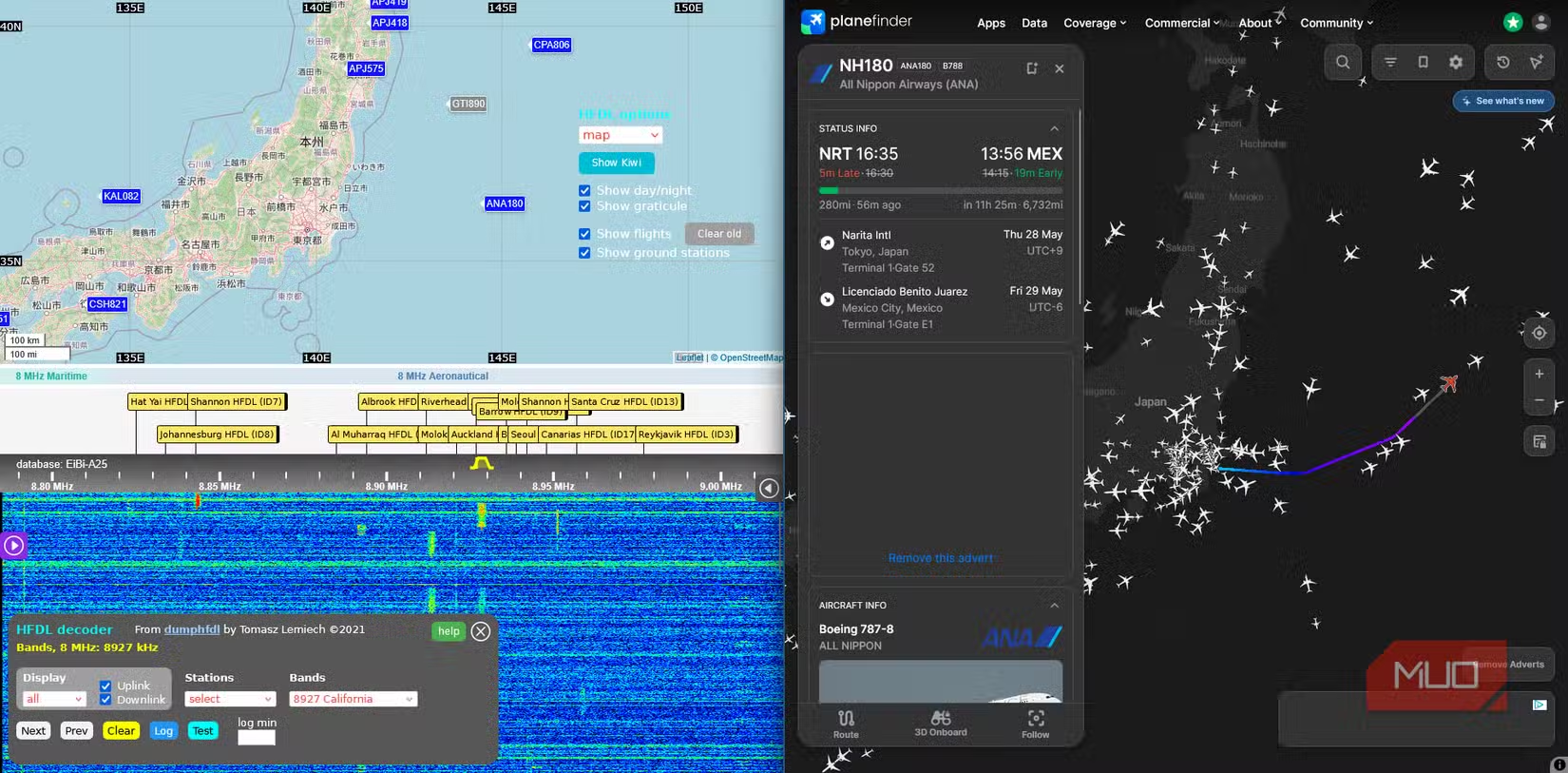
The process is straightforward. Find a KiwiSDR receiver positioned under flight routes. Many are in coastal areas or near oceanic corridors. Open the receiver's web interface, enable the HFDL extension, and the decoder starts pulling messages from the signal. When an aircraft transmits its coordinates, the data appears on a built-in map.
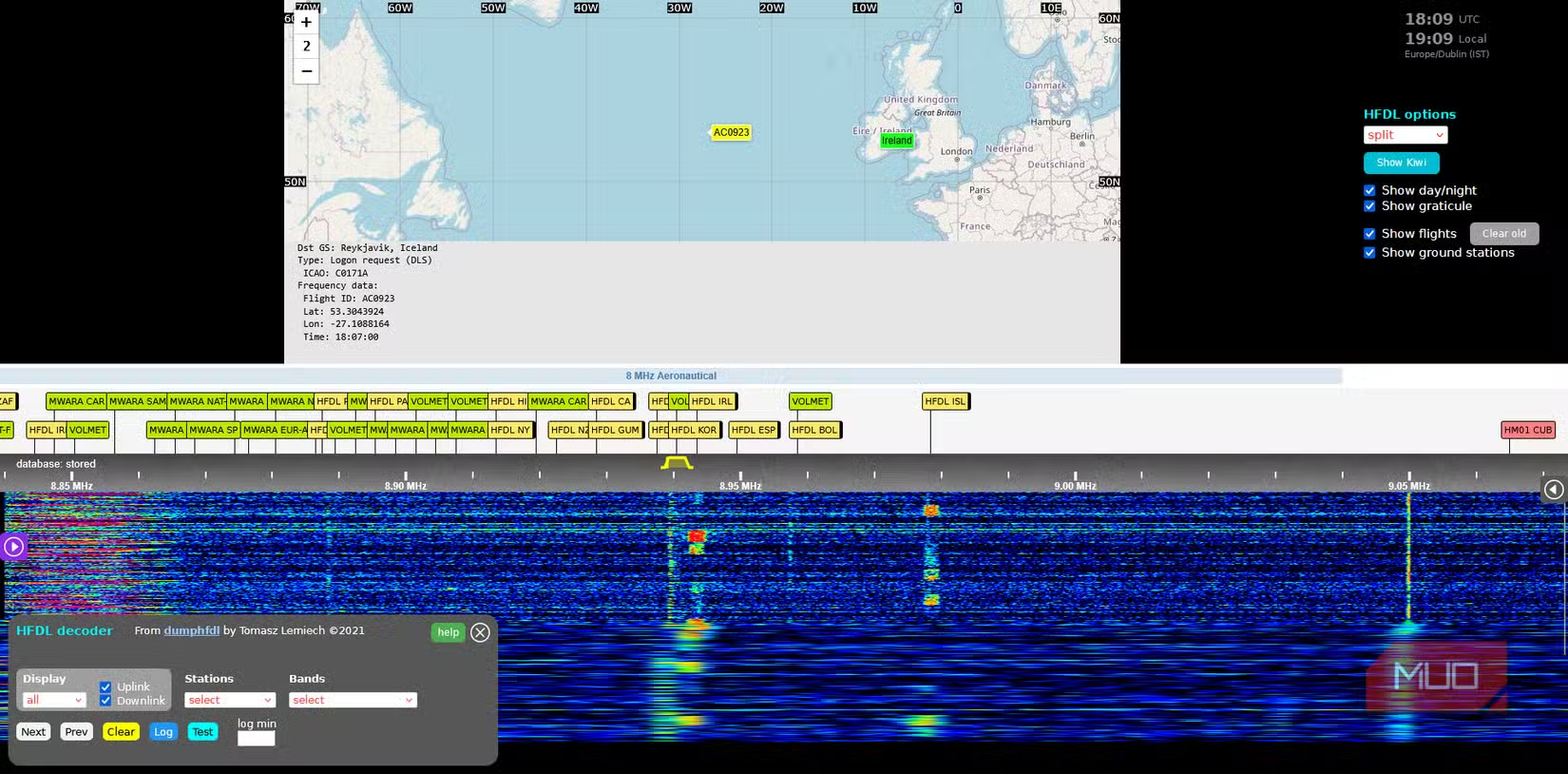
HFDL ground stations broadcast a 'squitter' heartbeat signal roughly every 90 seconds. This lets the decoder confirm it's tuned correctly and the network is active. When aircraft respond, their position reports show up in the message stream.
What You Actually See
The KiwiSDR interface won't win any design awards. It looks closer to Windows 95 than a modern web app. But that's part of the appeal for hobbyists. You're not getting a polished consumer product. You're watching raw data decode in real time.
Each HFDL message includes metadata: aircraft registration, flight number, current coordinates, altitude, and ground station ID. Some messages are position reports. Others are administrative traffic between the plane and airline operations centers. The decoder filters and displays what's relevant for tracking.
The Hobbyist Appeal
This isn't meant to replace Flightradar24 for checking if your flight is delayed. As the original author put it, he still uses standard trackers for normal purposes. The point is the process itself: tuning a signal, watching a decoder work, and seeing aircraft appear on a map from data you pulled out of the radio spectrum.
“HFDL is the primary way to track planes in remote or oceanic regions where line-of-sight reception is impossible.”
— Industry Technical Summary
Communities on Reddit like r/RTLSDR and r/acars treat HFDL tracking as a DXing challenge. DXing is ham radio jargon for picking up distant or weak signals. Users share setup guides for dumphfdl, a dedicated decoder, and collaborate to map transoceanic flights that don't appear on public tracking sites.
Going Beyond Browser-Based Receivers
If you want more control, you can set up your own HFDL monitoring station. RTL-SDR dongles cost around $30 and work with dumphfdl software. The main challenge is antenna setup. HF reception requires long wire antennas or loops, and ionospheric propagation varies with time of day and solar conditions.
Projects like Airframes.io aggregate HFDL feeds from contributors worldwide, building coverage maps of oceanic regions. The more receivers feeding data, the fewer blind spots remain.
Practical Limits
HFDL tracking has real constraints. Not all aircraft use it. Modern planes increasingly rely on satellite links like Inmarsat and Iridium, which aren't accessible to hobbyist decoders. HFDL traffic is heaviest on transoceanic routes where HF remains a backup or primary data link.
Signal quality depends on ionospheric conditions. Solar activity, time of day, and season all affect propagation. A receiver that works well at noon might struggle at midnight. Learning to read these patterns is part of the hobby.
Logicity's Take
Frequently Asked Questions
Is HFDL tracking legal?
Yes. Receiving radio signals is legal in most countries. You're not transmitting or interfering with aviation communications, just listening to publicly broadcast data.
Can I track any flight with HFDL?
No. Only aircraft equipped with HFDL transmitters on routes where HF communication is used, typically transoceanic flights. Domestic flights usually rely on VHF and satellite links.
Do I need to buy equipment to try this?
No. Free KiwiSDR receivers accessible through your browser let you experiment without owning any hardware. If you want a dedicated setup later, RTL-SDR dongles start around $30.
How is this different from Flightradar24?
Flightradar24 uses ADS-B, which requires line-of-sight to receivers. HFDL uses HF radio that bounces off the ionosphere, reaching aircraft over oceans where ADS-B can't.
Another hobbyist-friendly tool guide for technically curious readers
Need Help Implementing This?
Source: MakeUseOf
Huma Shazia
Senior AI & Tech Writer
Produced with AI assistance and reviewed by the Logicity editorial team. Learn more in our Editorial Policy.