Key Takeaways
- AI-curated alerts now appear automatically on Samsung TVs and refrigerators without launching an app
- New Family Care features let you monitor elderly relatives with phone calls, robot vacuum cameras, and activity insights
- Care Insight provides long-term activity data to help families make informed decisions about aging parents
Read in Short
Samsung's SmartThings Now Brief update pushes AI-curated home security, elder care, and pet monitoring alerts to your TV and refrigerator screens automatically. No app launching required. For busy executives juggling work and family responsibilities, this means faster awareness of what's happening at home without interrupting your workflow.
Why Should Business Leaders Care About Samsung SmartThings AI?
Here's the reality most smart home articles won't tell you: the average executive checks their phone 96 times per day. Every notification is a context switch. Every context switch costs 23 minutes of refocused attention, according to University of California research.
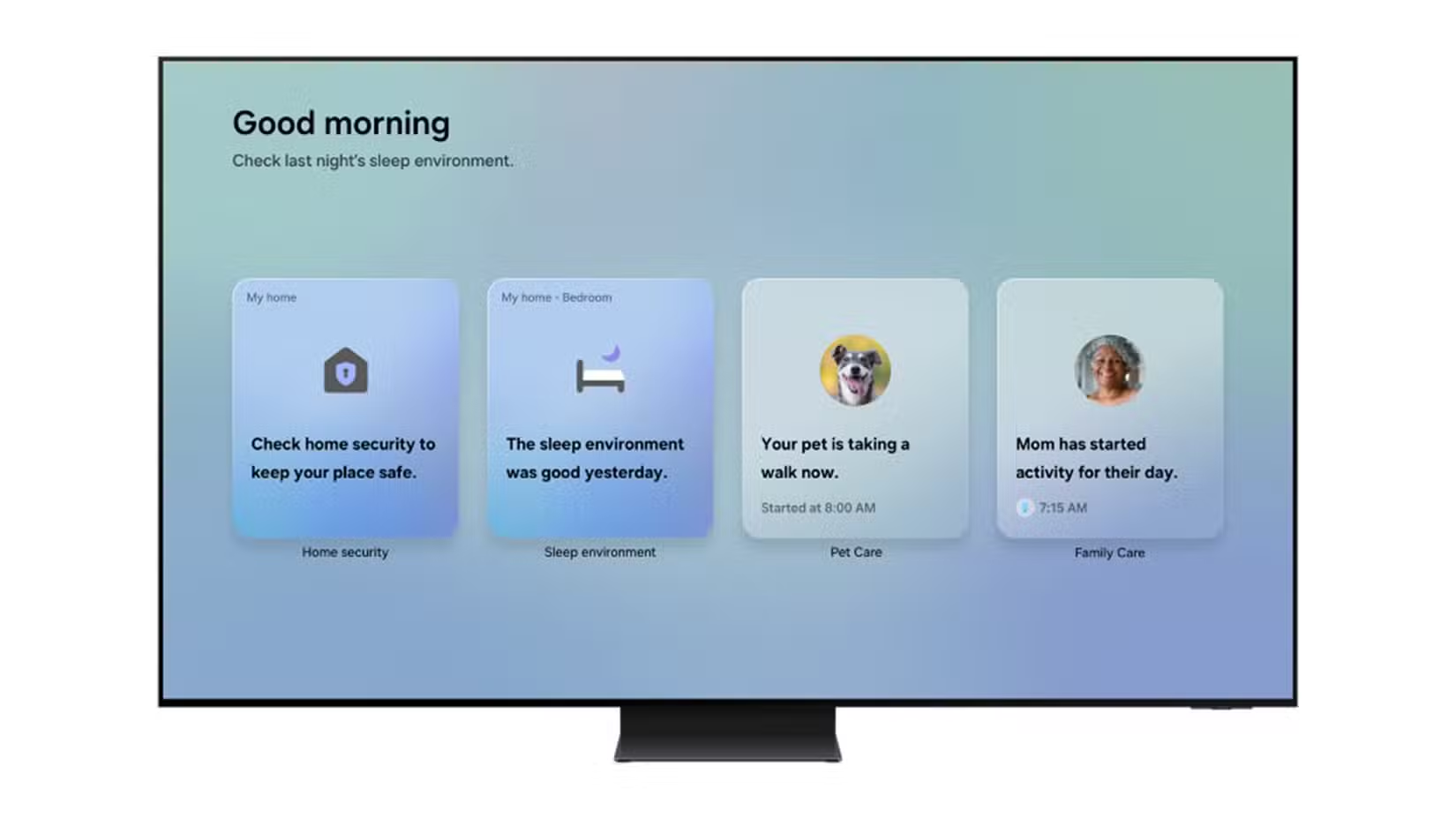
Samsung's SmartThings Now Brief update addresses this directly. Instead of pushing alerts to your already-overloaded phone, it surfaces relevant information on ambient displays you're already looking at. Walk into your kitchen? Your fridge shows you that the front door was locked and your dog got his afternoon walk. Turn on the TV? You see at a glance that your aging mother's activity levels are normal.
This isn't about gadgets. It's about information architecture for your life. The same principles that make executive dashboards effective in business apply to home management: surface the right information at the right time without requiring active searching.
What Does SmartThings Now Brief Actually Do?
Samsung has expanded its AI-curated Now Brief feature to cover three critical areas that matter most to busy professionals:
- Home Security: Door lock status, sensor alerts, and security mode information appear automatically
- Family Care: Activity monitoring for aging parents, including movement patterns and environmental conditions
- Pet Monitoring: Updates on your pet's activity, including when they've been walked
The key differentiator here is proactive delivery. Previous smart home setups required you to open an app, navigate to the right screen, and check status manually. Now Brief pushes this information to you the moment you approach your TV or open your refrigerator door.
Compatibility Requirements
Now Brief requires Samsung TVs from 2024 or later, and Family Hub refrigerators from 2021 or later. The rollout is happening in phases, so features may not appear immediately on all compatible devices.
How Does SmartThings Family Care Help With Elder Care?
For business leaders in the sandwich generation, caring for aging parents while raising children and running companies, Samsung's Family Care updates deserve serious attention.
The new Care on Call feature lets you check in with elderly relatives via phone call while simultaneously displaying relevant context on your screen: their recent activity levels, local weather conditions, and any alerts from their home sensors. You're not calling blind. You're calling informed.
For families with Samsung's Bespoke AI Jet Bot Steam Ultra robot vacuum, the integration goes further. You can use the vacuum's built-in camera and microphone to visually check on a care recipient and speak with them directly. It sounds unusual until you realize it's essentially a mobile video call device that can move through the house.
Care Insight adds long-term analytics to the mix. Instead of just knowing what happened today, you can track activity patterns over weeks and months. Declining movement levels or unusual temperature preferences might indicate health changes worth discussing with healthcare providers.
Deep dive into how Now Brief's AI curation works across all SmartThings features
Samsung SmartThings AI vs Traditional Smart Home Setups
Let's compare what you get with SmartThings Now Brief against a standard smart home configuration:
| Feature | Traditional Smart Home | SmartThings Now Brief |
|---|---|---|
| Alert Delivery | Phone notifications | TV/fridge displays + phone |
| Information Access | Open app, navigate to device | Automatic on approach |
| Elder Care Integration | Separate apps and services | Unified Care on Call + Insights |
| Activity Analytics | Basic event logs | AI-curated long-term patterns |
| Context Switching Required | High | Minimal |
The business case here isn't about having more features. It's about reducing friction. Every second you don't spend checking apps is a second available for higher-value activities.
What's the Real Cost of SmartThings Implementation?
Samsung SmartThings itself is free. The platform works with devices from Apple, Google, and hundreds of third-party manufacturers. You don't need a full Samsung household to benefit.
However, getting the full Now Brief experience requires Samsung display devices. Here's what you're looking at:
- Samsung Smart TV (2024+): $400-$3,000+ depending on size and features
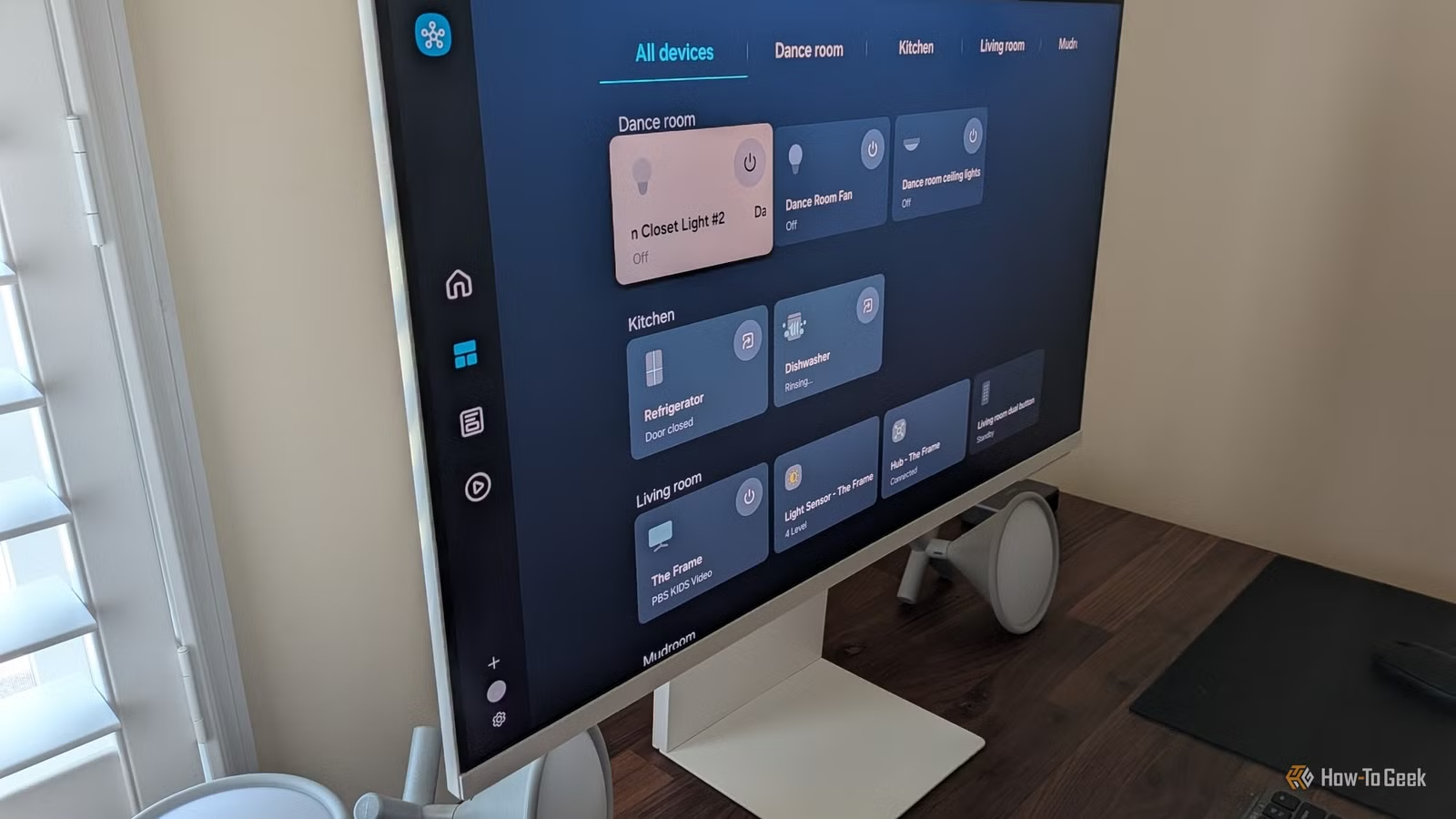
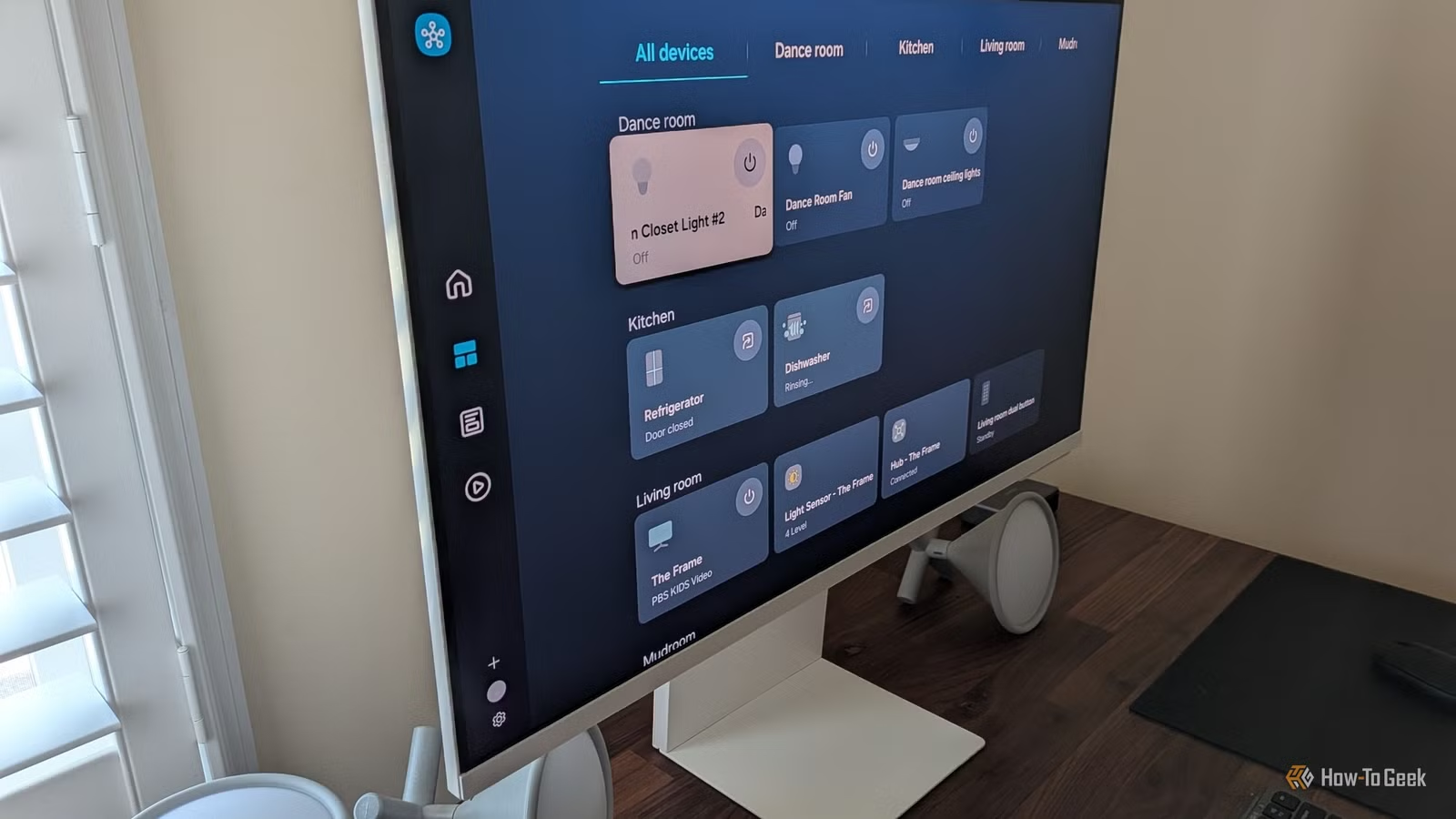
- Samsung Smart Monitor M8: $700 for a 32-inch 4K display that doubles as a SmartThings hub
- Family Hub Refrigerator (2021+): $2,500-$4,500 for models with the integrated display
- SmartThings Station: $50 for the basic hub if you don't have Samsung appliances
For most business leaders, the practical entry point is a Samsung TV you might already own or would purchase anyway. The Smart Monitor M8 makes particular sense for home offices where it serves dual duty as a productivity display and smart home control center.
How Long Does SmartThings Setup Take?
Initial SmartThings setup takes about 15 minutes for the hub and basic device pairing. Adding comprehensive home security monitoring with door sensors, motion detectors, and cameras typically requires 2-3 hours of installation time.
The Family Care features require additional setup on both ends. You'll need sensors or smart devices in your elderly relative's home, plus their consent and basic training on the system. Budget a weekend afternoon for a proper Family Care deployment.
Is SmartThings Now Brief Worth It for Business Leaders?
The value proposition breaks down into three categories:
✅ Pros
- • Reduces phone notification overload by moving alerts to ambient displays
- • Unified platform works with Apple, Google, and third-party devices
- • Family Care features can delay or reduce assisted living costs
- • No subscription fees for core SmartThings functionality
- • Matter compatibility ensures long-term device support
❌ Cons
- • Full Now Brief experience requires Samsung TVs (2024+) or fridges (2021+)
- • Phased rollout means features may not be immediately available
- • Robot vacuum camera feature requires expensive Samsung Jet Bot model
- • Elder care setup requires buy-in and basic tech literacy from relatives
For executives already invested in Samsung's ecosystem, this update is a clear win. The AI curation adds genuine value without additional cost.
For those considering a smart home investment, SmartThings' openness to third-party devices makes it a safer long-term bet than more closed ecosystems. You're not locked into Samsung for every purchase.
Another example of how smart technology decisions reduce operational overhead
Frequently Asked Questions
Frequently Asked Questions
How much does Samsung SmartThings cost?
SmartThings software is free. Hardware costs range from $50 for a basic SmartThings Station hub to $700+ for Samsung Smart Monitor M8, or $2,500+ for Family Hub refrigerators. Most users start with a Samsung TV they already own.
Does SmartThings work with non-Samsung devices?
Yes. SmartThings supports devices from Apple, Google, Ring, Philips Hue, and hundreds of other manufacturers. It's one of the most open smart home platforms available and fully supports the Matter standard.
Is SmartThings Family Care a replacement for professional elder care?
No. Family Care is a monitoring supplement that helps families stay informed about aging relatives living independently. It can extend the years of safe independent living but isn't a substitute for professional medical monitoring or in-person care when needed.
When will Now Brief be available on my Samsung TV?
Samsung is rolling out Now Brief in phases. TVs from 2024 or later are compatible, but feature availability varies by region and model. Check your SmartThings app for updates on availability.
Can I use SmartThings for business property monitoring?
Yes. SmartThings supports commercial applications including multi-property monitoring, though Samsung also offers dedicated SmartThings Pro services for professional users with advanced needs.
The Bottom Line for Decision Makers
Samsung's SmartThings Now Brief update represents a meaningful shift in how smart home information gets delivered. By pushing AI-curated updates to ambient displays rather than demanding active phone checking, it reduces cognitive load for busy professionals.
The Family Care features address a real pain point for executives in the sandwich generation. Being able to call your aging parent while seeing their recent activity data on screen isn't a gimmick. It's practical support for a conversation that happens millions of times daily across the country.
If you're already in Samsung's ecosystem, update your SmartThings app and explore the new features as they roll out. If you're evaluating smart home platforms, SmartThings' combination of openness, AI features, and zero subscription cost makes it worth serious consideration.
Need Help Implementing This?
Logicity helps business leaders evaluate and implement smart technology solutions that actually save time. From smart home integration to enterprise automation, we focus on ROI-driven technology decisions. Contact our team for a consultation on your specific needs.
More ways to reduce phone notification overload and boost mobile productivity
Source: How-To Geek
Huma Shazia
Senior AI & Tech Writer
Produced with AI assistance and reviewed by the Logicity editorial team. Learn more in our Editorial Policy.