
Key Takeaways

- An API is a contract that defines how two systems talk to each other; an SDK is a toolkit that makes implementing that contract faster
- Use APIs directly when you need maximum control or the SDK adds unwanted overhead; use SDKs when you want to ship quickly
- SDKs often include the API plus authentication handling, error logic, and sample code, but can become technical debt if the vendor falls behind
Every heist movie has that scene. The charismatic crew leader unrolls a blueprint showing exactly how to get into the vault. In software development, that blueprint is an API: the map of what's possible. But knowing the plan doesn't mean you have the tools to actually pull off the job.
That's where SDKs come in. If the API is the blueprint, the SDK is the duffel bag with lock picks, disguises, and a backup wig. One tells you what's possible. The other helps you get it done without building every tool from scratch.
What Is an API?
An API (application programming interface) is a set of rules that defines how two software applications communicate. It specifies what requests you can make, the format they need to follow, and what you'll get back.
Take Stripe's API documentation. It tells you exactly how to get your app to talk to Stripe, whether you're processing a payment or looking up an existing customer. The API defines the locked doors and what credentials get you through each one. You're not getting any pre-built tools at this stage. You're learning what's possible and what the rules are.
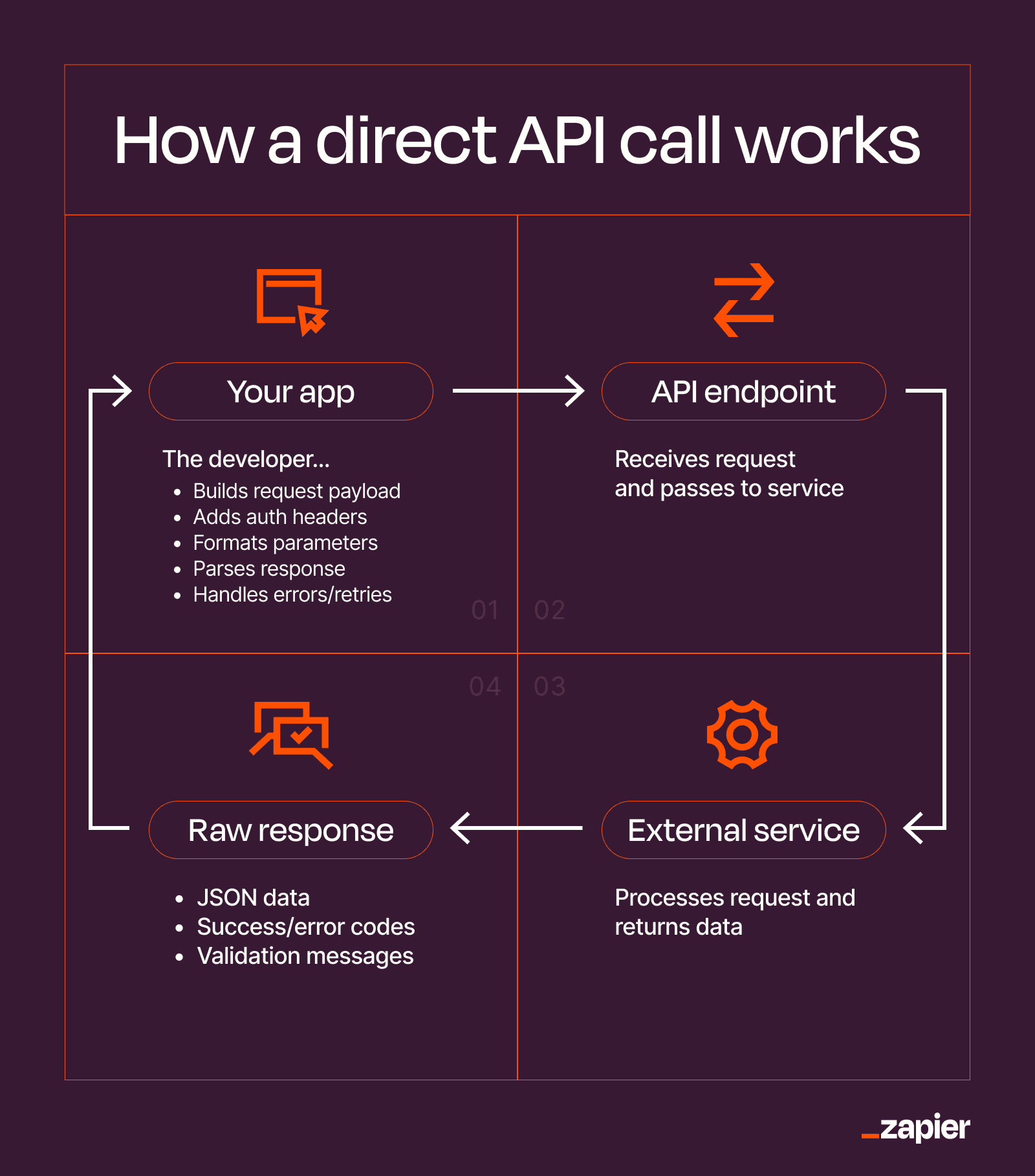
Using an API directly means you're working from the blueprint alone. Say you're building an app and want to add payment processing through Stripe. Connecting to the Stripe API means:
- Constructing an HTTP POST request to Stripe's endpoint
- Attaching your secret key in the authorization header
- Formatting the request body with the amount, currency, and customer details
- Writing logic to handle what comes back, including timeouts, failed charges, and edge cases
That's all before you've built anything specific to your product. Most APIs work over HTTP. Your app sends a request to an API endpoint (a specific URL), and the other system sends data back. The weather app on your phone calls an API to fetch the forecast. When you sign into an app with Google, an API call handles that process.
What Is an SDK?
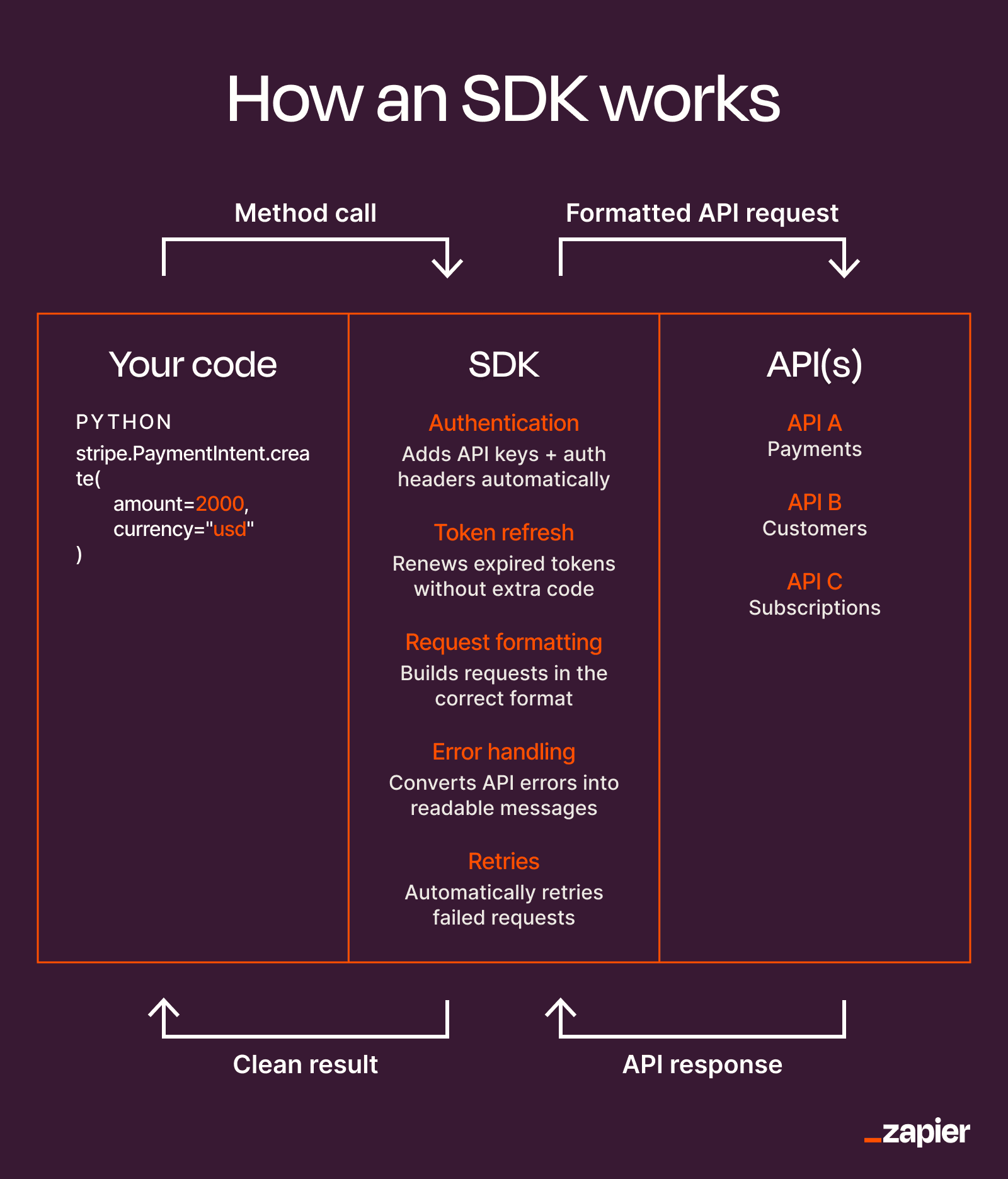
An SDK, or software development kit, is a packaged set of tools provided by a platform or service that makes it easier to build on top of it. A typical SDK includes client libraries, pre-built authentication handling, error and retry logic, type definitions, and sample code.
Think of it as the difference between having a recipe and having a meal kit delivered to your door. The API gives you the recipe. The SDK gives you pre-measured ingredients, the right pans, and step-by-step instructions with pictures.
Most SDKs wrap an API. The Stripe Python SDK, for example, still makes calls to the Stripe API under the hood. But instead of manually constructing HTTP requests and parsing JSON responses, you call a method like `stripe.PaymentIntent.create()` and the SDK handles the messy parts.
“It should be easy to do simple things; possible to do complex things; and impossible, or at least difficult, to do wrong things.”
— Joshua Bloch, Author of Effective Java
That philosophy captures what a good SDK should do. It makes the common path easy while still giving you escape hatches when you need them.
SDK vs API: The Key Differences
| Aspect | API | SDK |
|---|---|---|
| What it is | A contract defining how systems communicate | A toolkit that implements the contract |
| What you get | Endpoints, request formats, response schemas | Libraries, auth handling, sample code, debugging tools |
| Flexibility | Maximum control over implementation | Constrained to SDK's design choices |
| Setup time | Longer (build everything yourself) | Shorter (pre-built components) |
| Maintenance | You update your code when API changes | SDK vendor handles most updates |
| Language support | Language-agnostic (usually HTTP) | Specific to one language (Python SDK, Node SDK, etc.) |
The core distinction: an API defines the interface. An SDK provides the implementation. You can use an API without an SDK, but you can't use an SDK without an API underneath.
When to Use an API Directly
Working directly with APIs makes sense in several scenarios:
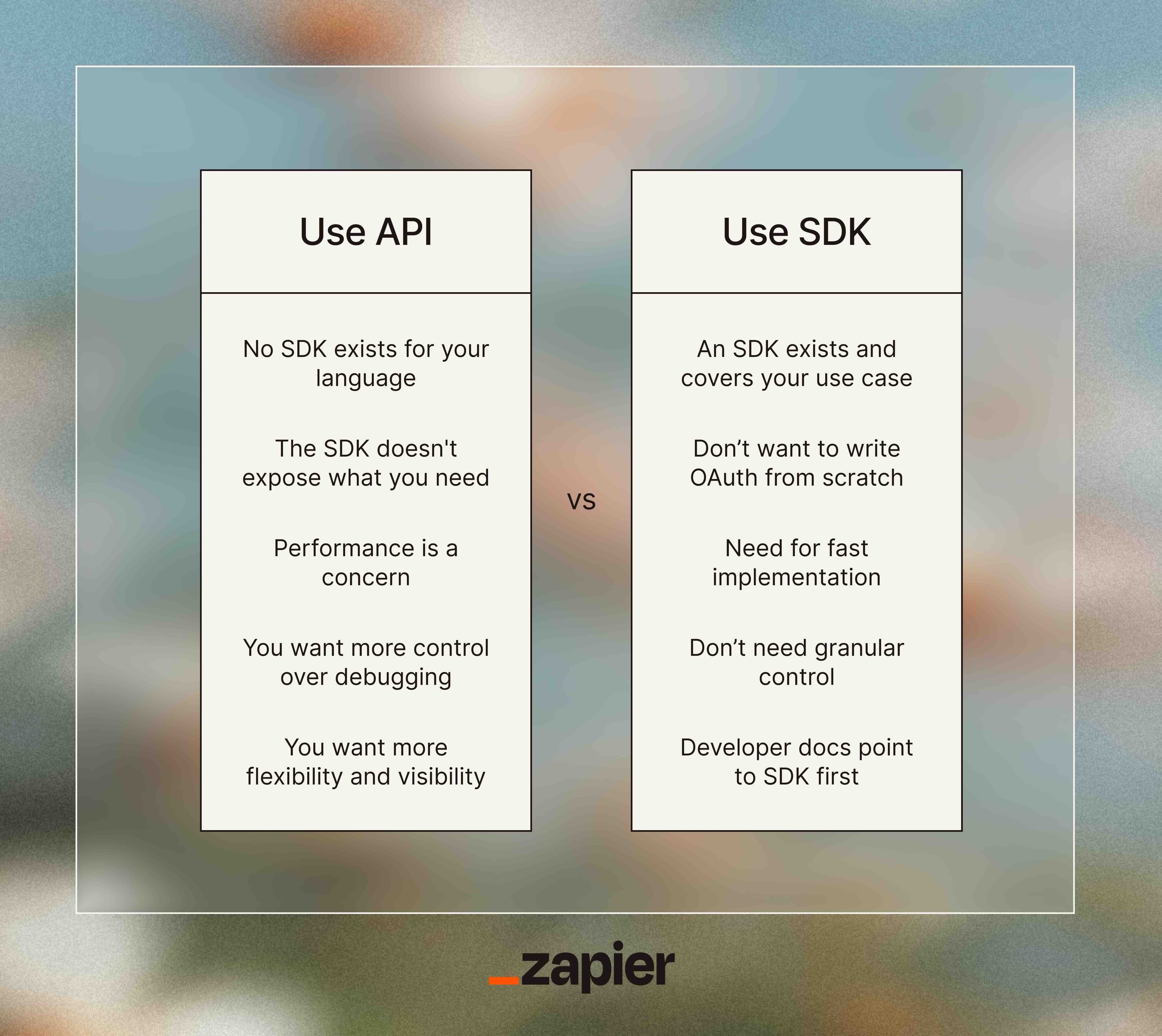
- No SDK exists for your language or platform
- You need fine-grained control over requests (custom headers, specific retry logic)
- The SDK adds unwanted dependencies or bloat to your codebase
- You're building a thin integration and don't need SDK features
- You want to understand exactly what's happening at the network level
Direct API usage also teaches you more. When something breaks, you'll understand the underlying mechanics instead of debugging a black box.
When to Use an SDK
SDKs shine when speed matters more than control:
- You're prototyping and need to ship fast
- The API is complex with lots of edge cases (payment processing, authentication)
- The vendor maintains the SDK actively and documents it well
- You want type safety and IDE autocomplete in typed languages
- The SDK handles rate limiting, pagination, and retry logic automatically
For most production applications integrating with major services like Stripe, Twilio, or AWS, the SDK is the right choice. These companies invest heavily in their SDKs because they want you to succeed.
The Hidden Cost of SDKs
SDKs aren't free. They add dependencies. They can fall behind the underlying API. And if the vendor provides a "black box" that fails to keep up with API changes, you inherit their technical debt.
On platforms like Hacker News and Reddit's r/programming, developers frequently debate whether SDKs "hide too much." The consensus: SDKs are brilliant for onboarding and rapid prototyping, but can become a burden if the vendor neglects updates or the abstraction doesn't match how you need to use the API.
Before adopting an SDK, check the GitHub repository. When was the last commit? How quickly do maintainers respond to issues? Does it support the latest API features? A stale SDK can cost you more time than it saves.
The API Economy Is Growing Fast
This distinction matters more than ever because APIs have become products themselves. Companies increasingly treat their APIs as revenue-generating assets, not just internal plumbing.
Jeff Bezos understood this early. His famous "API Mandate" required all Amazon teams to expose their functionality through service interfaces, designed to be externalizable from day one. That decision laid the groundwork for AWS.
“All teams will henceforth expose their data and functionality through service interfaces... All service interfaces, without exception, must be designed from the ground up to be externalizable.”
— Jeff Bezos, Founder of Amazon
Making the Right Choice
Start with the SDK if one exists for your language. It'll get you to a working integration faster. If you hit limitations, you can always drop down to the raw API for specific calls while keeping the SDK for everything else.
If you're building something critical or unusual, spend time with the API documentation first. Understand what's actually happening before you abstract it away. The SDK will make more sense once you know what it's hiding.
Logicity's Take
How developer tools are evolving to integrate AI capabilities
Evaluating automation tools and their integration approaches
Frequently Asked Questions
Can I use an API without an SDK?
Yes. APIs are language-agnostic and work over HTTP. You can call any API using basic HTTP requests in any programming language. The SDK just makes it easier.
Do all APIs have SDKs?
No. Many APIs, especially from smaller companies or internal systems, don't have official SDKs. Some have community-maintained SDKs of varying quality.
Is an SDK always better than using the API directly?
Not always. SDKs add dependencies and can fall behind API updates. For simple integrations or when you need precise control, direct API usage may be cleaner.
What's inside a typical SDK?
Most SDKs include client libraries, authentication handling, error and retry logic, type definitions for your language, sample code, and documentation.
How do I know if an SDK is well-maintained?
Check the GitHub repository for recent commits, open issues, and response times. Compare the SDK's feature coverage against the API documentation to see if it's current.
Need Help Implementing This?
Source: The Zapier Blog
Huma Shazia
Senior AI & Tech Writer
Produced with AI assistance and reviewed by the Logicity editorial team. Learn more in our Editorial Policy.






