Key Takeaways
- The Remotely Save plugin syncs Obsidian vaults across devices using OneDrive, Dropbox, or AWS S3 at no cost
- Setup takes under 10 minutes and works on Windows, macOS, and iOS
- The plugin creates an isolated folder in your cloud storage and cannot access other files
Obsidian stores notes as local Markdown files. That's why people love it. But it creates a problem: how do you access those notes on your phone, your work laptop, and your home PC without paying $4-8 per month for Obsidian Sync?
The answer is a community plugin called Remotely Save. Combined with cloud storage you probably already have, it takes about 10 minutes to set up free sync across all your devices.
What Remotely Save Does
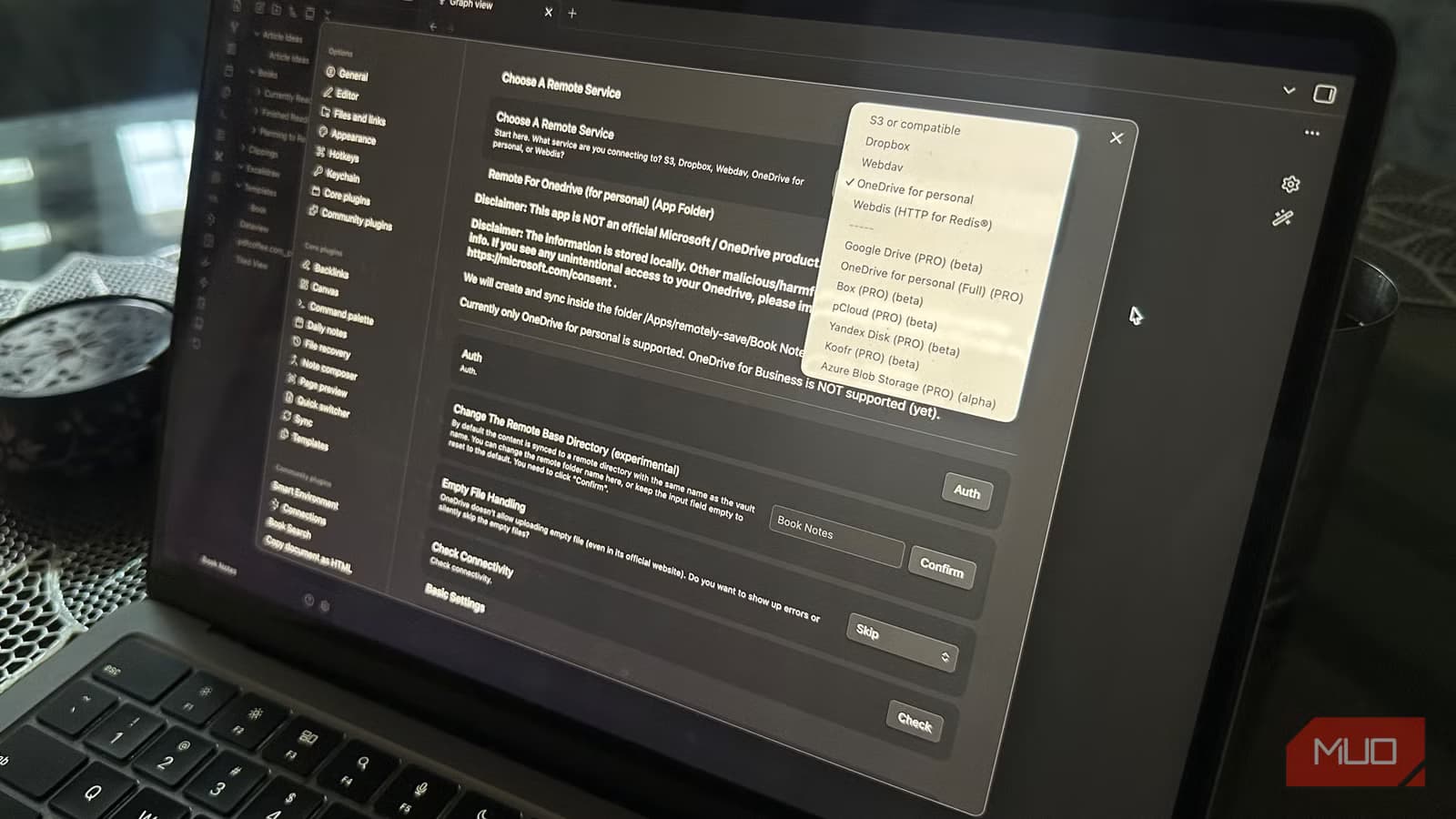
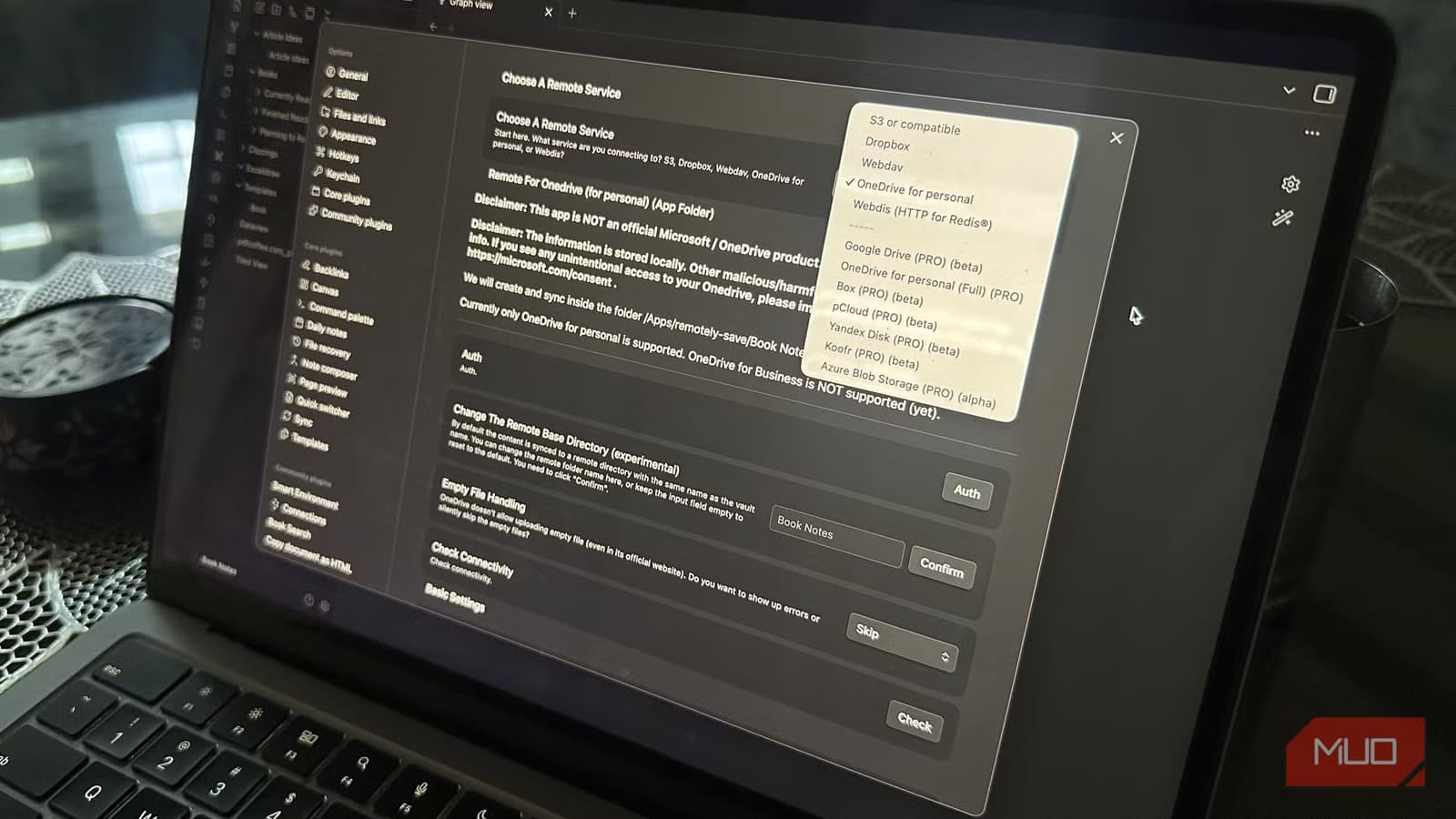
Remotely Save connects your Obsidian vault to a cloud storage service and keeps everything synchronized. The free version works with OneDrive, Dropbox, Amazon AWS S3, Webdis, and Webdav. Google Drive support requires the pro version of the plugin.
The plugin creates an isolated folder in your cloud storage. It can only access that folder, not your other files. Your notes stay in Markdown format the entire time, so you're never locked into any particular system.
Step-by-Step Setup
Here's how to get it running with OneDrive, though the process is nearly identical for Dropbox or S3.
- Open Obsidian and go to Settings > Community plugins > Browse
- Search for 'Remotely Save' and install it
- Enable the plugin and open its settings page
- Select your cloud service from the 'Choose a Remote Service' dropdown
- Click Auth, then click the link that appears
- Log in and grant the required permissions
Once authenticated, you need to run the first sync manually. Click the Remotely Save arrow in the sidebar, and the plugin will upload your vault to the new cloud folder.
Adding More Devices
On each additional device, open Obsidian and create a vault with the same name as your original. Install Remotely Save, connect to the same cloud account, and run a sync. The plugin will pull down all your notes.
This works across Windows, macOS, and iOS. The Remotely Save plugin handles the differences between platforms automatically.
Free Alternatives Beyond Remotely Save
Remotely Save is the most beginner-friendly option, but it's not the only one. The Obsidian Git plugin has over 2.5 million lifetime downloads and syncs vaults through GitHub repositories. It's popular with developers who want version history for every change.
For privacy-focused users, Syncthing offers peer-to-peer syncing without any cloud middleman. Your notes travel directly between your devices over encrypted connections.
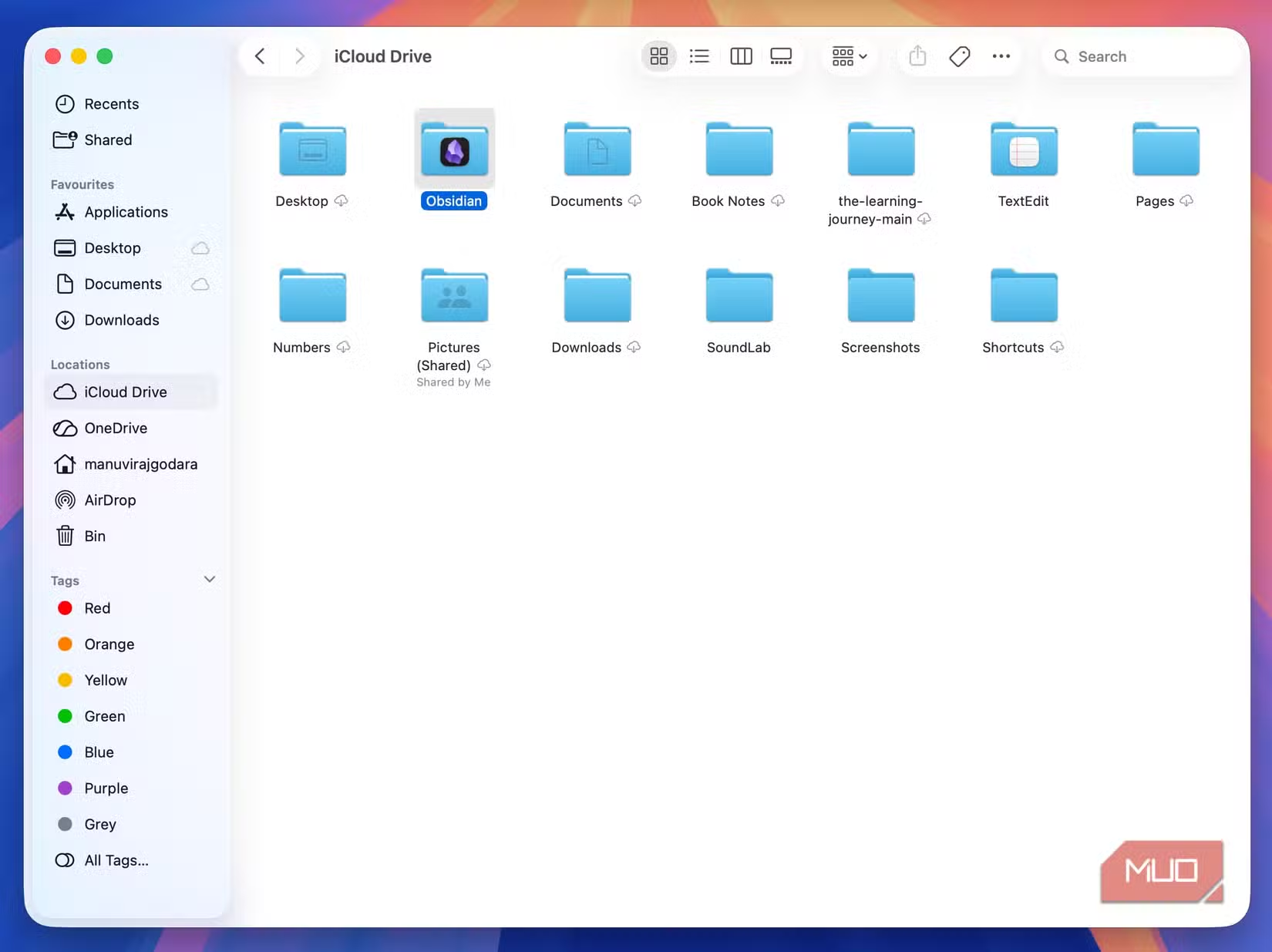
Apple users can also store their vault in iCloud Drive and let macOS and iOS handle synchronization natively, though this limits you to the Apple ecosystem.
When to Pay for Official Sync
The official Obsidian Sync service costs $4 per month for the Standard tier or $8 for Plus. It offers end-to-end encryption, version history, and conflict resolution that community plugins can't match.
If you collaborate with others, make frequent edits across devices simultaneously, or need guaranteed reliability, the paid service is worth considering. For personal notes accessed on a few devices, the free methods work fine.
Logicity's Take
Frequently Asked Questions
Does Remotely Save work with Google Drive?
Only the pro version of Remotely Save supports Google Drive. The free version works with OneDrive, Dropbox, AWS S3, Webdis, and Webdav.
Will my plugins sync across devices?
Yes. Remotely Save syncs your entire vault, including the .obsidian folder where plugins and settings are stored.
What happens if I edit the same note on two devices?
Remotely Save uses a simple last-write-wins approach. For complex conflict resolution, you'd need Obsidian's paid Sync service or a Git-based workflow.
Is Obsidian free?
Obsidian is free for personal use. Commercial use requires a license. The Sync and Publish services are separate paid add-ons.
If you're building a note-taking workflow, you might also want to pick the right AI assistant to integrate with it
Need Help Implementing This?
Source: MakeUseOf
Huma Shazia
Senior AI & Tech Writer
Produced with AI assistance and reviewed by the Logicity editorial team. Learn more in our Editorial Policy.