Key Takeaways
- Magic Eraser is now available on iPhone, Samsung Galaxy, and all Android devices through Google Photos
- Free users get 10 Magic Editor saves per month; unlimited saves require a Google One plan (2TB or higher)
- The feature uses generative AI to remove unwanted objects and fill in backgrounds automatically
Magic Eraser launched as a headline feature for the Pixel 6 in 2021. Google marketed it as a Tensor chip exclusive, one of those features that justified buying a Pixel over other Android phones. That's no longer true.
As of May 2024, Google opened Magic Eraser to all Google Photos users. That includes Samsung Galaxy owners, other Android devices, and yes, iPhones. The feature that once required specific hardware now runs on any phone with at least 3GB of RAM.
What Magic Eraser Actually Does
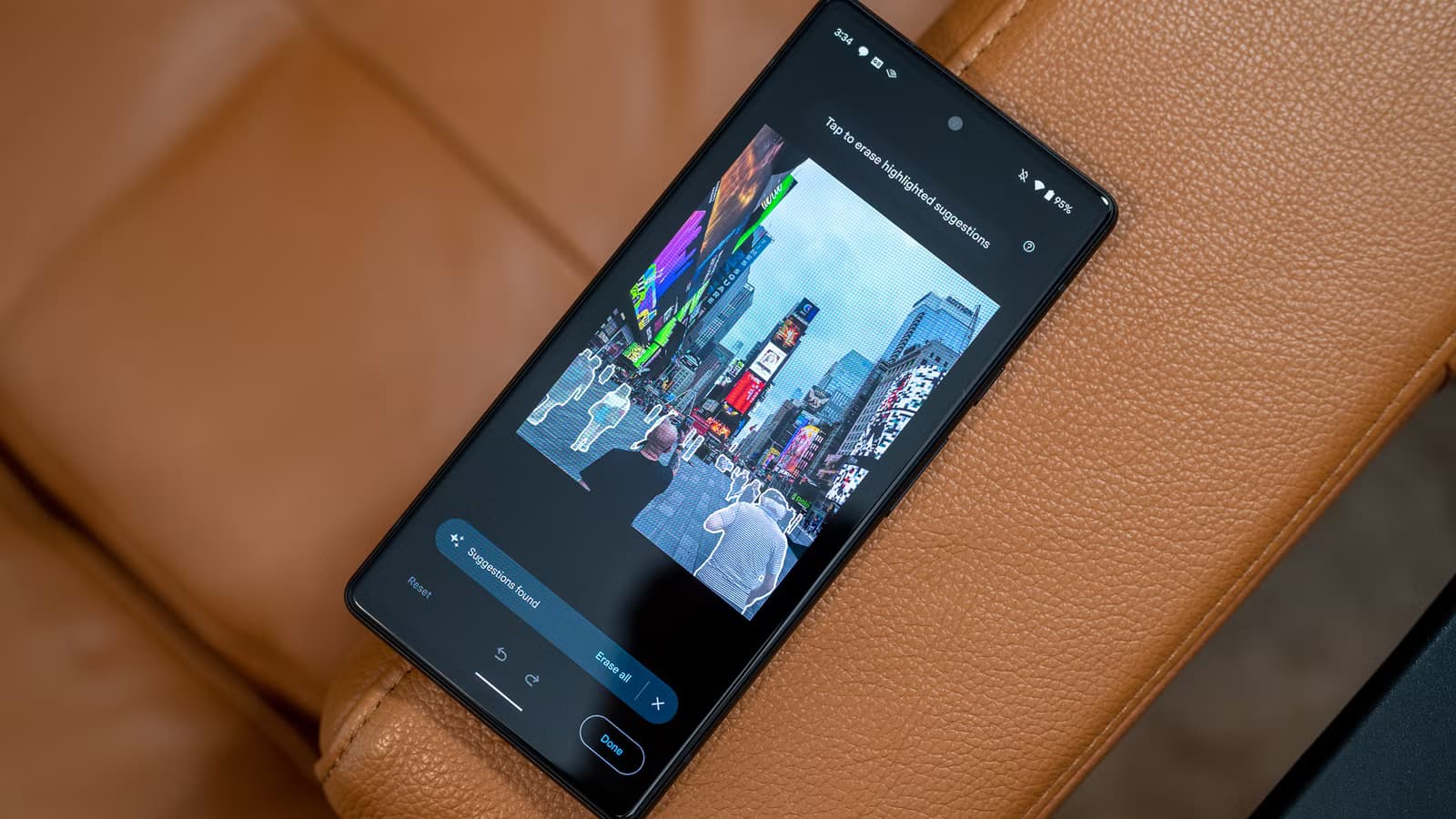
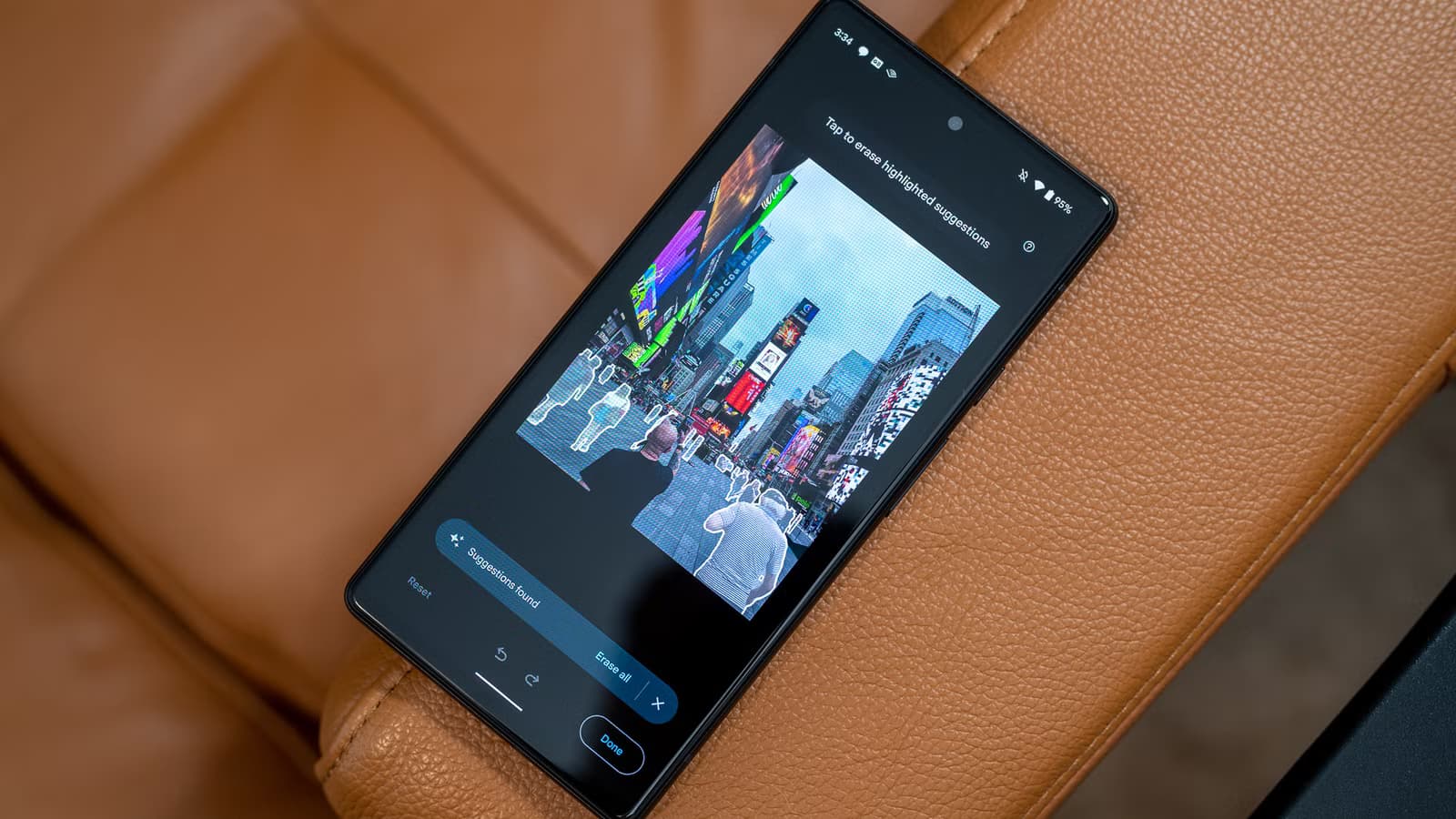
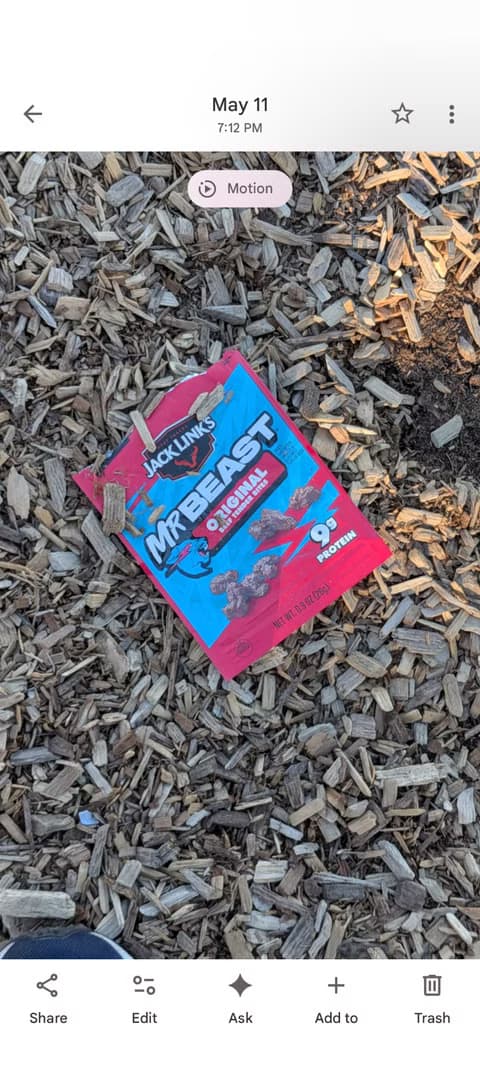
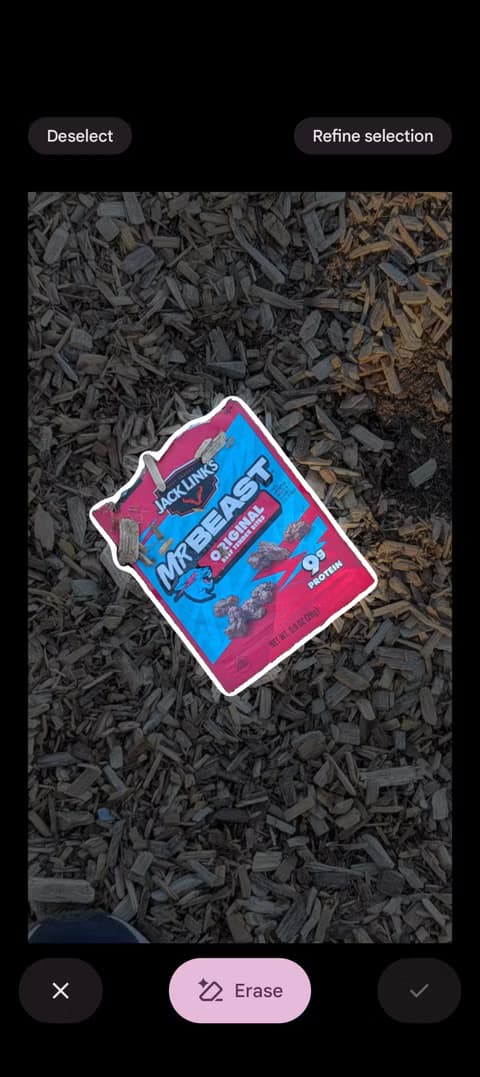
The premise is simple. You took a photo, and later you notice something you wish wasn't there. A stranger walking through your shot. Your finger at the edge of the frame. A distracting piece of trash on the ground. Magic Eraser lets you highlight that object and remove it.
The tool uses generative AI to analyze the surrounding pixels and predict what should appear in place of the removed object. Google originally called this "machine learning" before the AI branding took over, but the underlying technology is the same.
Results vary based on complexity. Removing a person from a simple grass background works well. Removing someone from a detailed architectural scene might leave visible artifacts. The AI guesses at what should be there, and sometimes it guesses wrong.
How to Access Magic Eraser on Any Phone
On iPhone and non-Pixel Android devices, Magic Eraser lives inside Google Photos. Here's how to find it:
- Open Google Photos and select the image you want to edit
- Tap 'Edit' at the bottom of the screen
- Scroll through the editing tools and select 'Tools'
- Tap 'Magic Eraser'
- Circle or brush over the object you want to remove
- Tap 'Done' to save
The app often suggests objects to remove automatically. You'll see highlighted areas that the AI thinks might be distractions. Tap to accept the suggestion or manually select your own areas.
The Free Tier Catch
Google didn't make this completely free. Non-Pixel users get 10 Magic Editor saves per month at no cost. After that, you need a Google One subscription.
Unlimited saves require the 2TB Google One plan, which runs $9.99 per month. That's a significant jump from free, especially if you only occasionally need to remove a photobomber.
Pixel owners still get unlimited Magic Eraser saves at no extra cost. That remains one of the few genuine perks of buying Google's hardware.
Beyond Simple Erasing
Magic Eraser does more than delete objects. You can use it as a generative fill tool, removing the main subject of a photo entirely and letting the AI fill in what it thinks should be there. The results range from impressive to bizarre.
Google has bundled these features under the "Gemini Intelligence" branding as of 2026, integrating its core AI model more deeply into the editing workflow. The Magic Editor suite now includes sky replacement, subject repositioning, and background extension alongside the original eraser function.
“With the right editing tools, your photos can really shine. And now we're bringing those capabilities to even more people.”
— Shimrit Ben-Yair, VP and GM of Google Photos and Google One
Why Google Opened the Walled Garden
The Pixel-exclusive strategy served Google's hardware business for years. But Pixel sales remain a fraction of the smartphone market. Google makes far more money from services than from selling phones.
By putting Magic Eraser in Google Photos everywhere, Google accomplishes two things. It drives more users into the Google Photos ecosystem, and it creates a clear upgrade path to paid Google One subscriptions. The 10-save limit is a classic freemium hook.
“Software magic is becoming the main reason to buy a phone, but now that software is everywhere.”
— Marques Brownlee (MKBHD), Tech Reviewer
Reddit's r/Android community pointed out the obvious implication: the "Tensor-only" claims were always more marketing than technical necessity. If Magic Eraser runs on an iPhone, it never truly required custom silicon.
Device Requirements
Magic Eraser works on most modern phones, but there are minimum specs. Your device needs at least 3GB of RAM, which excludes some budget phones and older models. The AI processing happens partly on-device and partly in the cloud, so a stable internet connection helps.
- Minimum 3GB RAM required
- Works on iOS and Android
- Requires latest version of Google Photos
- Internet connection needed for AI processing


Logicity's Take
More on Google's AI capabilities compared to competitors
Frequently Asked Questions
Is Magic Eraser free on iPhone?
Yes, but with limits. Free users get 10 Magic Editor saves per month. Unlimited saves require a Google One subscription (2TB plan at $9.99/month).
Does Magic Eraser work without internet?
No. The AI processing requires a cloud connection. You need stable internet for the feature to work properly.
Can Magic Eraser remove any object from a photo?
It works best on simple backgrounds. Complex scenes with detailed patterns may show artifacts after removal. Results vary by image complexity.
Why did Google stop making Magic Eraser Pixel-only?
Google likely prioritized growing Google Photos usage and Google One subscriptions over Pixel hardware exclusivity. The feature drives users into Google's ecosystem regardless of which phone they own.
What's the minimum phone requirement for Magic Eraser?
Your device needs at least 3GB of RAM and the latest version of Google Photos. This works on both iOS and Android.
Need Help Implementing This?
Source: How-To Geek
Manaal Khan
Tech & Innovation Writer
Produced with AI assistance and reviewed by the Logicity editorial team. Learn more in our Editorial Policy.






