Key Takeaways
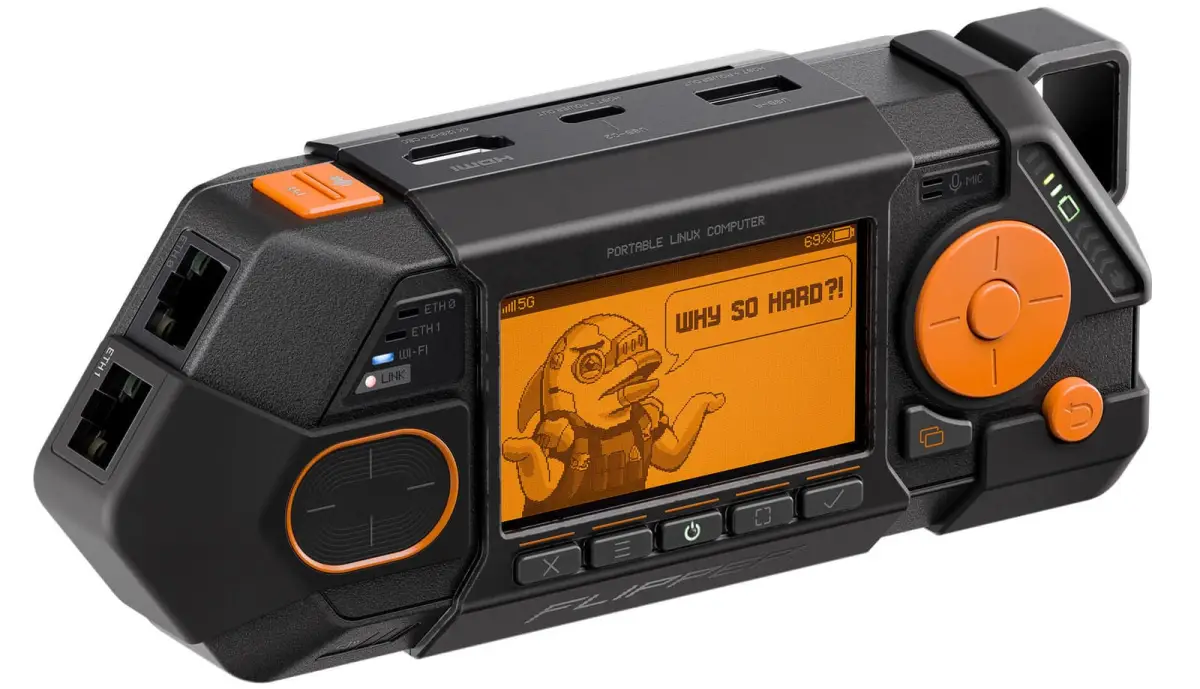
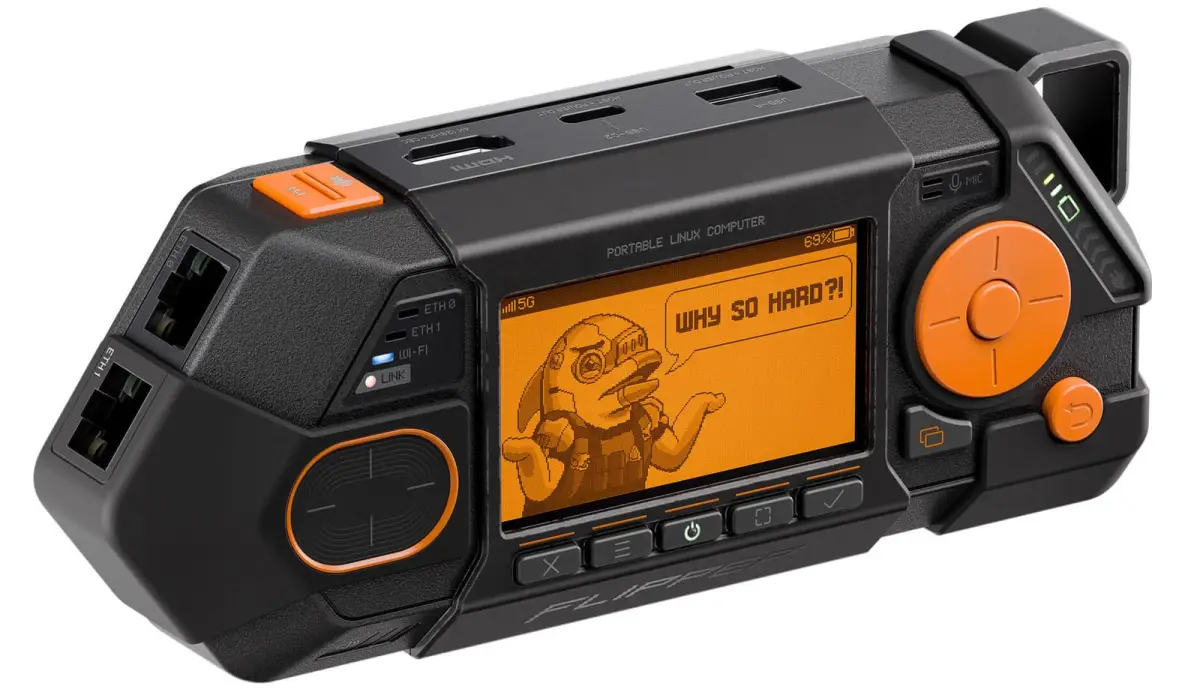
- Flipper One runs Linux on an 8-core RK3576 chip with 8GB RAM and can function as a full desktop PC
- Network connectivity includes dual Gigabit Ethernet, Wi-Fi 6E, and optional 5G via M.2 expansion
- The device is still in development with no release date announced
Flipper Devices, the company behind the popular Flipper Zero, announced a new product called Flipper One. This one is not a successor. It operates on a different layer entirely, focusing on network connectivity rather than radio frequencies.
Where Flipper Zero talks to Bluetooth, NFC, RFID, and sub-1GHz radios, Flipper One speaks Ethernet and Wi-Fi. The company has sold over 1 million Flipper Zero units and generated more than $150 million in sales. Now it wants to capture the network security and tinkerer crowd.
What Flipper One Actually Does
The device packs dual Gigabit Ethernet ports, USB Ethernet at 5 Gbps, and Wi-Fi 6E covering 2.4, 5, and 6 GHz bands. An M.2 expansion slot opens up more options: 5G modems, SDR modules, AI accelerators, NVMe or SATA SSDs, and additional Wi-Fi cards.
Use cases include running it as a router, VPN gateway, or network bridge. Plug in a monitor, keyboard, and mouse through a USB hub and you have a Linux desktop. The HDMI 2.1 port supports 4K streaming at 120Hz, so it can also work as a portable media box.
Two Processors, Two Jobs
Flipper One runs on dual processors with 8GB of RAM. The primary chip is an 8-core Rockchip RK3576 running open Linux. It includes a Mali-G52 GPU and an NPU for local AI models.
Flipper worked with open-source consulting firm Collabora to push RK3576 support into the mainline Linux kernel. Anyone can download it from Kernel.org and start tinkering without proprietary blobs or vendor-specific forks.
The second chip is a dual-core Raspberry Pi RP2350 microcontroller. This handles the display, buttons, touchpad, LEDs, and power management. Even when the Linux side is off, you can still operate the device through this secondary controller.
A Custom Linux Distribution
Flipper Devices CEO Pavel Zhovner said the company is building its own Linux distribution called Flipper OS. His complaint with Raspberry Pi OS: doing a clean factory reset after installing packages requires re-flashing the SD card.
Flipper OS, currently in concept stage, will support profiles with pre-configured packages and settings. Users can experiment with software and revert to a clean state without swapping or re-flashing storage. The company is also developing FlipCTL, an interface for controlling small LCD screens on devices like Flipper One using D-pad and touch controls.
Still in Development
Flipper One is not available for purchase. The company is only announcing the project at this stage, with no release date or pricing disclosed. Given the hardware ambitions, from mainline kernel support to a custom OS with profile-based resets, there is significant work ahead.
| Feature | Flipper Zero | Flipper One |
|---|---|---|
| Primary Focus | Radio frequencies (NFC, RFID, Bluetooth, IR) | Network connectivity (Ethernet, Wi-Fi) |
| Connectivity | Sub-1GHz, NFC, RFID, IR, Bluetooth | 2x Gigabit Ethernet, Wi-Fi 6E, USB Ethernet |
| Expansion | GPIO pins | M.2 slot (5G, SSD, SDR, AI accelerator) |
| Operating System | Custom firmware | Open Linux (mainline kernel) |
| Display Output | Built-in LCD only | HDMI 2.1 (4K @ 120Hz) |
| Status | Available ($169) | In development |
Logicity's Take
Flipper One addresses a gap in the portable hacking toolkit. Flipper Zero handles radio. A laptop handles networks but is bulky. This sits in between. The mainline kernel support matters: it means updates, community fixes, and no vendor lock-in. Whether the custom OS delivers on its profile-switching promise will determine if this beats a Raspberry Pi for network security work.
More on configuring compact Linux hardware
Frequently Asked Questions
Is Flipper One a replacement for Flipper Zero?
No. Flipper Zero handles radio protocols like NFC, RFID, and Bluetooth. Flipper One focuses on network connectivity with Ethernet and Wi-Fi. They target different use cases.
When will Flipper One be available?
No release date or pricing has been announced. The company is only disclosing the project at this stage.
Can Flipper One run standard Linux distributions?
Yes. The RK3576 chip has mainline Linux kernel support, so you can run any compatible distribution. Flipper is also developing its own OS called Flipper OS.
What can you connect to the M.2 slot?
The M.2 port supports 5G modems, SDR modules, AI accelerators, NVMe or SATA SSDs, and Wi-Fi cards via adapters.
Can Flipper One work as a desktop computer?
Yes. Connect a monitor via HDMI 2.1 and add a keyboard and mouse through a USB hub. It supports 4K output at 120Hz.
Need Help Implementing This?
If you're evaluating portable network security tools or building a hardware lab for penetration testing, we can help you make sense of the options. Reach out to the Logicity team for guidance on security tooling and infrastructure decisions.
Source: TechCrunch / Ivan Mehta
Huma Shazia
Senior AI & Tech Writer
Produced with AI assistance and reviewed by the Logicity editorial team. Learn more in our Editorial Policy.