Key Takeaways
- ChatGPT connectors (now called plugins) let the model read from and write to external apps like Google Workspace, GitHub, and your CRM
- You can add custom MCP servers for tools not in OpenAI's native catalog
- Zapier integration extends ChatGPT to 7,000+ apps without code
ChatGPT connectors let the model reach outside its chat window and actually do things: pull records from your CRM, search documents in Google Drive, create tasks in your project tracker. OpenAI renamed the feature from "connectors" to "apps" in late 2025, then folded it into "plugins" more recently. The terminology is a mess. The capability is not.
Disclosure
Some links in this post are affiliate links — Logicity earns a commission if you sign up, at no extra cost to you. We only link products we have used or actively recommend.
For RevOps and operations teams, connectors solve a real problem: you can query customer data, draft follow-ups, or log outputs to tools like Salesforce, HubSpot, or Slack without leaving the chat interface. No more copy-paste. No more uploading CSVs every time you want context.
What exactly are ChatGPT connectors?
A ChatGPT connector is a native integration that gives the model access to an external service. It handles authentication and exposes operations ChatGPT can use: searching files, retrieving content, taking actions inside those apps.
The naming has shifted. OpenAI originally called these "connectors," switched to "apps," and now bundles them under "plugins." You'll see all three terms used interchangeably. Here's how they relate:
- ChatGPT plugins: The official name for installable bundles that connect ChatGPT to other services. A plugin is the package everything comes in.
- ChatGPT connectors: A broad term that now covers anything connecting ChatGPT to another service.
- MCP servers: The protocol layer underneath. MCP (Model Context Protocol) is an open standard for AI tools to communicate with external services. Official connectors run on MCP, but you can also connect ChatGPT to third-party or self-hosted MCP servers.
- Add-ons: A different thing entirely. ChatGPT for Google Sheets, for example, is a Google Workspace Marketplace add-on, not a connector.
What can connectors actually do?
Two things: read and write.
Read (search) means ChatGPT can look inside your other apps. You don't need to paste customer data or upload documents every time you want a context-based answer. The model figures out what to read based on your prompt.
Write (take action) means ChatGPT can create records in your CRM, draft and send messages, create tickets or tasks. A sales rep could ask ChatGPT to review call transcripts from their top five leads, pull out common objections, summarize them, create a document, and send it to the team. All from the chat window.
Logicity's Take
For ops teams, the real value is eliminating context-switching. You can query [Pipedrive](https://logicity.in/r/pipedrive) or [Zoho CRM](https://logicity.in/r/zoho-crm) without opening another tab. But be careful with write permissions. Start with read-only connectors until you trust the model's judgment on your specific data.
How to install a ChatGPT plugin
The setup takes about two minutes per connector.
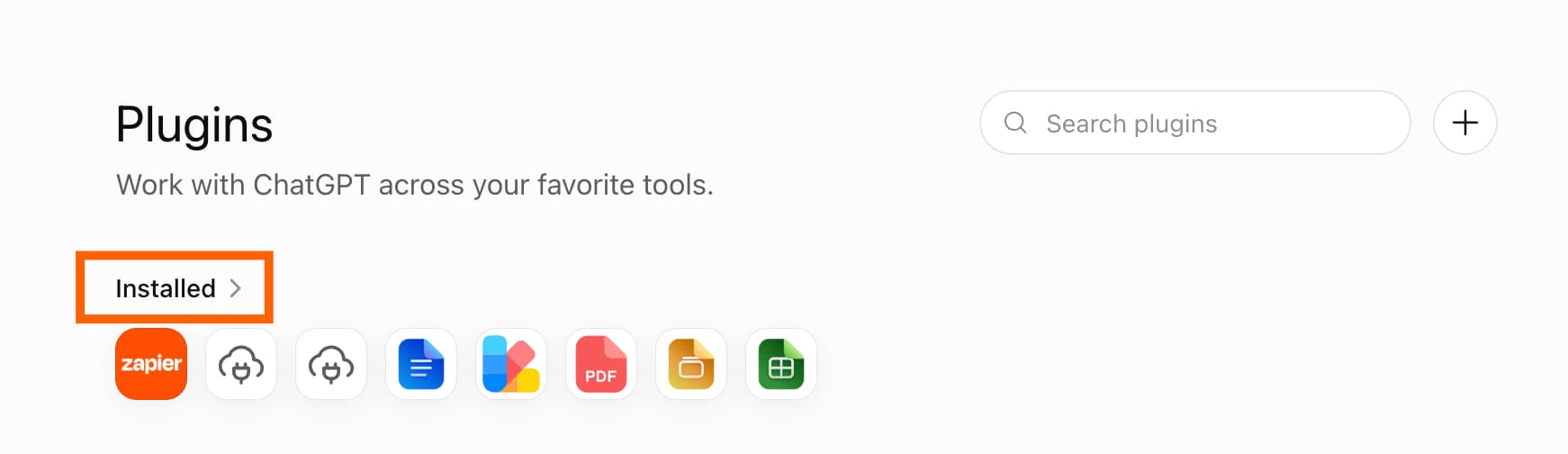
- In ChatGPT, click Plugins in the sidebar.
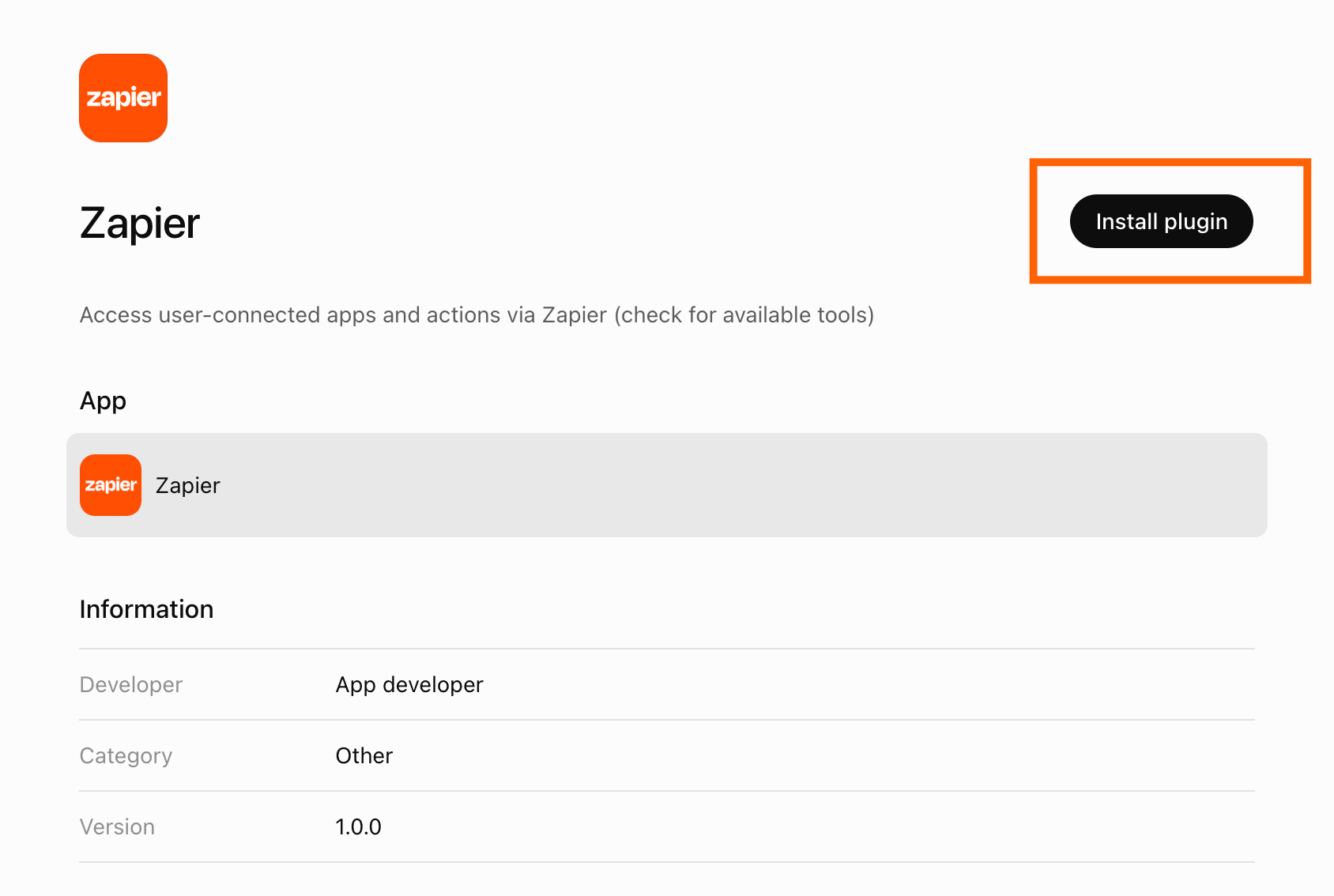
- Search for the plugin you need and click Install plugin.
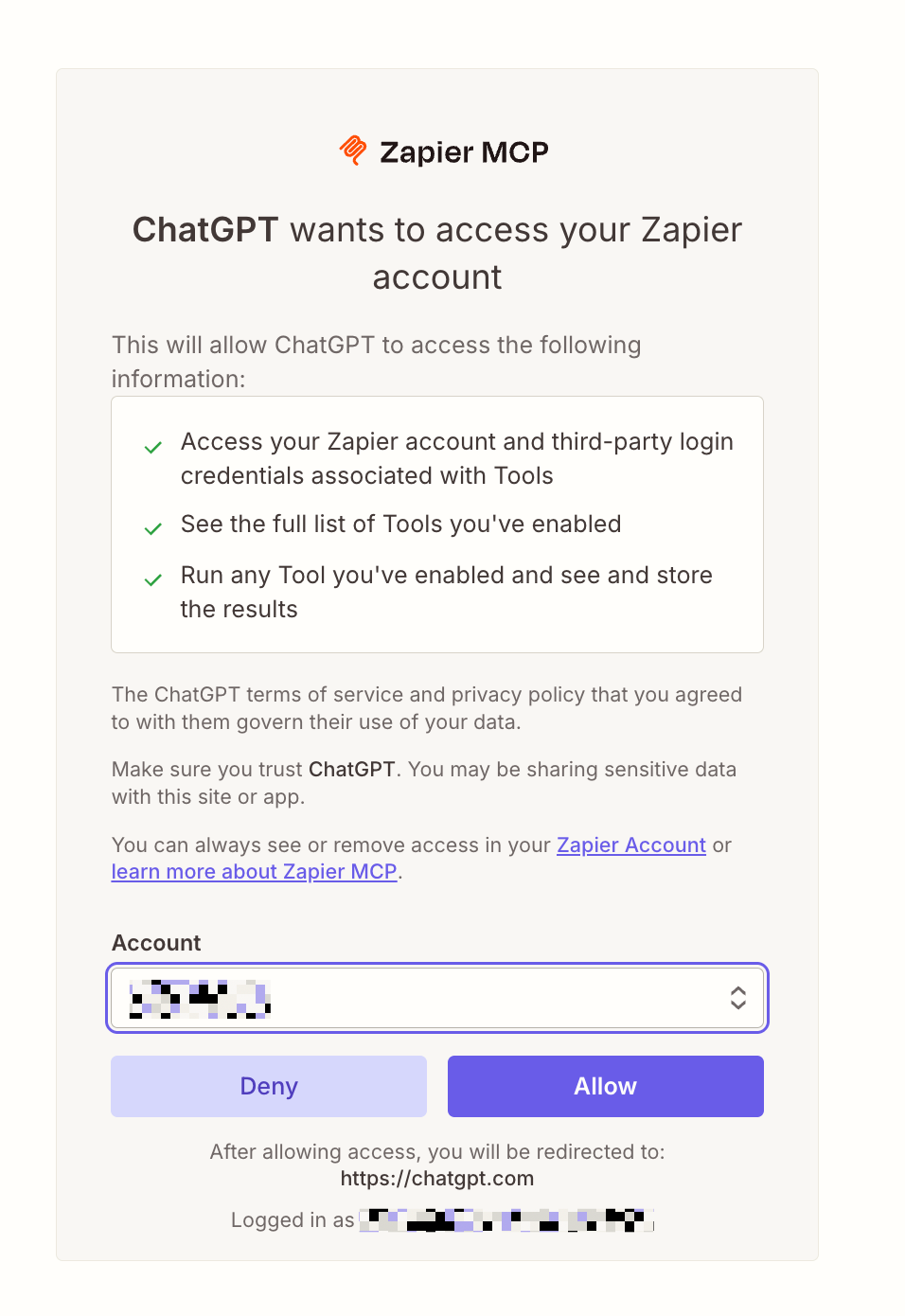
- Follow the authorization flow. You'll sign in to the service and approve what ChatGPT can access.
- Once connected, click the plus sign (+) next to the chat field to browse or search available connectors. Or just tell the chat you want to use a specific plugin.
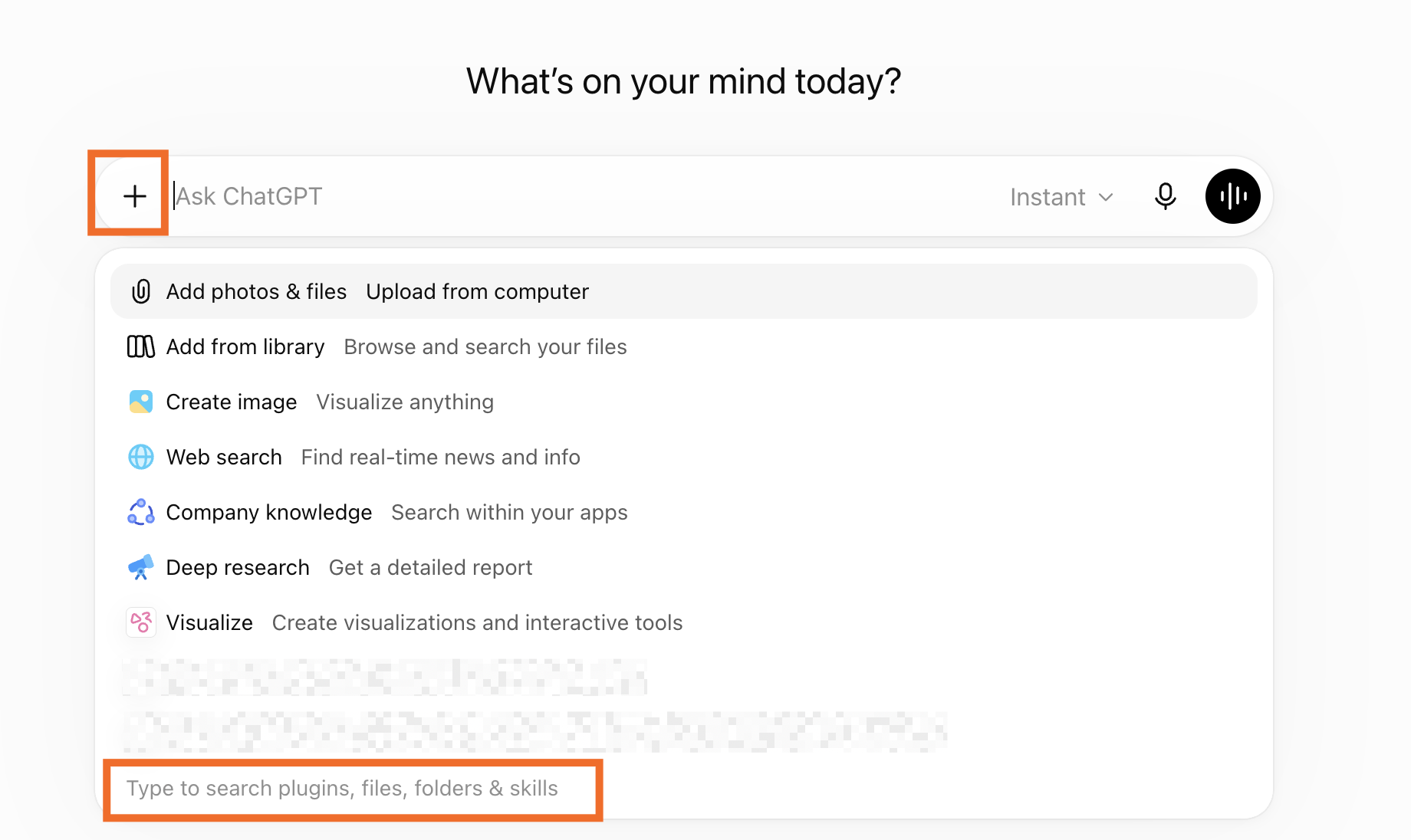
ChatGPT is often smart enough to figure out which connector to use based on your prompt. If you mention searching your email, it will invoke Google Workspace. If you ask about a GitHub repo, it will use the GitHub connector.
Practical use cases for ops teams using ChatGPT's connector capabilities
How to add a custom MCP server
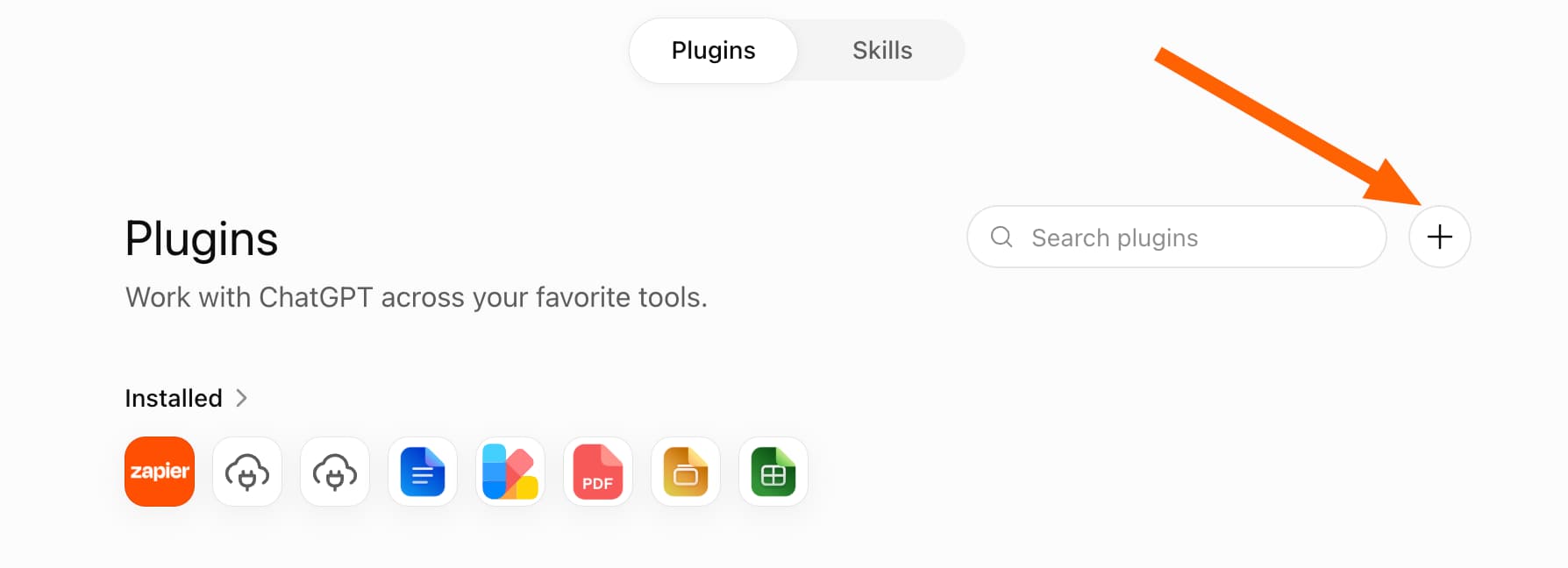
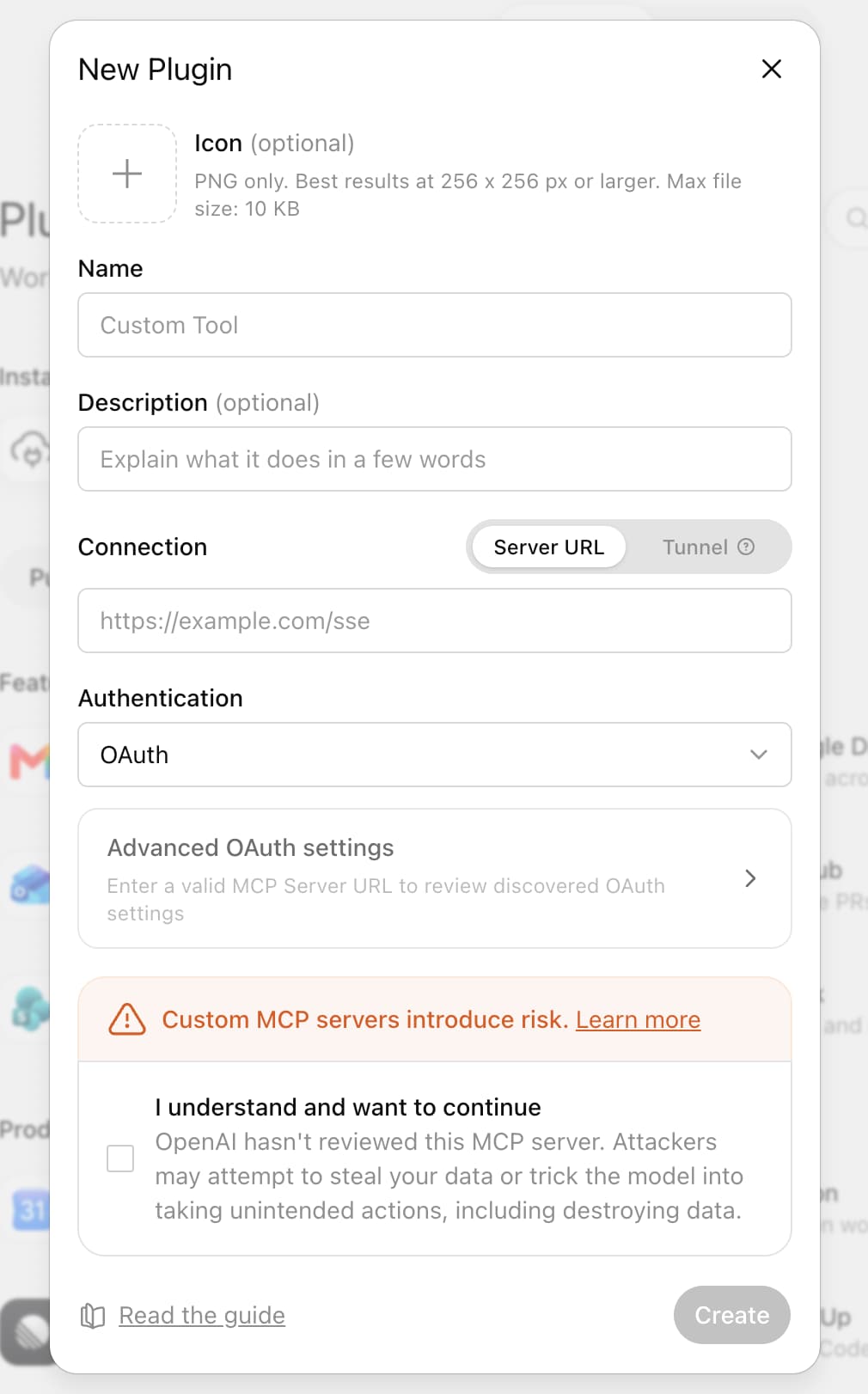
OpenAI's native catalog covers the big players: Google Workspace, GitHub, Dropbox. But if you use a tool that isn't listed, you can connect ChatGPT to third-party or self-hosted MCP servers.
MCP (Model Context Protocol) is an open standard, not proprietary to OpenAI. That means developers can build MCP servers for internal tools, niche SaaS products, or custom databases. Once the server exists, ChatGPT can talk to it.
The setup varies by server. Generally, you'll need the server URL, authentication credentials, and to configure which operations ChatGPT can invoke. Check your MCP server's documentation for specifics.
Extending ChatGPT to 7,000+ apps with Zapier
Native connectors cover dozens of apps. Zapier extends that to thousands.
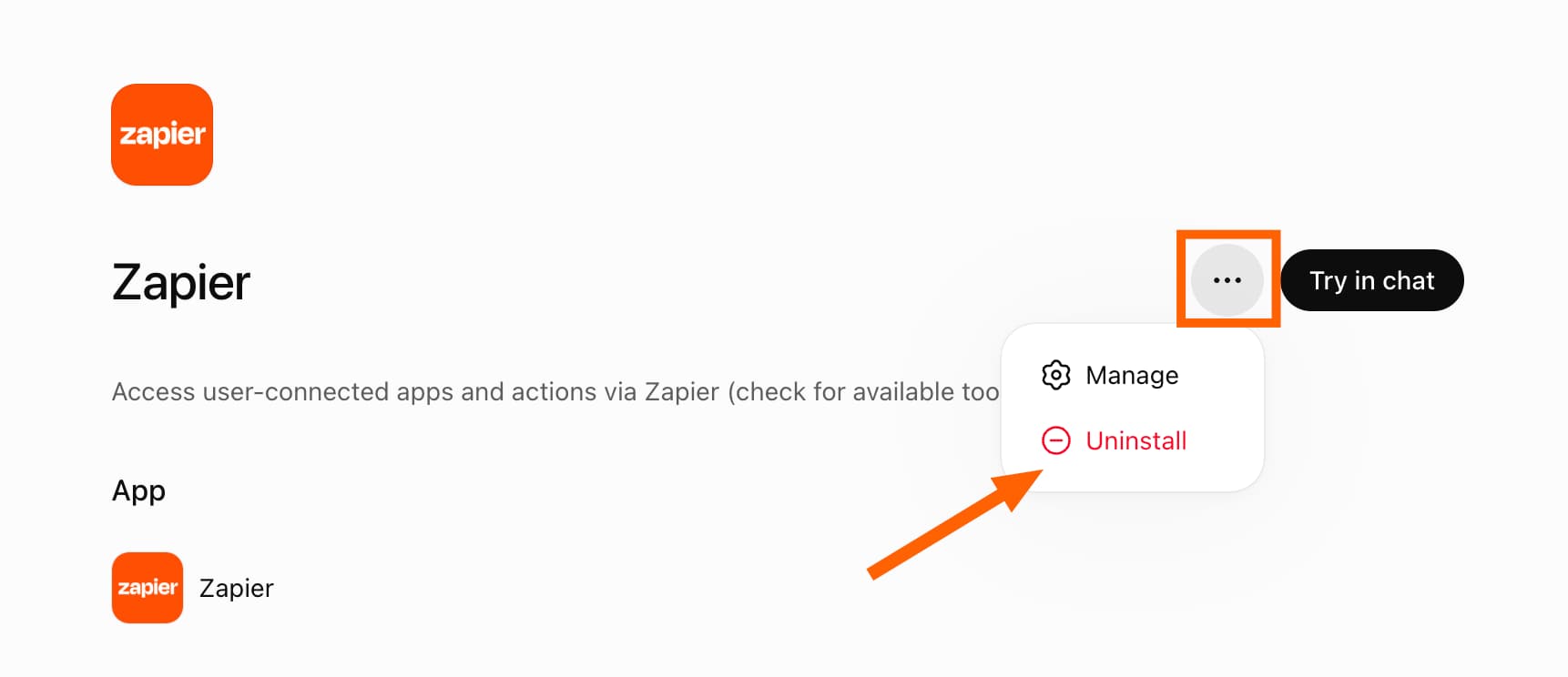
The Zapier ChatGPT plugin acts as a bridge. When you install it, ChatGPT gains access to any app Zapier supports: over 7,000 at last count. That includes Airtable, Notion, ClickUp, Monday.com, and most CRMs, email tools, and databases you're likely using.
For competitors, Make and n8n offer similar automation capabilities, though their ChatGPT integration isn't as direct. Zapier's plugin is purpose-built for the ChatGPT interface.
The tradeoff: Zapier adds a layer of complexity and another subscription. For ops teams already using Zapier, the ChatGPT plugin is a natural extension. If you're not, evaluate whether the breadth of app coverage justifies the cost.
Which connector approach should you use?
Start with native plugins for apps in OpenAI's catalog. They're simpler to set up and don't require additional subscriptions.
Use Zapier when you need apps outside the native catalog or when you want to chain multiple actions together (create a HubSpot contact, then send a Slack message, then add a row to Airtable).
Use custom MCP servers for internal tools or niche products with no native support. This requires more technical setup but gives you maximum flexibility.
Frequently Asked Questions
Do ChatGPT connectors work on the free plan?
Most connectors require ChatGPT Plus or Team. Free users have limited access to plugins.
Can ChatGPT access my entire CRM database?
It accesses what you authorize. During setup, you control which records, fields, and actions the connector can use.
Is there a limit to how many connectors I can install?
No hard limit, but ChatGPT can only use a few connectors in a single conversation. It will pick the most relevant based on your prompt.
What's the difference between MCP and API integrations?
MCP is a standardized protocol specifically for AI context. APIs are general-purpose. MCP servers are easier for AI models to consume because they follow consistent patterns.
Need Help Implementing This?
Logicity helps operations teams set up AI workflows. If you're evaluating ChatGPT connectors for your stack or need help with custom MCP implementations, get in touch.
Source: The Zapier Blog
Manaal Khan
Tech & Innovation Writer
Produced with AI assistance and reviewed by the Logicity editorial team. Learn more in our Editorial Policy.