Key Takeaways

- Fast coding often creates more debugging time than it saves
- Readable code beats clever code every single time
- Taking 2-3 minutes to plan can save hours of refactoring later
- Measuring code complexity early prevents technical debt from piling up
- StackOverflow should be a learning tool, not a copy-paste shortcut
Read in Short
Speed-focused coding feels productive but usually backfires. You end up spending more time debugging, can't understand your own code days later, and create technical debt that haunts you. The fix? Plan before coding, prioritize readability, and measure complexity as you go.
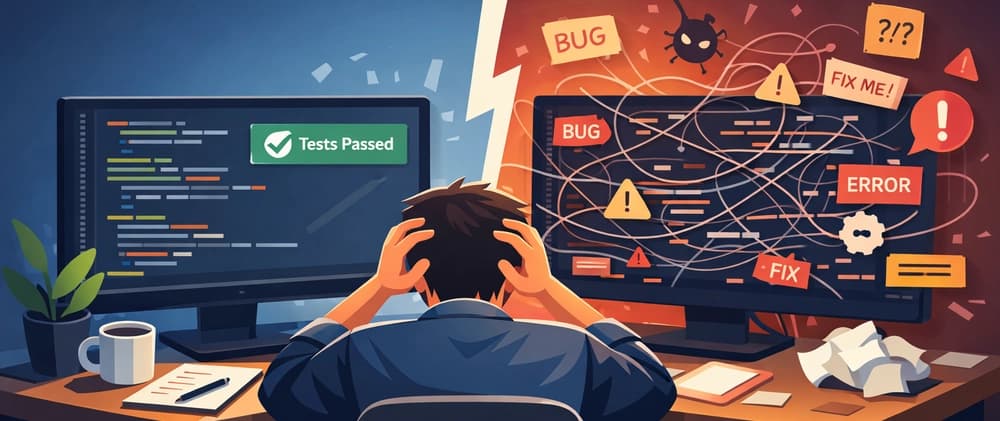
I used to think the best developers were the fastest typists. Seriously. When I started coding, my entire self-worth was tied to how quickly I could bang out lines of code. Copy-paste from StackOverflow? Absolutely. Skip the planning phase? Every time. Who needs to think when you can just write?
And here's the thing. It felt amazing. Watching code appear on screen at lightning speed gave me this rush. I was crushing it. I was productive. I was going to be a 10x developer in no time.
Spoiler alert: I was wrong. So, so wrong.
The Moment Everything Fell Apart
The cracks started showing pretty fast. At first they were small. A bug here, a confusing function there. But then the problems started compounding in ways I didn't expect.
- Bugs multiplied like rabbits. Fast code meant careless mistakes, and suddenly I was spending more time debugging than actually building features.
- My own code became unreadable. Two days after writing something, I'd look at it and think 'who wrote this garbage?' The answer was me. It was always me.
- I wasn't actually learning anything. Sure, I was solving problems. But I was copying solutions without understanding why they worked.
- Every quick fix became technical debt. Those 'temporary' solutions? They stuck around forever and made everything harder to maintain.
The debugging sessions got longer. The frustration grew. And eventually I had to admit something painful: my obsession with speed was making me a worse developer, not a better one.
Speed and Productivity Aren't the Same Thing
This was the hard lesson. Writing code fast is easy. Anyone can do it. You just type without thinking. But writing good code fast? That's actually hard. And more importantly, writing good code at a reasonable pace beats writing bad code quickly every single time.
The Real Math
If you spend 10 minutes writing code quickly but then spend 3 hours debugging it, you haven't saved time. You've lost it. A slower, more thoughtful approach that takes 30 minutes with no debugging wins.
I started thinking about all the 'productive' sessions where I wrote hundreds of lines, only to delete most of them later. All that speed meant nothing when the code was fundamentally broken or impossible to maintain.
What Actually Fixed My Workflow
Changing habits is hard. But once I stopped measuring my worth in keystrokes per minute, everything got better. Here's what I started doing differently.
- I started thinking before typing. Even just 2-3 minutes of planning before writing code saved hours of pain later. What's this function supposed to do? What edge cases exist? What will other parts of the codebase expect from this?
- I chose readable over clever. My past self loved writing one-liners that accomplished complex tasks. My current self hates past me for this. Now I write code that explains itself, even if it takes more lines.
- I learned from StackOverflow instead of just copying. There's nothing wrong with finding solutions online. But I started reading the explanations, understanding why the solution works, and adapting it rather than just Ctrl+C, Ctrl+V.
- I started measuring complexity as I wrote. This was the game-changer. More on this in a second.
If you're interested in code quality and defensive programming, this deep dive into runtime defense patterns offers another perspective on writing more robust systems.
Measuring Complexity Changed Everything
Here's something nobody told me when I started: you can actually measure how complex your code is getting. And doing this while you write, rather than after everything's a mess, makes a huge difference.
I got tired of discovering complexity problems too late, so I built a VS Code extension that shows code complexity right in the editor. It highlights functions that are getting too tangled before they become a nightmare to untangle.
What Code Complexity Measurement Does
Complexity metrics like cyclomatic complexity count the number of independent paths through your code. High numbers mean more branches, more conditions, and more ways things can go wrong. Keeping these numbers low makes code easier to test, debug, and modify.
The visual feedback loop is what makes this approach work. When you see a function turning red because it's getting too complex, you refactor before it's too late. No more 'I'll clean this up later' promises that never get kept.
The Mindset Shift That Actually Matters
Look, I'm not saying you should code slowly on purpose. That's not the point. The point is that optimizing for the wrong thing leads you in the wrong direction.
“Don't aim to write code fast. Aim to write code you won't hate tomorrow.”
— A lesson I learned the hard way
When you focus on quality and understanding, speed comes naturally over time. You get faster at writing good code because you understand patterns better. You spend less time debugging because you make fewer mistakes. You build faster overall because you're not constantly fighting your own past decisions.
✅ Pros
- • Code that's easier to maintain and modify
- • Less time spent debugging mysterious issues
- • Actually learning and improving as a developer
- • Building a codebase you can be proud of
- • Faster long-term development velocity
❌ Cons
- • Initial development might feel slower
- • You have to think more, which can be tiring
- • Breaking old speed-focused habits takes effort
- • Teammates used to your fast output might question the change
Practical Tips If You're Dealing With This
If any of this sounds familiar, here's some stuff that might help you make the same transition I did.
- Set a timer for 3 minutes before starting any new feature. Just think. No typing allowed. What are the requirements? What could go wrong?
- Pretend a very confused junior developer will read your code tomorrow. Write for them.
- When you find a StackOverflow solution, read the entire answer including the explanation. Then close the tab and write your own version.
- Use complexity measurement tools. Seriously. Getting real-time feedback on your code quality is like having a mentor looking over your shoulder.
- Review your own code after 48 hours. If you can't understand it, that's a problem worth fixing.
The Tool I Built to Help
Since measuring complexity was such a turning point for me, I ended up building a VS Code extension called Complexity Indicator. It shows you complexity metrics right in your editor as you write, so you can catch problems early.
It's not going to solve all your code quality problems. But having that visual feedback while you work helps build better habits. You start noticing patterns in what makes code complex and naturally avoiding them.
If you're interested, you can find it in the VS Code marketplace. It's the kind of tool I wish I'd had when I was still in my speed-obsessed phase.
Final Thoughts
The developer I am today would cringe at the code the old me wrote. And honestly? That's a good thing. It means I've grown. I've stopped measuring my value in words per minute and started caring about whether my code actually works well and can be maintained.
If you're still in the speed-focused phase, I get it. The dopamine hit of fast typing is real. But trust me on this one. Slow down. Think more. Your future self will thank you when they're not spending three hours debugging something you wrote in a rush.
And hey, if you've been through something similar, I'd genuinely love to hear about it. What made you realize speed wasn't everything? What changed your approach?
Source: DEV Community
Huma Shazia
Senior AI & Tech Writer
Produced with AI assistance and reviewed by the Logicity editorial team. Learn more in our Editorial Policy.