DualClip macOS Clipboard Manager: The Only Tool That Uses Dedicated Slots Instead of History

Key Takeaways
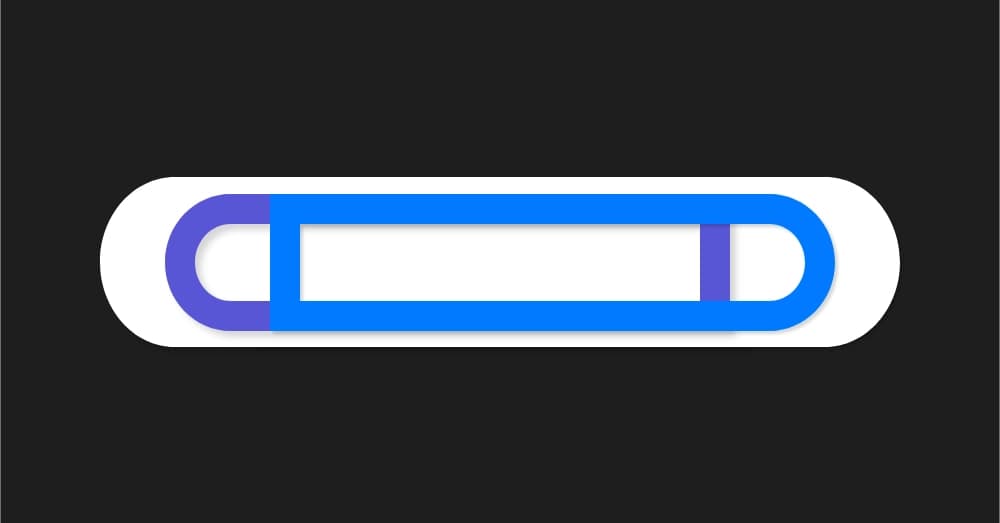
- DualClip is the only macOS clipboard manager using dedicated slots instead of history
- v1.2.6 fixes a nasty launch crash caused by Swift Package Manager resource bundling issues
- Now installable via Homebrew with automatic formula updates on new releases
- Stores nothing to disk, has no network access, and all data vanishes when you quit
Read in Short
DualClip v1.2.6 fixes a crash bug that was killing the app on launch for some users. The update also brings Homebrew support so you can install with a single command. The bigger story? This is the only clipboard manager out of 57 analyzed that doesn't use history, it uses fixed slots instead.
So here's the thing about clipboard managers on macOS. They all do the same thing. Copy something, it goes into a history list. Copy something else, the list grows. Need that thing from 20 copies ago? Start scrolling. Search. Filter. It works, but it's not exactly elegant.
DualClip takes a completely different approach. And after the developer analyzed 57 clipboard managers in the macOS ecosystem, turns out it's literally the only one doing things this way.
What Makes DualClip Different From Every Other Clipboard Manager
Instead of recording everything you copy into an ever-growing history, DualClip gives you three dedicated slots. That's it. You decide which slot to copy into using keyboard shortcuts. When you need that content back, you hit the shortcut for that specific slot. No searching, no scrolling, no database.
| Feature | History-Based Managers | DualClip |
|---|---|---|
| Storage Model | Unlimited history list | 3 fixed slots |
| Finding Content | Search, scroll, filter | Direct keyboard shortcut |
| Disk Storage | Database files | Nothing, RAM only |
| Complexity | High (sync, search UI, limits) | Minimal |
| Privacy | Varies widely | Zero network, zero telemetry |
The privacy angle is actually huge here. DualClip stores absolutely nothing to disk. Everything lives in RAM and disappears the moment you quit the app. No network access. No telemetry. No cloud sync. For anyone handling sensitive data regularly, that's a big deal.
The v1.2.6 Crash Fix: A Deep Dive Into Swift Package Manager Weirdness
Shortly after v1.2.0 shipped, users started reporting crashes on launch. The kind of crash that happens before you even see the app. Brutal for user experience, and a nightmare to debug.
The crash logs pointed to something called Bundle.module inside a dependency called KeyboardShortcuts. A fatalError was triggering because the app couldn't find its resource bundle at runtime. But wait, the resources were definitely there. So what was going on?
The Root Cause
Swift Package Manager generates a file called resource_bundle_accessor.swift that looks for resources at Bundle.main.bundleURL, which points to the .app/ root directory. But macOS codesigning requires all resources to live inside Contents/Resources/. The resources were in the right place, but the code was looking in the wrong place.
Here's where it gets interesting. Placing bundles at the app root causes an 'unsealed contents' signing error. So you can't just move them there. The resources have to stay in Contents/Resources/. But SPM's generated code doesn't know that.
The Surgical Fix
The solution required patching the generated accessor file after the initial build. The fix changes Bundle.main.bundleURL to Bundle.main.resourceURL!, which correctly points to Contents/Resources/. Then the affected module gets recompiled and the executable re-linked.
// Before (broken)
Bundle.main.bundleURL // Points to .app/ root

// After (fixed)
Bundle.main.resourceURL! // Points to Contents/Resources/
The tricky part? SPM regenerates that accessor file on every full build. So the build process had to be carefully orchestrated to avoid triggering a rebuild after patching. The final binary gets verified with strings to confirm the patch actually made it in. Pretty clever engineering to work around a framework limitation.
Homebrew Support Makes Installation Dead Simple
DualClip is now available through Homebrew with a dedicated tap. One command and you're done.
brew install RAKKUNN/tap/dualclipThe developer set up a Cask formula pointing to the latest signed and notarized release. The kicker? The CI pipeline automatically updates the formula with the new version and SHA256 hash whenever a release gets tagged. Zero manual steps required.
This is exactly how open source distribution should work. Tag a release, and it's automatically available everywhere without human intervention.
If you're into minimal, focused tools like DualClip, Apple's display-less approach to smart glasses follows a similar philosophy of doing less to achieve more.
Who Should Actually Use DualClip
Look, history-based clipboard managers aren't bad. If you need to recall something you copied three hours ago, they're fantastic. But they're solving a different problem than DualClip solves.
DualClip is for people who work with a small set of things they copy repeatedly. Think about filling out forms where you're pasting the same three pieces of information over and over. Or coding where you're moving a few code snippets between files. Or writing where you're juggling quotes and references.
- You copy the same few things repeatedly throughout your workflow
- You want instant keyboard access without any UI interaction
- Privacy matters and you don't want clipboard data persisted anywhere
- You prefer simple tools that do one thing well
Three slots might sound limiting. But constraints can be freeing. You're not managing a database of clipboard history. You're not worrying about what's being stored or synced. You're just copying and pasting with direct access to three dedicated spots.
How to Get Started
- Install via Homebrew: brew install RAKKUNN/tap/dualclip
- Or download the latest release directly from GitHub
- Launch DualClip from your Applications folder
- Configure your preferred keyboard shortcuts in the menu bar settings
- Start using your three dedicated clipboard slots
The app lives in your menu bar and stays out of the way until you need it. Setup takes about thirty seconds.
The Bigger Picture
DualClip represents a refreshing trend in software development. Instead of adding more features, more complexity, more storage, more sync, it strips everything away. Three slots. RAM only. No network. That's it.
Sometimes the best tool isn't the one with the most features. It's the one that solves your specific problem without dragging along a bunch of stuff you don't need.
Quick Links
GitHub Repository: github.com/RAKKUNN/DualClip Homebrew: brew install RAKKUNN/tap/dualclip Latest Release: v1.2.6 with crash fix and Homebrew support
If you've been frustrated with clipboard managers that feel like overkill, DualClip is worth a look. And if you've been hitting that launch crash on earlier versions, v1.2.6 finally puts that to rest.
Source: DEV Community
Manaal Khan
Tech & Innovation Writer
Produced with AI assistance and reviewed by the Logicity editorial team. Learn more in our Editorial Policy.