Key Takeaways

- Claude's Connectors let you link Gmail, Spotify, Uber, and other apps directly to the AI for automated tasks
- Interactive visualizations and diagrams make Claude a strong learning tool, even though it can't generate traditional images
- Prompt engineering techniques can force Claude to prioritize recent sources and verify its web search results
Claude Has Grown Up
Claude started as a text-in, text-out chatbot. It's now something closer to an AI assistant that can reach into your other apps, take actions on your behalf, and build things while you watch. Anthropic has pushed hard on what they call "agentic" AI. The result is a platform that does more than answer questions.
The company's valuation hit $965 billion as of May 2026, making it the world's most valuable private AI company. 70% of Fortune 100 companies have integrated Claude into their enterprise workflows. These numbers explain why developers and business users are digging into Claude's less obvious features.
Here's what's worth knowing beyond the basic prompt box.
Connect Claude to Gmail for Inbox Triage
Claude's Connectors feature lets you attach the AI to other apps. The list includes Spotify, Canva, Tripadvisor, and Uber. But the Gmail connector is the one that saves real time.
To add a connector, click the plus button in the lower left corner of the prompt box, then select Connectors > Add connector. Once you grant Claude access to your inbox, you can ask it to summarize your daily messages, flag emails that need responses, or analyze your email habits.
Try prompts like: "Which email sender do I leave unread the most in my Gmail account?" or "Find emails in Gmail over the last 30 days that look as if they needed a response." Claude will scan your inbox and give you a prioritized breakdown.
Build Interactive Visualizations for Learning
Claude can't generate AI images the way ChatGPT or Gemini can. But it builds something arguably more useful: interactive diagrams, charts, and visualizations.
This shines when you're trying to learn something. Ask Claude to create an interactive diagram of a volcano, or a timeline of 1990s music you can scroll through. The AI will produce a working visualization with sliders and controls.
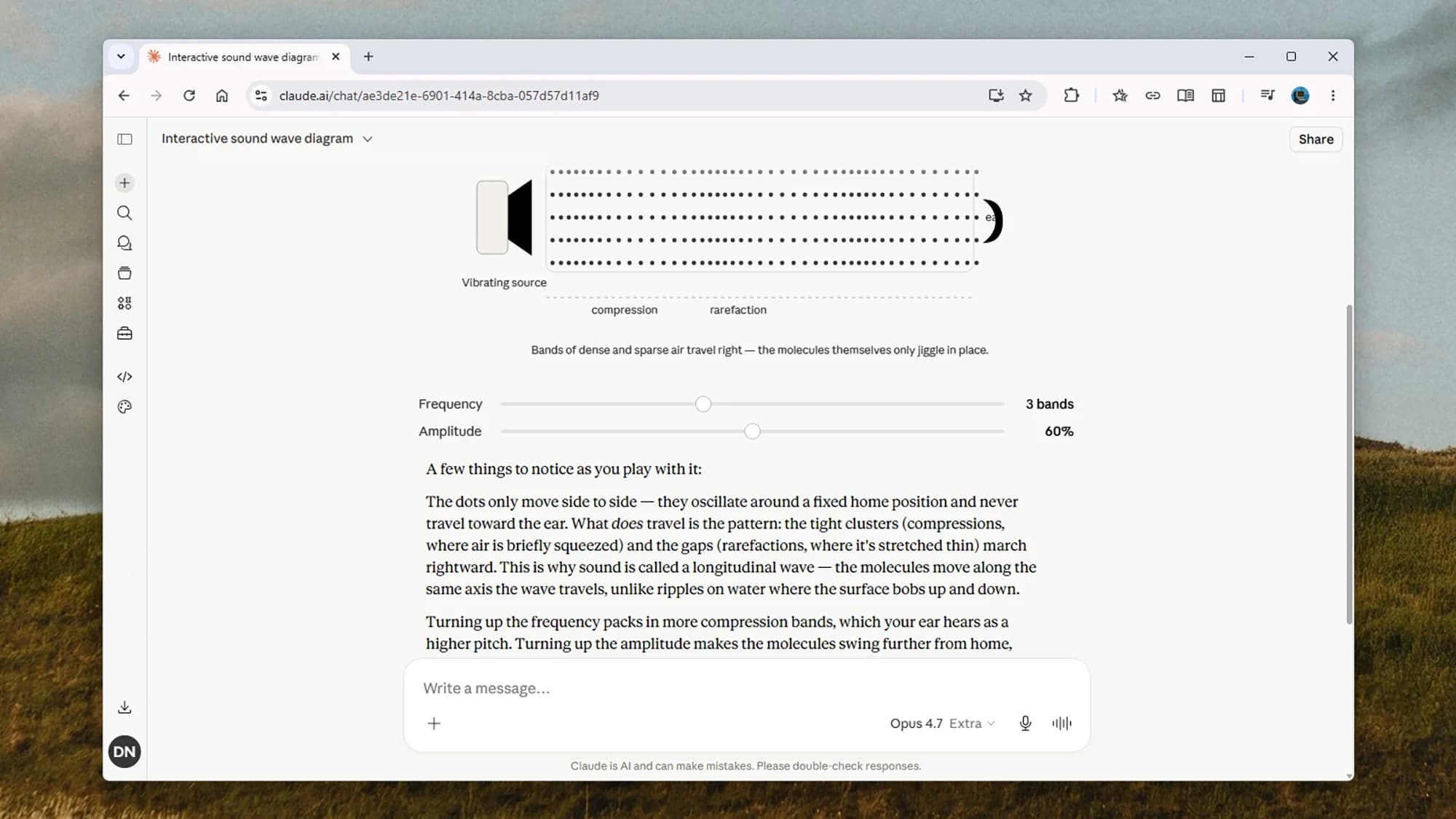
A prompt like "Create an interactive visualization for me explaining how sound waves work" returns a simple animation showing wave behavior. You get sliders for adjusting frequency and amplitude so you can see the effects in real time.
This feature, called Artifacts, appears in a side panel next to your conversation. Developers on HackerNews and Reddit frequently cite Artifacts as the most significant UI advancement in AI over the past two years. Some describe it as the reason they switched their primary workflow away from ChatGPT.
Craft Prompts That Force Source Verification
Claude generally does a solid job pulling and synthesizing information from the web. You can enable web search by clicking the plus button in the prompt box, then selecting "Web search." But the AI doesn't always know the quality or recency of its sources.
A little prompt hacking helps. When searching the web, specify that Claude should focus on the most up-to-date information from the most authoritative sources. You can also ask Claude to cite its sources explicitly and note the publication date for each claim.
Try adding this to your prompts: "Prioritize sources from the last 30 days. List each source URL and its publication date." This forces Claude to be transparent about where it's getting information.
The Agentic Shift: Claude Takes Actions
The bigger story behind these features is Anthropic's push into agentic AI. Rather than just answering questions, Claude can now execute tasks across your apps and browser.
The "Computer Use" beta lets Claude navigate browser interfaces on its own. This moves beyond responding to prompts. The AI can click buttons, fill forms, and move between web applications to complete multi-step tasks.
Anthropic CEO Dario Amodei has been blunt about where this is heading. "In 12 months, we may be in a world where AI is writing essentially all of the code," he said. "Human productivity will actually be enhanced by specifying design and conditions."
“Imagine a nation of 50 million people... Every single one of them is smarter than any Nobel Prize winner who ever lived. That's what I believe we're building.”
— Dario Amodei, CEO of Anthropic
Claude Code Dominates Enterprise Coding
Claude Code has captured an estimated 54% of the enterprise AI coding market, just one year after launch. Developers point to Claude's larger context window and what they describe as superior coding reasoning compared to alternatives.
The Model Context Protocol (MCP) is part of the story. MCP lets Claude maintain context across different software applications, making it more useful for complex development workflows that span multiple tools.
See how another AI coding tool is changing development workflows
What Else to Explore
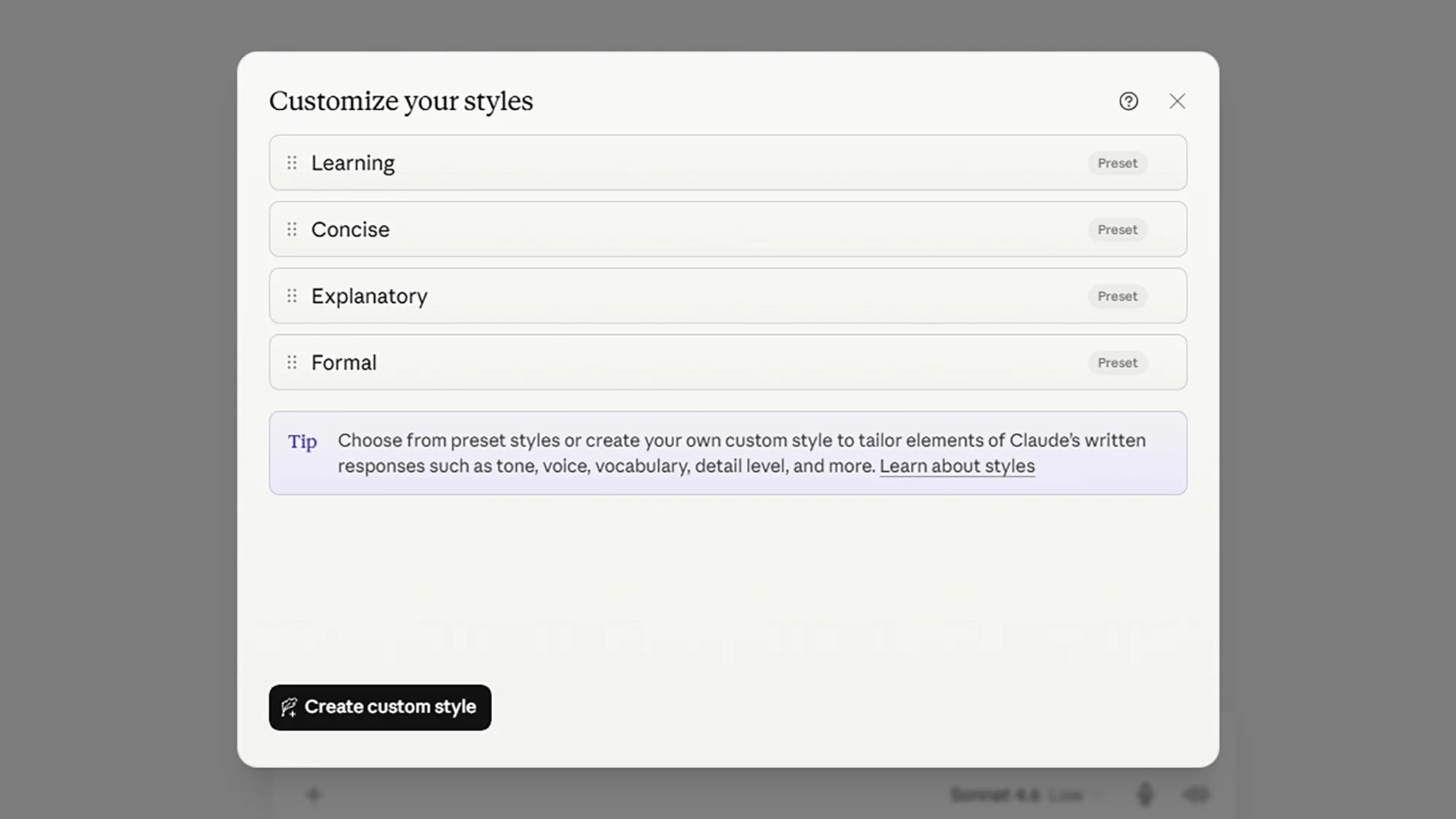
- Adjust Claude's response style in settings to match your preferences for formality, length, and detail
- Use Claude in your web browser through extensions that bring the AI into your everyday browsing
- Connect to additional apps through the growing Connectors library, including Spotify, Canva, and Uber
The platform's mobile app has seen 627% year-over-year growth in monthly active users as of Q2 2026. That adoption suggests more people are finding value in Claude beyond the desktop experience.
Logicity's Take
Frequently Asked Questions
How do I connect Claude to my Gmail?
Click the plus button in the lower left corner of the prompt box, select Connectors > Add connector, and choose Gmail. Grant Claude permission to access your inbox, then ask it to summarize messages, flag priority emails, or analyze your email habits.
Can Claude generate images like ChatGPT?
No. Claude cannot generate AI images. However, it can create interactive diagrams, charts, and visualizations through its Artifacts feature, which appear in a side panel next to your conversation.
What is Claude's Computer Use feature?
Computer Use is an agentic capability in beta that lets Claude navigate browser interfaces autonomously. The AI can click buttons, fill forms, and move between web applications to complete multi-step tasks without manual prompting at each step.
How do I make Claude cite its sources when searching the web?
Add instructions to your prompt like: "Prioritize sources from the last 30 days. List each source URL and its publication date." This forces Claude to be transparent about where it's pulling information from.
What is the Model Context Protocol (MCP)?
MCP lets Claude maintain context across different software applications. This makes the AI more useful for complex workflows that span multiple tools, particularly in enterprise development environments.
Need Help Implementing This?
Source: Lifehacker
Huma Shazia
Senior AI & Tech Writer
Produced with AI assistance and reviewed by the Logicity editorial team. Learn more in our Editorial Policy.