Key Takeaways
- Claude Design builds interfaces with code, not pixel generation, making text accuracy near-perfect
- ChatGPT Images 2 improved text rendering but still struggles with technical labeling
- NotebookLM uses Gemini's image generation and handles text-heavy visuals reasonably well
Text has always been a strange weakness for AI image models. They generate words inside images, which creates problems because text is something you write, not draw. When Anthropic launched Claude Design, it took a fundamentally different approach. The question: does that approach actually work better?
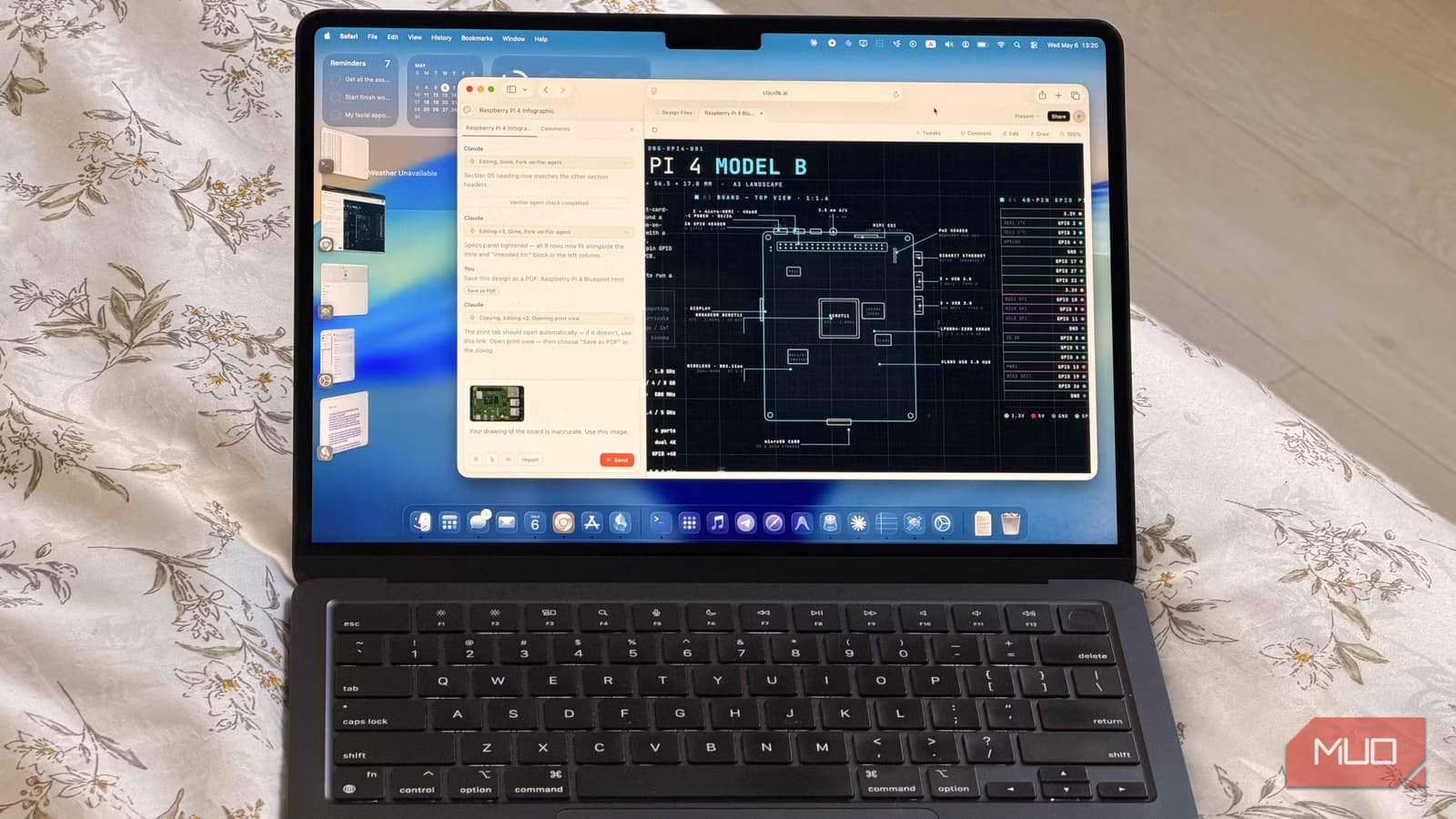
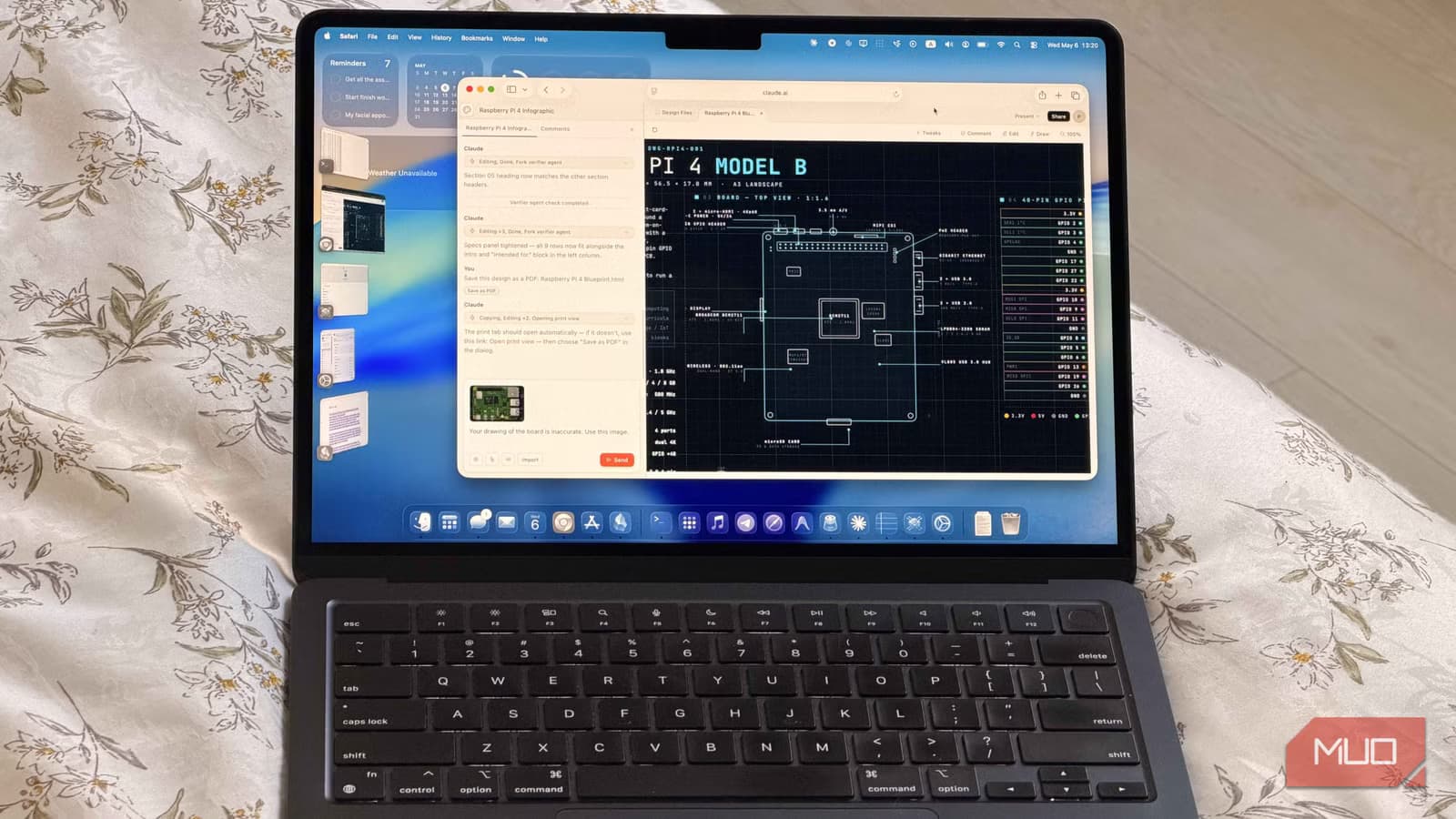
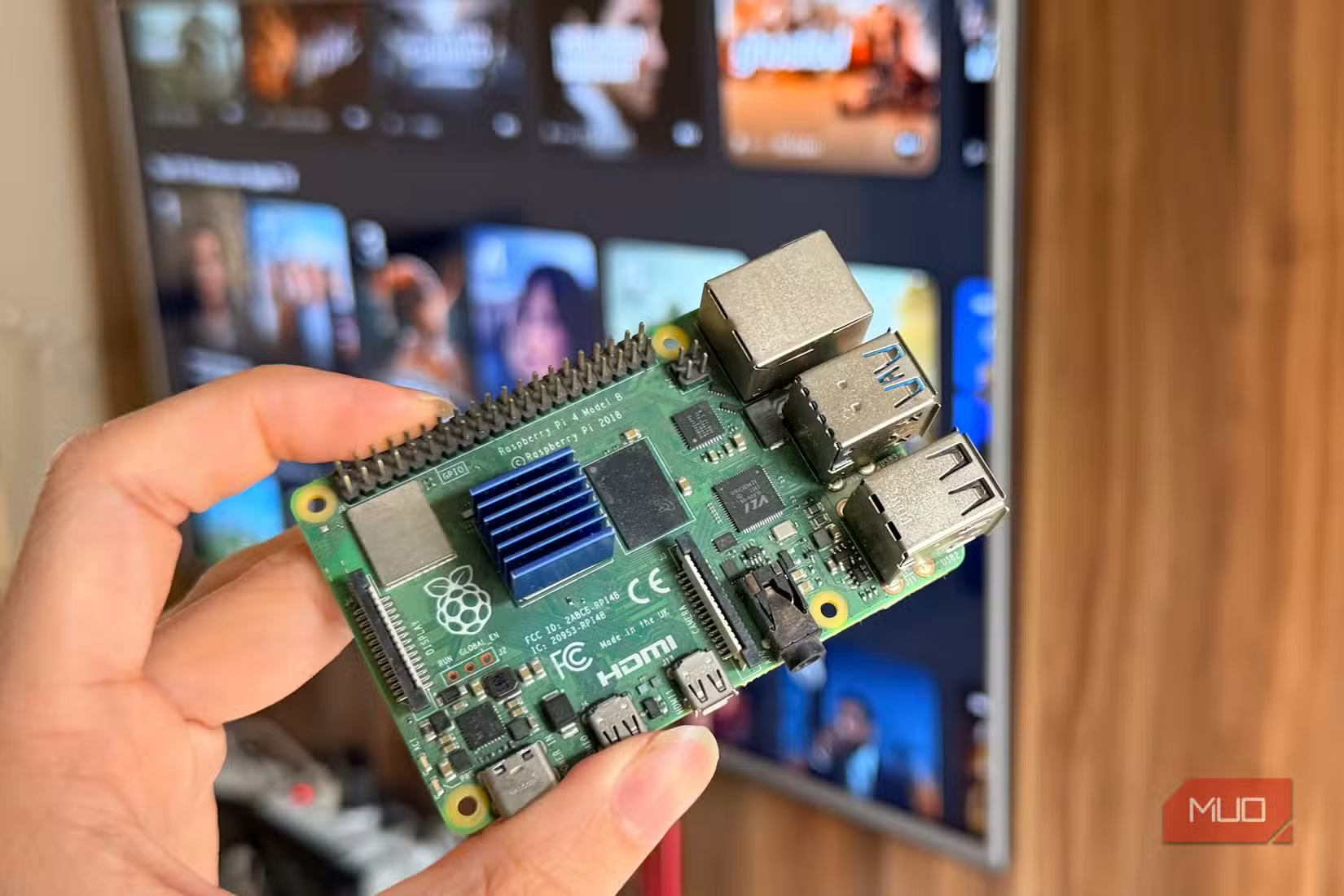
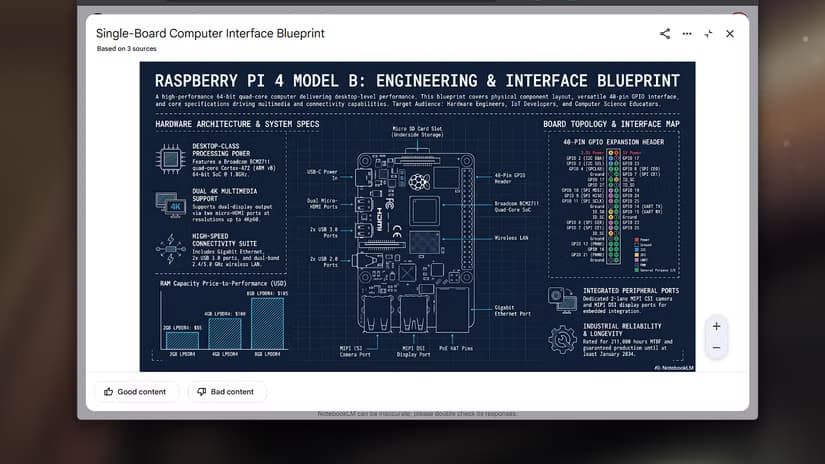
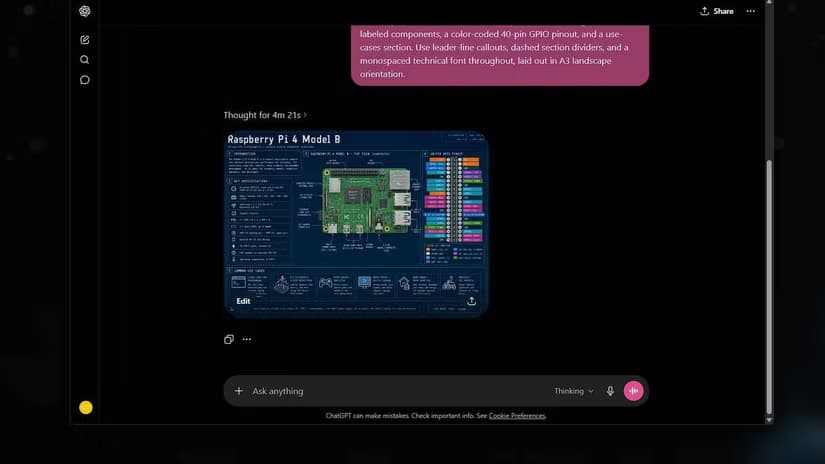
Amir Bohlooli at MakeUseOf put three AI tools to the test with a deliberately difficult task: create a blueprint-style technical infographic for the Raspberry Pi 4 Model B. This type of graphic is dense with details, labels, and precise technical specifications. It's exactly the kind of content where AI image generators typically fail.
The Test Setup
The three contenders approach image creation in fundamentally different ways. NotebookLM's Studio tool uses Gemini's image generation. ChatGPT uses ChatGPT Images 2. Both are traditional image models that render pixels.
Claude Design works differently. It uses Opus 4.7, which is a text model, not an image model. Claude Design doesn't generate images in the traditional sense. Instead, it builds actual UI components with code. The model writes HTML, CSS, and JavaScript to construct visual elements that can be exported as images.
This distinction matters for text-heavy visuals. When an image model generates text, it's essentially drawing letter shapes. When Claude Design creates text, it's writing actual text in a code file, which then renders perfectly because that's how browsers work.
Why Infographics Break AI Image Generators
A Raspberry Pi 4 blueprint infographic requires several things that trip up traditional AI image models. There's a lot of text that needs to be readable. Labels need to point at the correct components. Technical specifications need to be accurate. And the visual hierarchy needs to make sense.
Image models struggle with all of this because they're trained to generate plausible-looking pixels, not accurate information. They know what text looks like, but they don't understand what text means. This leads to labels that look correct at a glance but contain gibberish or point at the wrong components.
How Each Tool Performed
NotebookLM, using Gemini's image generation, handles text-heavy visuals reasonably well. It can generate slide decks, infographics, and visual summaries from source material. The tool has been in this space for a while, so it's had time to improve on text rendering.
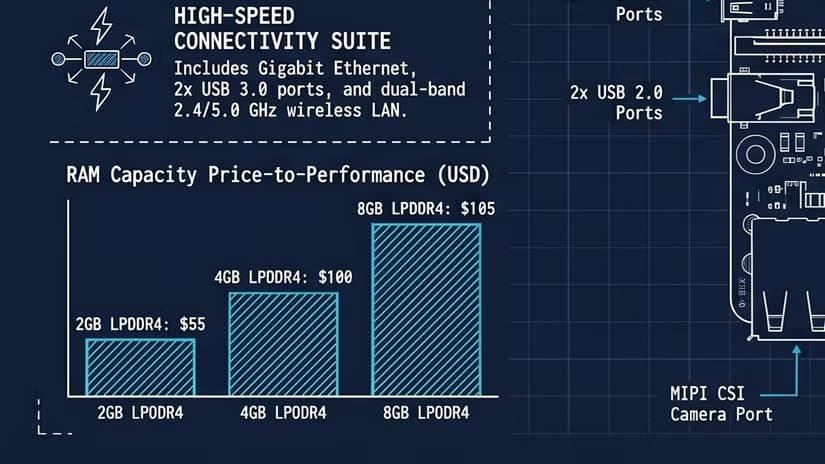
ChatGPT Images 2 represents a significant upgrade from earlier versions. OpenAI specifically worked on text accuracy, and the results show improvement. The model can follow prompts with better accuracy and seems to have fixed some of the most obvious text rendering issues.
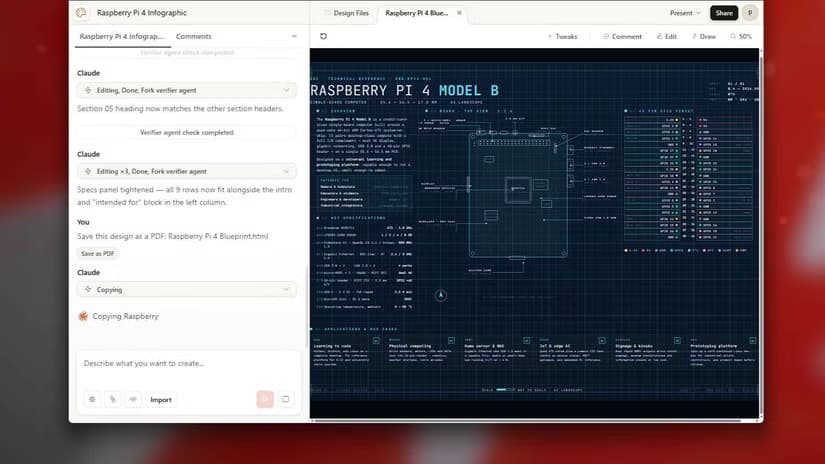
Claude Design took a different path entirely. Because it builds with code rather than generating pixels, text accuracy isn't really a challenge. The model writes the text as actual text, styles it with CSS, and positions it with layout code. The result is crisp, readable text that says exactly what it's supposed to say.
The Architecture Difference
The key insight from this comparison isn't just about which tool won. It's about why the approaches differ so much in their results.
Image models like those powering ChatGPT Images 2 and NotebookLM work by predicting what the next pixel should look like based on training data. They've seen millions of images with text, so they know what text looks like. But they don't have a semantic understanding of what that text should say.
Claude Design sidesteps this problem by not generating images at all. It generates code that produces images. This is the same approach a human designer would take: write the content, then style and position it. The text is never a visual approximation. It's actual text rendered by a browser.

Logicity's Take
Practical Implications
If you need to create technical documentation, data visualizations, or any graphic where text accuracy matters, Claude Design's approach offers clear advantages. The output is also editable. Because it's built with code, you can modify the text, colors, and layout without regenerating the entire image.
For creative work where text isn't central, or for images that can't be built with web components, traditional image models remain useful. ChatGPT Images 2 and Gemini can create photorealistic images, artistic styles, and complex scenes that code-based tools can't replicate.
More on how Anthropic is improving Claude's capabilities
The Verdict
For this specific test, Claude Design won clearly. The blueprint-style technical infographic required precise text, accurate labeling, and correct technical details. Claude Design delivered on all three because it builds with code rather than generating pixels.
The joke about UI designers becoming "prompt engineers" isn't entirely wrong. Tools like Claude Design are changing what's possible with natural language instructions. But they're not replacing design skills. They're changing which skills matter most.
Frequently Asked Questions
What makes Claude Design different from ChatGPT Images?
Claude Design uses a text model (Opus 4.7) to generate code that renders as images, while ChatGPT Images uses an image model to generate pixels directly. This makes Claude Design more accurate for text-heavy visuals.
Can Claude Design create any type of image?
No. Claude Design is limited to what can be built with web technologies like HTML, CSS, and JavaScript. It cannot create photorealistic images or complex artistic scenes like traditional image models.
Which AI tool is best for infographics?
For technical infographics with lots of text and precise labeling, Claude Design currently produces the most accurate results because it writes actual text rather than generating text-like pixels.
Does NotebookLM use the same AI as Google Gemini?
Yes. NotebookLM's Studio tool uses Gemini's image generation capabilities for creating visual summaries, slide decks, and infographics from source material.
Has ChatGPT improved at generating text in images?
Yes. ChatGPT Images 2 specifically improved text rendering accuracy compared to earlier versions, though it still struggles with complex technical labeling compared to code-based approaches.
Need Help Implementing This?
Source: MakeUseOf
Huma Shazia
Senior AI & Tech Writer
Produced with AI assistance and reviewed by the Logicity editorial team. Learn more in our Editorial Policy.