Key Takeaways
- Claude's Cowork mode in the desktop app can access and analyze your local file system
- The tool identified AI/ML models, VM files, and installer caches as major space hogs
- Users should explicitly tell Claude not to delete files without confirmation
AI assistants keep finding new jobs. ChatGPT has been turned into project managers and grammar checkers. But Claude has a trick the others don't: it can read your file system.
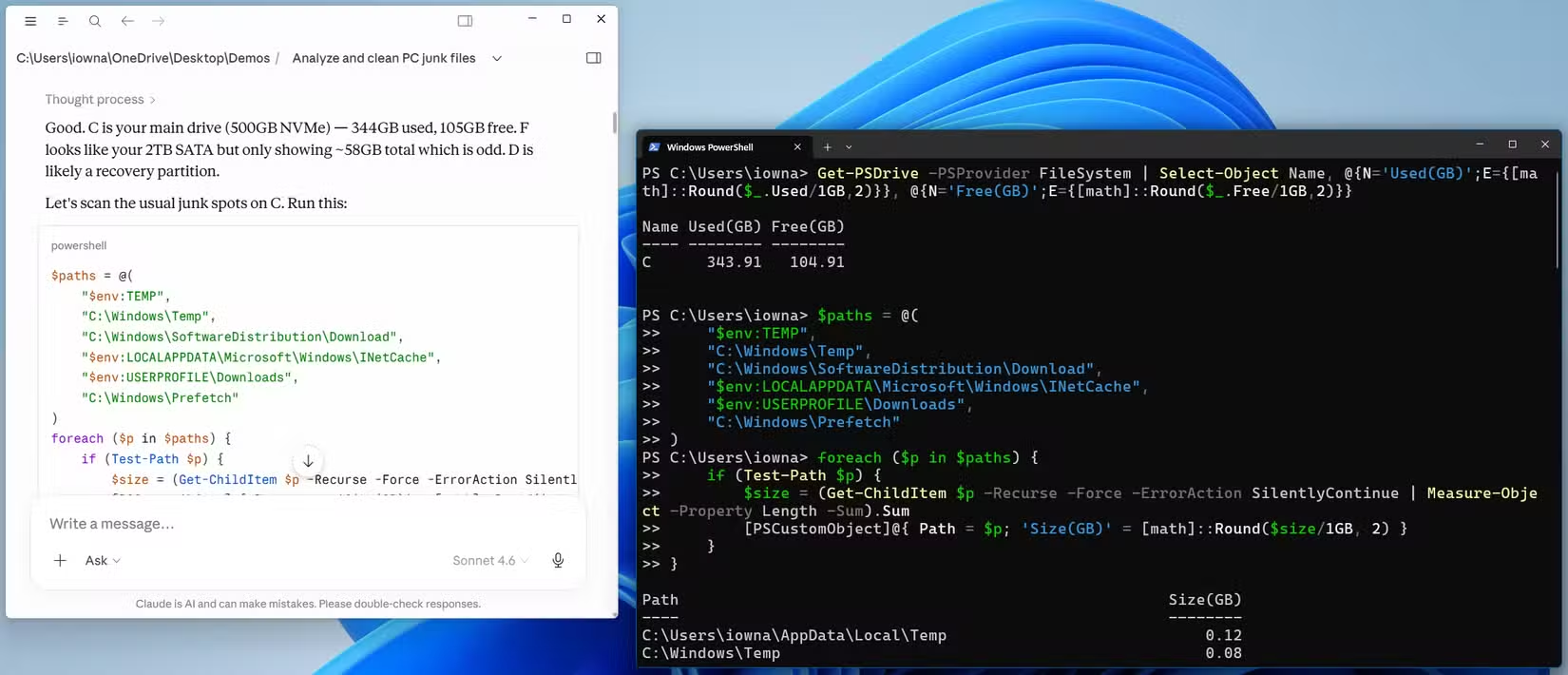
Tech journalist Dibakar Ghosh at How-To Geek recently pointed Claude at his C drive when storage hit 80% capacity. The result? Claude identified roughly 50 GB of junk files in about five minutes, including items that BleachBit missed entirely.
How Claude Accesses Your Files
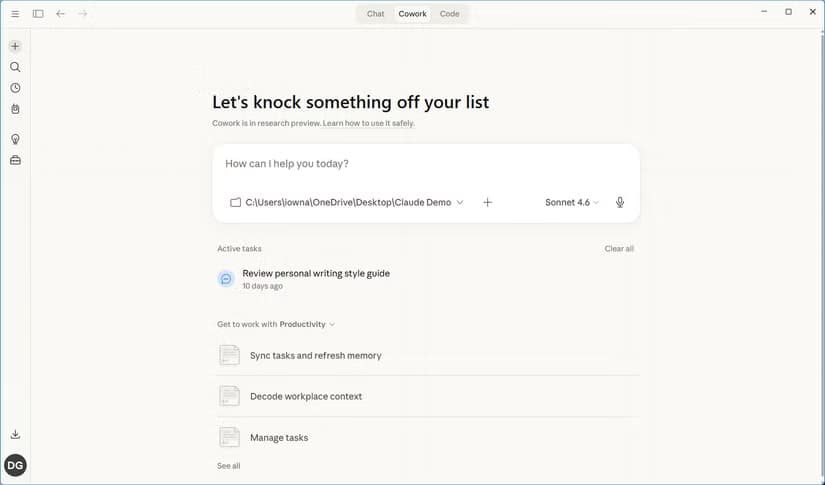
The feature lives in Claude's desktop app, not the web or mobile versions. When you switch to Cowork mode, you can mount any folder or directory on your computer. Claude can then find files, read them, create new ones, move them, and delete them.

For security, Anthropic recommends sandboxing Claude to a specific folder. That limits access to just one directory. But Ghosh reports he's been using Cowork with broader access since its release without issues.
What Claude Found
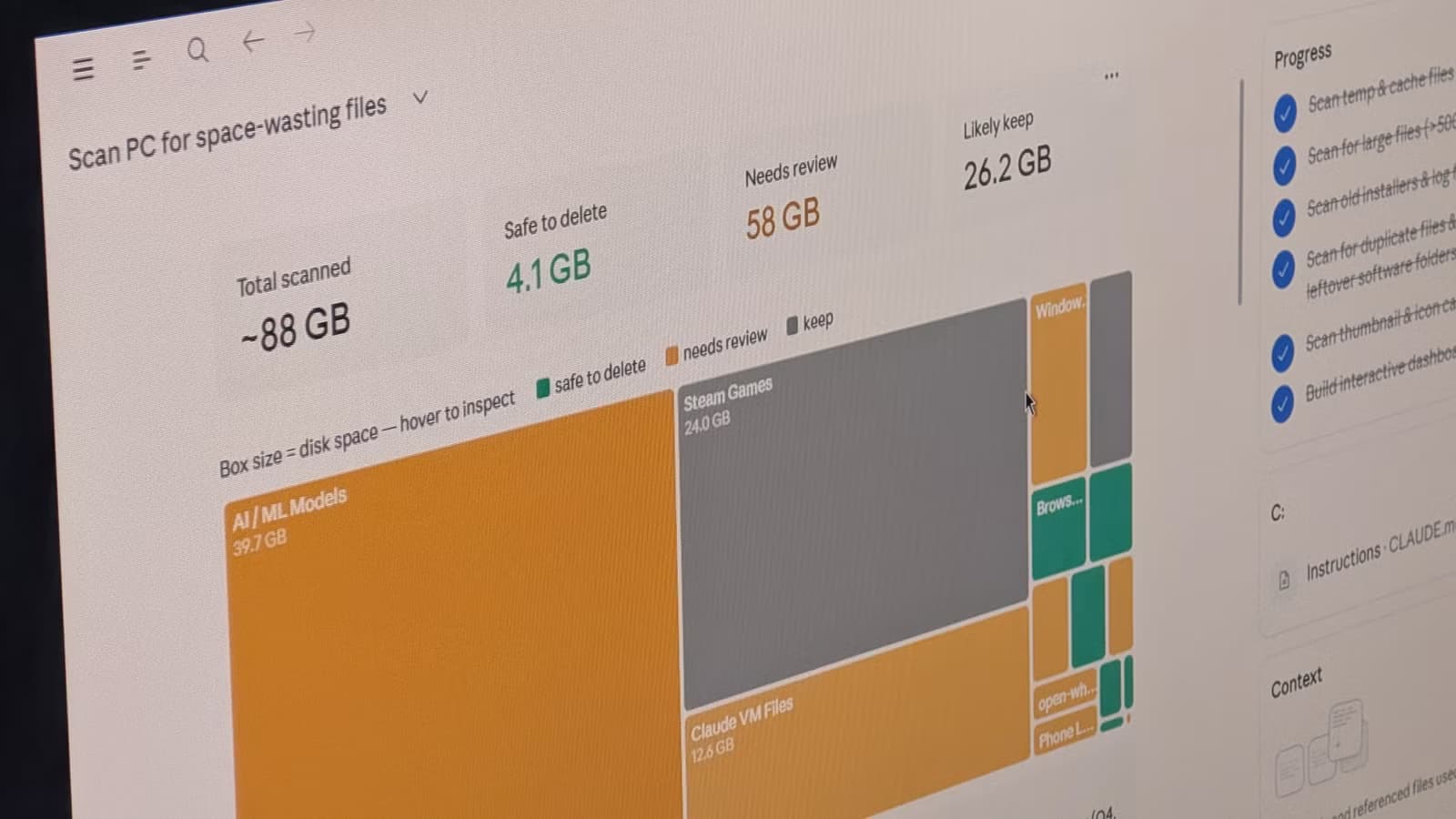
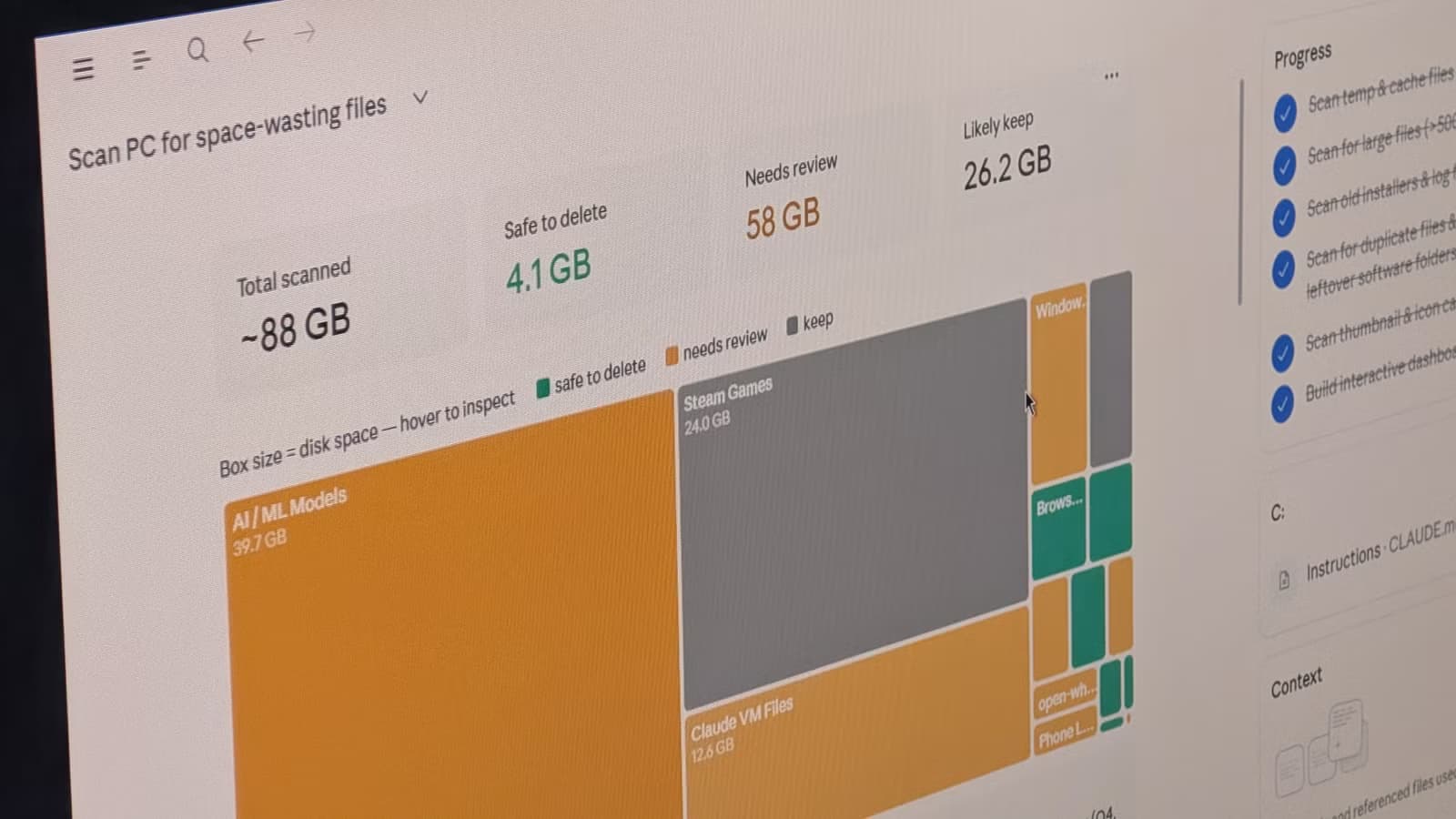
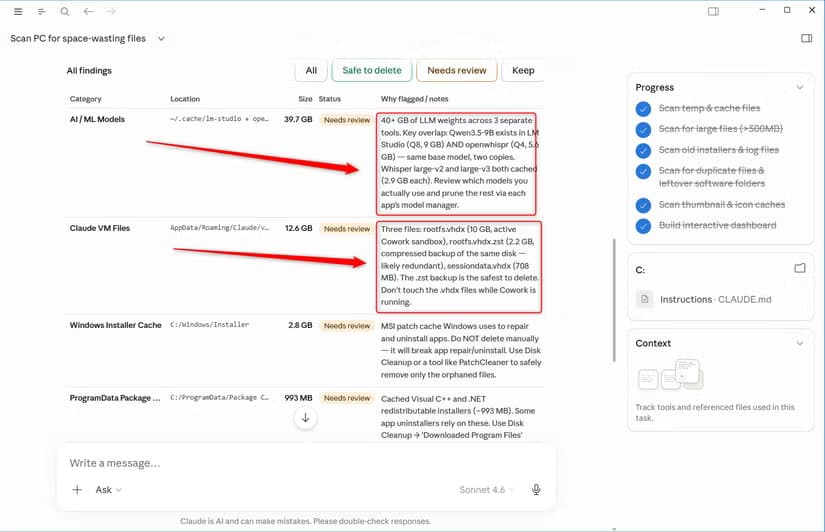
When pointed at the C drive, Claude generated a storage dashboard showing exactly where disk space was going. The breakdown revealed some expected culprits and some surprises.
The biggest space hogs included AI/ML models taking up 39.7 GB, Steam games at 24 GB, Claude VM files, Windows Installer cache, and various package data. Claude flagged each item with a reason explaining why it could be removed.
The Safety Net
Giving an AI access to your file system sounds risky. Claude has safeguards. It will prompt you for permission before making significant changes. The simplest protection is telling Claude explicitly not to delete anything without confirmation.
Ghosh notes that some users click "Allow" without reading the prompts. That's a mistake. Always review what Claude plans to do before approving.
Logicity's Take
Why This Beats Traditional Tools
Tools like BleachBit scan for known junk file patterns. They work well for browser caches and temp files. But they miss context-dependent clutter.
Claude can identify that a 39.7 GB folder of AI/ML models might be leftover from experiments you finished months ago. It can spot that certain installer caches are for software you've already uninstalled. That contextual reasoning is something pattern-matching tools can't replicate.
Another approach to reclaiming storage on Windows
Getting Started
You'll need the Claude desktop app and a Claude subscription at $20 per month. Once installed, switch to Cowork mode and mount your target directory. Start with a specific folder if you're cautious. Or point it at your entire drive if you trust the process.
The key prompt to remember: tell Claude not to delete anything without your explicit approval. Then ask it to scan for large or unnecessary files and explain what each one is.
Frequently Asked Questions
Does Claude Cowork work on Mac?
Yes, Claude's desktop app with Cowork mode is available for both Windows and Mac. The file system access works similarly on both platforms.
Can Claude accidentally delete important files?
Claude prompts for permission before making changes. As an extra safeguard, explicitly tell Claude not to delete anything without your confirmation.
Is Claude Cowork free?
The Claude desktop app is free, but Cowork mode requires a Claude Pro subscription at $20 per month.
What's the difference between Claude Cowork and BleachBit?
BleachBit scans for known junk file patterns. Claude can reason about context, like identifying old AI models or installer caches for uninstalled software that pattern-matching tools miss.
More on Claude's ecosystem and market dynamics
Need Help Implementing This?
Source: How-To Geek
Manaal Khan
Tech & Innovation Writer
Produced with AI assistance and reviewed by the Logicity editorial team. Learn more in our Editorial Policy.






