Key Takeaways
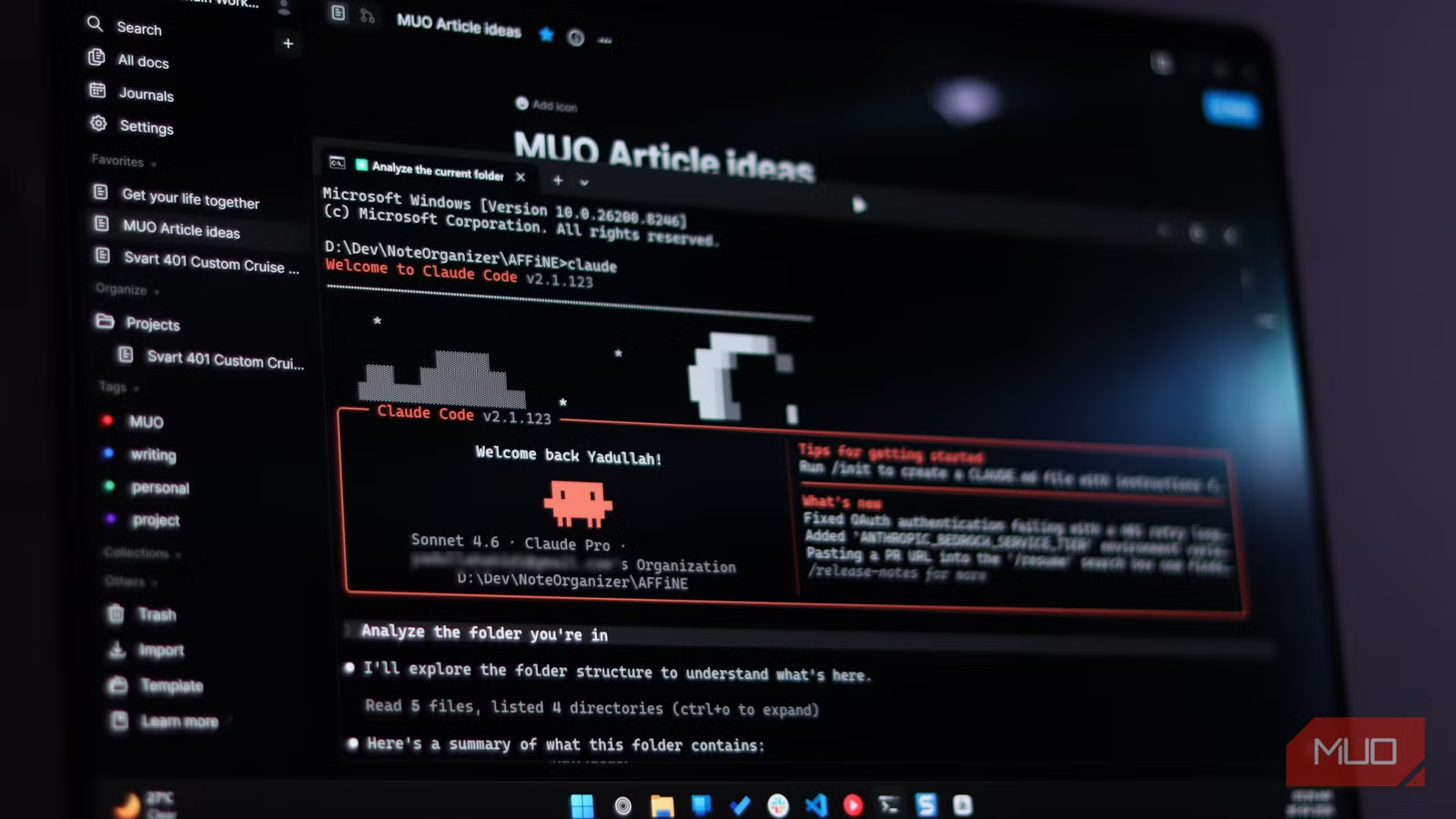
- Note-taking apps excel at writing notes but fail at making sense of them without manual intervention
- AI agents like Claude Code can understand personal context that algorithms cannot, such as folder names with personal meaning
- The approach works across different note apps including Notion, Obsidian, and AFFiNE
The Note App Paradox
Every note-taking app promises organization. Folders, tags, search bars, even built-in AI features. Yet anyone who has used these tools for more than a few months knows the truth: they are excellent at helping you write notes and terrible at helping you understand them.
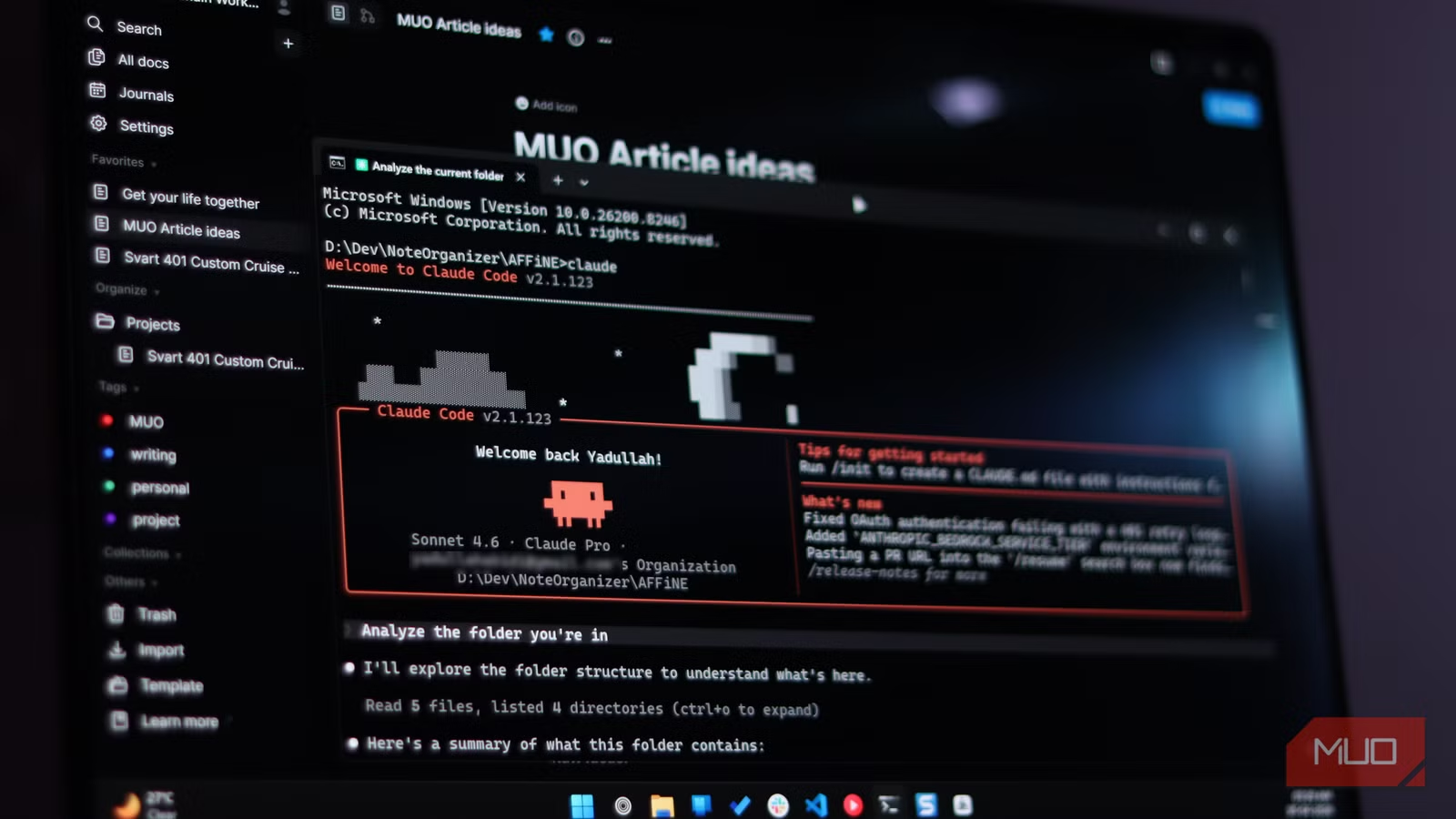
Yadullah Abidi, a staff writer at MakeUseOf, faced this problem after accumulating five years of digital notes across OneNote, Windows 11 Sticky Notes, Notion, and AFFiNE. When he switched from Notion to AFFiNE, he carried forward only relevant notes. That helped temporarily. But clutter grows back.
The core issue is that notes are personal. A folder called "article ideas" means nothing to a search algorithm. It means everything to the person who created it. Getting value from that folder requires something that can analyze context and intent, not just keywords.
Why Built-in Features Fall Short
Note apps offer organizational features with an implied promise: use them consistently, and you'll stay on top of things. But this assumes a level of discipline most people don't maintain. If you treat your notes app as a dumping ground for thoughts, the app itself can't rescue you.
- Tags only work if you apply them consistently from day one
- Folders become catch-alls when you're in a hurry
- Search finds keywords but not meaning
- Built-in AI features lack the context to understand personal systems
Abidi's solution was to bring in Claude Code, Anthropic's AI coding agent that can read files, understand structure, and execute tasks. Unlike app-native AI features, Claude Code can process an entire vault of notes and understand the relationships between them.
How Claude Code Reads Your Notes
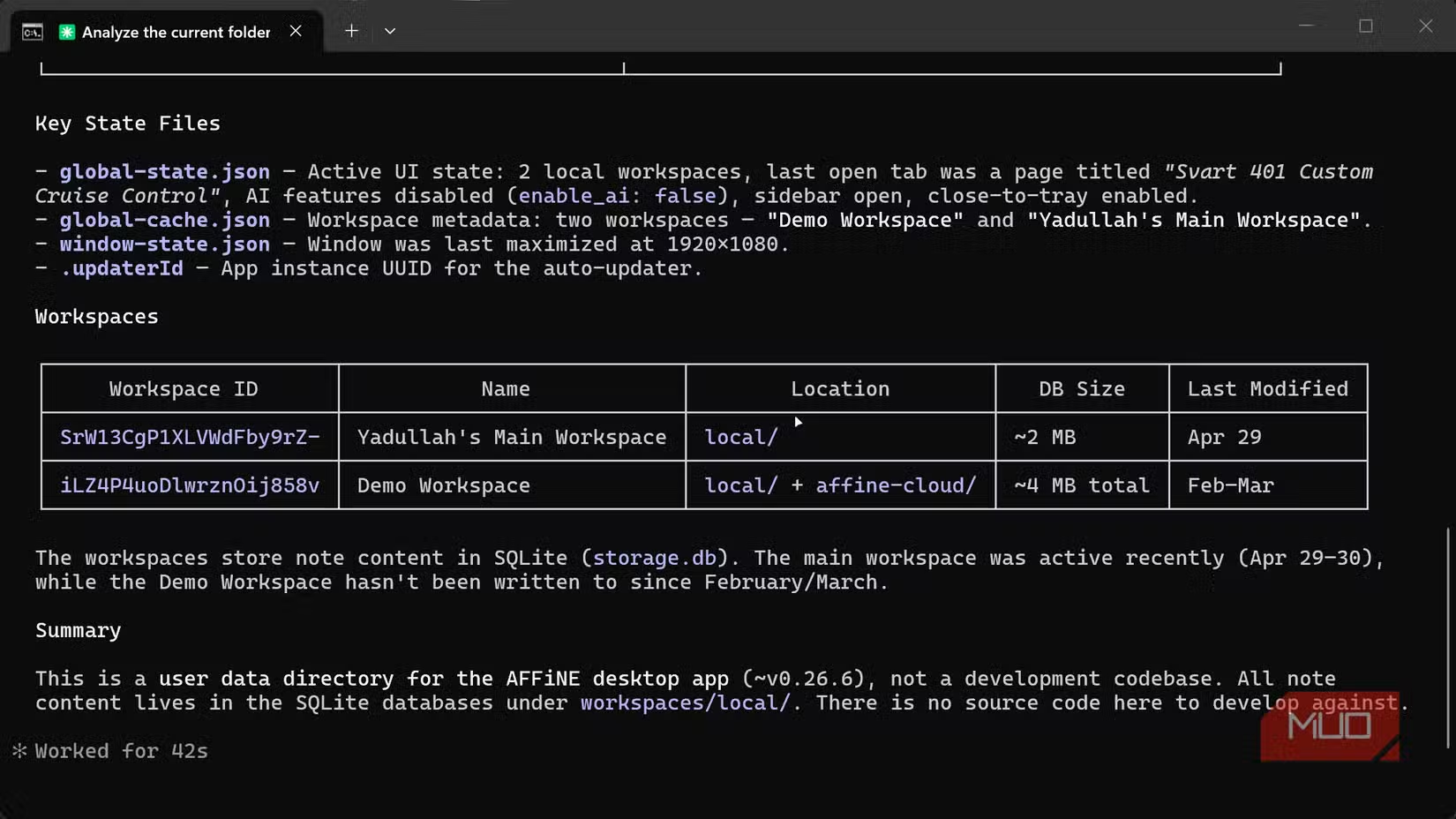
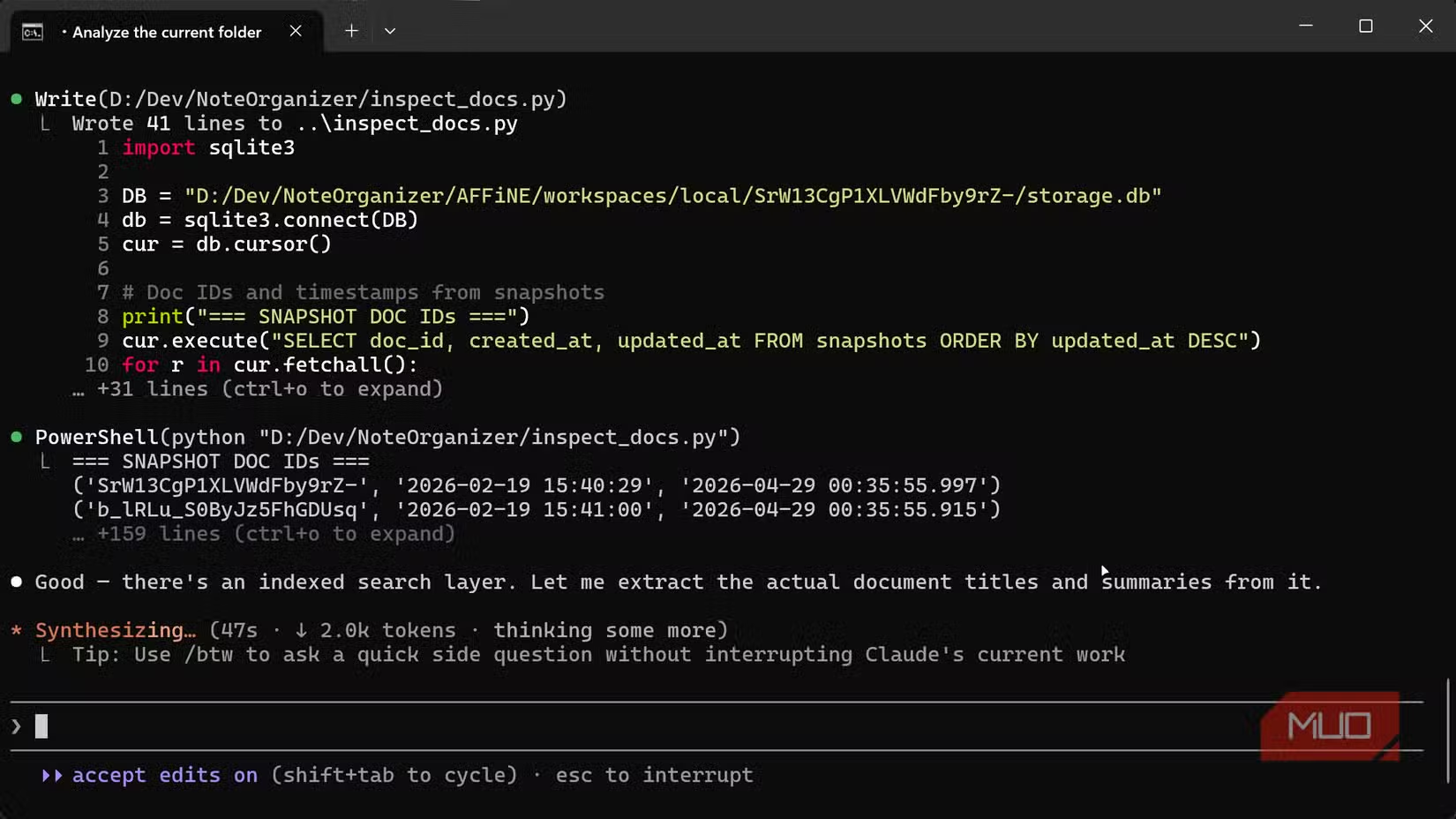
AFFiNE stores notes as local files, which makes them accessible to Claude Code. The agent can scan workspaces, read file contents, and analyze how notes relate to each other. This is different from asking a chatbot to summarize a single document. Claude Code sees the full picture.
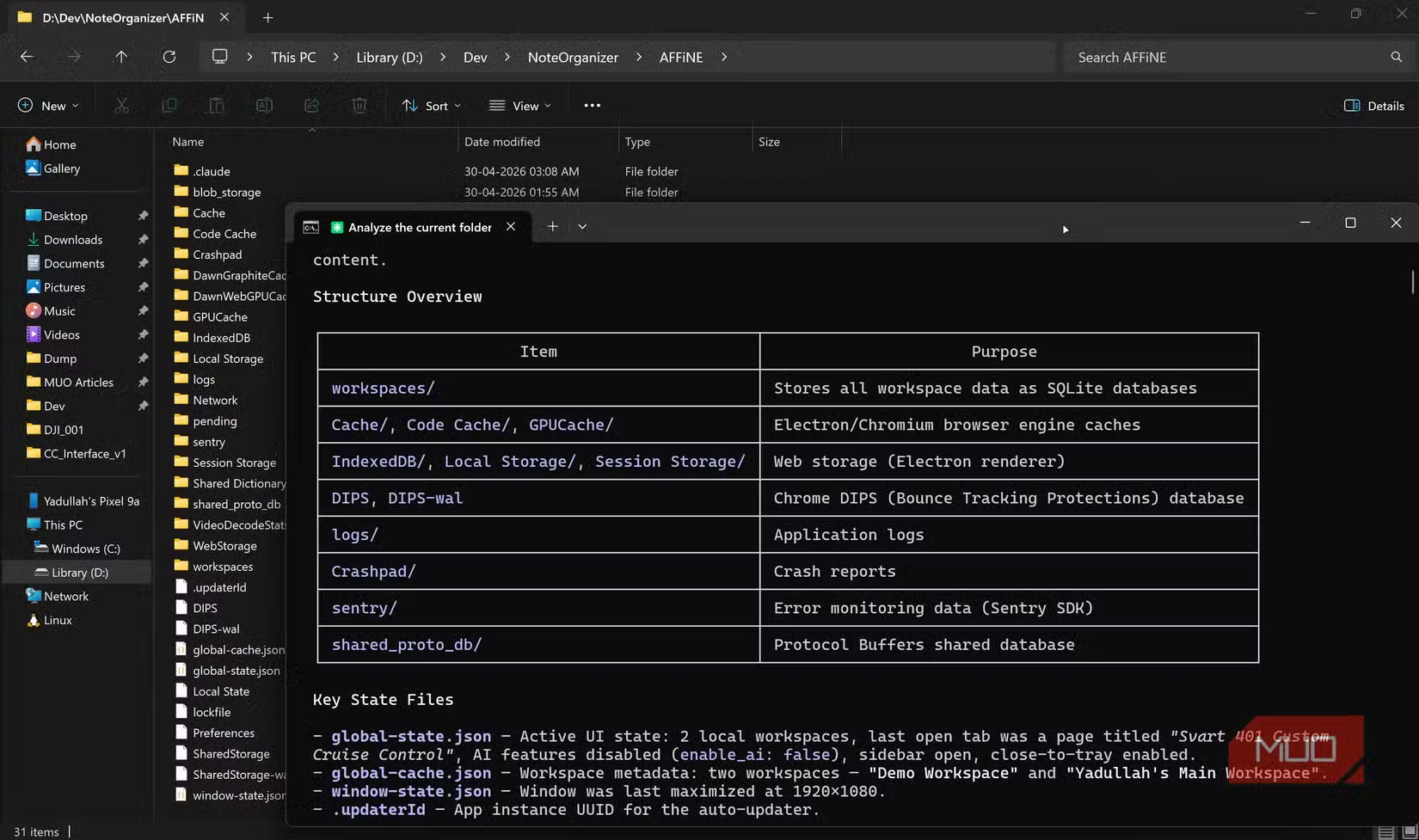
The process works because Claude Code operates on your local filesystem. It can read markdown files, JSON metadata, and folder structures. It understands that a note titled "Q3 pitch deck feedback" probably relates to another note called "Client meeting notes" even if they live in different folders.
From Chaos to Categories
The real power comes from Claude Code's ability to propose organization that matches how you actually think. Instead of generic categories like "Work" and "Personal," it can suggest structures based on the content it finds. A journalist might get categories by beat or publication. A developer might get categories by project and technology stack.
This approach also works with Obsidian vaults. A previous MakeUseOf experiment showed a local LLM organizing hundreds of messy Obsidian notes in minutes. Claude Code brings more capability to the same problem, with better understanding of context and nuance.
More on Claude's capabilities across different domains
The Practical Limits
This method requires notes stored as local files. Cloud-only apps that don't expose file access won't work. You also need to be comfortable running Claude Code on your machine and giving it filesystem access. For sensitive notes, that's a real consideration.
The approach is also not a one-time fix. New notes will accumulate. You'll need to run the organization process periodically or change your habits. AI can clean up the mess, but it can't prevent you from making a new one.
Logicity's Take
Getting Started
To try this yourself, you need a note-taking app that stores files locally. Obsidian and AFFiNE both qualify. Export your notes from cloud apps like Notion if needed. Then install Claude Code and point it at your notes directory.
- Export or locate your local note files
- Install Claude Code on your machine
- Give Claude Code access to your notes directory
- Ask it to analyze and suggest an organization structure
- Review the suggestions before applying changes
The key is to review before applying. Claude Code will propose changes, but you should verify they make sense for your workflow. The AI understands content. Only you understand how you'll actually use these notes going forward.
Another look at AI features tackling everyday productivity problems
Frequently Asked Questions
Does Claude Code work with Notion directly?
Not directly, since Notion stores notes in the cloud. You would need to export your Notion workspace to markdown files first, then point Claude Code at those local files.
Is my note data sent to Anthropic's servers?
Claude Code processes files locally but sends content to Anthropic's API for analysis. If your notes contain sensitive information, consider this before proceeding.
Can Claude Code actually move and rename my files?
Yes. Claude Code can execute filesystem operations. Always review proposed changes before confirming, and keep backups of your original note structure.
How long does it take to organize thousands of notes?
Analysis typically takes minutes, not hours. The exact time depends on how many notes you have and their complexity, but it's dramatically faster than manual organization.
Will I need to reorganize again later?
Probably. New notes will accumulate over time. You can run Claude Code periodically to maintain organization, or use the initial structure as a template for future note-taking.
Need Help Implementing This?
Source: MakeUseOf
Huma Shazia
Senior AI & Tech Writer
Produced with AI assistance and reviewed by the Logicity editorial team. Learn more in our Editorial Policy.