Key Takeaways
- Arc Launcher is a free, open-source launcher that removes ads and suggested content from Google TV
- The interface uses a clean grid layout inspired by Apple TV, making navigation faster
- You can create custom app sections and adjust the status bar to match how you use your TV
The Problem With Google TV's Default Home Screen
One of the most common complaints about Google TV is its home screen. It's filled with ads, autoplaying trailers, suggested movies, and content rows that compete for your attention. Even when you know exactly what you want to watch, you still have to scroll past all of it.
Google offers an "Apps-Only Mode" that helps somewhat, but it's limited. You get less clutter, but not much control over how things are organized. That's where third-party launchers come in.
What Arc Launcher Does Differently
Arc Launcher is a free, open-source launcher that replaces Google TV's default interface entirely. When you turn on your TV, you see your apps, a status bar, and your wallpaper. Nothing else. No trailers. No recommendations. No ads.
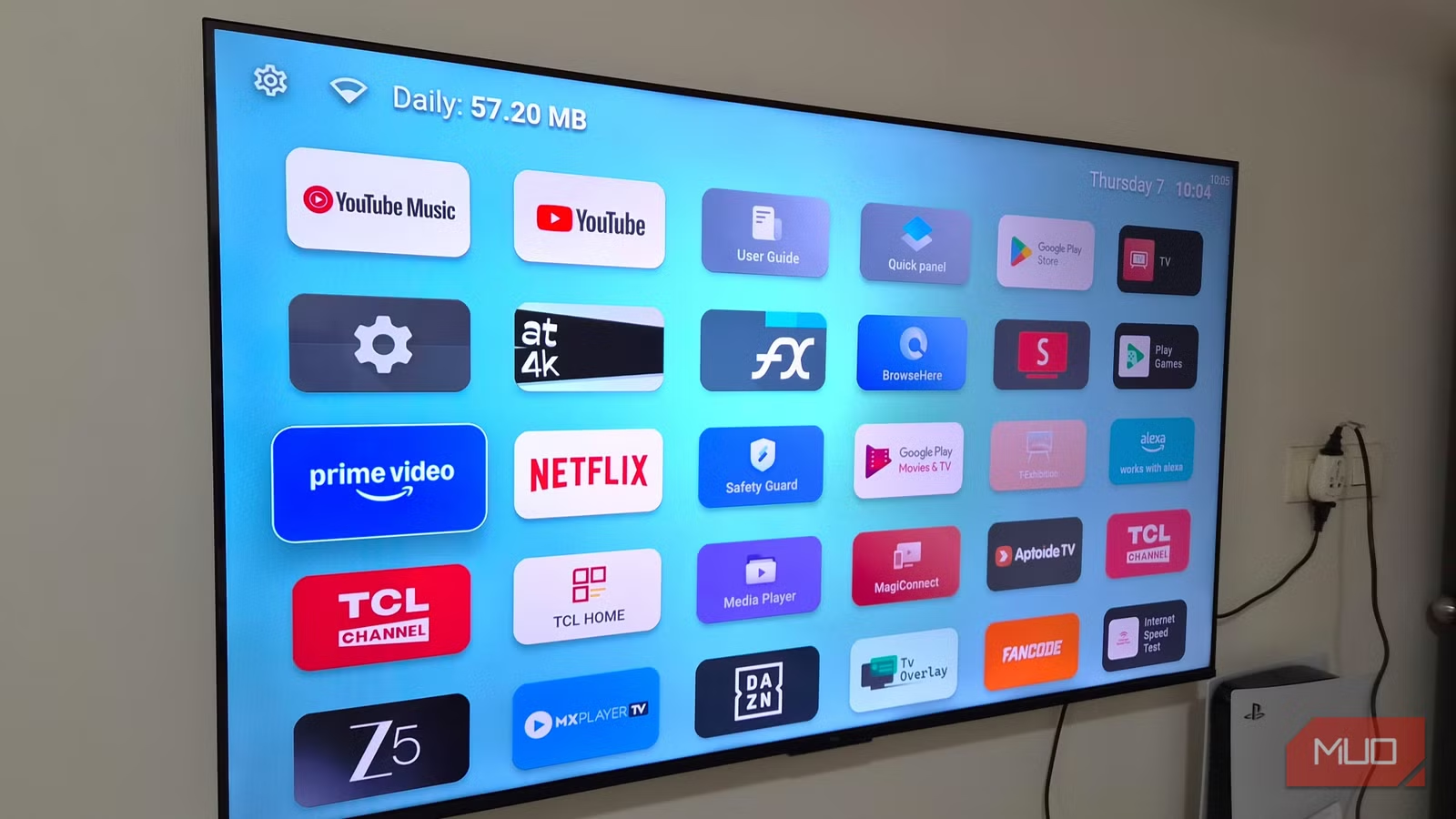
The layout takes inspiration from Apple TV. Instead of scrolling through endless horizontal rows, you get a clean grid that's easy to scan. Finding the app you want takes seconds instead of minutes.
Arc Launcher is actually a custom fork of LTvLauncher, which is based on FLauncher. This means you get all the features of FLauncher: an ad-free interface, solid customization options, and support for sideloaded apps.
Customization Beyond Just Moving Apps
The real value of Arc Launcher isn't just that it removes clutter. It's the control it gives you over how your TV's interface works.
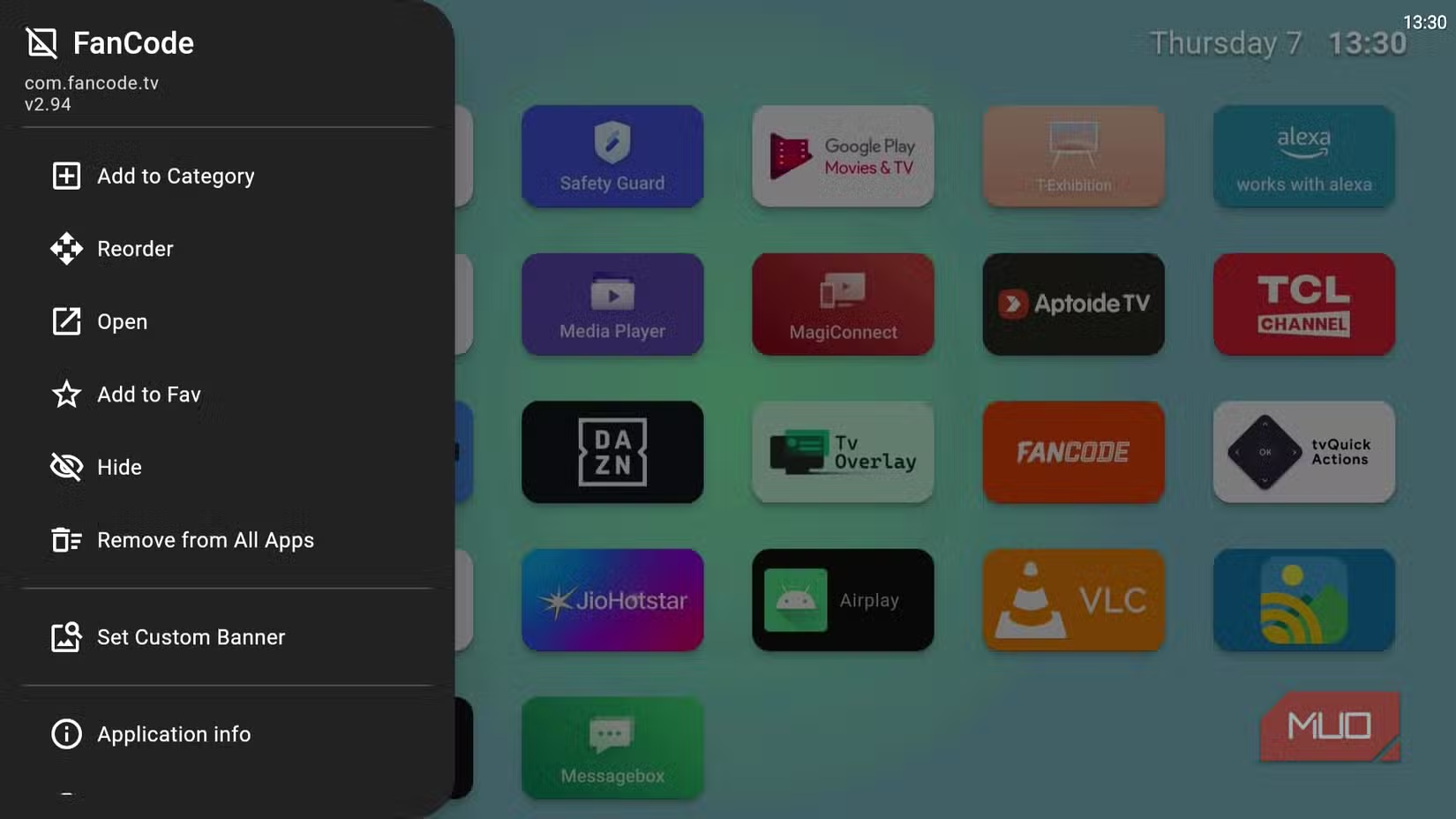
In Arc Launcher Settings, you'll find a Sections option under Interface. This lets you group your apps into custom categories. By default, everything sits under "All Apps" and "Favorites," but you can create your own sections based on how you actually use your TV.
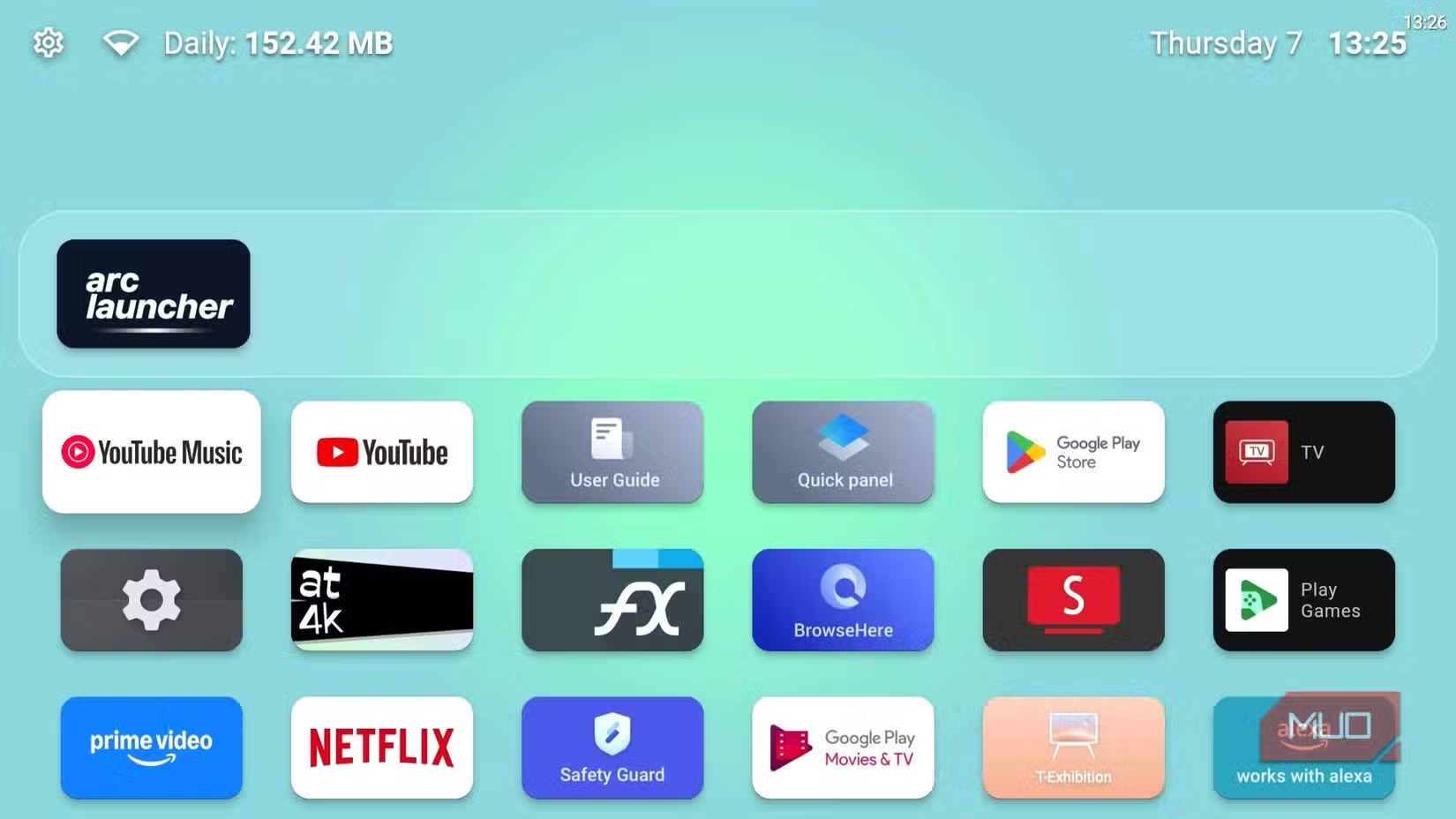
You could have a section for streaming services, another for games, and another for productivity apps. The status bar is adjustable too. You decide what information shows up and how it's displayed.
Who This Is For
Arc Launcher makes sense for anyone who finds Google TV's default experience distracting. If you just want to turn on your TV, open an app, and start watching without navigating through promotional content, this delivers that.
It's also useful if you've sideloaded apps onto your Google TV. Arc Launcher treats sideloaded apps the same as any other app, so they show up in your grid without extra steps.
✅ Pros
- • Completely removes ads and suggested content from home screen
- • Clean grid layout that's faster to navigate
- • Free and open-source with no hidden costs
- • Full support for sideloaded apps
- • Custom sections let you organize apps your way
❌ Cons
- • Requires replacing the default launcher, which some users may find intimidating
- • You lose Google TV's content recommendations if you actually use them
- • Some Google TV features may not work the same way
How to Get Started
Arc Launcher is available through standard Android TV sideloading methods. Once installed, you can set it as your default launcher so it loads every time you turn on your TV. The settings are straightforward, and most customization happens through the Interface menu.
If you've used FLauncher before, the experience will feel familiar. Arc Launcher builds on that foundation while adding its own refinements to the interface.
Another open-source alternative that replaces a default Android experience
Logicity's Take
Frequently Asked Questions
Is Arc Launcher free to use?
Yes. Arc Launcher is completely free and open-source. There are no premium tiers or hidden costs.
Does Arc Launcher work with sideloaded apps?
Yes. Arc Launcher treats sideloaded apps the same as apps installed from the Play Store. They appear in your app grid automatically.
Can I switch back to the default Google TV launcher?
Yes. You can change your default launcher in Android TV settings at any time. Arc Launcher doesn't remove the original interface.
What's the difference between Arc Launcher and FLauncher?
Arc Launcher is a fork of LTvLauncher, which is based on FLauncher. It offers similar features with some interface refinements and an Apple TV-inspired grid layout.
Need Help Implementing This?
Source: MakeUseOf
Manaal Khan
Tech & Innovation Writer
Produced with AI assistance and reviewed by the Logicity editorial team. Learn more in our Editorial Policy.