Key Takeaways
- FlorisBoard stores all typing data locally and transmits nothing to external servers
- The keyboard is available free on F-Droid or as a direct APK from GitHub
- Current limitations include missing word suggestions and spell-check features
The Privacy Problem With Your Default Keyboard
Your keyboard sees everything you type. Every password, every text to a friend, every search query. For most Android users, that keyboard is Gboard, Google's default option that comes pre-installed on most devices.
Gboard includes a "Share usage statistics" telemetry option. Disabling it stops the app from sending keyboard usage data and typing snippets to Google's servers. But the fact that you need to hunt through settings to stop your keyboard from reporting your typing habits to a corporation raises a fair question: should you be using something else?
That question led one MakeUseOf writer to test several open-source alternatives. The one that stuck was FlorisBoard.
What FlorisBoard Gets Right
FlorisBoard is a free, open-source keyboard built under the Apache 2.0 license. The entire codebase sits on GitHub for anyone to inspect. This isn't just marketing transparency. The app's privacy policy states that anything it accesses or stores stays on your device. Nothing leaves your phone.
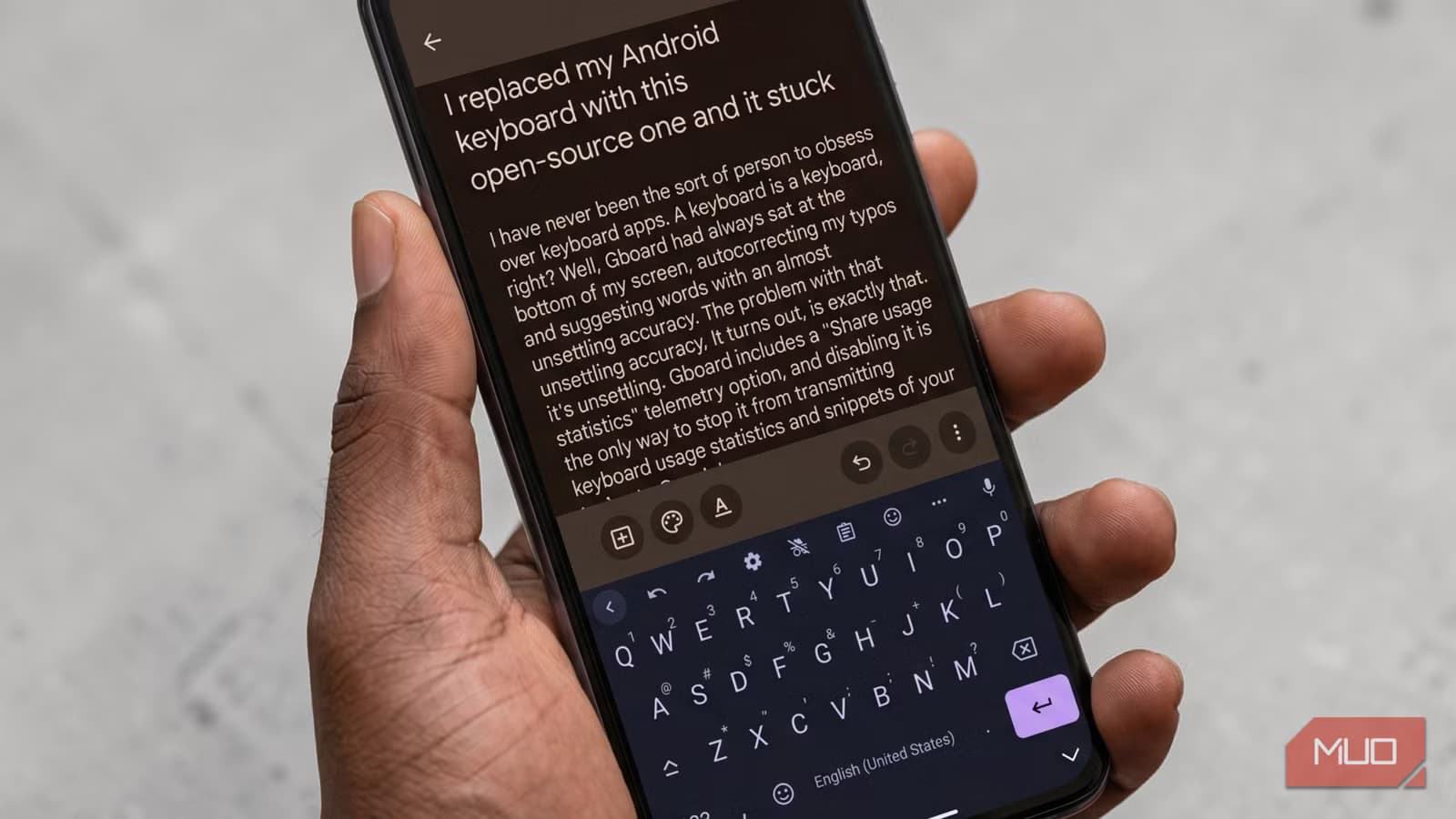
Installation takes three steps. You can grab the app from F-Droid, the open-source app repository, or sideload the APK directly from GitHub. Once installed, the app walks you through enabling the keyboard in Android settings and setting it as your default. The whole process takes under a minute.
The keyboard itself focuses on usability and customization. You get the standard QWERTY layout with options to adjust appearance, key spacing, and other visual elements. For users who want a clean typing experience without wondering what data their keyboard is collecting, FlorisBoard delivers.
What's Missing
FlorisBoard is still in active development. The project's GitHub readme is upfront about current limitations: word suggestions and spell checking are not yet implemented.
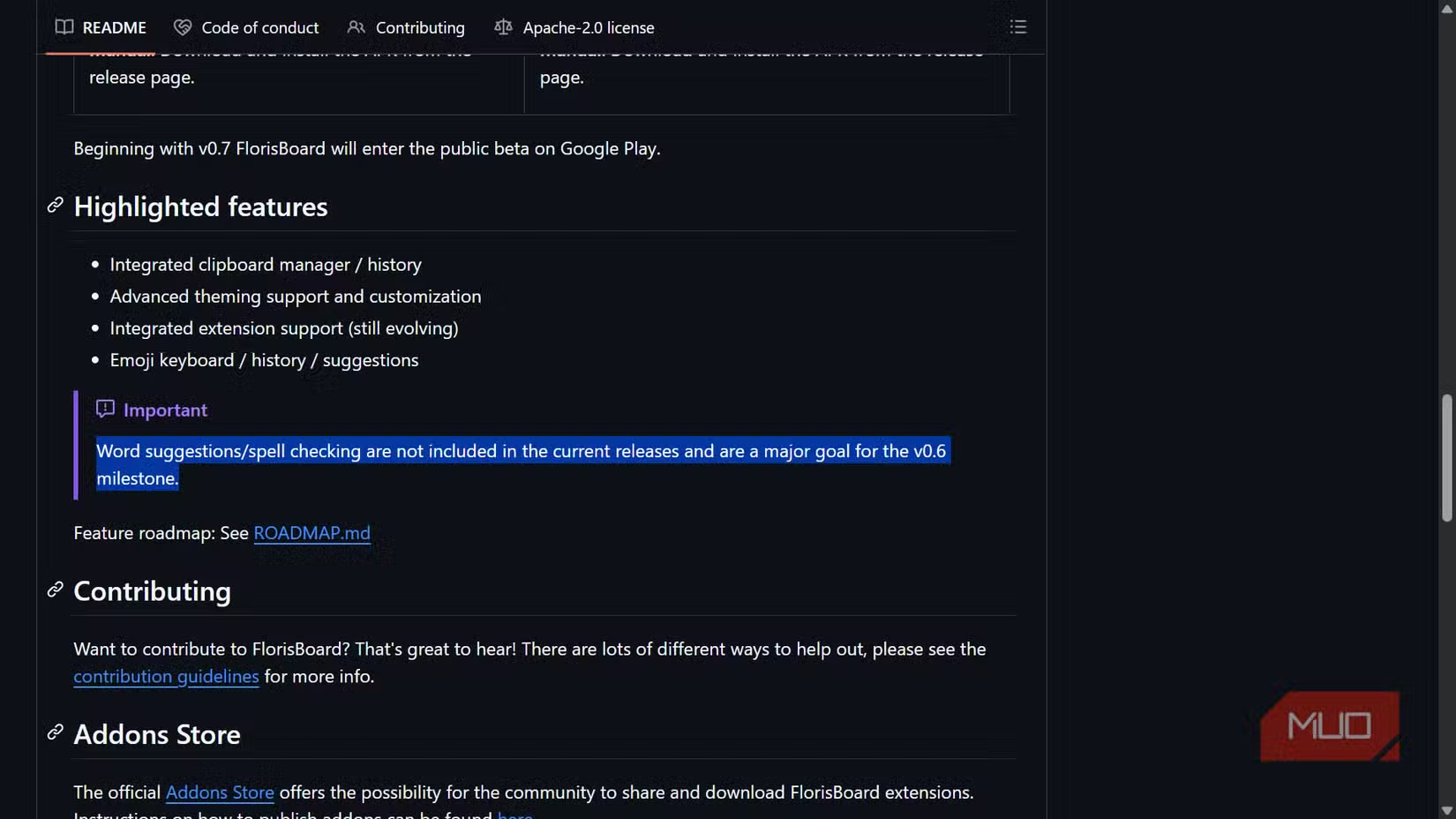
For users who rely heavily on predictive text or autocorrect, this is a real tradeoff. Gboard's word suggestions feel almost psychic at times. FlorisBoard requires you to type more carefully and catch your own mistakes.
Whether that tradeoff is worth it depends on how much you value privacy over convenience. If you type carefully and don't rely on autocomplete, you may not notice the difference. If you're a fast, sloppy typist who depends on Gboard to fix your work, the transition will be rougher.
✅ Pros
- • All data stays on your device
- • Open-source code anyone can audit
- • Free with no ads or premium tiers
- • Simple three-step setup process
❌ Cons
- • No word suggestions or predictive text yet
- • No spell-check functionality
- • Requires F-Droid or manual APK install
How to Install FlorisBoard
- Install F-Droid from f-droid.org if you don't have it, or download the APK directly from FlorisBoard's GitHub releases page
- Open FlorisBoard after installation and follow the setup wizard
- Enable FlorisBoard in your Android keyboard settings when prompted
- Set FlorisBoard as your default keyboard
The app handles most of the setup automatically. You'll need to grant the standard keyboard permissions, but FlorisBoard doesn't request network access or other permissions that would let it send data anywhere.
Who Should Switch
FlorisBoard makes the most sense for users who prioritize privacy and don't mind losing some convenience features. If you're already using F-Droid or running a de-Googled phone, it fits naturally into that ecosystem.
Business users handling sensitive information might appreciate knowing their keyboard isn't phoning home with typing patterns. Anyone who's ever felt uneasy about how accurately their keyboard predicts what they're about to say now has an alternative.
For users who can't live without autocorrect and predictive text, FlorisBoard isn't ready yet. The development team is actively working on these features, but no timeline exists for when they'll ship.
Logicity's Take
Another practical guide for checking what your hardware is actually doing
Frequently Asked Questions
Does FlorisBoard work on all Android phones?
FlorisBoard works on most Android devices. You'll need to install it from F-Droid or sideload the APK, since it's not available on the Google Play Store.
Is FlorisBoard safe to use?
The app is open-source under the Apache 2.0 license, meaning anyone can inspect the code. It stores all data locally and doesn't transmit information to external servers.
Does FlorisBoard have autocorrect?
Not yet. Word suggestions and spell-checking are listed as missing features on the project's GitHub page. The development team is working on adding them.
Can I customize FlorisBoard's appearance?
Yes. The keyboard includes customization options for appearance, layout, and other visual settings.
Need Help Implementing This?
Source: MakeUseOf
Manaal Khan
Tech & Innovation Writer
Produced with AI assistance and reviewed by the Logicity editorial team. Learn more in our Editorial Policy.






