Alienware AW2726DM Monitor: $350 QD-OLED Gaming Display Brings Premium Tech to Budget Buyers
Key Takeaways
- Alienware AW2726DM priced at $349.99 with 27-inch QD-OLED panel
- 240Hz refresh rate and 2560x1440 QHD resolution for smooth gaming
- No RGB lighting or USB ports to keep costs down
- Includes 3-year burn-in warranty and adjustable stand
- Could trigger price drops across competing OLED monitors
Read in Short
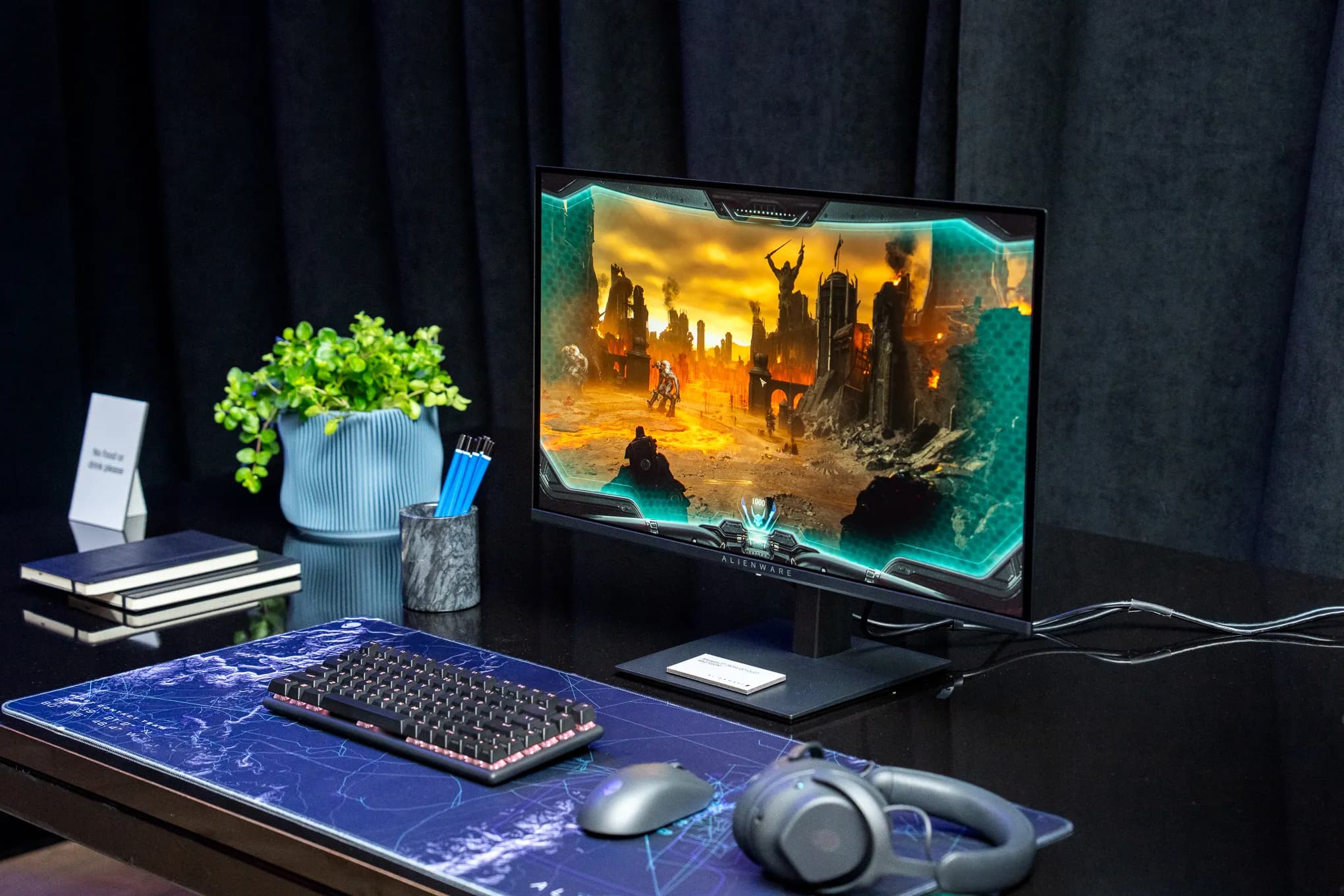
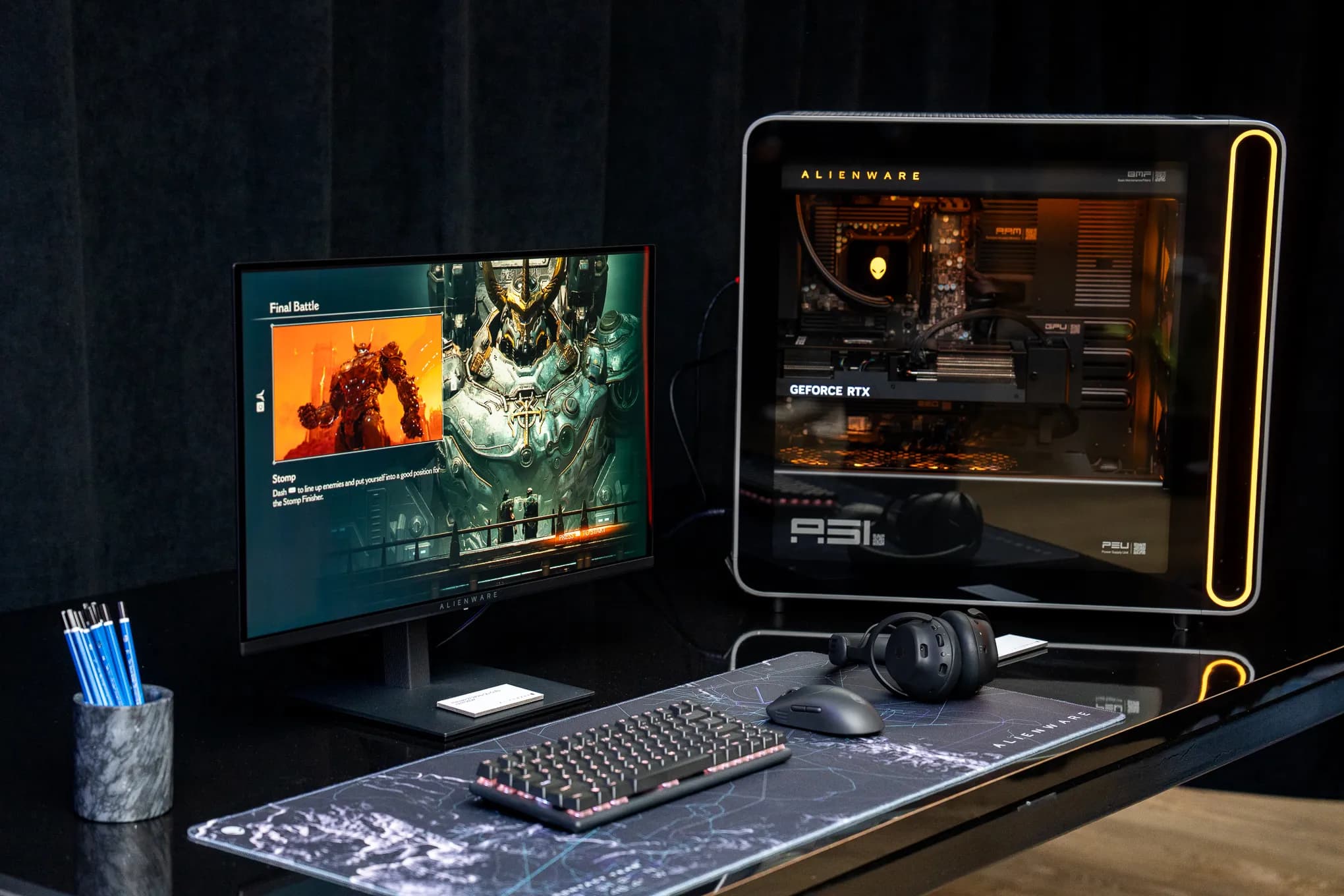
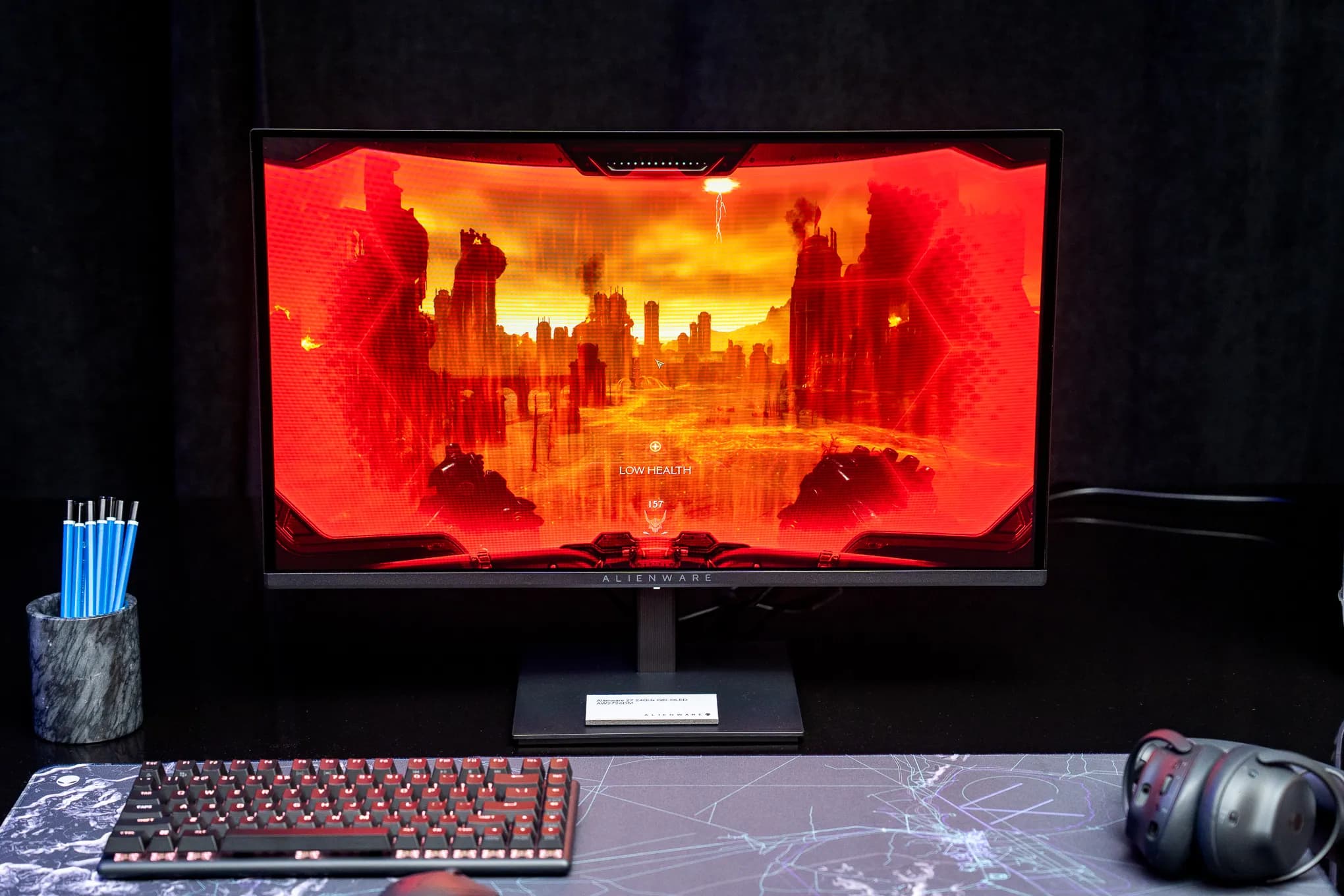
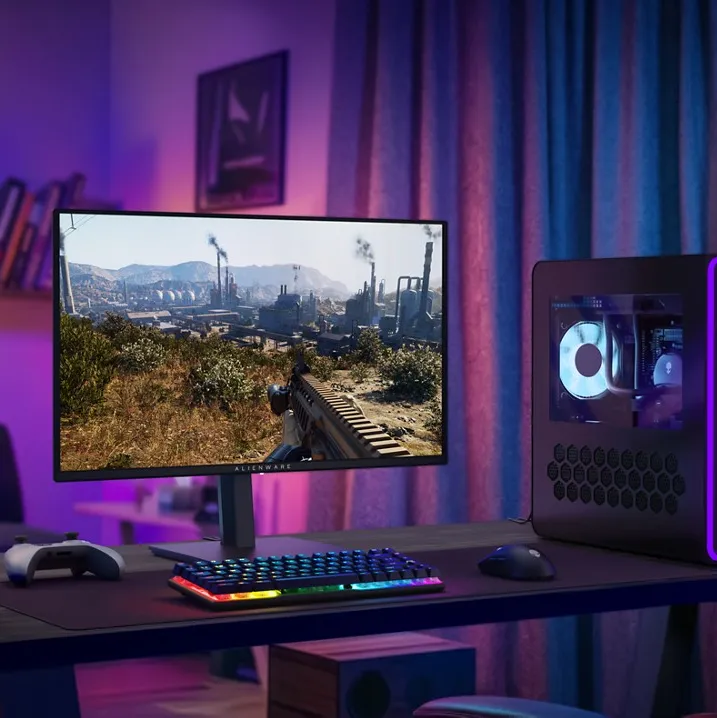
Alienware's new AW2726DM is a 27-inch QD-OLED gaming monitor priced at just $350. You get 240Hz refresh rate, QHD resolution, and HDR support. The catch? No RGB lights, no USB ports, no fancy software. Just pure OLED goodness at a price that actually makes sense.
Look, OLED monitors have been the dream for years now. Those perfect blacks, the incredible contrast, colors that pop off the screen. But every time you checked the price tag, reality hit hard. We're talking $500, $700, sometimes over $900 for the good stuff. That's a lot of cash for something you're going to stare at while getting destroyed in ranked matches.
Alienware just changed the game. The new AW2726DM brings QD-OLED technology down to $349.99, and honestly? This is huge. We're finally at the point where regular people can actually afford premium display tech without selling a kidney or pretending their credit card bill doesn't exist.
What You Actually Get for $350
So here's the thing. To hit that price point, Alienware had to make some choices. They stripped away everything that wasn't essential to the core gaming experience. No exterior RGB lighting. No glowing alien head logo pulsing on your desk. And if you're into that aesthetic, yeah, that might sting a little.
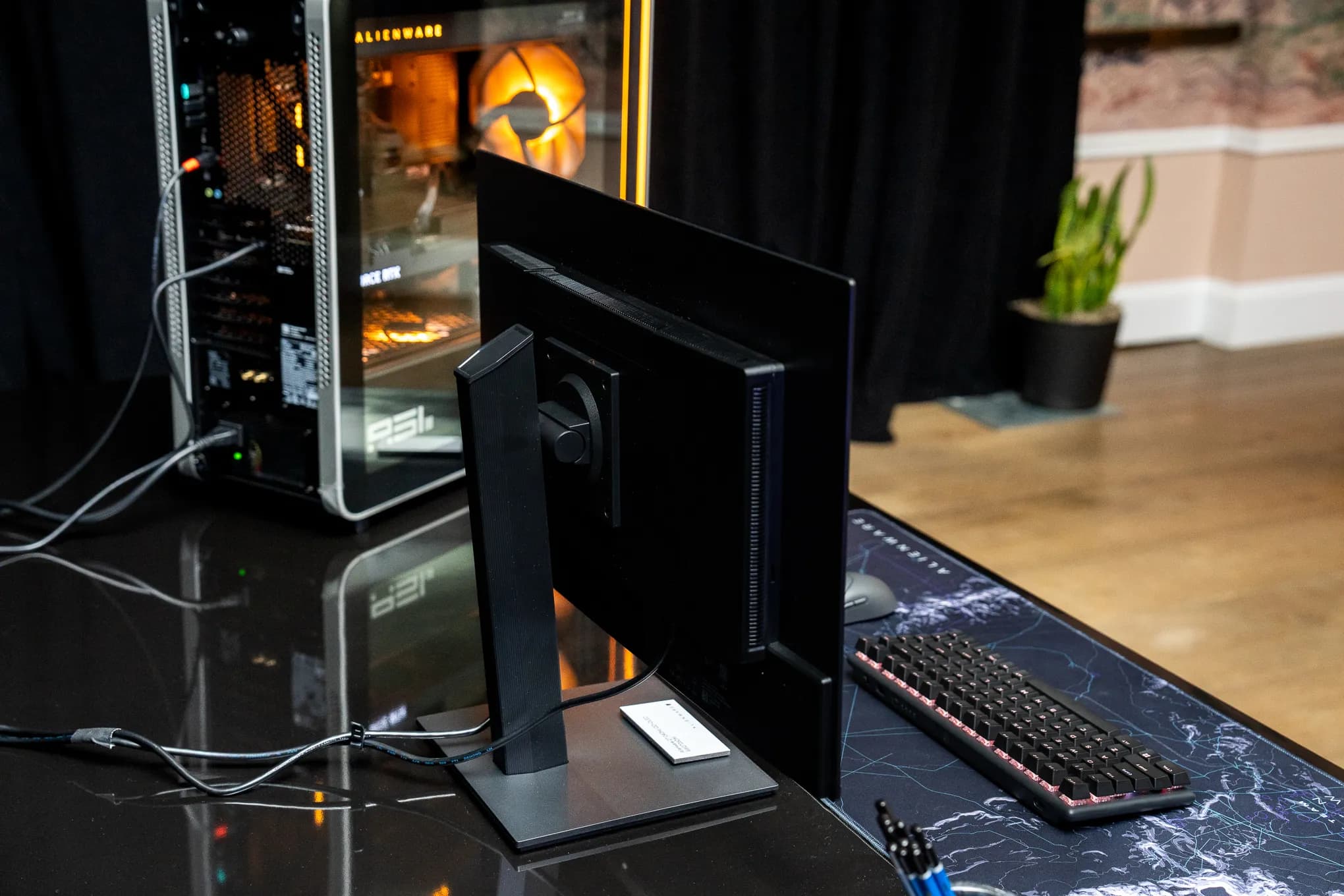
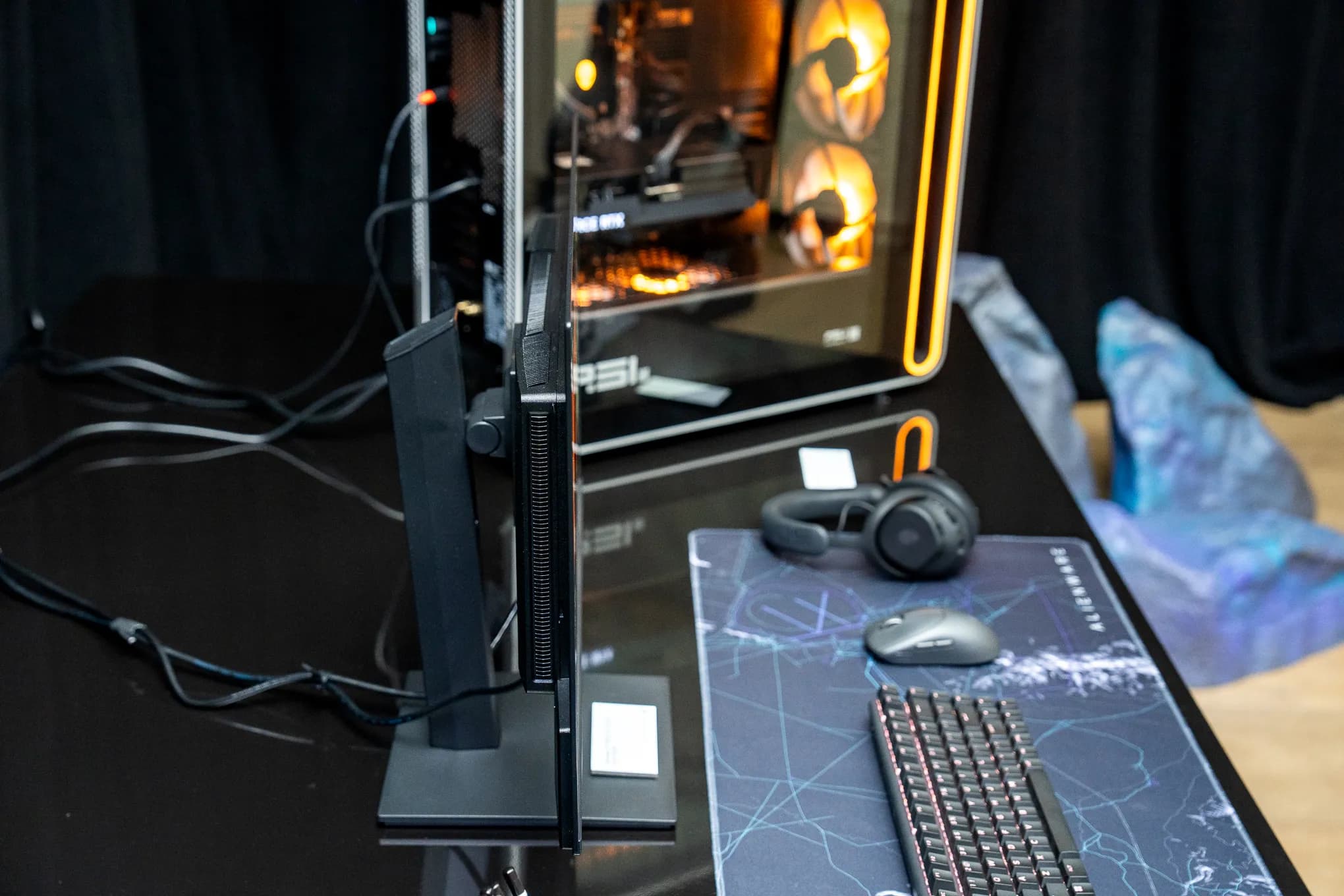
The port selection is pretty bare bones too. You're looking at two HDMI 2.1 ports, one DisplayPort 1.4, and a headphone jack. That's it. No USB hub for your peripherals. No KVM switch for bouncing between your work laptop and gaming rig. The Alienware Command Center app? Doesn't even support this monitor because there are no lights to control.
- 27-inch QD-OLED panel with QHD resolution (2560 x 1440)
- 240Hz refresh rate for buttery smooth gameplay
- HDR support for games and content that use it
- Two HDMI 2.1 ports and one DisplayPort 1.4
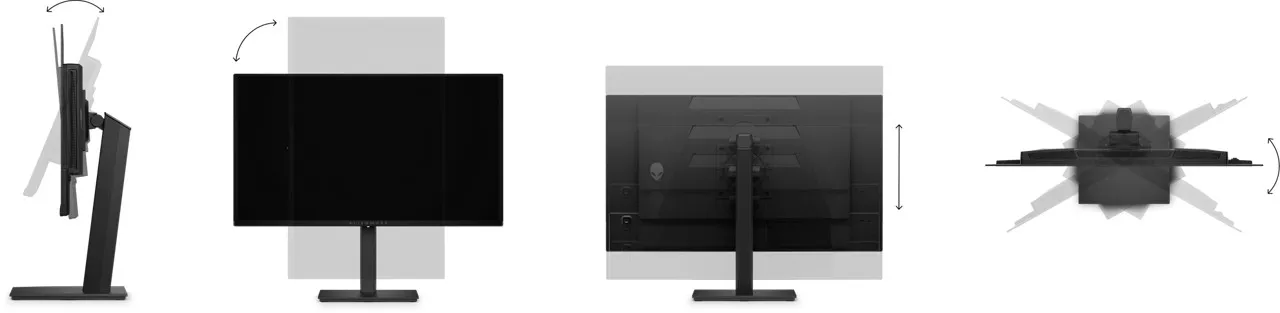
- Adjustable stand with height, tilt, and swivel
- Three-year warranty covering burn-in
But here's why that matters less than you think. Most gamers aren't using their monitor as a USB hub anyway. You've got a keyboard, mouse, maybe a headset. Those plug into your PC. The monitor's job is to look good and refresh fast. And this one does both.

The Specs That Actually Matter
Let's talk about what makes this monitor worth your attention. QD-OLED stands for Quantum Dot OLED, which combines the self-emitting pixel technology of OLED with quantum dots that enhance color accuracy and brightness. Translation? You get those deep, inky blacks that OLED is famous for, plus colors that are more vivid and accurate than standard OLED panels.
| Spec | AW2726DM | Typical OLED ($600+) |
|---|---|---|
| Panel Size | 27 inches | 27-32 inches |
| Resolution | 2560x1440 (QHD) | 2560x1440 or 4K |
| Refresh Rate | 240Hz | 240Hz |
| Panel Type | QD-OLED | QD-OLED or WOLED |
| RGB Lighting | None | Usually included |
| USB Ports | None | 2-4 ports |
| Price | $350 | $500-900+ |
The 240Hz refresh rate is perfect for competitive gaming. Counter-Strike, Valorant, Apex Legends, whatever fast-paced shooter you're into. That high refresh rate means smoother motion, less ghosting, and a genuine competitive advantage. And the QHD resolution hits a sweet spot between crisp visuals and not murdering your GPU.
Our full hands-on review dives deeper into real-world performance and image quality
What About Burn-In?
This is the question everyone asks about OLED monitors. Can you actually use this thing daily without worrying about the Windows taskbar getting permanently etched into your screen? Alienware's answer is a three-year warranty that specifically covers burn-in damage.
Burn-In Protection
Alienware includes a 3-year warranty against OLED burn-in. Modern OLED panels also have built-in pixel refresh features that help prevent static image retention during normal use.
That's actually pretty reassuring. Alienware clearly has confidence in the panel's longevity, and they're backing it up with real warranty coverage. Most competing monitors offer similar protection, but it's good to see it included on a budget model.
Why This Price Point Changes Everything
Here's why I'm genuinely excited about this monitor existing. Alienware tends to be first to market with new OLED tech, and other manufacturers usually follow within months. Asus, MSI, AOC, they all watch what Alienware does and then release competing products.
If Alienware can sell a QD-OLED panel at $350, you better believe we'll see similar offerings from competitors by holiday season. And that competition will either match the price or undercut it. We might actually see QD-OLED monitors dipping below $300 during Black Friday sales. A year ago, that would've seemed impossible.
“I saw the AW2726DM in person at a Dell media event, and it looked great in my very brief eyes-on. I love OLEDs, and this is a big step toward OLED monitors reaching more people.”
— Antonio G. Di Benedetto, The Verge
The ripple effects go beyond just gaming too. OLED monitors are fantastic for content creation, video editing, even just watching YouTube videos. That perfect contrast ratio makes everything look better. Movies hit different when blacks are actually black instead of that washed-out gray you get on IPS panels.
Who Should Buy This Monitor?
The kicker? This monitor is basically perfect for anyone who wants great picture quality without paying premium prices. If you've been gaming on a standard 144Hz IPS panel and wondering what the OLED hype is about, this is your entry point.
✅ Pros
- • Stunning QD-OLED image quality at budget price
- • 240Hz refresh rate for competitive gaming
- • Three-year burn-in warranty included
- • Adjustable stand with full range of motion
- • Great color accuracy out of the box
❌ Cons
- • No USB ports for peripherals
- • No RGB lighting if you like that aesthetic
- • Limited to two HDMI and one DisplayPort
- • No Alienware Command Center support
- • 27 inches might feel small coming from larger displays
Competitive gamers who prioritize performance over aesthetics will love it. Same goes for anyone building a clean, minimal setup who doesn't want RGB lighting everywhere. If you use your monitor purely for gaming and don't need it to double as a USB hub, you won't miss the stripped features.
But if you're the type who runs a multi-monitor setup with cables running everywhere and needs those USB passthrough ports, maybe look at something else. Same if RGB lighting is essential to your setup's vibe. The AW2726DM is unapologetically focused on panel quality over extras.
Curious about the companies making display tech possible? This explains the chip manufacturing side
Where to Buy and Final Thoughts
The Alienware AW2726DM is available now at Dell for $349.99 and at Best Buy for the same price. Stock might be tight initially because budget OLED monitors don't stay on shelves long. If you're seriously interested, don't wait for a sale that might not come for months.
Purchase Links
Available at Dell.com and Best Buy for $349.99. Both retailers offer standard return policies if the monitor doesn't meet your expectations.
This is one of those products that feels like a turning point. OLED gaming monitors used to be aspirational purchases, something you'd maybe buy yourself after a big promotion or bonus. Now? They're just regular gaming monitors that happen to look incredible. And that's exactly what the market needed.
Alienware made smart tradeoffs to hit this price. They kept the panel, the refresh rate, the warranty, and the adjustable stand. They cut the RGB, the USB ports, and the software integration. For most gamers, that's the right call. The display is what you're actually looking at. Everything else is just decoration.
Frequently Asked Questions
Is the Alienware AW2726DM good for console gaming?
Yes, it works great with PS5 and Xbox Series X. The two HDMI 2.1 ports support 120Hz gaming at 4K, and console games look fantastic on OLED panels.
Does QD-OLED have burn-in issues?
All OLED panels can potentially experience burn-in with static images. Alienware includes a 3-year warranty covering burn-in, which suggests they're confident in the panel's durability.
Can I use this monitor for work?
Absolutely. The QHD resolution works well for productivity, and the OLED panel makes text look crisp. Just be mindful of static UI elements if you're using it 8+ hours daily.
How does this compare to the more expensive Alienware OLED monitors?
The main differences are RGB lighting, USB ports, and software support. Panel quality and refresh rates are similar to pricier models.
Huma Shazia
Senior AI & Tech Writer
Produced with AI assistance and reviewed by the Logicity editorial team. Learn more in our Editorial Policy.