Key Takeaways
What AI Agent Skills Are and How They Work
- Agent skills are reusable instruction packages that load automatically when an AI agent detects a matching task
- Skills differ from system prompts: they're portable, stackable, and only fire when relevant
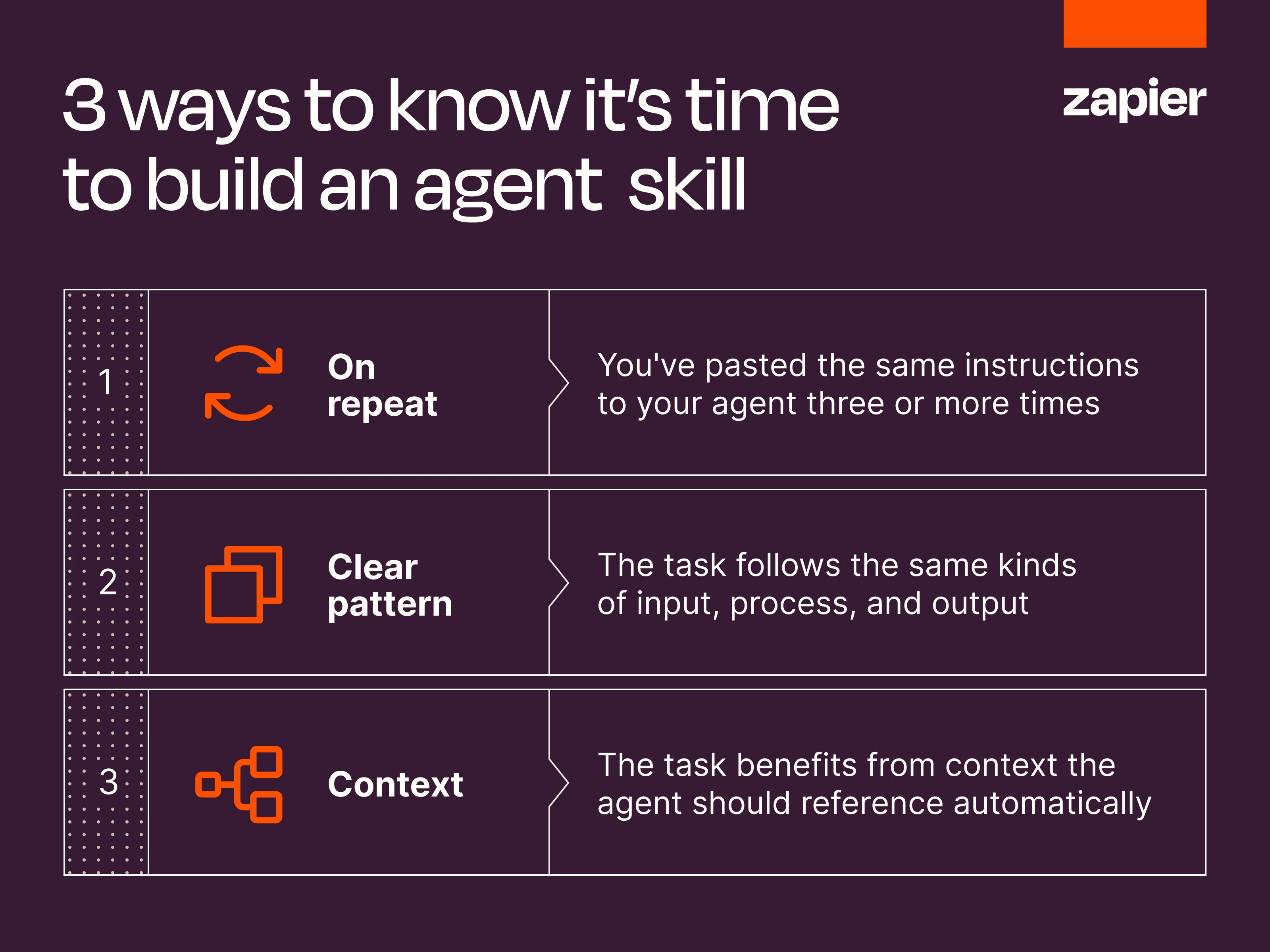
- Build a skill when you've pasted the same instructions to your agent three or more times
AI agent skills are packaged instruction sets that an AI agent loads automatically when it recognizes a matching task. Rather than pasting the same context into every chat, you build the skill once as a SKILL.md file. The agent then pulls it in whenever the workflow fits. For RevOps teams running repetitive processes across CRMs, deal pipelines, and reporting tools, skills turn inconsistent AI output into reliable, repeatable execution.
Disclosure
Some links in this post are affiliate links — Logicity earns a commission if you sign up, at no extra cost to you. We only link products we have used or actively recommend.
The concept emerged from Anthropic's Claude Skills, introduced in late 2025. Anthropic packaged instructions, scripts, and reference files into a folder format, then published it as an open standard. The Skills Directory followed, a catalog of ready-made skills from partners like Zapier, Notion, and Figma. Because the format is open, skills now work in other AI tools including Codex and Cursor.
What makes skills different from regular prompts?
You can give an AI agent persistent context in several ways. System prompts, custom instructions, and files like AGENTS.md apply to every conversation, whether relevant or not. Ask ChatGPT to draft a vacation packing list or a quarterly report, and those background instructions still run. That makes always-on instructions useful for identity-level context: who you are, your default tone, which apps you're connected to.
Skills work differently. They sit dormant until the agent recognizes a matching task, then load only the relevant context for that job. This matters for two reasons. First, you avoid bloating every conversation with instructions the agent doesn't need. Second, skills are stackable. A marketing skill and a data-analysis skill can fire in the same conversation without switching tools.
Portability is the other advantage. Build a skill as a SKILL.md file, and it works in any environment that supports the format. Most major AI tools now do. You're not locked into a single vendor's ecosystem.
Tools versus skills: the distinction that matters
AI agents can take action across your tech stack. Connect Cursor to Zapier MCP, for example, and Cursor gains access to your Gmail inbox, your CRM, your Slack workspace. Every enabled action, such as sending an email or searching messages, is a tool. Tools define what an agent can do.
An agent with tools but no skills will still complete tasks. It will just do so inconsistently. Ask it to triage the same type of support ticket ten times and you'll get ten different judgment calls. The agent improvises your process from scratch each time because it has no memory of how you want it done.
Skills fill that gap. They tell the agent how to use its tools in your specific context: which fields to check first, what requires a human's sign-off, when to stop and ask instead of guessing. For RevOps teams, this is the difference between an AI that saves time and one that creates cleanup work.
Covers the broader challenge of deploying AI tools effectively in operations workflows
When should you build a skill?
Skills aren't worth the effort for one-off requests or open-ended brainstorming. If you're not repeating yourself, you don't need one. But certain patterns signal it's time to create a skill:
- You've pasted the same instructions to your agent three or more times. If you keep re-explaining your CRM structure, brand voice, or reporting format at the start of every chat, that's a skill waiting to be packaged.
- The task follows a repeatable pattern with consistent inputs, processes, and outputs. Deal qualification, invoice review, lead scoring — these fit the mold.
- The task benefits from context the agent should reference automatically. A template, a script, a schema map, or historical data.
Sales teams hit this constantly. Reps don't have 40 minutes before a call to dig account history out of Salesforce or HubSpot. A skill that already knows where to look, what matters, and how to format the summary saves that scramble. The agent pulls the right context the moment it sees a pre-call prep request.
How to get started with agent skills
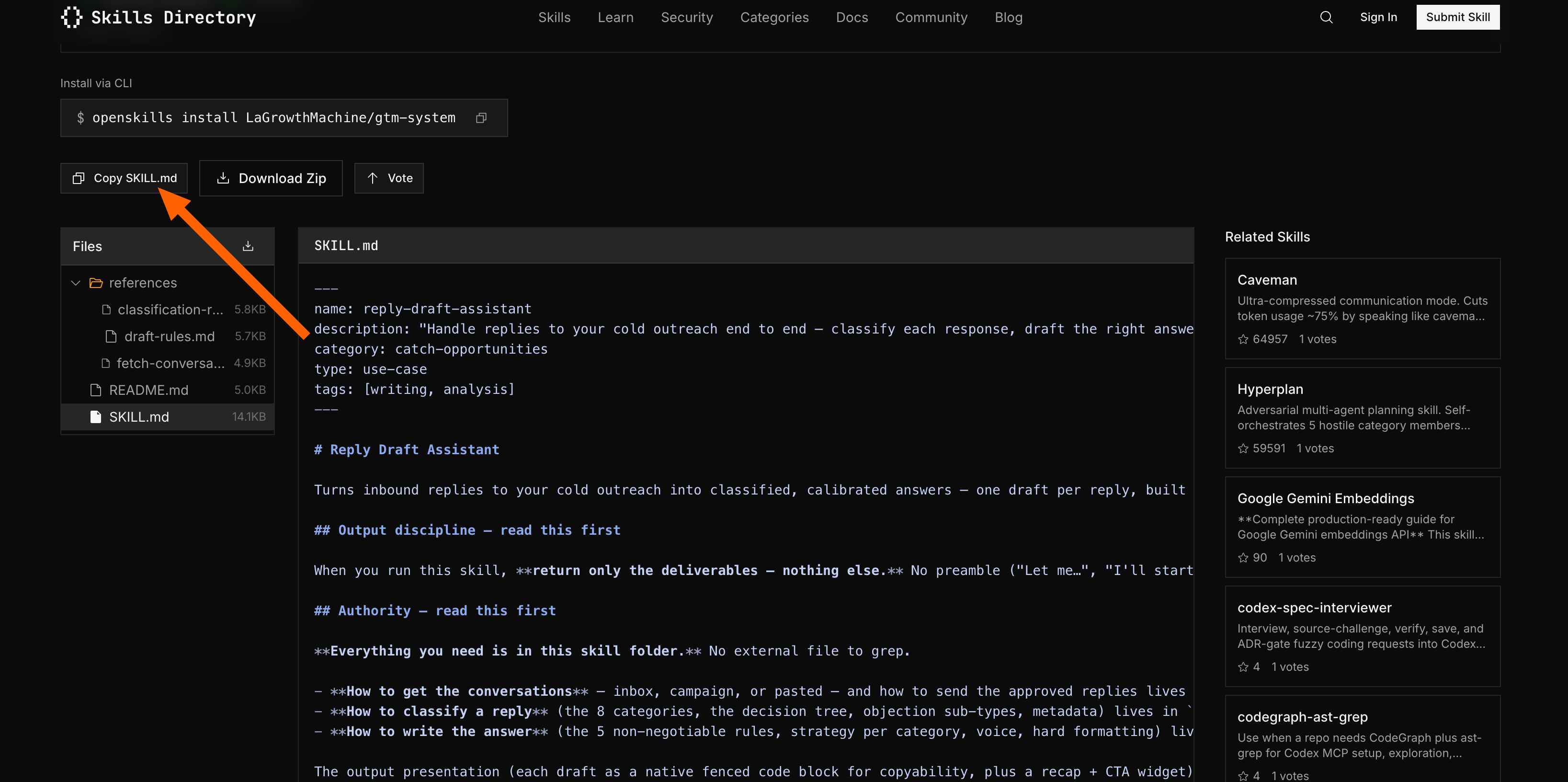
The Skills Directory gives you the fastest path. Browse the catalog, find a skill relevant to your workflow, and copy it into your environment. Zapier offers skills for automation patterns. Notion has skills for documentation workflows. Figma provides design-specific skills. Each one loads as a folder you can inspect, edit, and extend.
Building custom skills requires more effort but delivers tighter fit. Start with a SKILL.md file containing the instructions your agent needs. Add any reference files, such as templates, schema maps, or example outputs. Place the folder where your AI tool expects to find skills. The exact location depends on the platform, but the format remains consistent across tools.
The practical advice here: don't over-engineer your first skill. Take the instructions you've been copy-pasting, drop them into a SKILL.md file, and test whether the agent loads them correctly. Refine from there.
Skills worth trying now
Zapier's skills focus on connecting actions across apps. If your RevOps stack spans multiple tools, their automations, such as CRM-to-email syncs, lead routing logic, and deal stage updates, translate into skills that teach your agent the same patterns.
Notion's skills handle documentation: meeting notes, project trackers, knowledge base entries. Figma's skills work for teams where design review or asset management intersects with operational workflows.
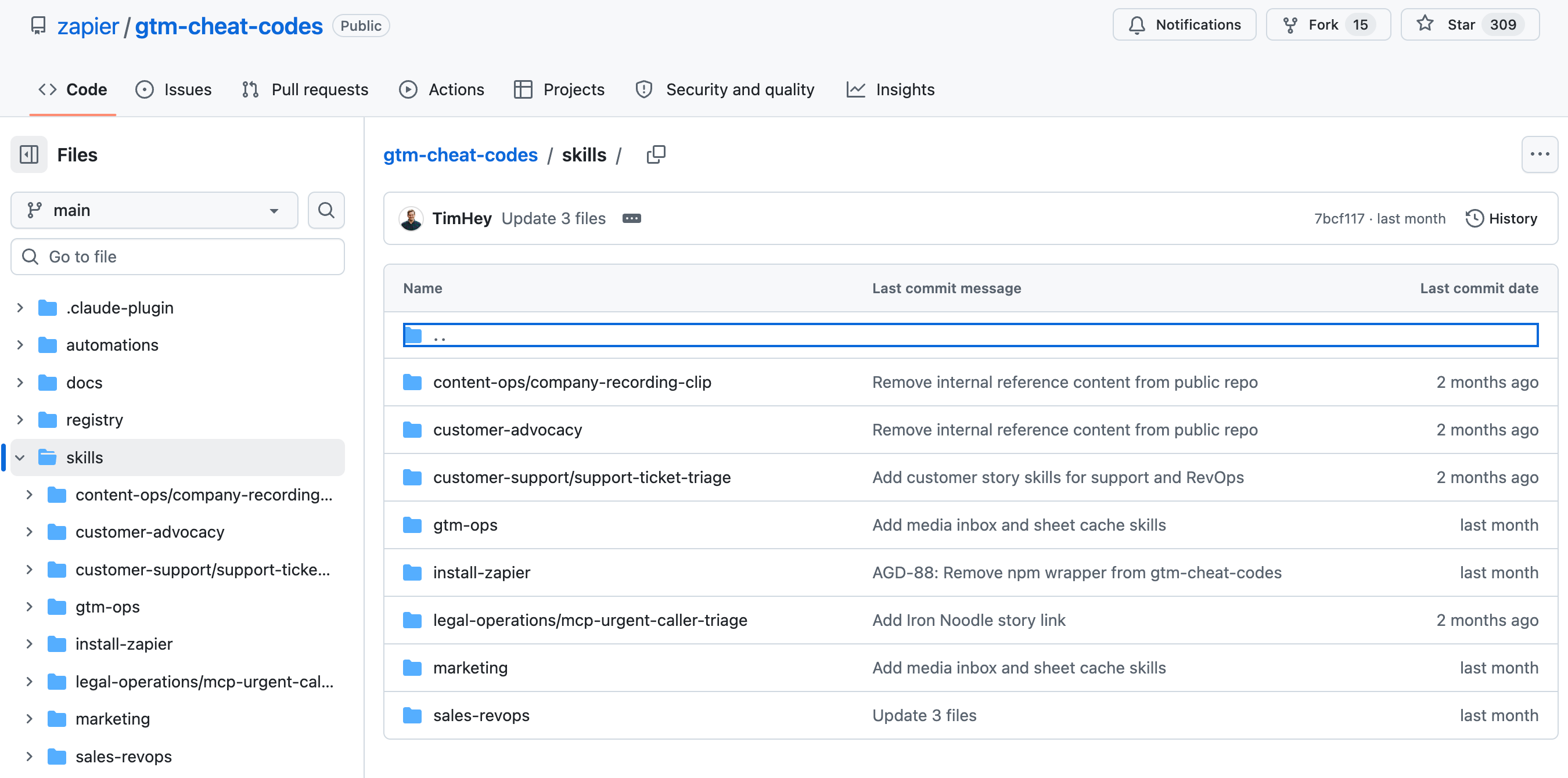
The catalog will grow. The open format means any vendor can publish skills, and any user can share them. The value compounds as more repeatable workflows get packaged.
Skills help reduce token usage by loading only relevant context, addressing the cost problem this article explores
The real cost of not using skills
Every time an agent improvises, you pay in two ways. First, the time spent reviewing and correcting inconsistent output. Second, the risk that the agent does something wrong you don't catch. For a CRM update, that might mean a bad data entry. For a customer-facing email, it could mean a message that doesn't match your brand.
Skills reduce both costs. The agent follows your documented process. Variations happen only where you've explicitly allowed them. The tradeoff is the upfront time to build the skill, but that investment pays back on every subsequent use.
For operations teams managing dozens of repeatable workflows, this math gets compelling fast. A 15-minute skill build that saves 5 minutes per task execution breaks even on the third use. By the twentieth use, you've saved over an hour and a half.
Logicity's Take
Skills address a problem that's been hiding in plain sight: AI agents are powerful but inconsistent. Most RevOps teams have been compensating by re-prompting or manually checking output. Skills shift that overhead from every task to a one-time setup. The open standard matters here. If Anthropic had kept skills proprietary, adoption would depend on Claude market share. By publishing the format, they've let tools like Cursor and Codex, along with platforms like Zapier, [Make](https://logicity.in/r/make), and [n8n](https://logicity.in/r/n8n), implement the same standard. Competition happens at the skill catalog level, not the format level. That's good for buyers.
Frequently Asked Questions
Do skills work outside Claude?
Yes. The SKILL.md format is an open standard. Tools including Codex and Cursor now support it. Any AI environment that implements the format can load the same skill files.
Can I edit skills from the Skills Directory?
Yes. When you copy a skill, you get the underlying SKILL.md file and any reference files. You can modify instructions, add templates, or extend the skill for your specific workflow.
How are skills different from system prompts?
System prompts apply to every conversation. Skills only load when the agent detects a matching task. This keeps irrelevant context out of conversations where it doesn't help and lets multiple skills stack in a single session.
Need Help Implementing This?
If your RevOps team is building AI workflows and wants to implement skills effectively, reach out to the Logicity team. We help operations teams design, build, and deploy agent skills that integrate with your existing CRM and automation stack.
Source: The Zapier Blog
Manaal Khan
Tech & Innovation Writer
Produced with AI assistance and reviewed by the Logicity editorial team. Learn more in our Editorial Policy.