
Key Takeaways

- Any old computer or Raspberry Pi can run Home Assistant, no need to buy dedicated hardware
- A $5 ESP32 chip can replace expensive Bluetooth presence sensors
- Budget temperature and humidity sensors from IKEA work reliably for most automation needs
The global smart home market hit $145 billion in 2026. Yet 72% of smart home users say price is their main barrier to buying more devices. The gap between interest and adoption comes down to a simple misconception: people think smart homes require expensive gear.
They don't. Tim Brookes, Senior Editor at How-To Geek, has spent two decades covering technology. His take on smart home spending: "The best smart home is the one that works reliably without costing a monthly subscription fee, and you don't need top-tier brand names to achieve that."
Here are five device categories where hunting for bargains pays off.
1. Home Assistant Servers
Home Assistant is a free, open-source smart home platform. You can buy dedicated hardware like the Home Assistant Green. But you don't need to.
Any old computer works. That retired laptop in your closet? Perfect. A dusty Raspberry Pi with only 1GB of RAM? Also fine. Home Assistant runs in virtual machines, Docker containers, on NAS devices, or on existing home servers.
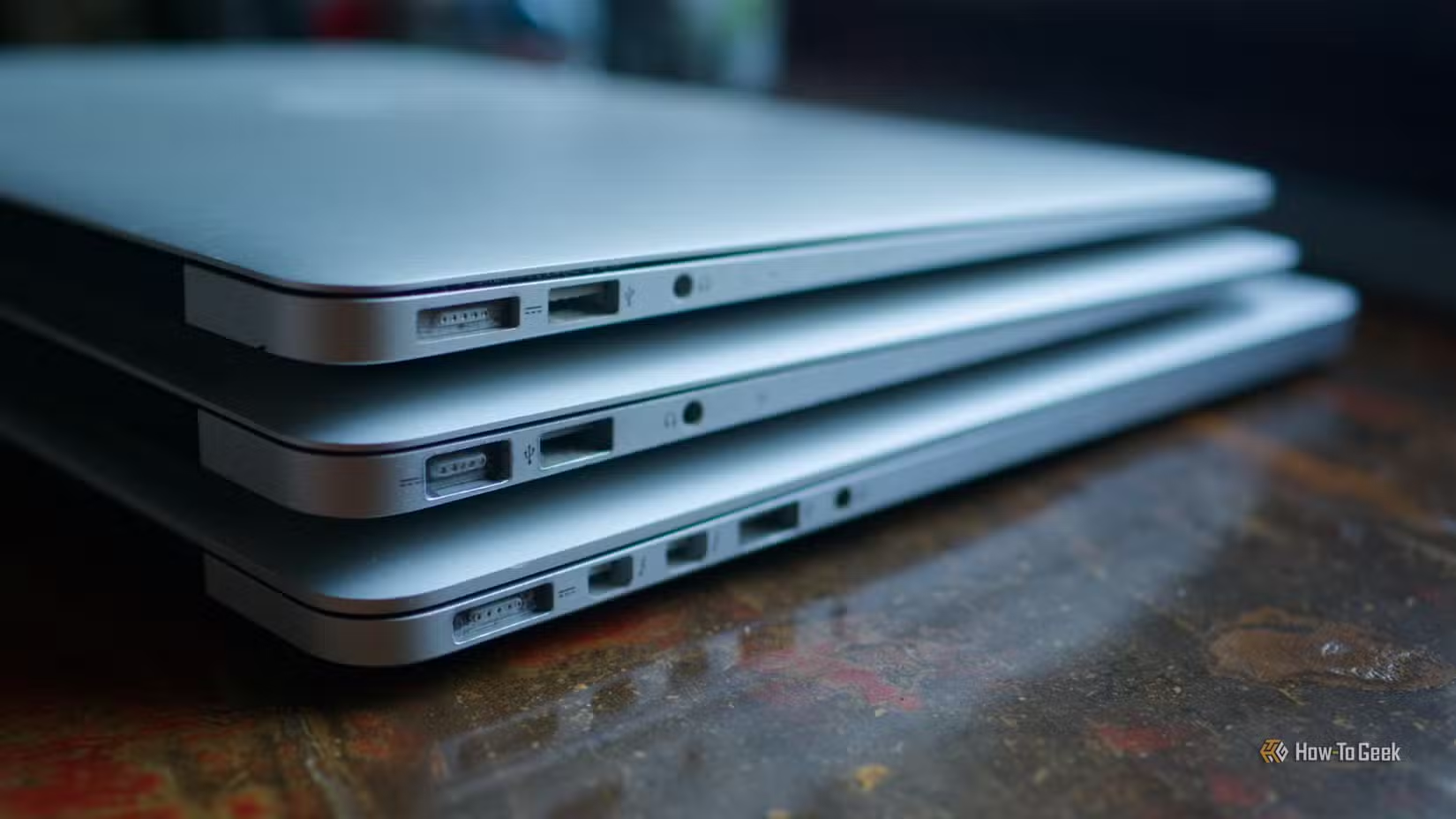
Brookes recommends starting with whatever hardware you already own. Once you're comfortable with the platform, you can upgrade to a dedicated mini PC. But that's optional, not required.
2. Bluetooth Presence Proxies
Presence detection is one of the most useful smart home features. Knowing which room you're in lets your home turn on lights, adjust thermostats, and trigger automations based on where people are.
Commercial presence sensors cost $30 to $100. A $5 ESP32 chip does the same job.
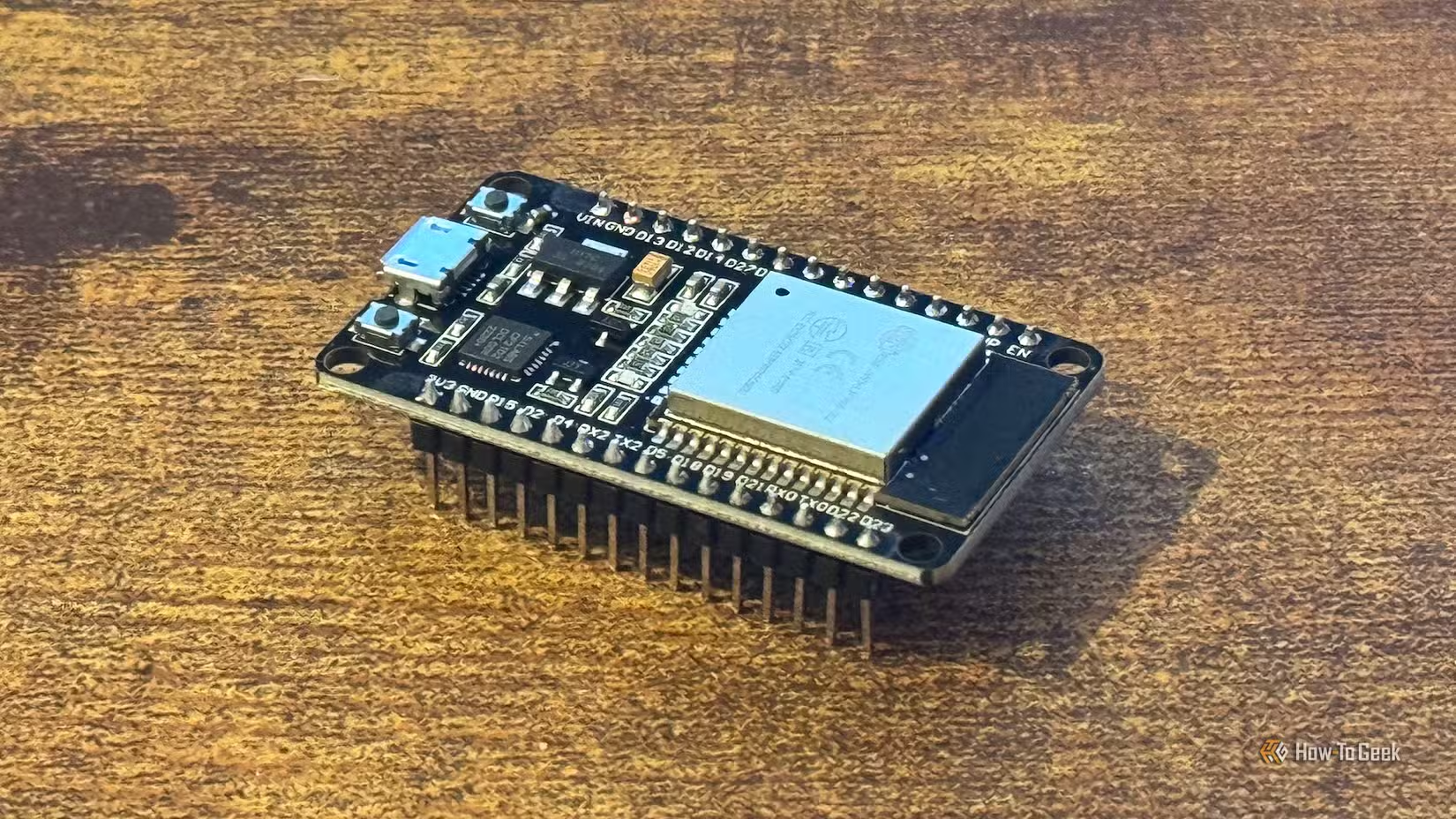
Using the ESPHome framework, you can build Bluetooth proxies that detect your smartphone's proximity without even connecting to it. The proxy picks up Bluetooth signals and reports your location to Home Assistant. You can track people, pets with Bluetooth tags, or any Bluetooth device.
These proxies also control Bluetooth devices like SwitchBot blinds and curtain openers. For under $20 in parts, you can cover an entire house with presence detection.
3. Temperature and Humidity Sensors
Climate sensors power some of the most practical automations. Turn on the bathroom fan when humidity spikes. Adjust heating based on actual room temperature. Get alerts when the basement gets too cold.

IKEA's TIMMERFLOTTE sensor costs a fraction of name-brand alternatives. It uses Zigbee, works with most smart home hubs, and provides accurate readings. The sensors aren't flashy. They don't have apps with fancy graphs. They report temperature and humidity to your hub. That's all you need.
4. Smart Bulbs
Philips Hue dominates the smart bulb conversation. Their bulbs cost $15 to $50 each. For a house with 30 light fixtures, that adds up fast.
IKEA's TRÅDFRI bulbs work just as well for basic automation. They dim, change color temperature, and respond to schedules. They use Zigbee, so they mesh with other devices to extend your network's range.
Premium bulbs make sense for specific situations. Color-changing accent lights, bulbs in fixtures where you want the best dimming performance, or when you need a specific form factor. For the other 80% of your home's lights, budget options work fine.
5. Smart Remotes and Buttons
Physical controls still matter in a smart home. Guests shouldn't need an app to turn on lights. Neither should you when your phone is charging.
IKEA's remotes and buttons pair with their bulbs directly and integrate with Home Assistant. Aqara makes similarly affordable Zigbee buttons. These devices cost $10 to $15, compared to $30 or more for premium alternatives.
Where Premium Still Makes Sense
Budget gear isn't right for everything. Security cameras, door locks, and anything safety-critical deserve more careful evaluation. Cheap cameras often require cloud subscriptions and have questionable privacy practices. Locks need reliable batteries and solid build quality.
Video doorbells, smoke detectors, and water leak sensors also warrant spending more. These devices need to work when it matters most.
The pattern: spend on devices where failure has consequences. Save on devices where failure is just inconvenient.
The Shift Away From Cloud Dependencies
Budget smart home gear often comes with another advantage: local control. Expensive cloud-dependent devices stop working when the manufacturer shuts down servers or changes subscription terms. Local-first devices using Zigbee, Z-Wave, or Matter keep working as long as the hardware does.
Communities on Reddit and Hacker News regularly share stories of repurposing retired hardware for Home Assistant servers. The consensus is clear: proprietary ecosystems with mandatory cloud connections are a liability, not a feature.
Logicity's Take
Frequently Asked Questions
Can I run Home Assistant on a Raspberry Pi?
Yes. Home Assistant runs on Raspberry Pi models with as little as 1GB of RAM. It's one of the most popular ways to get started with the platform without buying dedicated hardware.
What is an ESP32 Bluetooth proxy?
An ESP32 is a cheap microcontroller that can detect nearby Bluetooth devices and report their presence to Home Assistant. It enables presence detection for under $5 per room.
Are IKEA smart home products compatible with Home Assistant?
Yes. IKEA's TRÅDFRI and DIRIGERA products use Zigbee and integrate with Home Assistant through a Zigbee coordinator. They're some of the most affordable Zigbee devices available.
What smart home devices should I not buy cheap?
Security cameras, smart locks, smoke detectors, and water leak sensors are worth spending more on. These devices need to work reliably in critical situations.
Do budget smart home devices require subscriptions?
Many budget devices using Zigbee or Matter work locally without subscriptions. Cloud-dependent devices, regardless of price, often require ongoing payments for full functionality.
More practical tech optimizations that don't require spending money
Another look at when premium features don't justify premium prices
Need Help Implementing This?
Source: How-To Geek
Huma Shazia
Senior AI & Tech Writer
Produced with AI assistance and reviewed by the Logicity editorial team. Learn more in our Editorial Policy.