Key Takeaways
- LocalSend transfers files between any device without cloud services or accounts
- Copyparty turns any computer into a file server using a single Python script
- Flameshot offers professional screenshot editing that rivals paid tools
The Best Software Often Comes From One-Person Teams
The most practical software innovations of the past decade haven't come from billion-dollar platforms. They've come from individual developers scratching their own itches. These tools lack marketing budgets and mainstream recognition, but they solve real problems that commercial software either ignores or charges subscriptions to fix.
What makes these apps different is their scope. They do one thing well. No feature bloat, no account requirements, no telemetry. They work offline, respect your privacy, and cost nothing.
LocalSend: AirDrop for Every Platform
LocalSend solves a problem that shouldn't exist in 2026: moving files between devices on the same network. Apple has AirDrop, but only for Apple devices. Google has Nearby Share, but only for Android and Chrome. LocalSend works across Windows, macOS, Linux, Android, iOS, and Fire OS.
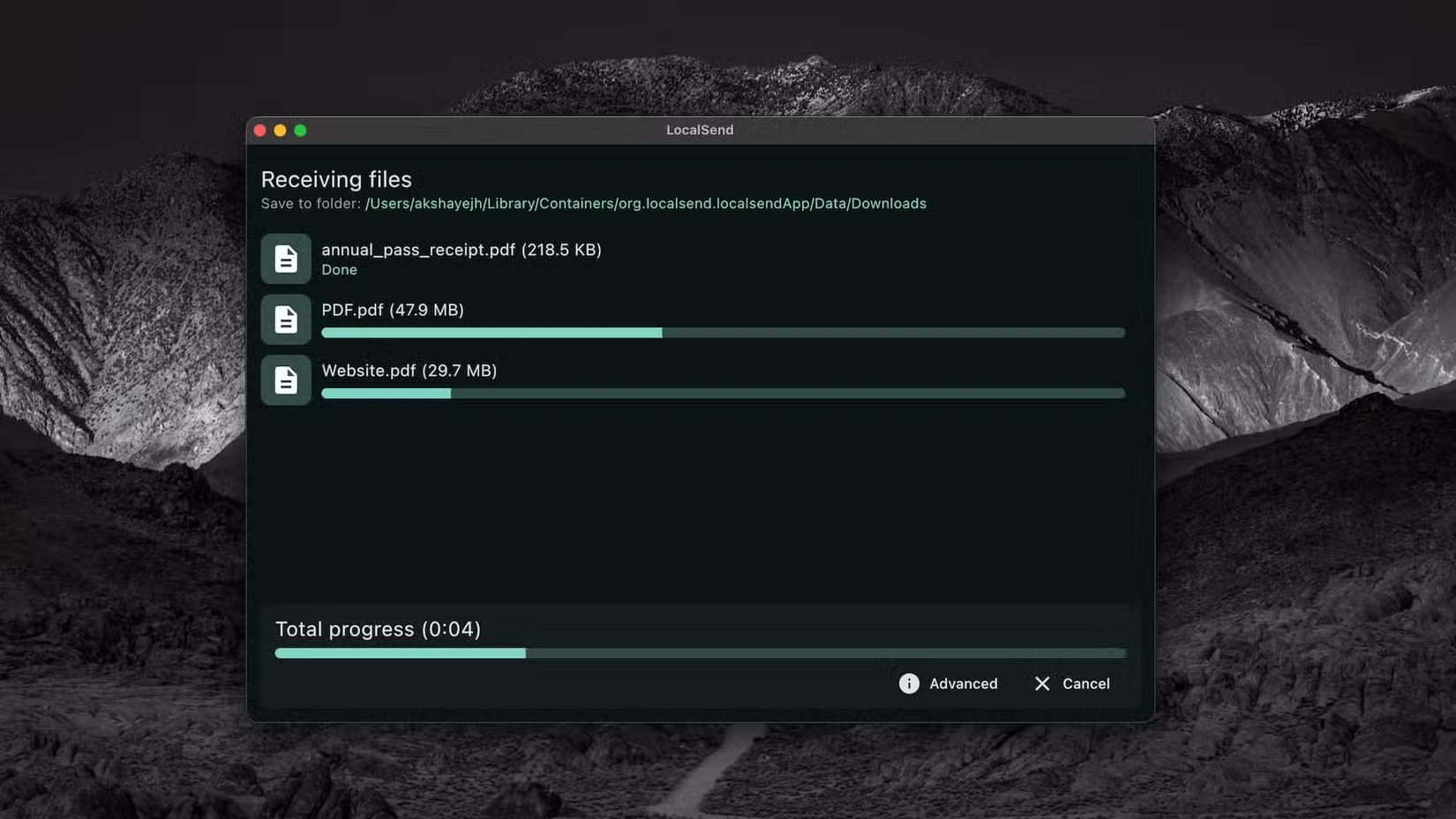
Developer Tien Do Nam built the app in Berlin because he wanted to share uncompressed files with his family without routing data through external servers. The solution is elegant: open the app on two devices connected to the same Wi-Fi, and they find each other automatically using UDP multicast. Select a file, tap the recipient, and accept the transfer. Done.
The data never leaves your local network. Transfer speeds depend only on your router's bandwidth. Privacy comes from end-to-end encryption with TLS/SSL certificates generated dynamically for each device. No account creation. No internet connection required.
Copyparty: A File Server in One Python Script
Setting up a file server usually involves databases, configuration files, and hours of troubleshooting. Copyparty skips all of that. It's a single Python script. Download it, run it, and your machine becomes a functional file server.
The app includes a web interface for drag-and-drop uploads through any browser. It supports WebDAV, FTP, SFTP, and SMB/CIFS, so you can mount it as a network drive on any operating system. It runs on Windows, macOS, Linux, Android, iOS, FreeBSD, and Raspberry Pi.
For context on building home server infrastructure
For teams that need quick file sharing without cloud dependencies, Copyparty eliminates the usual setup complexity. A contractor on-site, a production team in a studio, or a small office without IT staff can have a working file server in minutes.
Flameshot: Screenshot Editing That Rivals Paid Tools
Windows Snipping Tool and macOS Screenshot handle basic captures, but editing requires opening another app. Flameshot combines capture and annotation in one step. Draw arrows, add text, blur sensitive areas, and copy to clipboard. All inline, all instant.
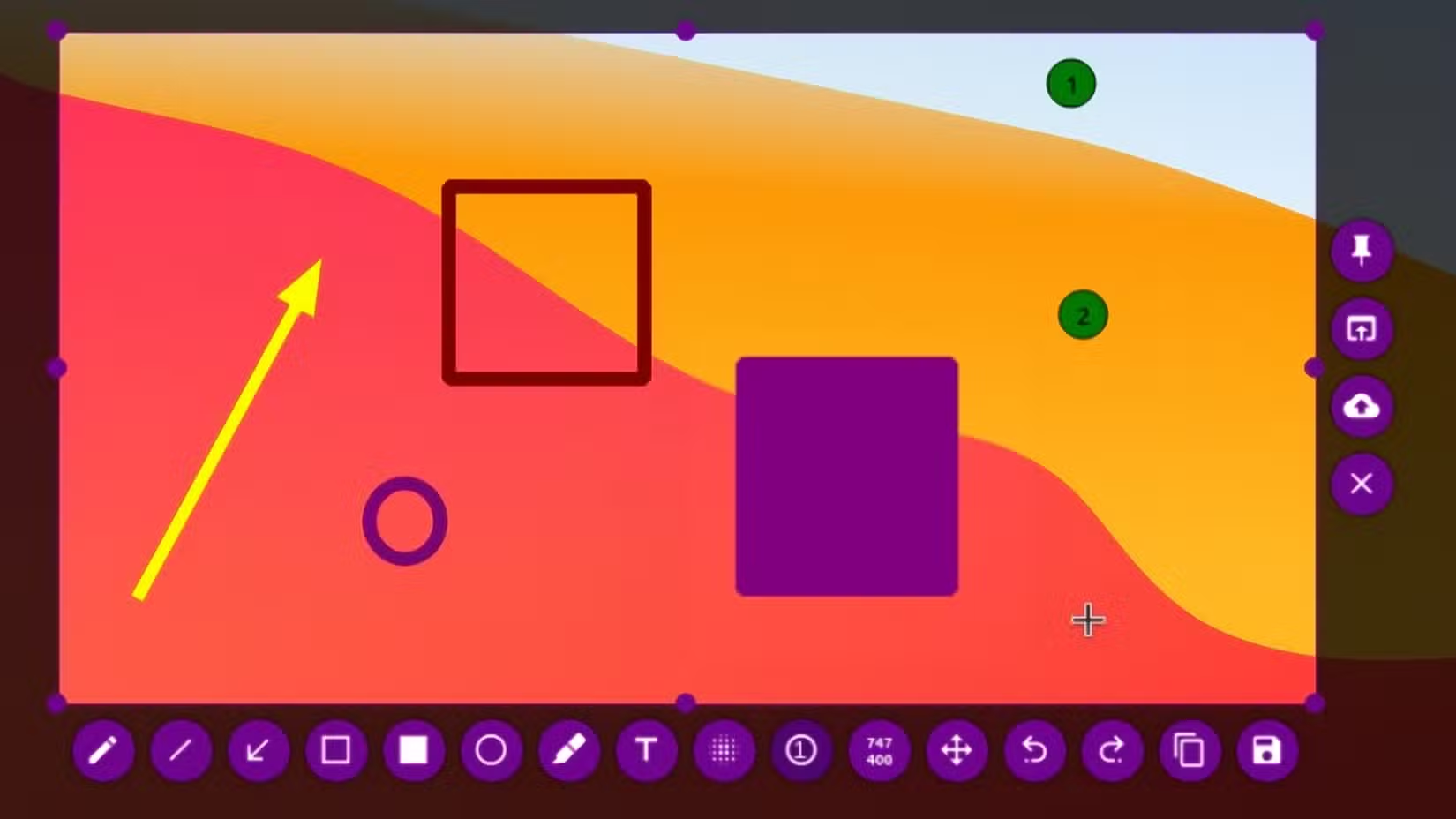
For documentation, bug reports, or tutorials, this workflow saves minutes per screenshot. Multiply that across a team creating dozens of annotated images weekly, and the time savings compound quickly.
Why These Tools Matter
These apps share common traits. They're lightweight, often under 50MB. They don't require accounts or internet connections. They're built by developers who use them daily. And they're free.
- LocalSend replaces cloud file transfers for local sharing
- Copyparty eliminates the complexity of self-hosted file servers
- Flameshot removes the need for separate capture and editing tools
The business case is straightforward. These tools reduce software spend, eliminate recurring subscriptions, and solve problems that commercial vendors either ignore or overcharge for.
Another example of organizations choosing self-hosted open-source tools
Logicity's Take
How to Find More Tools Like These
GitHub's trending page surfaces new projects, but the signal-to-noise ratio is low. Better sources include Hacker News comments, where working professionals share tools they actually use, and Reddit communities like r/selfhosted and r/opensource.
Look for projects with active maintenance, clear documentation, and a specific use case. The best tools often have boring names and minimal marketing. That's usually a good sign.
Frequently Asked Questions
Is LocalSend safe to use for sensitive files?
LocalSend uses end-to-end encryption with dynamically generated TLS/SSL certificates. Data never leaves your local network, so transfers are as secure as your Wi-Fi setup.
Does Copyparty require any technical knowledge to set up?
Minimal. If you can run a Python script, you can start Copyparty. The web interface handles most configuration through a browser.
Can these open-source tools be used in commercial settings?
Yes. LocalSend, Copyparty, and Flameshot are all free for commercial use. Check each project's license for specific terms.
What operating systems do these apps support?
LocalSend and Copyparty run on Windows, macOS, Linux, Android, iOS, and more. Flameshot is available for Windows, macOS, and Linux.
Need Help Implementing This?
Source: How-To Geek
Huma Shazia
Senior AI & Tech Writer
Produced with AI assistance and reviewed by the Logicity editorial team. Learn more in our Editorial Policy.






