Key Takeaways
- Structured prompts with explicit output formats beat generic 'explain this' requests
- The 80/20 prompt identifies the 20% of content that delivers 80% of understanding
- Adding analogy and vocabulary requirements forces NotebookLM to bridge knowledge gaps
NotebookLM's default summaries are fine for getting the gist of a document. They're not fine for actually learning something hard. The difference between a mediocre AI summary and a useful one comes down to how you ask.
Saikat Basu at MakeUseOf spent time trying to understand time dilation after watching Interstellar and Project Hail Mary. He uploaded sources to NotebookLM and found that raw summaries weren't cutting it. What worked were prompts designed to reframe difficult content for beginners, use analogies to make ideas stick, and test comprehension afterward.
The result is a set of five prompts that work for any dense topic. Here's how each one works and when to use it.
1. The Structured Beginner's Map
Most AI tools summarize. This prompt gives you a structure. It breaks a complex topic into four layers: a one-sentence tl;dr, a jargon-free core explanation, a real-world analogy, and a plain-English vocabulary list.
That vocabulary list matters more than it sounds. When learning about time dilation, terms like "reference frame" and "spacetime curvature" appear in every explanation. But if you don't know what they mean, the explanation assumes knowledge you don't have.
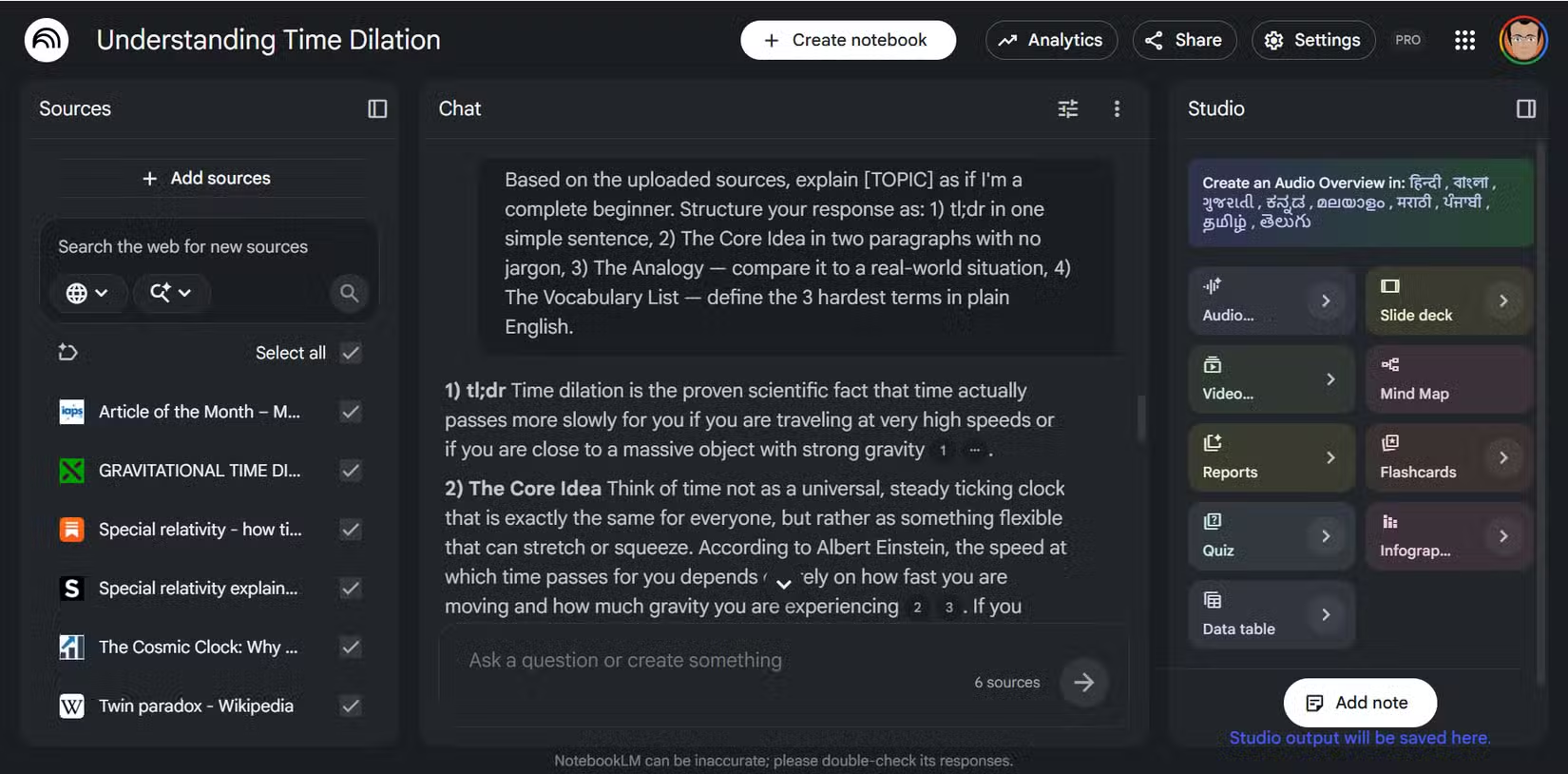
The prompt forces NotebookLM to define hard terms before using them. Generic "Explain Like I'm 5" prompts often skip this step. They produce responses that are either too basic to explain what you actually don't understand, or still assume prerequisite knowledge.
The Structured Beginner Prompt
Basu notes that the analogy comparing spacetime to a bouncing ball on a train finally gave him something concrete to hold onto. If you're starting from zero on a topic, don't skip this one.
2. The 80/20 Prompt
Dense documents bury their best ideas. This prompt applies the Pareto Principle: it asks NotebookLM to identify the 20% of content that delivers 80% of the understanding.
Instead of wading through every section hoping to find the key insight, this prompt forces a ranking. It makes NotebookLM decide what actually matters instead of treating all information as equally important.
This is useful when you're short on time or dealing with a 50-page PDF where the crucial ideas are scattered across pages 7, 23, and 41. The prompt cuts reading time roughly in half by frontloading the essential concepts.
3. The Step-by-Step Tutor
Some topics can't be compressed into a single explanation. They need to be built up piece by piece, with each concept depending on the one before it.
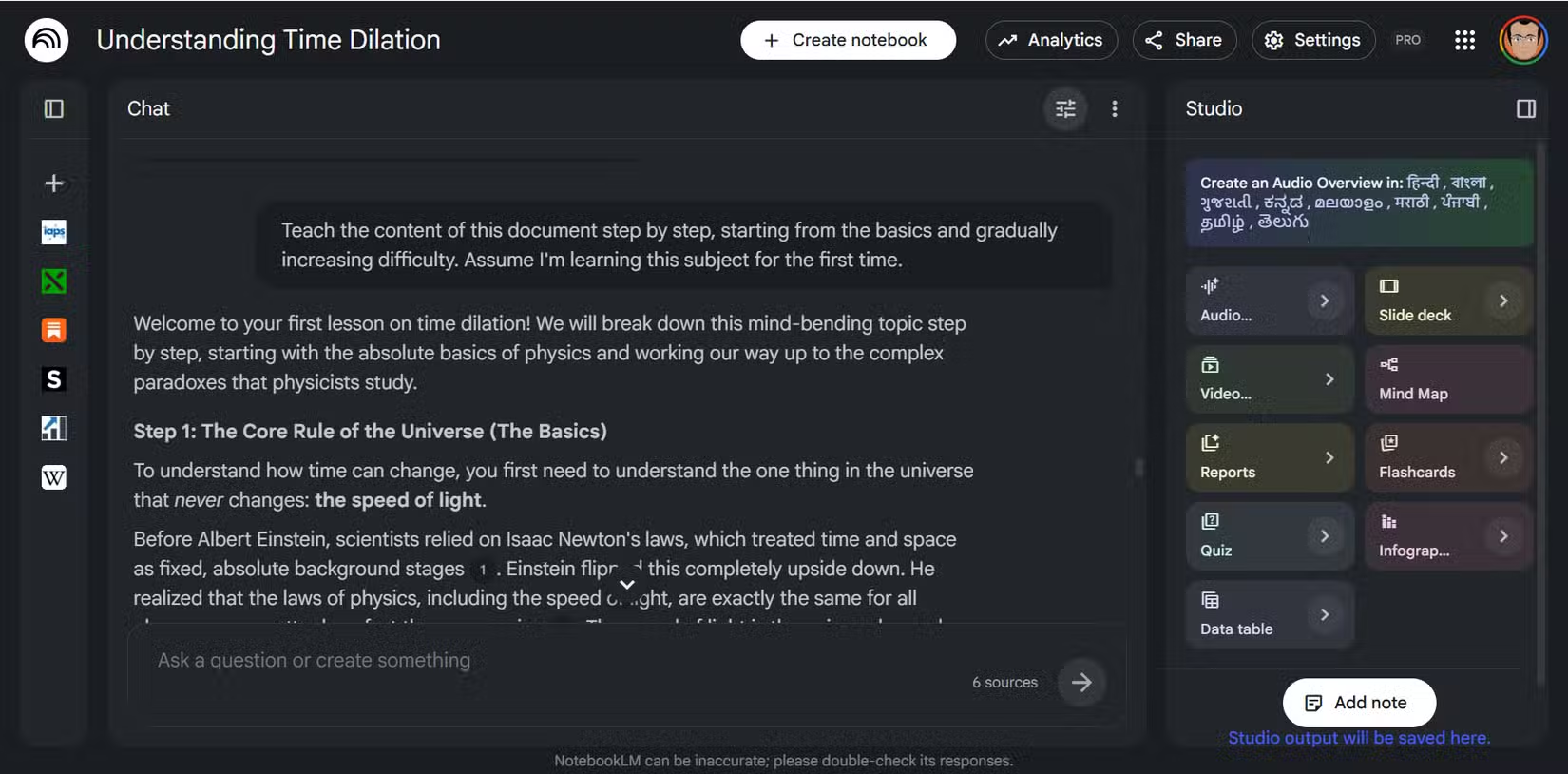
This prompt asks NotebookLM to act as a tutor. It explains one concept at a time, waits for confirmation that you understand, then moves to the next building block. If you're confused at step three, you can ask follow-up questions before moving to step four.
This works well for topics with prerequisite chains. Understanding general relativity requires understanding special relativity first. Understanding neural networks requires understanding linear algebra. The tutor prompt respects these dependencies.
4. The Mental Hooks Prompt
Learning something once and retaining it are different problems. This prompt asks NotebookLM to create memory hooks: mnemonics, visual associations, and connections to things you already know.
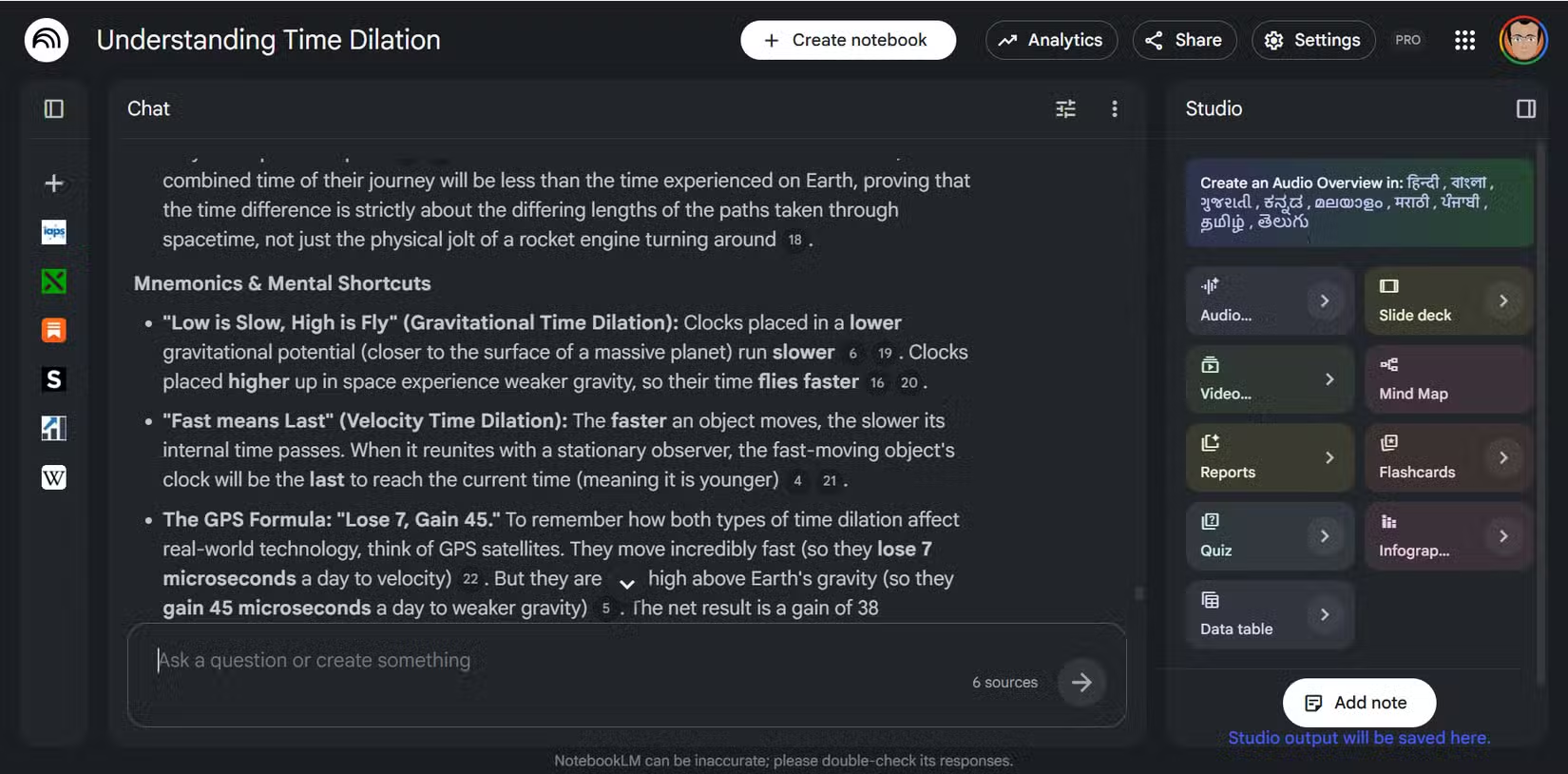
The goal isn't just comprehension in the moment. It's building mental scaffolding so the information sticks. NotebookLM generates analogies tied to familiar experiences, acronyms for processes with multiple steps, and visual metaphors you can recall later.
If you need to actually remember what you're learning, rather than just understand it temporarily, add this prompt after you've grasped the basics.
5. The Comprehension Test
Understanding something and thinking you understand it aren't the same. This prompt asks NotebookLM to quiz you on what you've just learned.
It generates questions that test actual comprehension, not just recall. Can you apply the concept to a new situation? Can you explain why something works, not just what it does? Can you identify where a flawed explanation goes wrong?
This closes the loop on learning. You read, you get explanations, you build mental hooks, and then you verify that the knowledge actually transferred.
Setting Up NotebookLM as a Learning Guide
Before running these prompts, configure NotebookLM's system instructions to act as a learning guide. This primes it to prioritize clarity over completeness and to check your understanding rather than just dump information.
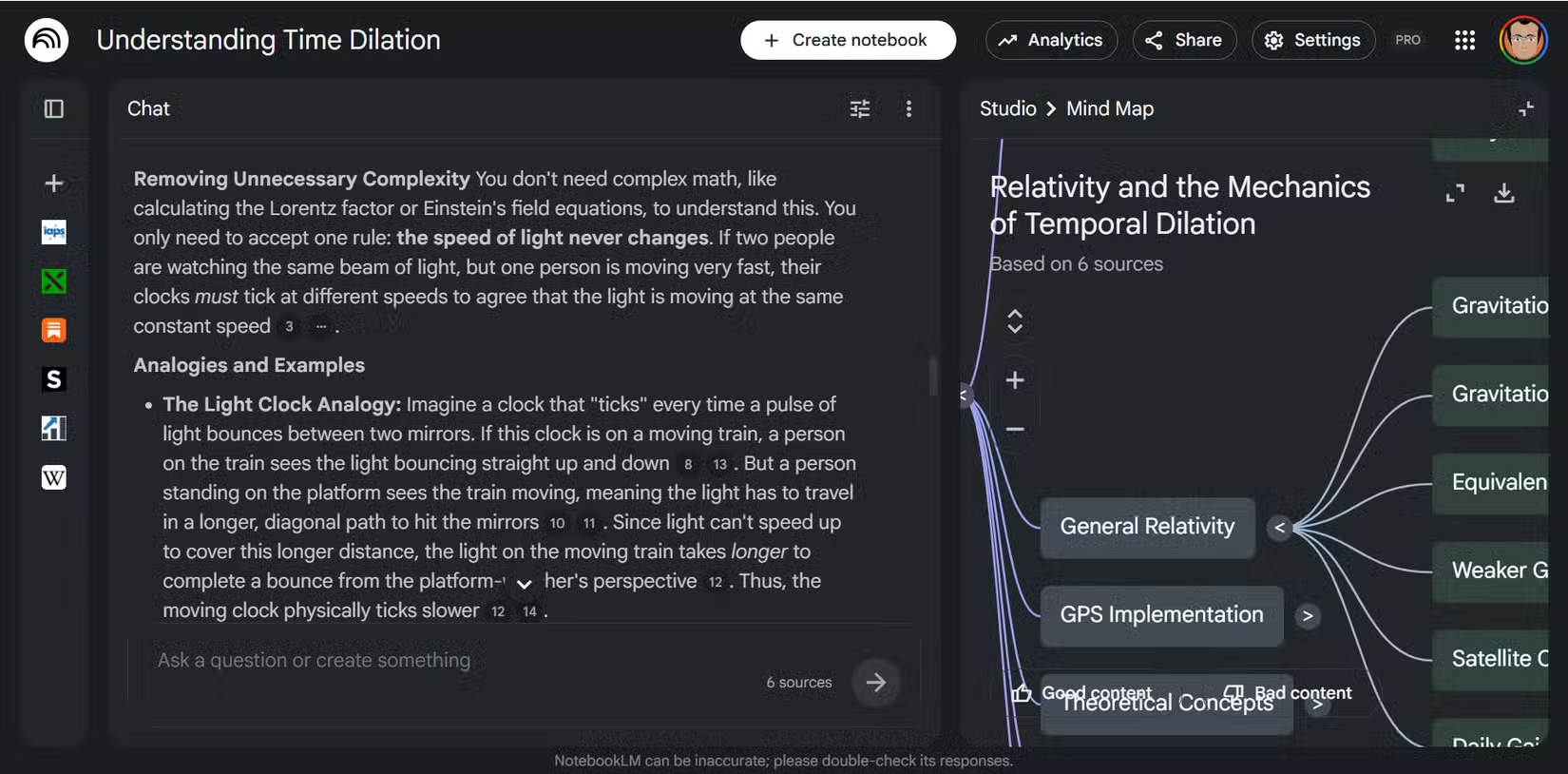
NotebookLM Studio's mind map tool can also help visualize how concepts connect. For topics with many interrelated ideas, seeing the structure visually complements the text-based explanations these prompts generate.
Another guide to cutting through complexity in software tools
Logicity's Take
Frequently Asked Questions
Does NotebookLM work better than ChatGPT for learning?
NotebookLM's advantage is source grounding. It generates responses based on documents you upload, reducing hallucination risk. ChatGPT draws from broader training data but can confidently explain things incorrectly. For learning from specific materials, NotebookLM is safer.
Can I use these prompts with other AI tools?
Yes. The prompt structures work with Claude, ChatGPT, Gemini, or any capable language model. The key is specifying the output format you want rather than asking open-ended questions.
How many sources should I upload to NotebookLM?
Quality over quantity. A handful of authoritative sources works better than dozens of redundant ones. NotebookLM can cross-reference multiple documents, but too many can dilute focus.
What topics work best with this approach?
Dense technical subjects with prerequisite knowledge: physics, finance, law, medicine, programming concepts. Topics where standard explanations assume you already know adjacent concepts benefit most from structured prompts.
Need Help Implementing This?
Source: MakeUseOf
Huma Shazia
Senior AI & Tech Writer
Produced with AI assistance and reviewed by the Logicity editorial team. Learn more in our Editorial Policy.






