Key Takeaways
- Model Council runs your query through Claude, GPT, and Gemini simultaneously to reduce AI hallucinations
- You can disable AI training on your data in Perplexity's privacy settings
- Scheduled tasks automate recurring research like morning briefs and trend reports
Most people use Perplexity AI the same way they used Google: type a question, get an answer, move on. That's fine, but it ignores most of what the service actually does. The paid tiers include features that turn a search tool into something closer to a research assistant.
Lifehacker recently published a collection of techniques for getting more out of Perplexity. Some require a paid subscription. Others work on the free tier. Here's what stood out.
Make Perplexity Your Default Search Engine
Perplexity's main advantage over Google Search is its focus on showing relevant sources with citations you can verify. If you find yourself switching to Perplexity frequently, making it your default search engine saves time.
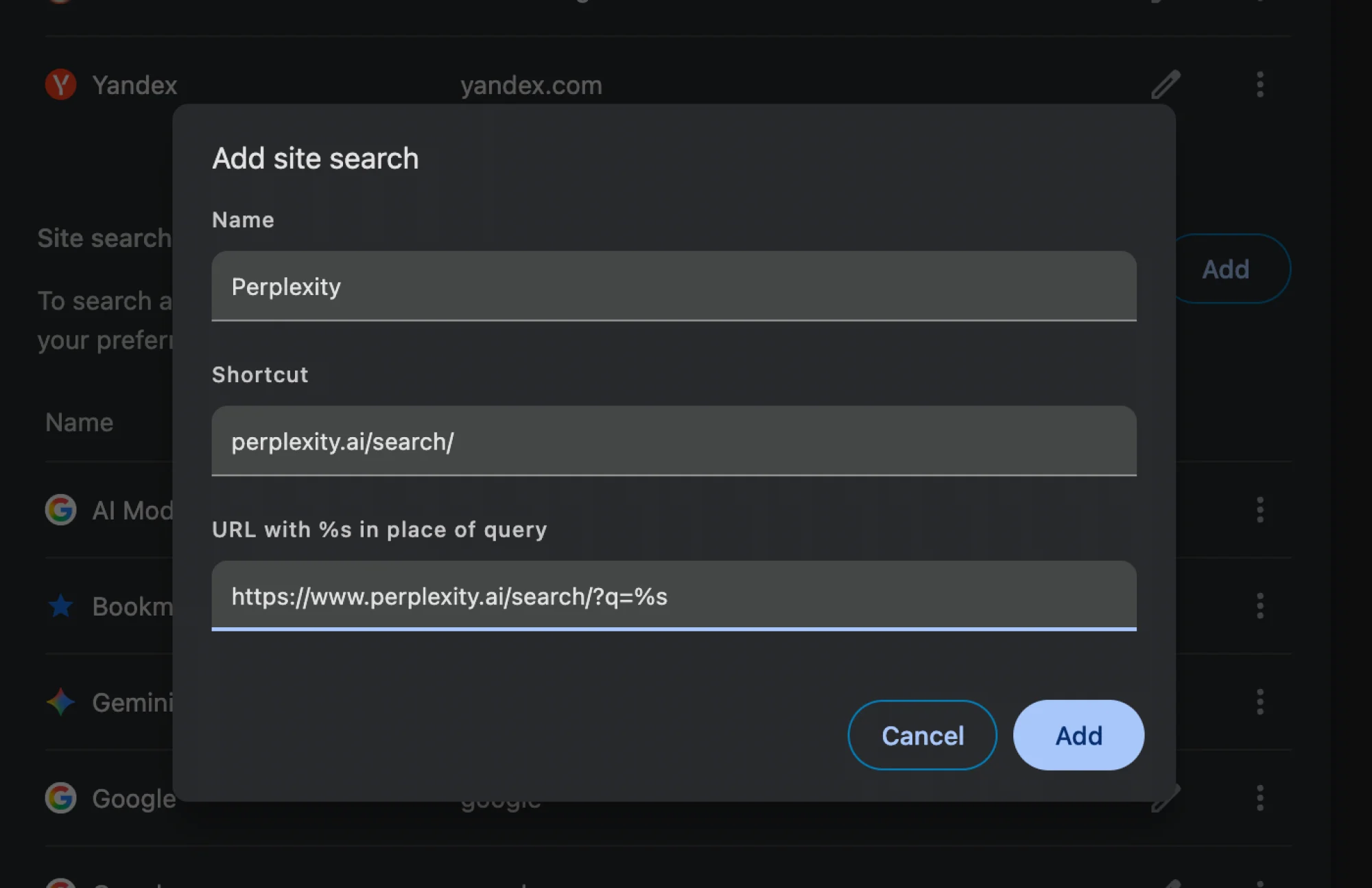
The catch: most browsers don't recognize Perplexity as a search engine automatically. You have to add it manually.
In Chrome or Chromium-based browsers, go to Settings > Search Engine > Manage search engine and site search. Under Site Search, click Add. Enter "Perplexity" as the search engine name, use "perplexity.ai/search/" as the shortcut, and add "https://www.perplexity.ai/search/?q=%s" as the URL with %s in place of the query. Find Perplexity in the list, click the three dots, and select Make Default.
Use Model Council to Cross-Check AI Answers
Perplexity lets you switch between different AI models like Claude, GPT, and Gemini. If you're paying for the service, you can go further with Model Council.
Model Council runs your query through Claude Opus, ChatGPT, and Gemini simultaneously. A synthesizer model then reviews all three outputs and resolves conflicts. The response shows where models agree and where they differ.
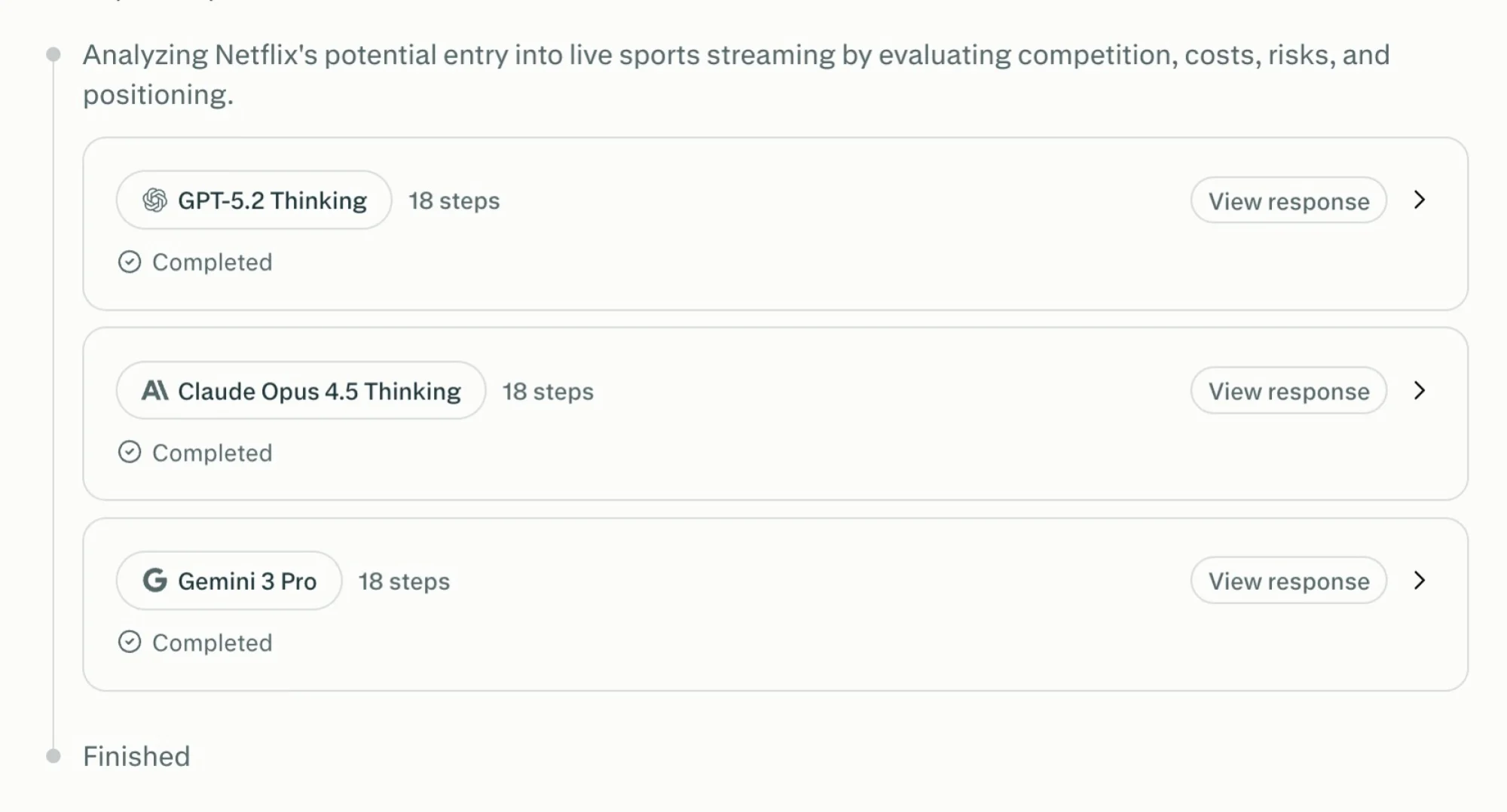
This isn't a cure for hallucinations. AI models still make things up and get facts wrong. But having three models check each other's work reduces the odds of an error slipping through. You're still relying on AI for fact-checking, so verify anything important independently.
Turn Off AI Training on Your Data
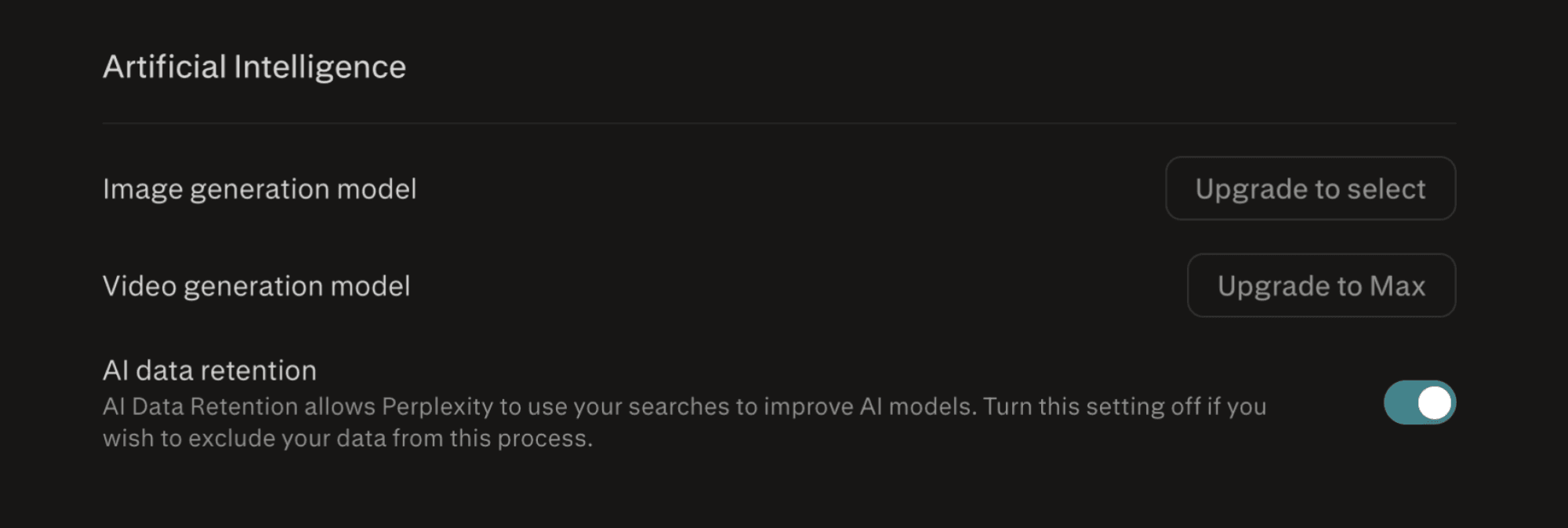
By default, Perplexity uses your chats and prompts to train its models. If you'd rather it didn't, you can disable this.
Go to Perplexity Settings > Preferences and turn off the AI data retention toggle. Your queries will still work normally. They just won't feed into future model training.
Schedule Recurring Research Tasks
Perplexity includes scheduled tasks that run automatically. You can set up morning briefs, trend reports, or any recurring research you'd otherwise do manually.
Instead of asking "What happened in AI news today?" every morning, schedule that query to run at 7 AM. Perplexity delivers the results without you lifting a finger. This works well for monitoring competitors, tracking industry news, or staying current on specific topics.
Upload Documents for Analysis
You can attach documents to Perplexity queries. Upload a PDF, contract, or report, then ask questions about it. Perplexity will answer using the attached document as context.
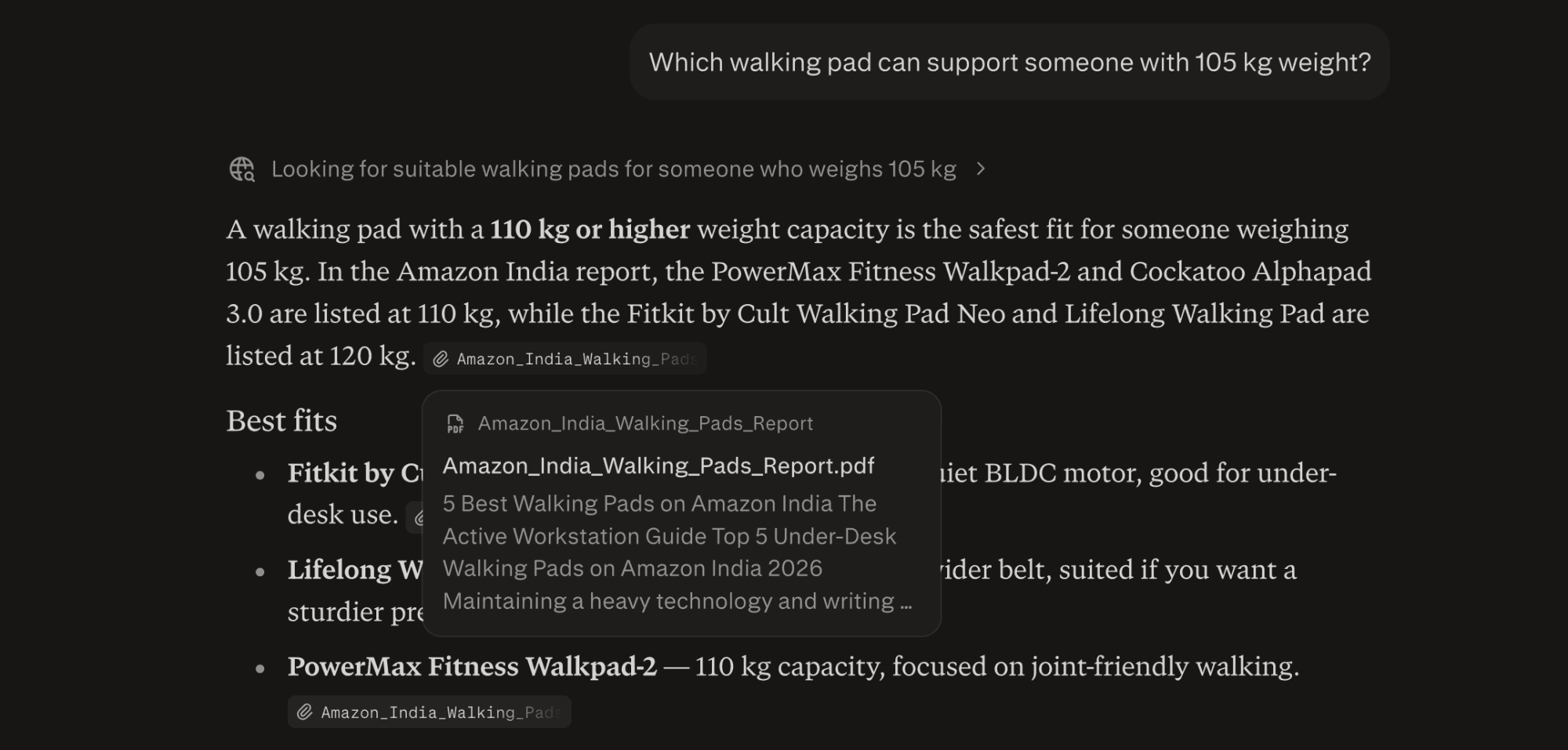
This is useful for long documents you don't have time to read fully. Ask for a summary, pull out specific clauses, or compare terms across multiple files. The AI reads so you don't have to.
Use Search Operators for Precision
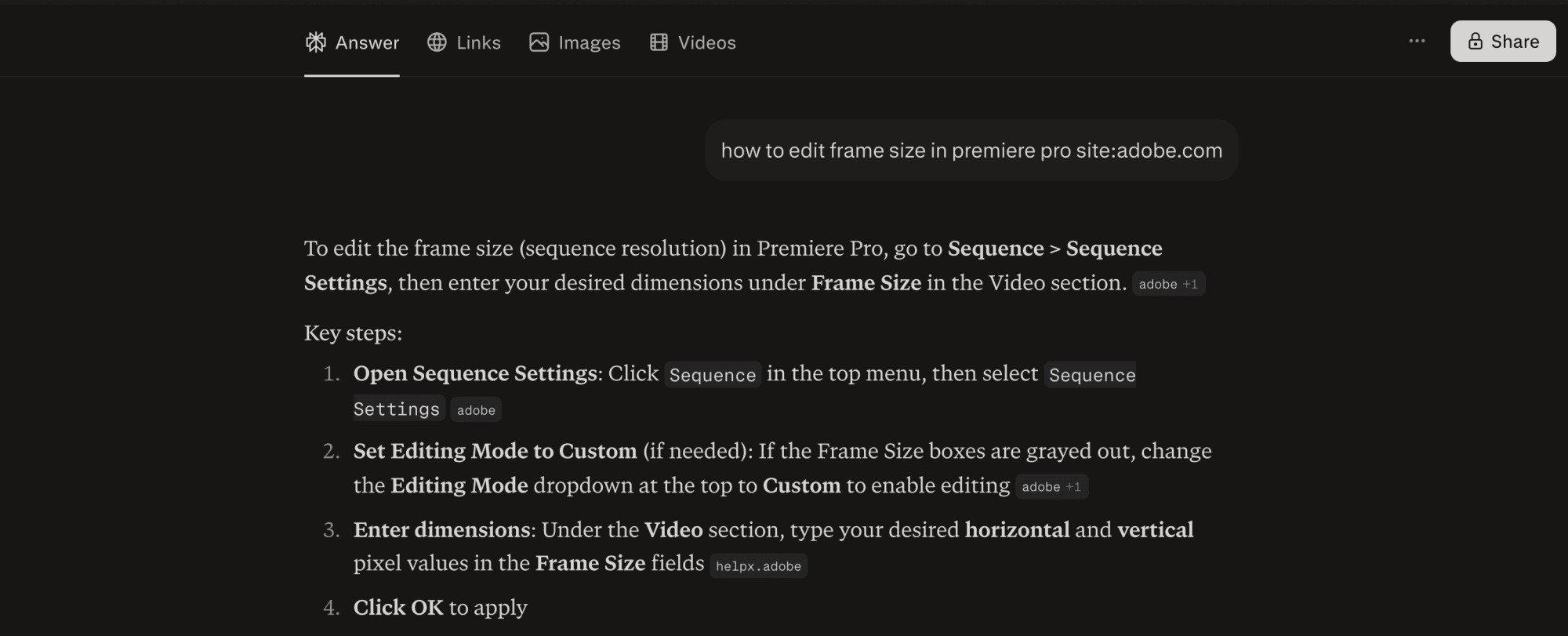
Perplexity supports search operators similar to Google's. You can filter results by site, exclude terms, or require exact phrase matches. This helps when you need specific information rather than a general answer.
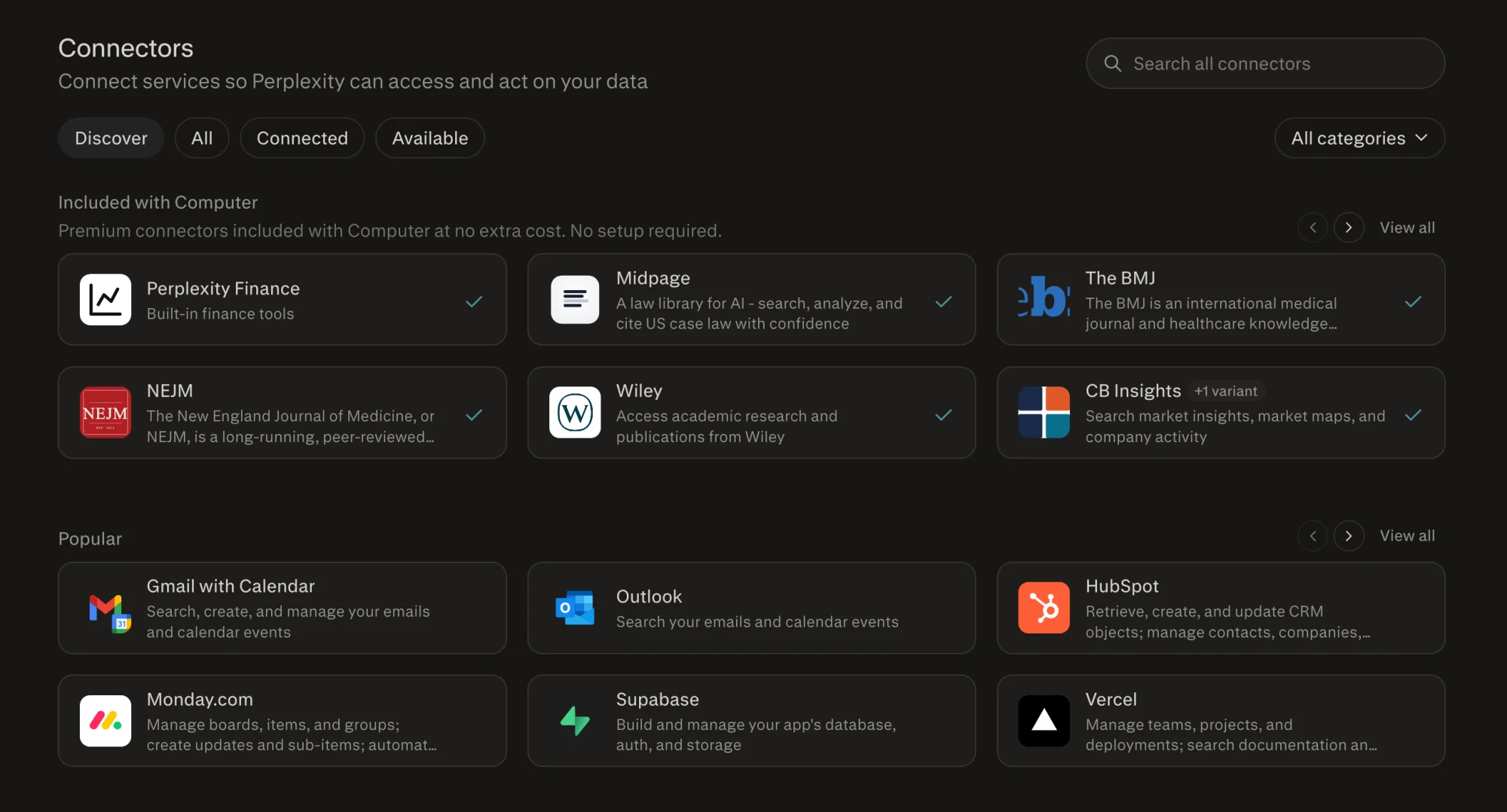
Connect External Data Sources
Perplexity's connectors let you link external data sources directly. Once connected, you can query information from those sources alongside Perplexity's web search results.
Try the Comet Browser for Multi-Tab Research
Comet is Perplexity's AI-powered browser. It adds multi-tab research capabilities that let you run parallel searches and compare results across tabs.
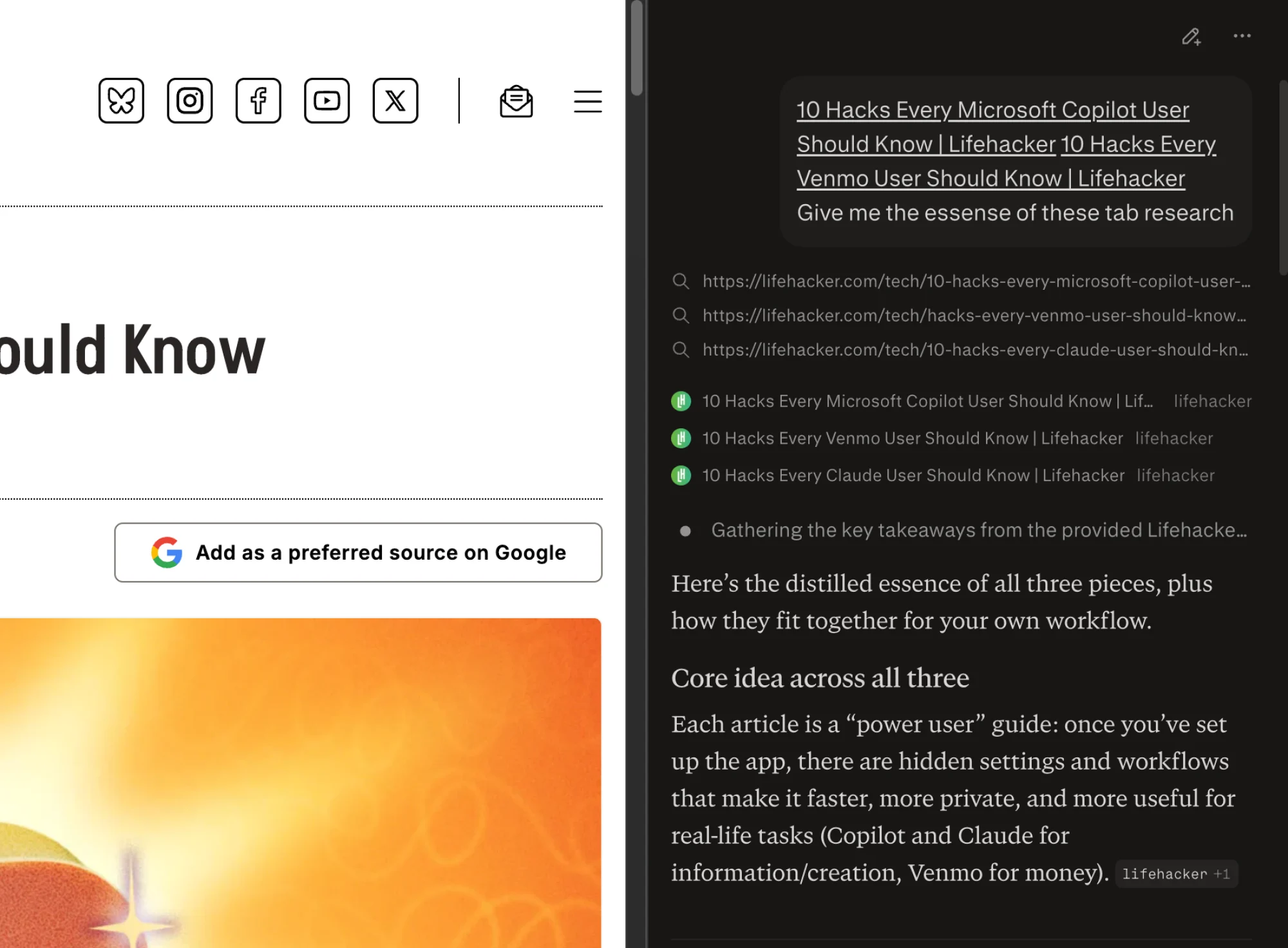
For research projects that require checking multiple sources against each other, this is faster than switching between regular browser tabs and Perplexity windows.
Let Perplexity Computer Handle Background Tasks
Perplexity Computer can process tasks in the background. You set up a research job, and it runs without requiring your active attention. Results appear when processing finishes.
This is useful for complex research that would take too long to run interactively. Start the job before a meeting, and check the results when you're free.
Run Financial Analysis
Perplexity includes financial analysis features for paid users. You can query company financials, compare stocks, or analyze market trends using the same conversational interface.
Logicity's Take
What Makes These Features Worth Using
Most of these techniques share a common theme: they move Perplexity from a reactive tool you query to a proactive system that works in the background. Scheduled tasks deliver information without you asking. Model Council catches errors before you see them. Document analysis saves reading time.
Whether the paid subscription is worth it depends on how much research you do. For occasional searches, the free tier is fine. For daily research work, the automation and multi-model features start paying for themselves.
More automation techniques for power users
Frequently Asked Questions
How much does Perplexity Pro cost?
Perplexity Pro costs $20 per month or $200 per year. It includes access to Model Council, scheduled tasks, and enhanced features not available on the free tier.
Does Model Council eliminate AI hallucinations?
No. Model Council reduces hallucinations by cross-checking answers across Claude, GPT, and Gemini, but AI models can still make mistakes. You should verify important information independently.
Can I use Perplexity without it training on my data?
Yes. Go to Settings > Preferences and disable the AI data retention toggle. Your queries will still work, but they won't be used for model training.
What is the Comet browser?
Comet is Perplexity's AI-powered browser that adds multi-tab research capabilities. It lets you run parallel searches and compare results across tabs within a single interface.
Is Perplexity better than Google Search?
Perplexity focuses on showing sources with citations, which makes fact-checking easier. Whether it's better depends on what you're searching for. For research requiring verification, Perplexity has advantages. For quick lookups and local results, Google is often faster.
Need Help Implementing This?
Source: Lifehacker
Huma Shazia
Senior AI & Tech Writer
Produced with AI assistance and reviewed by the Logicity editorial team. Learn more in our Editorial Policy.