Key Takeaways
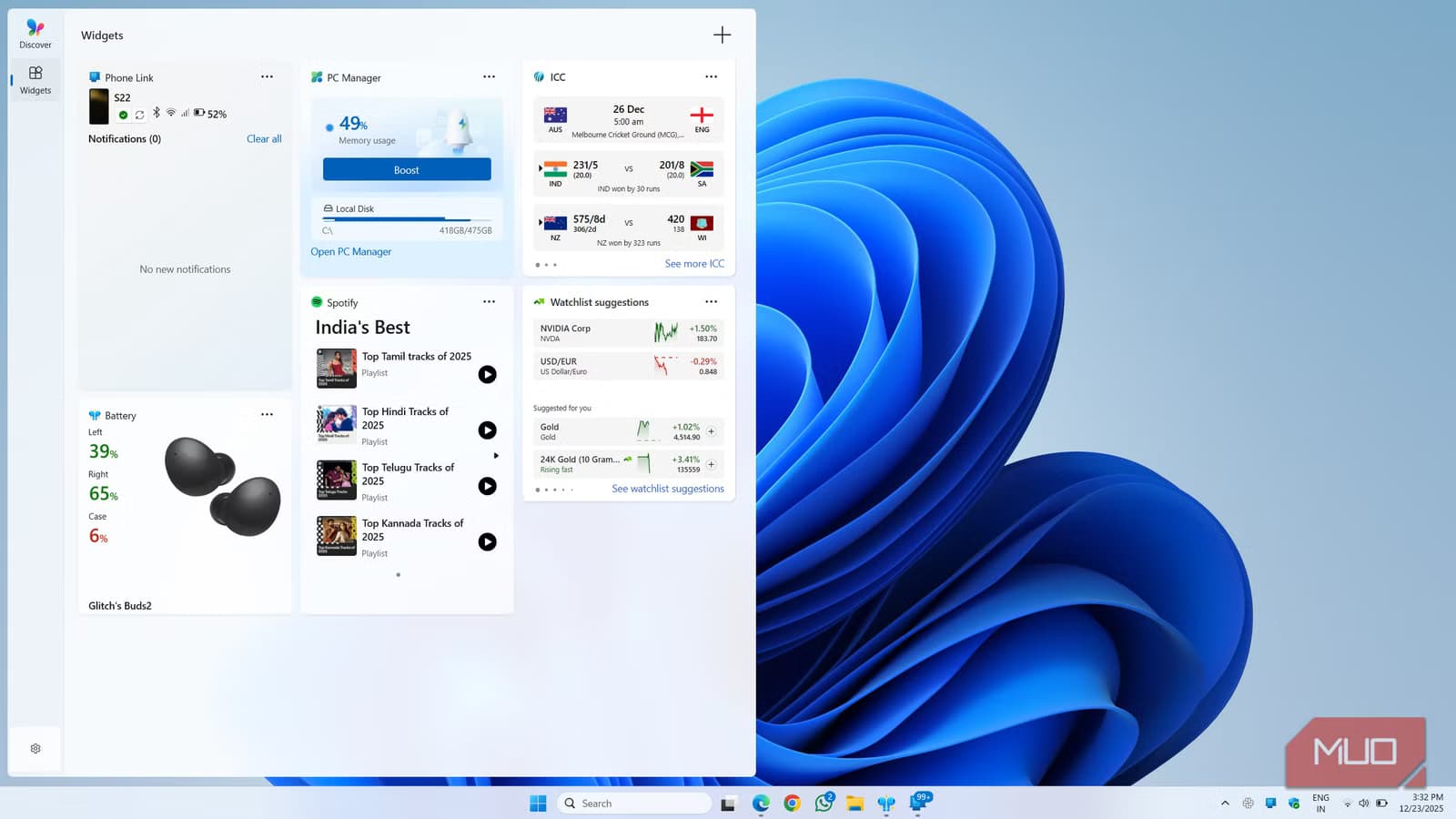
- A new 'quieter widgets experience' lets users control or disable pop-ups entirely
- Five quality-of-life features include a PC rollback tool and smarter update pausing
- Optional download available now in Windows Update; wider Patch Tuesday release in July 2026
Microsoft is rolling out a Windows 11 update that addresses one of the operating system's most persistent annoyances: widgets that pop up when you don't want them. The optional update, available now through Windows Update, introduces a "quieter widgets experience" alongside four other quality-of-life fixes. A broader rollout arrives with July 2026's Patch Tuesday.
Widgets have been a sore point since Windows 11 launched in October 2021. The feature shows news, weather, calendar events, and sports scores in a side panel. Good concept. Poor execution. Users complained that the panel opened unexpectedly when they hovered near the taskbar icon or accidentally hit Windows+W. The news feeds often surfaced irrelevant clickbait. Background processes consumed resources for little payoff.
This update finally gives users granular control. You can now pause widget pop-ups, adjust what content appears, or disable the feature entirely. Microsoft appears to have listened to years of feedback.
What else ships in the Windows 11 update?
Beyond the widgets fix, Microsoft packed four additional features into this release. None of them are headline-grabbing, but each solves a specific irritation.
- PC rollback tool: If an update breaks something, this tool simplifies reverting to a previous Windows state. No reinstalls, no time machine required.
- Smarter update pausing: Greater control over when Windows 11 installs updates. Useful for anyone who's been interrupted mid-presentation by a forced restart.
- Blue-light filter overlay: A system-wide filter to reduce eye strain during late-night sessions. Works across apps without third-party software.
- Bluetooth reliability fixes: Improved connection stability for headphones, mice, keyboards, and other Bluetooth accessories.
The rollback tool is the sleeper hit here. Microsoft has struggled with update-related bugs in past releases. Giving users an easy escape hatch reduces the risk of adopting new updates early.
How to get the update now
The update is available as an optional download in Windows Update. Open Settings, navigate to Windows Update, and check for optional updates. Most users running current Windows 11 builds will see it, though some features may require specific hardware or administrator approval in managed environments.
If you prefer stability over early access, wait for July's Patch Tuesday. Microsoft will push the update more broadly then, after gathering telemetry from early adopters.
Another Windows 11 privacy and control feature worth configuring
Will this save Windows 11 widgets?
Widgets remain a good idea executed poorly. The concept of at-a-glance information without opening apps or browser tabs makes sense. The problem was never the feature itself. It was the aggressive defaults, irrelevant content, and accidental triggers that made users disable it immediately.
A quieter experience addresses the symptoms. Whether Microsoft can make widgets genuinely useful depends on what content surfaces. If the news feed keeps pushing low-quality clickbait, users will still ignore the panel. The update buys Microsoft time, but the feature needs better content curation to earn long-term adoption.
Logicity's Take
Microsoft's pattern of shipping aggressive defaults and dialing them back later frustrates users who become beta testers for product decisions. This widgets fix arrives nearly five years after Windows 11's launch. The lesson: companies should ship features as opt-in when they're experimental, not force adoption and retreat when backlash builds. The rollback tool signals Microsoft knows its updates sometimes cause problems. That's pragmatic, but it also admits the QA process isn't catching everything.
Frequently Asked Questions
When is the Windows 11 widgets update available?
The optional update is available now through Windows Update. A wider release comes with July 2026's Patch Tuesday.
Can I completely disable Windows 11 widgets?
Yes. The update lets you turn off widgets entirely through the widgets panel settings.
What is the PC rollback tool in the new update?
It's a feature that simplifies reverting Windows to a previous state if an update causes problems. No reinstallation required.
Does the update require specific hardware?
Most features work on current Windows 11 builds. Some may require specific hardware or administrator approval in enterprise environments.
Need Help Implementing This?
If your organization manages Windows 11 deployments and needs guidance on testing optional updates before wider rollout, reach out to our team for enterprise IT coverage and best practices.
Source: MakeUseOf
Huma Shazia
Senior AI & Tech Writer
Produced with AI assistance and reviewed by the Logicity editorial team. Learn more in our Editorial Policy.






