Key Takeaways
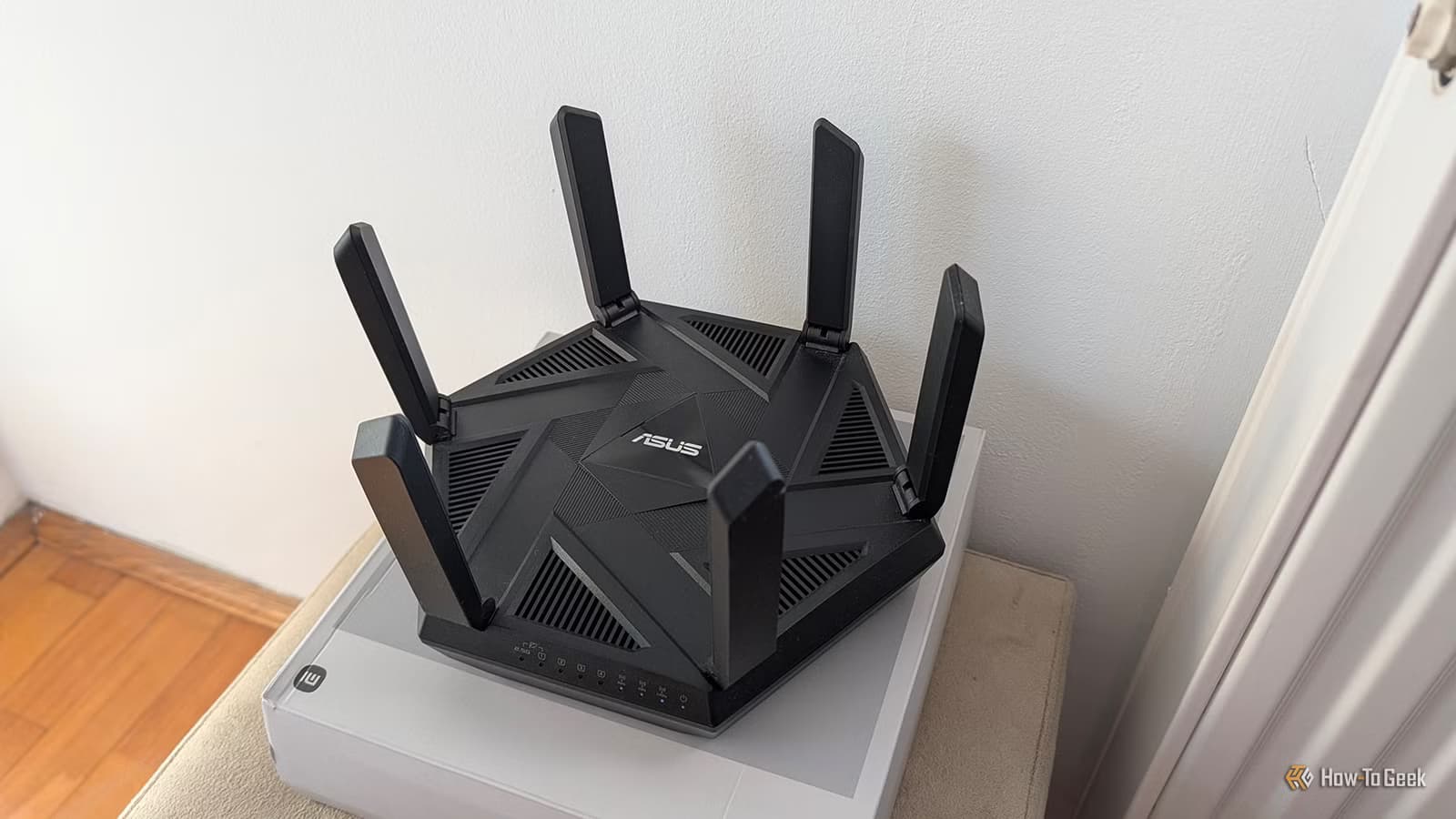
- The first Wi-Fi 8 router requires active cooling and resembles a small spacecraft, not networking gear
- Wi-Fi 8 focuses on reliability over speed, but the standard won't be finalized until 2028
- No consumer devices currently support Wi-Fi 8, making these routers expensive paperweights
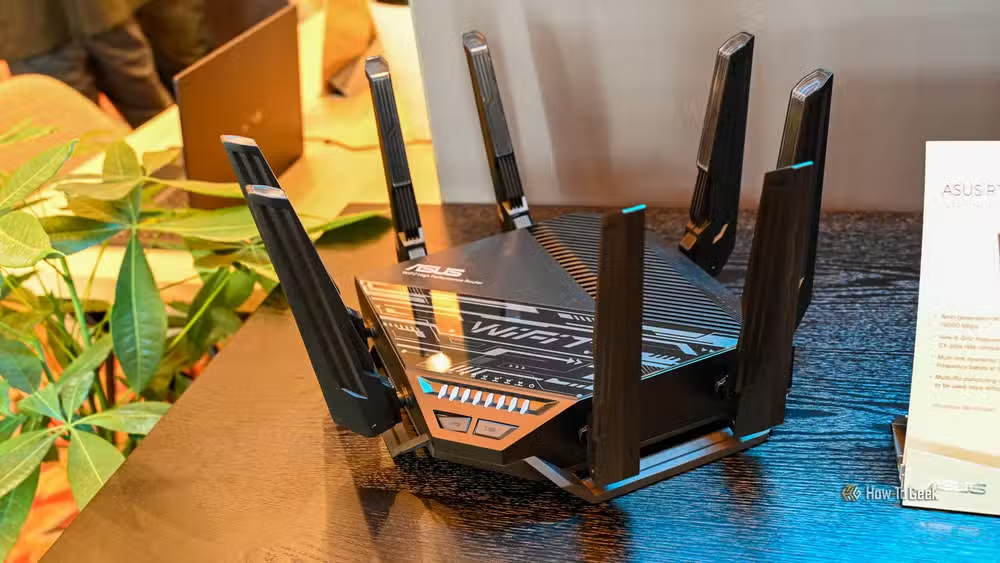
ASUS just shipped the ROG Rapture GT-BN98 Pro, the world's first Wi-Fi 8 gaming router. It looks like a spacecraft that crash-landed on your desk. It needs active cooling to survive its own processing demands. And here's the punchline: you cannot actually use Wi-Fi 8 yet because zero consumer devices support the standard.
The 802.11bn specification that defines Wi-Fi 8 won't be finalized until 2028. Buying this router today means paying a premium to beta-test a standard that doesn't exist in any meaningful sense.
Why are Wi-Fi 8 routers so physically large?
Routers stopped being unassuming boxes years ago. The GT-BN98 Pro is rated for a theoretical 30Gbps across a quad-band design. Pushing that much data requires serious silicon, and serious silicon generates heat.
ASUS equipped the router with an aluminum heat plate featuring a nanocarbon coating. When your networking equipment needs a dedicated thermal management system, you've left "home gadget" territory and entered "this is a computer" territory.
The port selection matches the excess: dual 10G ports and up to 20Gbps of link aggregation. Most households will never touch a fraction of that bandwidth. All this hardware needs a chassis to live in, hence the vented, aggressively styled enclosure that dominates your entertainment center.
What does Wi-Fi 8 actually do differently?
Every previous Wi-Fi generation chased bigger speed numbers. Wi-Fi 8 breaks the pattern. The headline feature is Ultra-High Reliability, not velocity. The goal is rock-solid, near-lossless connections in crowded, interference-heavy environments.
Wi-Fi 8 uses the same 2.4, 5, and 6GHz spectrum as Wi-Fi 7. It supports the same 320MHz channels. The theoretical peak speed ceiling stays at 46 Gbps for both standards. What changes is the behind-the-scenes coordination.
New techniques like Coordinated Spatial Reuse let access points and devices transmit simultaneously without interference. Dynamic Sub-Channel Operation can boost throughput by up to 80 percent under ideal conditions. ASUS claims up to 2X higher mid-range throughput and 6X lower P99 latency compared to Wi-Fi 7.
All that real-time coordination demands constant processing. Smarter beats faster, but smarter also means hotter. The massive chassis starts to make engineering sense even if it doesn't make aesthetic sense.
Why can't you use Wi-Fi 8 right now?
The GT-BN98 Pro ships before any client device can speak its language. No laptop, phone, tablet, or gaming console on the market supports 802.11bn. The router will fall back to Wi-Fi 7 for every single device in your home.
You're buying the fastest fallback to Wi-Fi 7 that money can buy. The premium price gets you future-proofing, but that future is three to four years away. The 802.11bn standard reaches finalization in 2028. Client hardware supporting it arrives sometime after that.
Reddit's networking communities have not been kind. Posts on r/networking and r/homenetworking refer to these routers as "e-waste" and "vanity projects." The consensus: buy a solid Wi-Fi 6E or Wi-Fi 7 mesh system that actually benefits from existing device support.
Should anyone buy a Wi-Fi 8 router today?
The honest answer is no. The GT-BN98 Pro makes sense as a technology preview, not a purchase recommendation. Early adopters fund the R&D for standards that benefit everyone later. That's a valid use of money if you understand the tradeoff.
For everyone else, Wi-Fi 7 routers already exceed what most home networks require. A well-configured Wi-Fi 7 mesh system covers more area, handles more devices, and costs less than a single oversized Wi-Fi 8 router that can't use its marquee feature.
The size and thermal requirements of these early routers also raise questions about long-term reliability. Active cooling means moving parts. Moving parts mean potential failure points. Running a router at peak thermal load for years is not how most people want to treat their home infrastructure.
Logicity's Take
The Wi-Fi 8 launch follows a familiar pattern in networking: hardware outpaces adoption by years. The strategic play for most buyers is to wait until 2027 at minimum, when client devices start shipping and router prices drop. Early Wi-Fi 8 hardware is a technology demonstration, not a networking upgrade. The reliability focus of 802.11bn matters more for enterprise deployments in dense environments than for home users streaming 4K video.
Another look at overkill hardware versus practical computing needs
Frequently Asked Questions
When will Wi-Fi 8 be officially released?
The IEEE 802.11bn standard defining Wi-Fi 8 is expected to be finalized in 2028. Consumer devices supporting the standard will arrive sometime after that date.
Is Wi-Fi 8 faster than Wi-Fi 7?
No. Both standards share a theoretical peak speed of 46 Gbps. Wi-Fi 8 focuses on reliability and lower latency in congested environments rather than raw speed increases.
Why do Wi-Fi 8 routers need active cooling?
Wi-Fi 8's coordination features require constant processing to manage multiple access points and devices simultaneously. This computational load generates significant heat that passive cooling cannot handle.
Should I buy a Wi-Fi 8 router in 2026?
For most users, no. No consumer devices currently support Wi-Fi 8, so the router will operate as a Wi-Fi 7 device. Wi-Fi 7 routers offer better value until client hardware catches up.
What is Ultra-High Reliability in Wi-Fi 8?
UHR is Wi-Fi 8's primary feature, designed to maintain stable, low-latency connections in crowded or interference-heavy environments through advanced coordination between access points and devices.
Need Help Implementing This?
Planning a network infrastructure upgrade for your office or home? Contact our team for vendor-neutral advice on Wi-Fi standards, mesh configurations, and enterprise networking solutions that match your actual requirements.
Source: How-To Geek
Huma Shazia
Senior AI & Tech Writer
Produced with AI assistance and reviewed by the Logicity editorial team. Learn more in our Editorial Policy.






