Key Takeaways
- Samsung's Good Lock suite offers gesture and interface customization that Pixel's stock Android cannot replicate
- Automation via Samsung Routines handles dozens of daily tasks that require third-party apps on Pixel
- The switching cost isn't about specs. It's about years of muscle memory and workflow optimization
The Honeymoon Period Ends Around Week Two
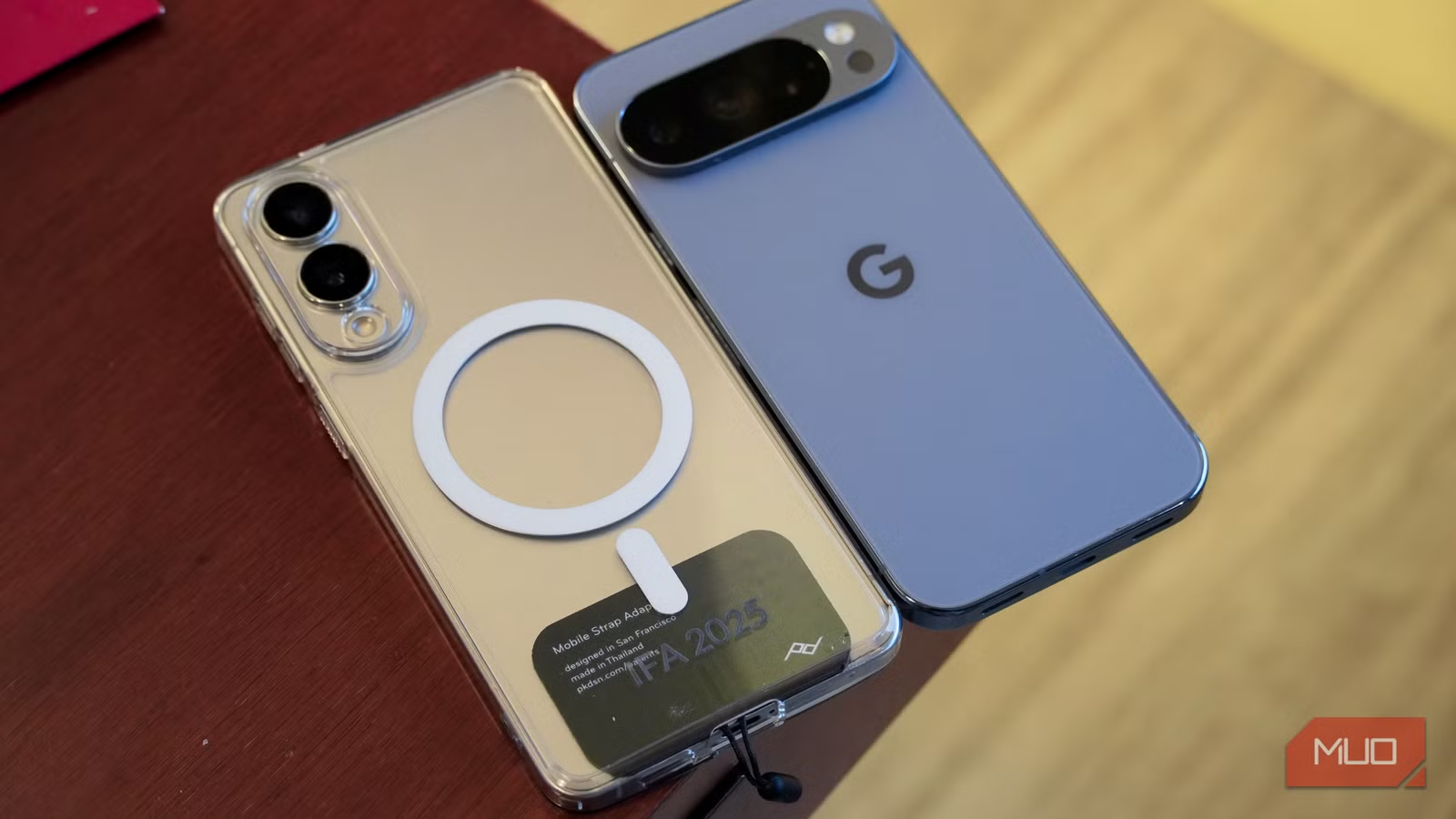
The Pixel 10 Pro makes a strong first impression. No bloatware. No overlapping apps fighting for your attention. Just a clean Android experience with Gemini baked deeper into the OS than ever before. For the first week, everything works exactly as you'd expect from Google's vision of what Android should be.
But somewhere around week two, the gaps start appearing. Workflows that run automatically on Samsung require manual effort on Pixel. Interface tweaks you've internalized over years simply don't exist. By the end of a full month with the Pixel 10 Pro as a daily driver, the comparison stops being about cameras or chipsets. It becomes about something harder to quantify: how your phone fits the way you actually work.
Good Lock: The Customization Suite Pixel Can't Match
On a Samsung phone, you don't just use the interface. You reshape it. Good Lock is Samsung's modular customization suite, and its capabilities go far beyond changing wallpapers or icon packs.
Take One Hand Operation+, one of Good Lock's modules. It adds gesture handles to the left and right edges of your screen. You can assign different actions to short swipes, long swipes, and diagonal swipes on each side. A quick swipe on the left handle becomes your back key. A diagonal swipe up opens the Edge Panel. A long diagonal swipe down on the right side starts the screen recorder. The entire phone maps to how your thumb naturally moves.
Keys Café does something similar for the keyboard. You can assign custom gestures to two-finger and three-finger swipes. Copy, undo, and launch writing tools without hunting through menus. These aren't novelty features. They become part of how you type every day.
On Pixel, the keyboard is functional. It's also fixed. You get what Google gives you. Pixel's simplicity is intentional, and it works for many users. But when you've spent years building a layout that fits your actual usage patterns, going back to a fixed interface feels like a downgrade.
Samsung Routines: Automation You Don't Think About
Samsung Routines was the feature taken most for granted. During working hours, the phone goes silent on its own. When the charger plugs in, it announces that it's charging. If the battery hits 80% or drops below 25%, a voice notification alerts you.
None of these require opening an app or remembering to toggle a setting. They just happen. The automation runs in the background, handling dozens of small decisions that would otherwise interrupt your day.
Pixel offers some automation through Google Assistant routines, but the depth isn't comparable. Matching Samsung's feature parity often requires third-party apps, each with their own permissions, subscriptions, and learning curves.
“The Pixel experience is about removing friction, while the Samsung experience is about giving the user absolute control. Neither is objectively better; they cater to fundamentally different definitions of 'productivity'.”
— Senior Editor at a major hardware publication
The Muscle Memory Problem
Reddit threads on r/Android highlight what long-term Samsung users describe as feeling "crippled" when switching. The lack of native windowed multitasking and the edge panel disrupts workflows that have become second nature.
This isn't about whether Pixel is a good phone. It clearly is. The camera work remains ahead of most competition, and Google's AI integration with Gemini points toward a compelling future. But switching costs aren't measured in dollars. They're measured in years of muscle memory and workflow optimization that disappear the moment you activate a different device.
Two Philosophies of Android
Google builds Pixel around removing friction. The software is clean and opinionated. You adapt to Google's workflow rather than the other way around.
Samsung builds One UI around giving users absolute control. The software ships with more tools than most people will ever use. Critics call it bloatware. Power users call it a complete toolkit that works out of the box.
Both approaches have merit. Neither is objectively superior. But they cater to fundamentally different definitions of what a smartphone should do for you.
✅ Pros
- • Pixel offers a clean, bloatware-free Android experience
- • Google's camera processing and Gemini AI integration lead the industry
- • Seven years of guaranteed OS and security updates match Samsung's commitment
❌ Cons
- • No equivalent to Good Lock's gesture and interface customization
- • Samsung Routines automation requires third-party apps to replicate
- • Pixel's 30W charging trails Samsung's 45W fast charging
What the Spec Sheet Never Captures
Samsung holds about 28% of the global smartphone market as of early 2026, maintaining its position as the world's leading Android manufacturer. That scale means millions of users have built years of habits around One UI's specific features.
Both Samsung and Google now offer seven years of OS and security updates, eliminating that as a differentiator. The hardware gap continues narrowing each generation. What remains different is philosophy, and philosophy determines daily experience far more than any benchmark score.
After a month with the Pixel 10 Pro, the conclusion isn't that Samsung is better or that Pixel is worse. It's that switching between them costs more than money. You're trading one set of deeply ingrained habits for another. For users who've spent years optimizing their Samsung setup, that trade rarely feels worth it.
Logicity's Take
Another look at how customization transforms a device's daily utility
Frequently Asked Questions
Can you get Samsung's Good Lock features on a Pixel phone?
Not natively. Good Lock is exclusive to Samsung devices. Some third-party apps offer similar gesture customization, but they lack the deep system integration that Good Lock provides.
How long will the Pixel 10 Pro receive software updates?
Google now provides seven years of OS and security updates for its Pixel devices, matching Samsung's commitment for flagship Galaxy phones.
Is stock Android better than Samsung One UI?
Neither is objectively better. Stock Android prioritizes simplicity and speed. One UI prioritizes customization and features. The right choice depends on whether you prefer to adapt to your phone or have your phone adapt to you.
What is Samsung Routines and does Pixel have something similar?
Samsung Routines automates phone behavior based on triggers like time, location, or charging status. Pixel offers Google Assistant routines, but they're less comprehensive and often require third-party apps to match Samsung's automation depth.
Need Help Implementing This?
Source: MakeUseOf
Manaal Khan
Tech & Innovation Writer
Produced with AI assistance and reviewed by the Logicity editorial team. Learn more in our Editorial Policy.