
Key Takeaways

- Stirling-PDF started silently overwriting original files during merge operations
- Split operations completed without errors but dropped pages
- Local tools trade convenience for predictability. Silent failures break that contract
The honeymoon period
For years, my PDF workflow was a mess. I cycled through bloated commercial tools, uninstalling each within a week. I stitched together command line utilities. It worked, but it took patience I didn't always have.
Then I found Stirling-PDF. It was simple. It ran locally. It wasn't pretending to be a document management system. It was just a tool that merged, split, and converted PDFs without drama. The kind of software you install and forget about. That's the highest compliment for utility software.
For a while, it worked exactly like that. Then it started to drift.
When reliability stops being invisible
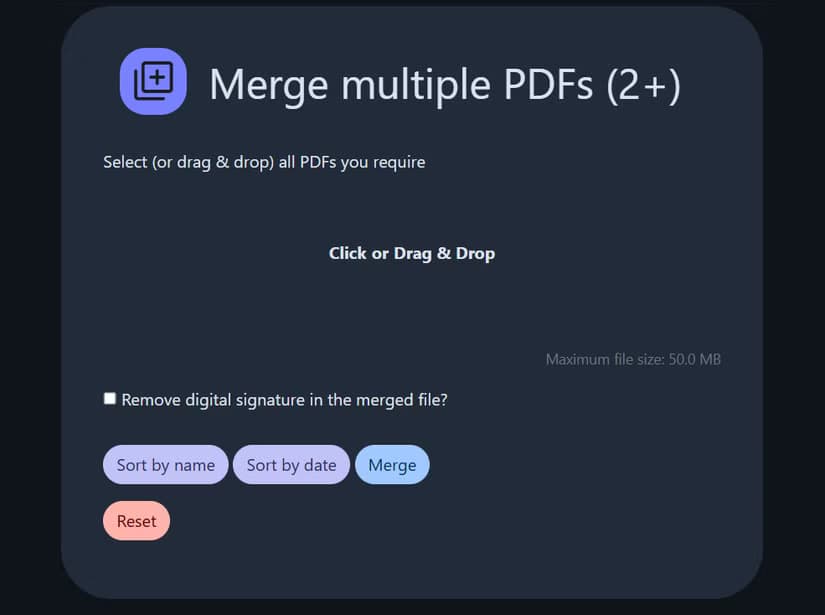
The first issue was subtle enough that I assumed it was my fault. I merged a few PDFs, checked the output, and something felt off. One of the original files had been overwritten. No warning. No prompt. No indication that anything unusual had happened.
I could have explained that away. Maybe I misclicked. Maybe there was a naming collision I didn't notice. Then it happened again.
Splitting started behaving strangely too. I would take a document, split it into two parts, and only one would actually be saved. The process completed without errors. That's arguably worse than failing loudly.
Silent failure creates a kind of ambiguity that makes you distrust not just the tool, but your own workflow. Once that happens, the entire value proposition collapses.
The quiet contract of local tools
There's an implicit contract when you use a local, self-hosted tool. You give up convenience, polish, and sometimes performance. In exchange, you get control and predictability.
Stirling-PDF originally honored that contract. It didn't feel like a black box. It felt like a thin layer over reliable operations. You could trust it.
The recent behavior breaks that assumption. The tool isn't crashing or refusing to work. It's that it sometimes does the wrong thing without telling you. That keeps you on edge because you don't know what to expect.
Not just me
When something feels off but not obviously broken, you look around to see if others notice the same pattern. The answer was yes.
People reported high CPU usage even when the tool sat idle. Others mentioned unusually large container sizes. The issues weren't catastrophic, but they accumulated. Small problems that erode confidence.
This is the danger zone for utility software. Major bugs get fixed fast. Minor annoyances get logged and forgotten. But a pattern of small, unpredictable failures? That changes how you use the tool. You start double-checking every output. You keep backups of your backups. You lose the trust that made the tool useful in the first place.
What this means for your workflow
If you're running Stirling-PDF in production, pay attention. These aren't theoretical concerns. Files were overwritten. Pages were dropped. Operations completed successfully when they hadn't.
- Check outputs after every operation, not just spot checks
- Keep original files in a separate directory until you verify results
- Consider whether the time saved is worth the verification overhead
- Watch the project's issue tracker for patterns
The broader lesson applies to any self-hosted tool. Predictability matters more than features. A tool that does three things reliably beats a tool that does thirty things unpredictably.
Logicity's Take
Frequently Asked Questions
Is Stirling-PDF still safe to use?
It works for many users, but reports of silent failures during merge and split operations mean you should verify outputs carefully. Keep backups of original files until you confirm results.
What causes Stirling-PDF to overwrite original files?
The exact cause isn't clear from user reports. It appears to happen during merge operations without warning or prompt, possibly related to naming collisions or output path handling.
What are alternatives to Stirling-PDF?
Other open source options include PDF Arranger for basic operations, pdftk for command line work, and OCRmyPDF for text recognition. Each has different strengths depending on your workflow.
Why do local PDF tools matter for business?
Cloud PDF tools send your documents to third-party servers. For contracts, financial documents, or confidential information, local processing keeps data under your control.
Need Help Implementing This?
Source: How-To Geek
Huma Shazia
Senior AI & Tech Writer
Produced with AI assistance and reviewed by the Logicity editorial team. Learn more in our Editorial Policy.






