Key Takeaways
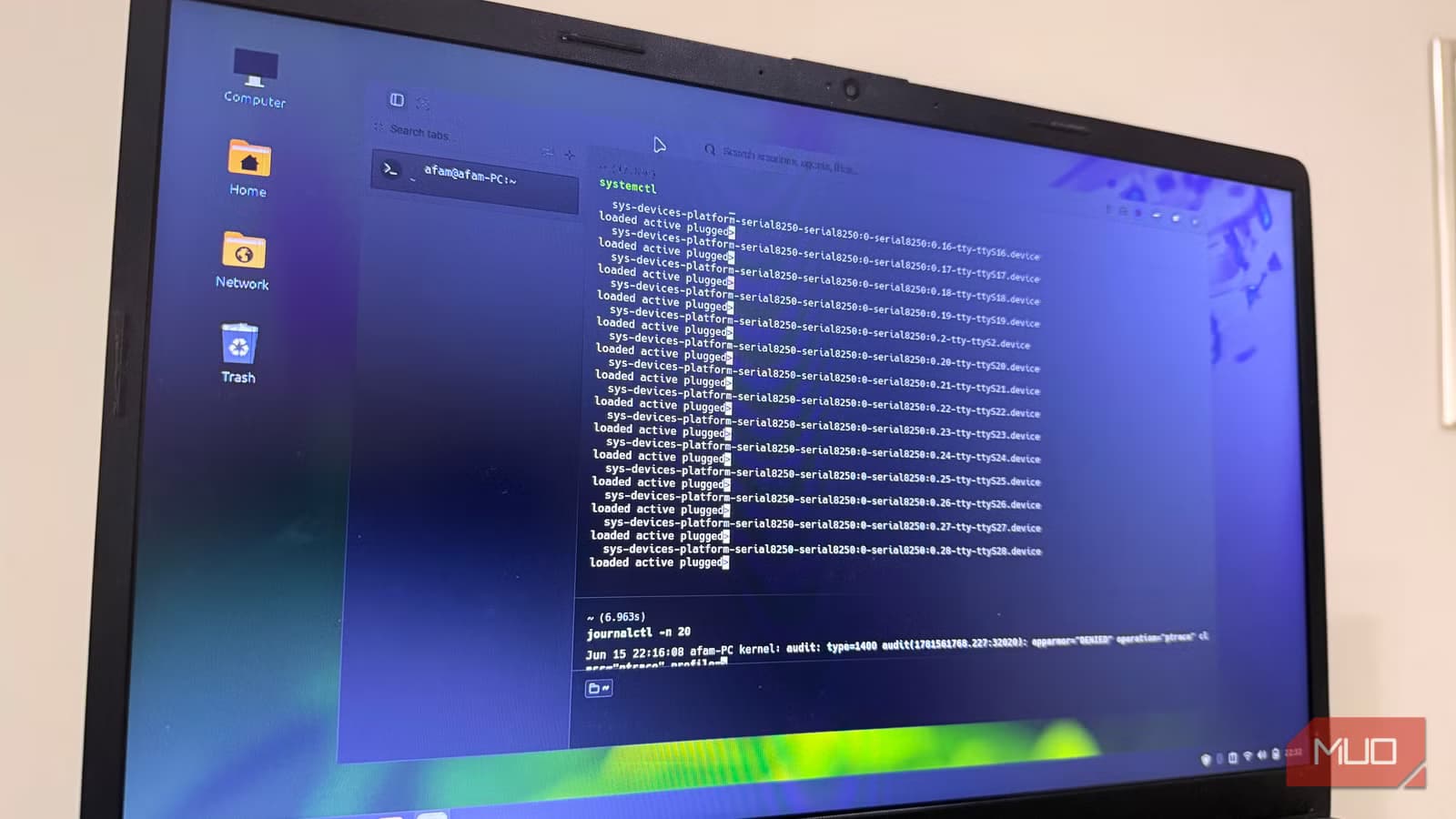
- Warp's block-based structure makes command outputs individually searchable and selectable, eliminating the need for separate snippet managers
- The terminal requires account creation, which remains controversial among Linux users who prefer local-first tools
- GPU acceleration via Rust and wgpu delivers noticeable performance gains over traditional terminal emulators
A Linux developer claims Warp terminal replaced his entire command-line toolkit, including snippet managers, history search tools, and text editors. The GPU-accelerated terminal, built in Rust, structures commands into discrete blocks rather than a continuous stream, making each output individually searchable and shareable.
Afam Onyimadu, writing for MakeUseOf, describes how his previous setup required five terminal tabs, browser windows for AI command references, and years of accumulated snippet files. The breaking point came when he couldn't locate a Docker command with specific volume mounts and environment variables, despite searching through history and snippet directories.
What makes Warp terminal different from standard Linux terminals?
Traditional terminals display everything as a continuous text stream. Run systemctl status nginx, and that output gets buried the moment you execute another command. Finding it again means scrolling back and remembering roughly when you ran it.
Warp separates each command and its output into self-contained blocks. Each block is selectable, searchable, and includes metadata like exit codes and execution time. You can search for a docker ps result from earlier in your session and pull up exactly what it returned, without surrounding noise.
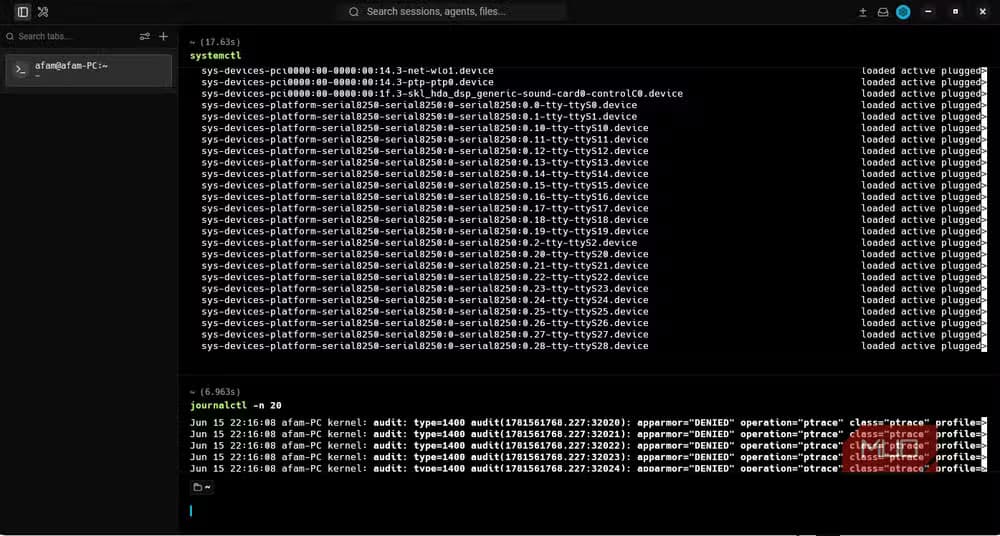
The blocks also solve a small but persistent annoyance: copying. Standard terminals often grab stray characters from adjacent lines. Warp's block structure keeps each output cleanly bounded.
Which tools did Warp actually replace?
Onyimadu reports that his snippet files disappeared first. Warp Drive lets users save parameterized workflows directly inside the terminal. Instead of maintaining a separate directory of commonly used commands, he stores them where he runs them.
His HISTSIZE had been bumped to 50,000 to retain more command history, with fzf wired across sessions for fuzzy searching. Warp's built-in history and search made both unnecessary. The default Bash history retains only 500 commands; many distros override this in .bashrc, but it still requires manual configuration.
Warp also generates shareable permalinks to individual command blocks. Send a teammate a link to your exact output instead of screenshots or copy-pasted walls of text.
Why do some Linux users refuse to try Warp?
Warp requires an account to use. For a tool as fundamental as a terminal, this is a hard stop for many Linux users. The community reaction on Hacker News and Reddit has been sharply divided. Critics argue that requiring cloud authentication for a local command-line tool introduces unnecessary complexity and privacy risks.
While the client is open-source, some features sit behind paid tiers. The pricing runs from free to $18/month for Build and $180/month for Max plans. Traditional terminals like Bash, Zsh, or even feature-rich alternatives like Kitty cost nothing and require no account.
Supporters counter that the performance gains from the Rust and wgpu backend justify the trade-off. GPU acceleration makes scrolling through long outputs noticeably smoother than CPU-rendered terminals.
Is Warp's AI the main selling point?
No. Onyimadu explicitly states that despite Warp's AI assistant getting most of the press, the features he'd miss most are structural: command blocks, integrated history search, and Warp Drive snippets. None of these depend on AI.
The AI helps when you half-remember a command and need a quick reference. But Onyimadu was already using local AI tools for that purpose before switching. The structural redesign of how terminals display and organize information proved more valuable than the assistant.
Another hidden inefficiency in default system tools that most users never notice
Should you switch to Warp?
That depends on your priorities. If you run many commands daily, frequently search history, and share terminal output with teammates, Warp's block structure solves real friction. If you're philosophically opposed to cloud accounts for local tools, or you work in environments where external authentication is a security concern, Warp won't work for you.
Warp runs on Linux, Windows, and macOS. The free tier covers basic usage. Whether the productivity gains justify creating an account is a judgment call that splits cleanly along how much you value local-first tooling.
Frequently Asked Questions
Does Warp terminal require an internet connection to work?
Warp requires an account to use, which means initial authentication needs connectivity. The terminal itself can run commands locally, but the account requirement is a dealbreaker for users who need fully offline tools.
Is Warp terminal free to use on Linux?
Yes, Warp offers a free tier for basic usage. Paid plans at $18/month and $180/month unlock additional features, but the core block-based interface and history search work on the free version.
What programming language is Warp terminal written in?
Warp is written in Rust with GPU acceleration via the wgpu graphics library, which contributes to its performance advantages over traditional CPU-rendered terminal emulators.
Can Warp terminal replace Zsh or Bash?
Warp is a terminal emulator, not a shell. It runs on top of your existing shell, whether that's Bash, Zsh, or Fish. It replaces terminal applications like GNOME Terminal or Konsole, not the shell itself.
Logicity's Take
The account requirement is the elephant in the room. Warp offers genuine productivity improvements, but terminals are foundational infrastructure. Asking developers to authenticate with external servers for basic command-line work is a significant ask. The company bets that collaboration features and AI integration justify this trade-off. For solo developers who never share terminal output, that bet doesn't pay off. For teams debugging together? Maybe it does.
Need Help Implementing This?
Evaluating modern developer tools for your team? Logicity's consulting partners can help you assess productivity tools against your security requirements. Contact us for vendor-neutral guidance on development environment decisions.
Source: MakeUseOf
Manaal Khan
Tech & Innovation Writer
Produced with AI assistance and reviewed by the Logicity editorial team. Learn more in our Editorial Policy.






