Key Takeaways
- Wi-Fi analyzer apps show real-time signal strength, channel congestion, and network density without requiring router access
- Channel graphs reveal whether neighboring networks are interfering with your connection on the same frequency
- Signal mapping helps identify dead zones so you can reposition your router or add an extender where it matters
When your home Wi-Fi drops out, the default response is universal: unplug the router, count to ten, plug it back in. It works most of the time. But for anyone who works from home or runs connected devices throughout the house, that blind reboot comes with a cost. Every device goes offline. Every video call reconnects. Every smart home gadget needs a moment to find its footing again.
The real problem is that rebooting fixes nothing. It clears the symptom temporarily while the underlying issue, whether that's channel interference, signal weakness, or network congestion, waits to return. A Wi-Fi analyzer app changes that equation. These free tools, available on Android, show you exactly what's happening on your network in real time.
What a Wi-Fi Analyzer Actually Shows You
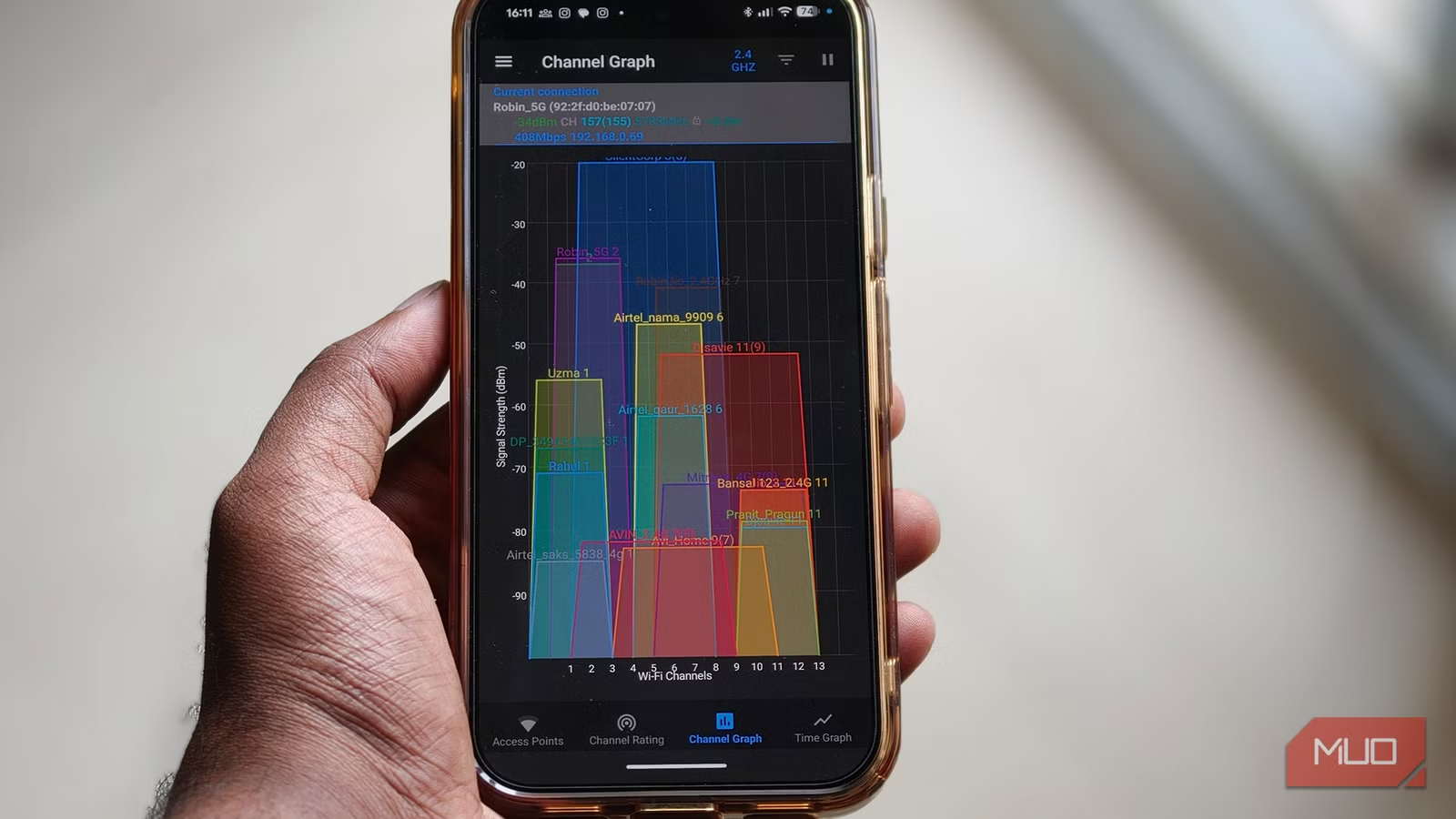
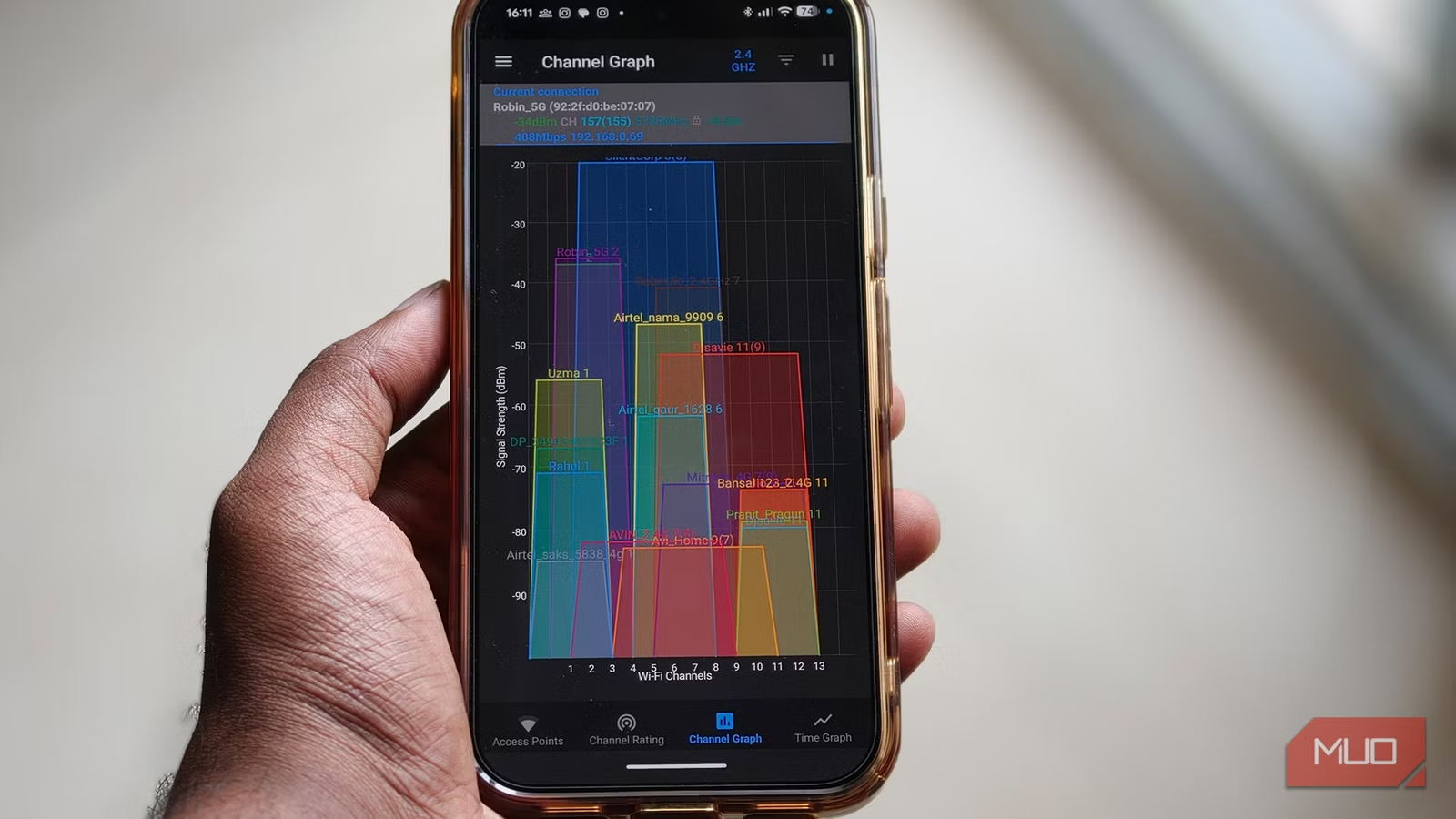
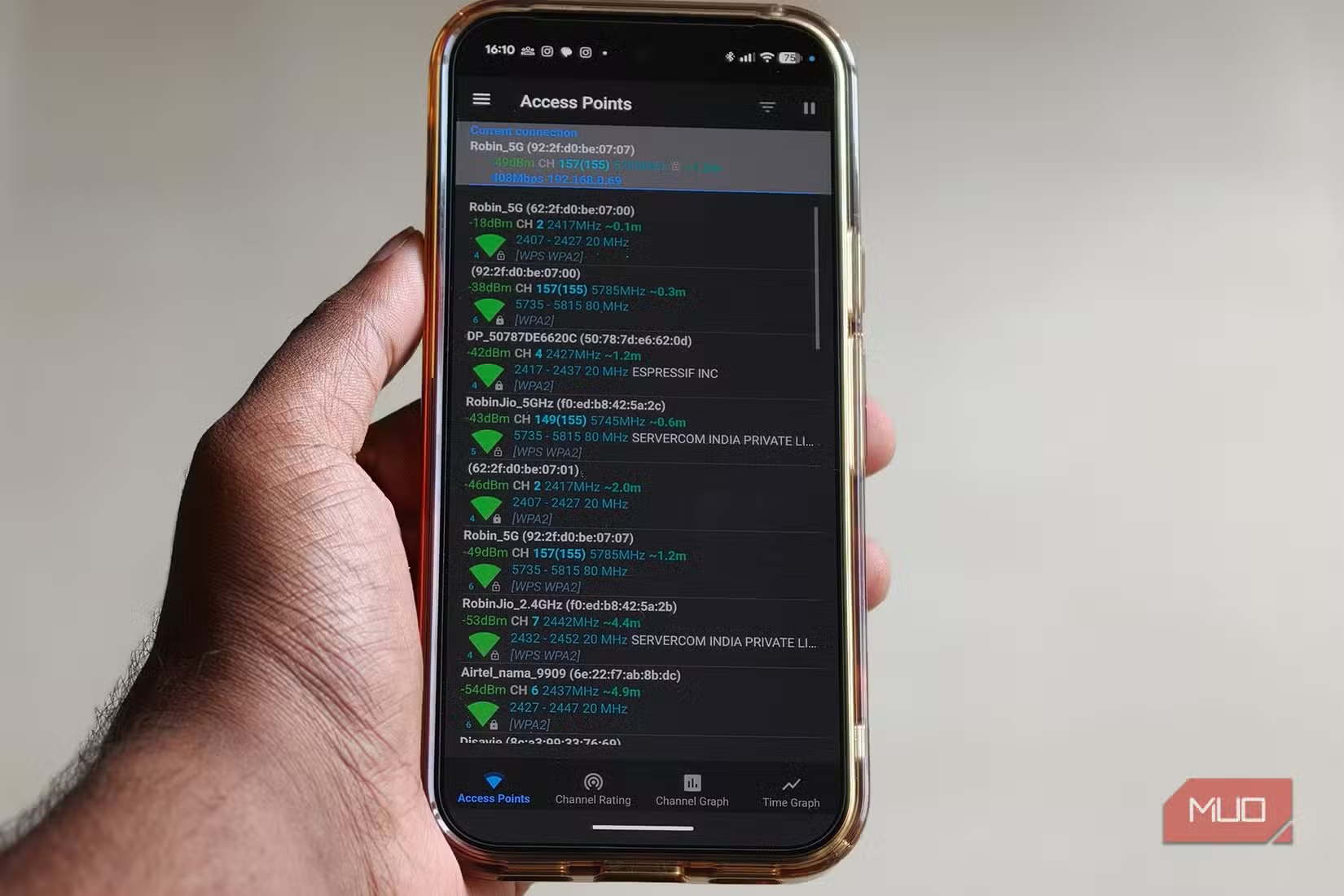
Wi-Fi analyzer apps scan the wireless signals around your phone and display them visually. You can see your own network alongside every neighboring network, their signal strengths, and the channels they're using. This matters because most router problems aren't hardware failures. They're interference problems.
When multiple networks crowd onto the same channel, they compete for airtime. Your router and your neighbor's router end up shouting over each other, and your connection suffers. A Wi-Fi analyzer makes this visible. You can see the channel graph update in real time, showing exactly which frequencies are congested and which are clear.
Signal Mapping Reveals Dead Zones
One of the most useful features is signal strength mapping. As you walk through your home with the app open, you can see exactly where your Wi-Fi is strong and where it drops off. This turns a vague sense that the connection is bad in the bedroom into concrete data: the signal drops by 20 dBm past the hallway corner.
That kind of information changes how you solve the problem. Instead of buying a mesh system for the entire house, you might just need to move your router six feet to the left. Or you might discover that adding a single extender in a specific spot would cover your actual dead zone.
Network Details at a Glance
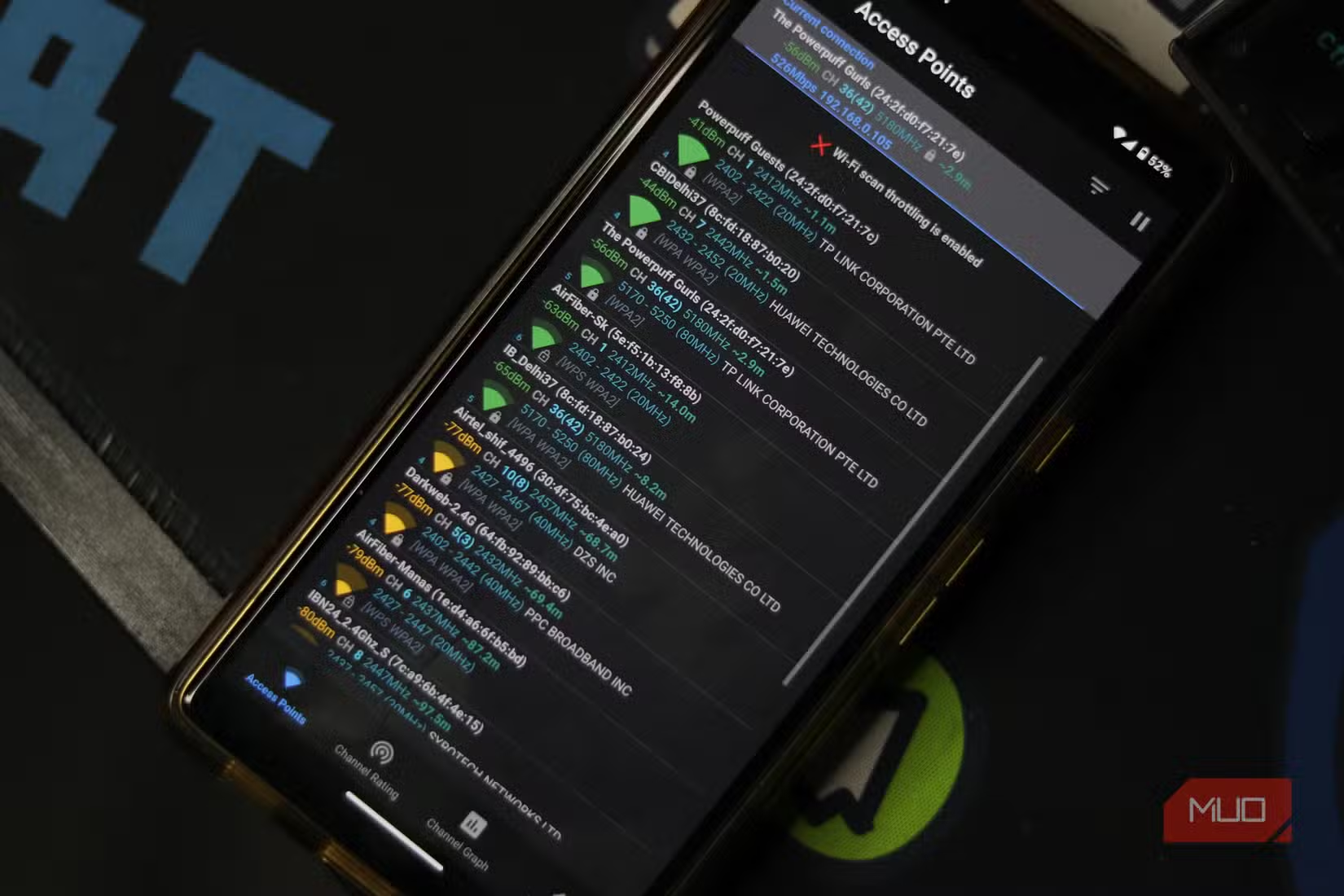
Tapping on your own network in most analyzer apps reveals connection details you'd otherwise need to dig through router settings to find. Speed readings, WPS status, connection health, and the specific channel your network is using all appear in one place. Some apps also show the access points around you ranked by signal strength, which helps when troubleshooting whether the issue is your router or your device's antenna.
When to Use This Instead of Rebooting
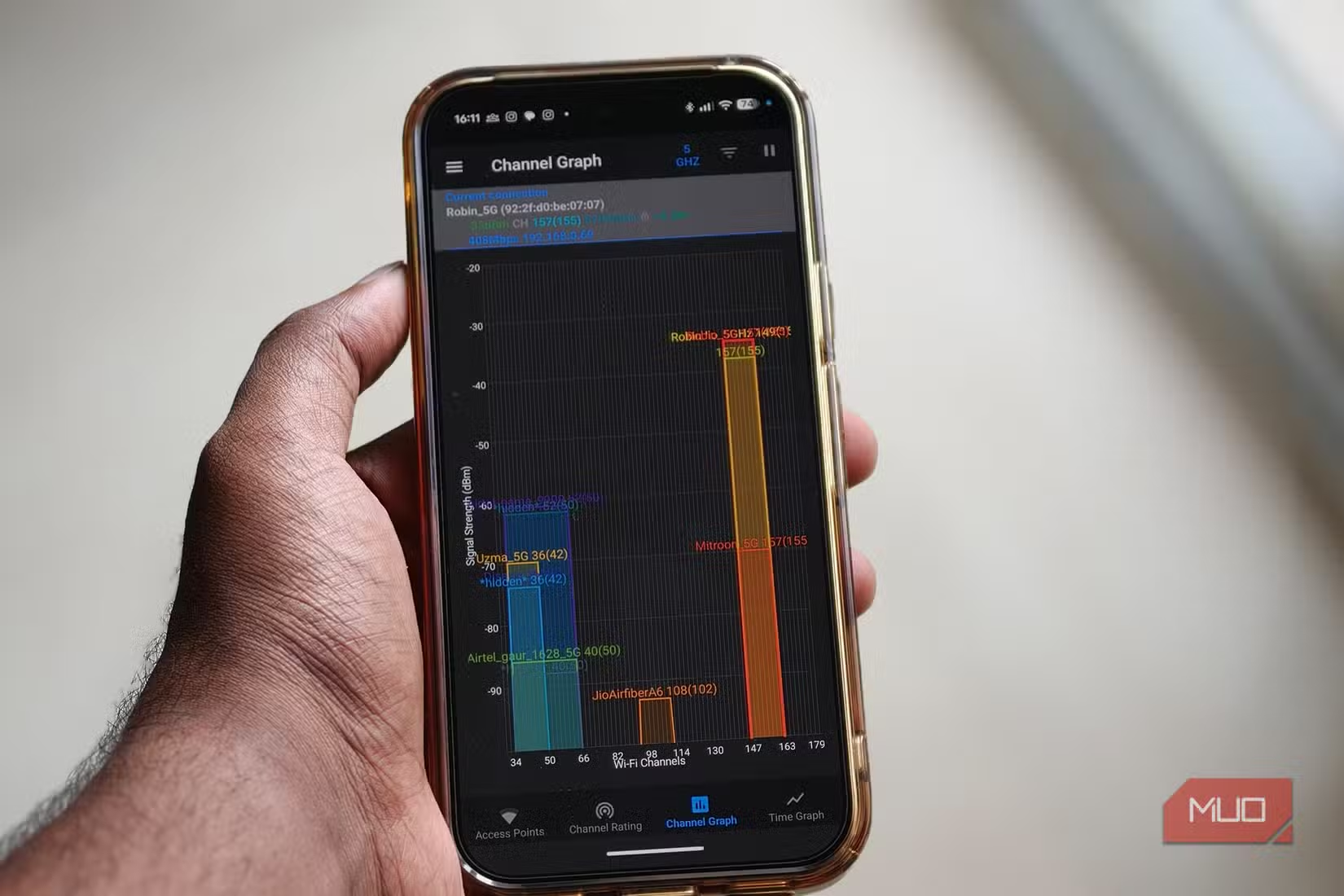
A Wi-Fi analyzer is most useful when your connection is unstable rather than completely dead. If pages load slowly, video calls stutter, or your connection drops at certain times of day, interference is a likely culprit. The app will show you whether a neighbor's network is stepping on your channel or whether you're simply too far from the router.
Once you identify the problem, the fix is often a single router setting change. Switching from a congested channel to a clear one can eliminate interference immediately. Moving from 2.4GHz to 5GHz, or vice versa, can solve range or speed issues depending on your situation.
Another free tool that solves a common frustration
Limitations to Keep in Mind
Wi-Fi analyzers show what's happening in the air around your phone. They can't diagnose problems with your internet service itself, your router's firmware, or issues with specific devices. If your ISP is having an outage or your router's hardware is failing, the analyzer won't help. But for the majority of day-to-day Wi-Fi frustrations, which are almost always related to signal strength or channel congestion, these apps give you answers that rebooting never will.
Logicity's Take
Frequently Asked Questions
Are Wi-Fi analyzer apps free?
Yes. Several free options exist on the Google Play Store, including WiFi Analyzer by farproc and similar apps. Most offer core scanning and channel analysis features without payment.
Do I need to be connected to a network to use a Wi-Fi analyzer?
No. The app scans all wireless signals your phone can detect, whether you're connected to them or not. This lets you see neighboring networks and their interference.
Can a Wi-Fi analyzer fix my connection automatically?
No. The app only diagnoses problems. You'll need to log into your router settings to change channels, adjust bands, or make other configuration changes based on what the analyzer shows you.
Why is there no Wi-Fi analyzer for iPhone?
Apple restricts access to the APIs needed for detailed Wi-Fi scanning. iPhone apps can show your current network's signal strength but can't scan neighboring networks the way Android apps can.
Need Help Implementing This?
Source: MakeUseOf
Huma Shazia
Senior AI & Tech Writer
Produced with AI assistance and reviewed by the Logicity editorial team. Learn more in our Editorial Policy.






