Key Takeaways
- RustDesk is a free, open-source remote desktop tool that can replace TeamViewer entirely
- Self-hosting your own relay server keeps all connection data on hardware you control
- Setup requires Docker and takes under 10 minutes for users familiar with containers
TeamViewer's free tier comes with an invisible tripwire. Help too many family members fix their printers, and the software flags you for commercial use. That's what pushed one developer to RustDesk, an open-source remote desktop tool that can run entirely on your own server. The difference: no licensing popups, no third-party relay servers, no metadata leaving your network.
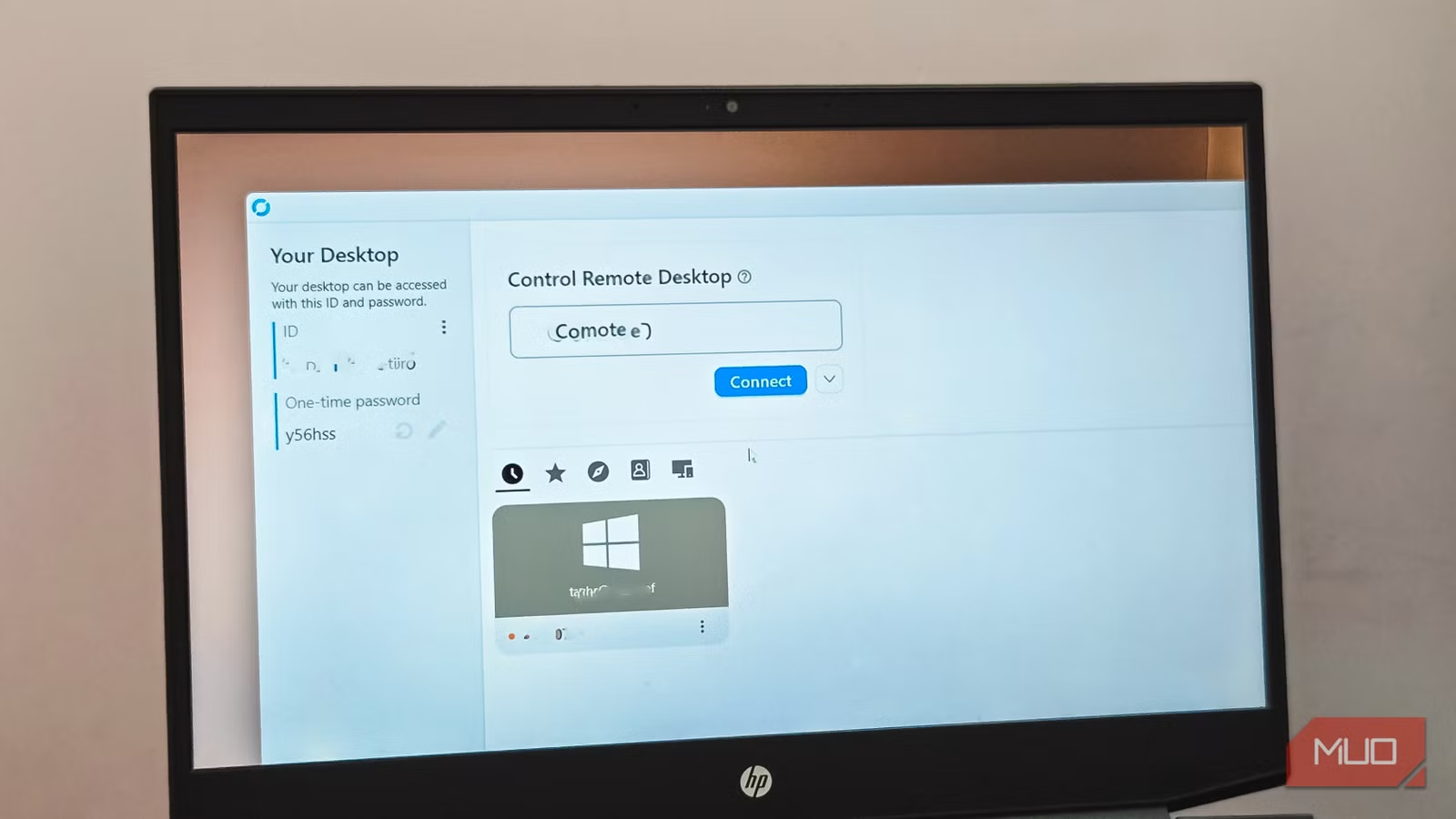
RustDesk works across Windows, Linux, macOS, and Android. The interface copies TeamViewer's playbook: one panel shows your device ID and one-time password, the other lets you type in a remote machine's ID to connect. Anyone who has used TeamViewer will feel at home immediately.
Why public relay servers are the weak link
By default, RustDesk routes connections through its public relay servers. This works for occasional use, but those servers handle over a million endpoints. Bandwidth is shared, which means latency spikes during peak hours. More concerning is the privacy angle: your connection metadata, device IDs, IP addresses, and session timestamps all pass through infrastructure you don't own.
There's also a security consideration. RustDesk now requires third-party login (Google, GitHub) for public server access, a response to scammers probing the 9-to-10-digit ID range looking for exposed devices. Self-hosting sidesteps both problems entirely.
How to set up your own RustDesk server
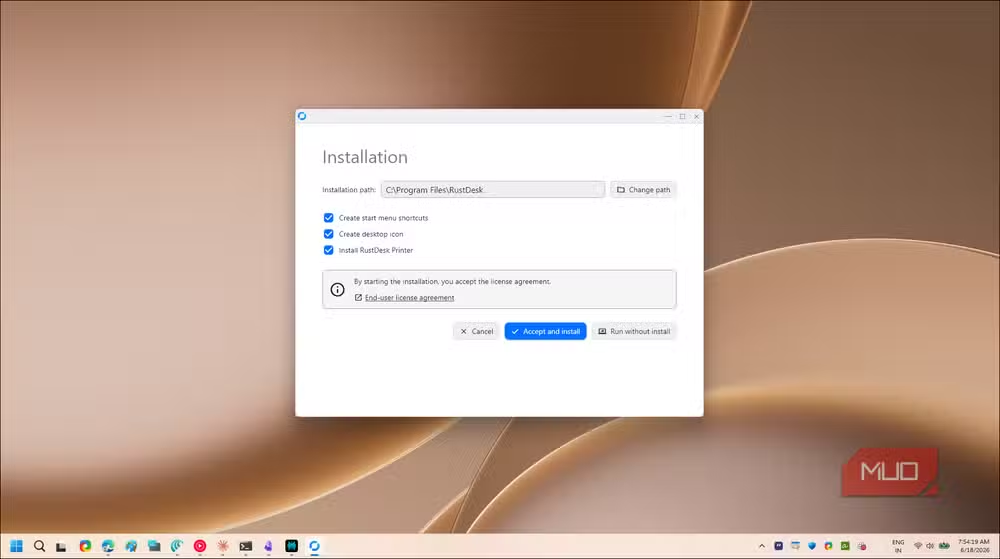
The self-hosted setup needs Docker running on any machine you control. A NAS, a Raspberry Pi, or a cheap VPS all work. The process takes under 10 minutes if you've touched Docker before.
Start by creating a directory and entering it:
mkdir ~/rustdesk-server && cd ~/rustdesk-serverCreate a docker-compose.yml file:
nano docker-compose.ymlPaste this configuration, which spins up two containers: hbbs (the ID server) and hbbr (the relay server). Together they replace RustDesk's public infrastructure:
services:
  hbbs:
    container_name: hbbs
    image: rustdesk/rustdesk-server:latest
    command: hbbs
    volumes:
      - ./data:/root
    network_mode: "host"
    depends_on:
      - hbbr
    restart: unless-stopped
  hbbr:
    container_name: hbbr
    image: rustdesk/rustdesk-server:latest
    command: hbbr
    volumes:
      - ./data:/root
    network_mode: "host"
    restart: unless-stopped
Save the file (Ctrl+O, Enter, Ctrl+X), then launch the containers:
Code sample: sudo docker compose up -d
Once running, grab the security key that was auto-generated:
Code sample: cat ./data/id_ed25519.pub
And your server's IP:
Code sample: hostname -I | awk '{print $1}'
On each RustDesk client, open Settings, navigate to Network, then ID/Relay Server. Paste your server IP into both the ID Server and Relay Server fields, then drop the security key into the Key field. A green indicator confirms the connection.
What you get once connected
Remote sessions include a toolbar with file transfer, screen recording, a remote terminal, and even access to the remote device's webcam. The interface stays consistent across platforms, so learning it on Windows translates directly to Linux or macOS.
| Feature | TeamViewer Free | RustDesk Self-Hosted |
|---|---|---|
| Cost | $0 (personal use only) | $0 (unlimited) |
| Commercial use | Blocked after threshold | No restrictions |
| Data routing | TeamViewer servers | Your own server |
| Third-party login required | Yes | No |
| Cross-platform | Yes | Yes |
| File transfer | Yes | Yes |
The tradeoff: you own the maintenance
Self-hosting means you're responsible for uptime. If your server goes down, remote access goes with it. You'll also need to handle Docker updates and ensure the host machine stays secure. For teams that already run self-hosted services, this is no additional burden. For someone who has never touched a command line, the learning curve is real.
RustDesk does offer paid cloud plans for users who want the convenience of managed infrastructure without TeamViewer's commercial restrictions. But the self-hosted option remains fully free, with no feature gating.
A NAS like the DS225+ makes an ideal host for RustDesk and other self-hosted services
Logicity's Take
The shift from TeamViewer to self-hosted RustDesk reflects a broader pattern in enterprise and prosumer tooling: commercial software that punishes power users eventually loses them to open-source alternatives. TeamViewer's aggressive commercial-use detection solved a piracy problem but created a trust problem. For IT consultants, small MSPs, and privacy-conscious home users, RustDesk's Docker setup takes less time than arguing with TeamViewer's licensing department.
Frequently Asked Questions
Is RustDesk really free for commercial use?
Yes. The self-hosted version has no licensing restrictions. You can use it for business, personal, or mixed purposes without triggering commercial-use blocks.
Do I need a powerful server to run RustDesk?
No. The relay and ID servers are lightweight. A Raspberry Pi, old laptop, or basic VPS with 1GB RAM handles typical usage without issues.
Is RustDesk as secure as TeamViewer?
RustDesk uses end-to-end encryption. Self-hosting actually improves security by eliminating third-party infrastructure from the connection path. You control the keys.
Can I use RustDesk without self-hosting?
Yes, but public servers require third-party login and have shared bandwidth. For occasional family tech support, it works fine. For regular use, self-hosting is recommended.
Does RustDesk work behind NAT or firewalls?
Yes. The relay server handles NAT traversal. If both machines can reach your relay server, they can connect to each other regardless of local network configuration.
Need Help Implementing This?
Setting up self-hosted infrastructure can feel daunting. If you're deploying RustDesk across a team or need help configuring Docker on your NAS, reach out to Logicity's consulting partners for hands-on guidance.
Source: MakeUseOf
Manaal Khan
Tech & Innovation Writer
Produced with AI assistance and reviewed by the Logicity editorial team. Learn more in our Editorial Policy.






