Key Takeaways
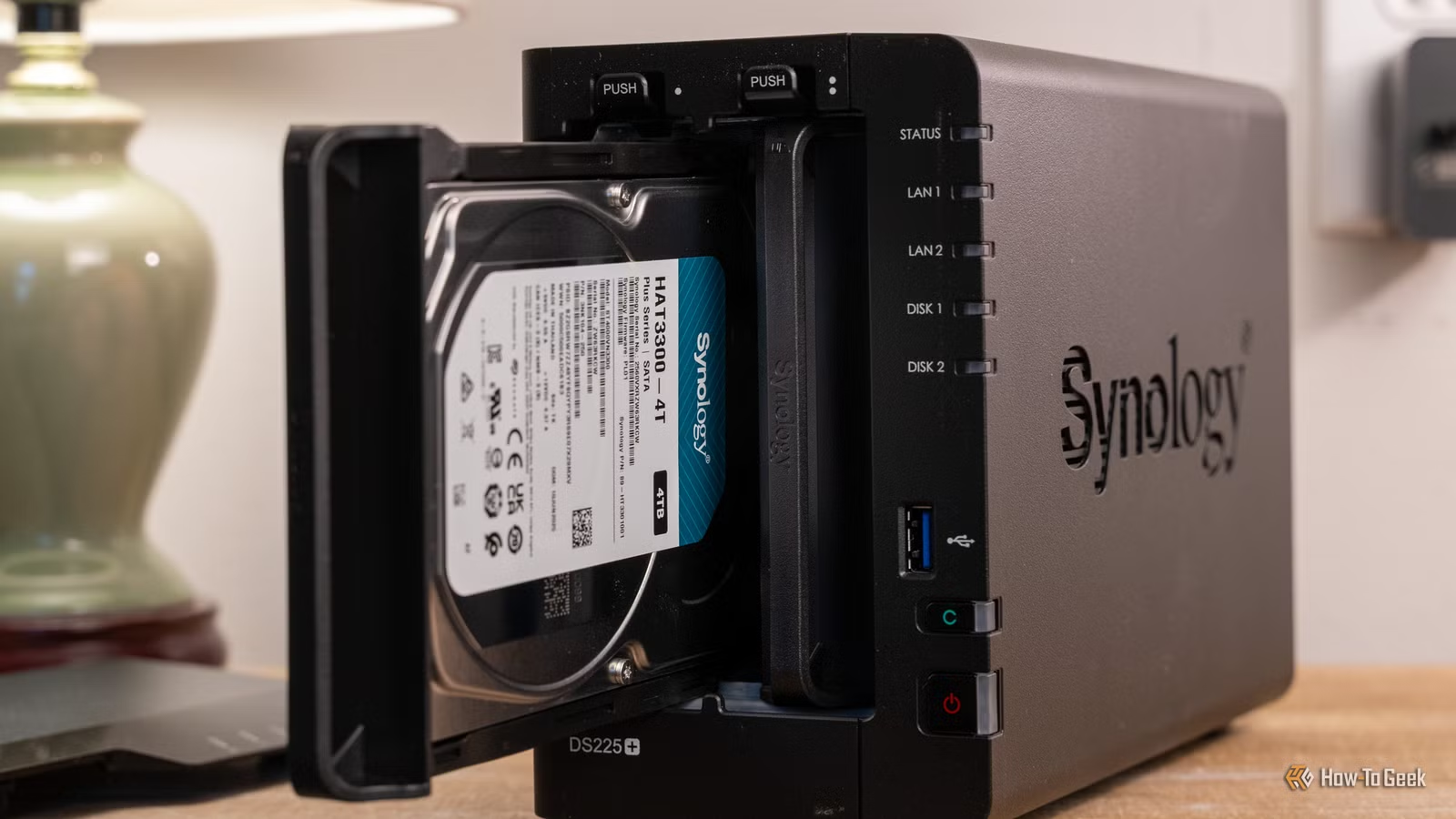
- The DS225+ costs $340 and offers the simplest setup experience in consumer NAS storage
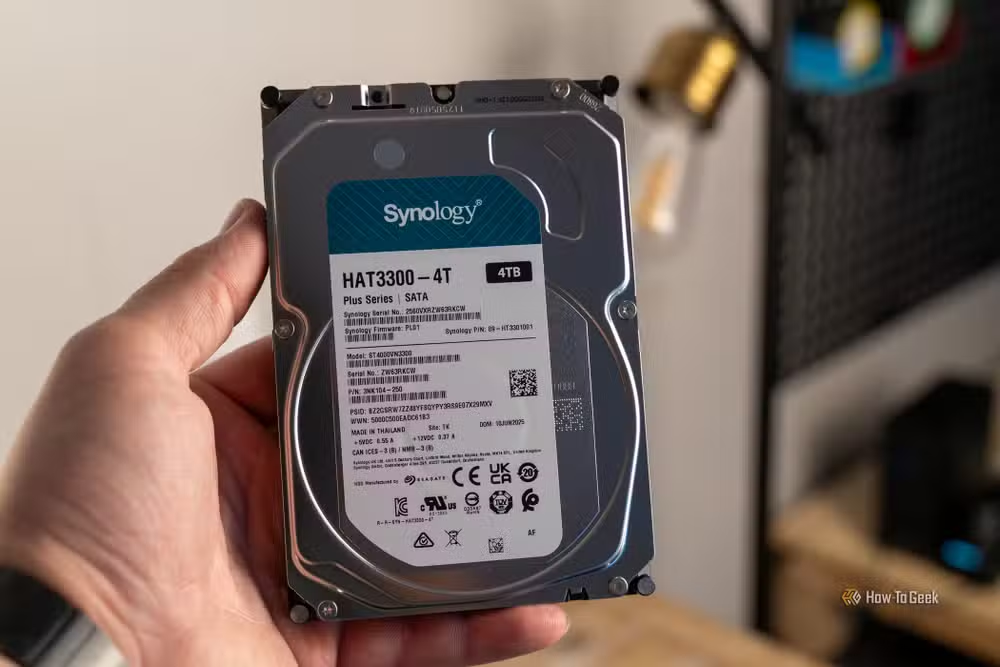
- Synology ships a 7-year-old Intel Celeron J4125 processor with only 2GB of RAM, maxing out at 6GB
- Competitors like Ugreen offer newer Intel N100 processors and 8GB RAM for about $50 more
The Synology DS225+ is a $340 two-bay NAS that nails the beginner experience but ships with hardware from 2019. For first-time NAS buyers who want dead-simple setup and Synology's polished DiskStation Manager software, it delivers. For anyone who plans to run Plex, Docker containers, or multiple simultaneous users, the aging Intel Celeron J4125 and 2GB of RAM will feel limiting fast.
How-To Geek's Patrick Campanale tested the DS225+ and gave it a 7/10 rating. His verdict: perfect for beginners who have never touched network attached storage, but hard to justify when competitors pack newer silicon at similar prices.
What makes the DS225+ good for beginners?
Synology has spent years refining DiskStation Manager, and the payoff shows here. Campanale went from unboxing to a working NAS in minutes. The only time-consuming part was building the RAID array, which is a function of RAID itself, not the hardware.
The software ecosystem matters. Synology offers over 50 first-party packages through DSM for everything from photo backup to surveillance. Third-party apps work too. The interface feels more like a desktop operating system than a file server, which removes the intimidation factor for people setting up their first NAS.
Build quality is solid at 1.3kg. The unit measures 165mm x 108mm x 232mm. It includes both Gigabit Ethernet and 2.5Gb Ethernet, so you can actually saturate faster network connections if you have them. Two USB 3.2 Gen 1 ports round out the connectivity.
Why the hardware feels outdated in 2026
The Intel Celeron J4125 launched in 2019. It's a 4-core, 4-thread chip with Intel UHD Graphics 600. For basic file serving and RAID management, it's adequate. For transcoding 4K video through Plex or running multiple Docker containers, expect stutters.
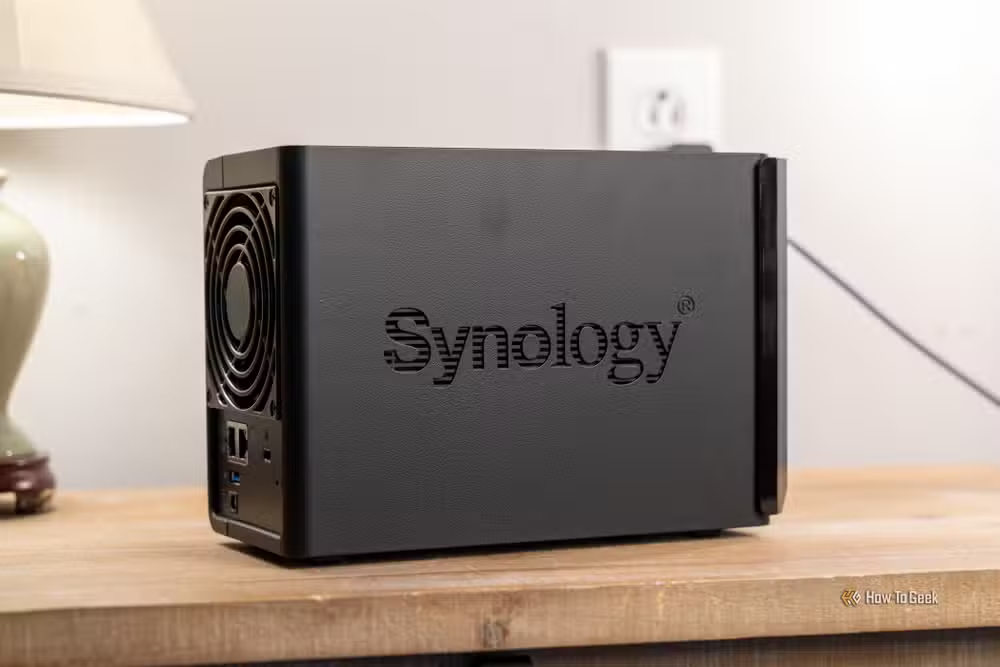
The RAM situation is worse. Synology ships 2GB stock. The maximum upgrade is 6GB. In 2026, that ceiling feels restrictive. RAM affects how many simultaneous users the NAS can handle, how well it caches frequently accessed files, and how smoothly apps run.
There's no NVMe or M.2 support for caching. On higher-end Synology models, SSD caching dramatically improves random read/write performance. The DS225+ leaves that option on the table entirely.
How does it compare to competitors?
Campanale points out that Ugreen sells a competing NAS for around $390 with an Intel N100 processor and 8GB of RAM. The N100 is dramatically newer and faster than the J4125. The catch: Ugreen's RAM isn't upgradeable, and their software ecosystem is less mature than Synology's.
| Spec | Synology DS225+ | Ugreen (competing model) |
|---|---|---|
| Price | $340 | ~$390 |
| Processor | Intel Celeron J4125 (2019) | Intel N100 (2023) |
| RAM | 2GB (max 6GB) | 8GB (not upgradeable) |
| Software | DiskStation Manager | Ugreen NAS OS |
| Ecosystem maturity | Established, 50+ packages | Newer, growing |
The tradeoff is clear. Pay $340 for Synology's software polish and accept older hardware. Or pay $50 more for modern silicon and bet on a less proven platform.
Who should buy the DS225+?
First-time NAS buyers who want zero friction. People who prioritize software over specs. Households that need basic file sharing, Time Machine backups, and photo storage. Anyone who values Synology's established app ecosystem and years of firmware updates.
Skip it if you plan to run a Plex server with transcoding. Skip it if you want to run multiple Docker containers. Skip it if you expect the hardware to stay relevant for five or more years.
✅ Pros
- • DiskStation Manager remains the easiest NAS OS to use
- • Good read/write speeds without cache drives
- • 2.5Gb Ethernet included
- • Solid build quality
- • Mature software ecosystem with 50+ packages
❌ Cons
- • 7-year-old Intel Celeron J4125 processor
- • Only 2GB RAM stock, 6GB maximum
- • No NVMe or M.2 caching support
- • Competitors offer better specs for $50 more
Logicity's Take
Synology is coasting on software reputation here. The DS225+ proves that DiskStation Manager is still the benchmark for NAS usability, but shipping a 2019 processor in 2026 at $340 feels like a margin play, not a value proposition. If Ugreen or QNAP catches up on software polish, Synology's hardware gap becomes a real liability. First-time buyers who just want backup storage will be fine. Anyone with ambitions beyond that should spend the extra $50.
Frequently Asked Questions
Can the Synology DS225+ run Plex?
Yes, but with limitations. The Intel Celeron J4125 supports hardware transcoding via Intel UHD Graphics 600, but may struggle with newer codecs like HEVC at high bitrates. Direct play works well. Heavy transcoding will tax the CPU.
How much storage does the DS225+ support?
Up to 40TB total across two 3.5-inch drive bays. Synology supports drives up to 20TB each. RAID 1 mirrors the drives for redundancy, cutting usable capacity in half.
Is 2GB of RAM enough for a NAS?
For basic file serving and backups, yes. For running Docker containers, Plex, surveillance software, or multiple apps simultaneously, you'll want to upgrade. The DS225+ maxes out at 6GB.
What's the difference between Gigabit and 2.5Gb Ethernet on the DS225+?
Gigabit Ethernet tops out around 125MB/s. The 2.5Gb Ethernet port can hit 312MB/s, which is useful if your router or switch supports it. Most consumer equipment still uses Gigabit.
How does Synology compare to building your own NAS?
DIY NAS builds offer more hardware flexibility and often better price-to-performance. Synology's advantage is DiskStation Manager's simplicity and the integrated app ecosystem. You trade customization for convenience.
Need Help Implementing This?
Setting up network attached storage for your home office or small team? Logicity covers NAS hardware, backup strategies, and home server configurations. Follow us for practical guides that help you take control of your data without the cloud subscription fees.
Source: How-To Geek
Huma Shazia
Senior AI & Tech Writer
Produced with AI assistance and reviewed by the Logicity editorial team. Learn more in our Editorial Policy.






