Key Takeaways
- MPV uses GPU-based decoding, reducing CPU usage by 10-20% compared to VLC on 4K files
- Installation requires downloading a portable build and running a batch script as administrator
- Hardware acceleration must be manually enabled in mpv.conf for best performance
VLC has been the default recommendation for video playback for over two decades, but it struggles with modern 4K files. MPV, a lightweight open-source alternative, handles high-bitrate content more smoothly by offloading decoding directly to your GPU. The trade-off is a steeper setup process and a minimalist interface that strips away everything except the video itself.
Why VLC chokes on demanding video files
VLC was built around network streaming. Its architecture prioritizes maintaining a connection over perfect frame-by-frame decoding. When you feed it a demanding local file, say an 80 Mbps 4K HEVC encode, the player sometimes skips ahead rather than keeping up. The result: gray blocks, green flashes, and corrupted frames.
Windows Media Player isn't much better. It buffers too often, lacks flexibility with modern codecs, and Microsoft hasn't given it meaningful updates in years. Both players were designed for an era when 1080p was the ceiling.
MPV takes a different approach. It sends the heavy work, decoding, scaling, and tone mapping, straight to your GPU. Your CPU barely touches the video stream. Fans stay quiet, and frames render smoothly even on mid-range hardware.
How to install MPV on Windows
MPV doesn't come with a standard installer wizard. The developers distribute source code; the actual executables come from community maintainers. Shinchiro and Zhongfly are the two most trusted sources, both linked from the official installation page at mpv.io/installation.
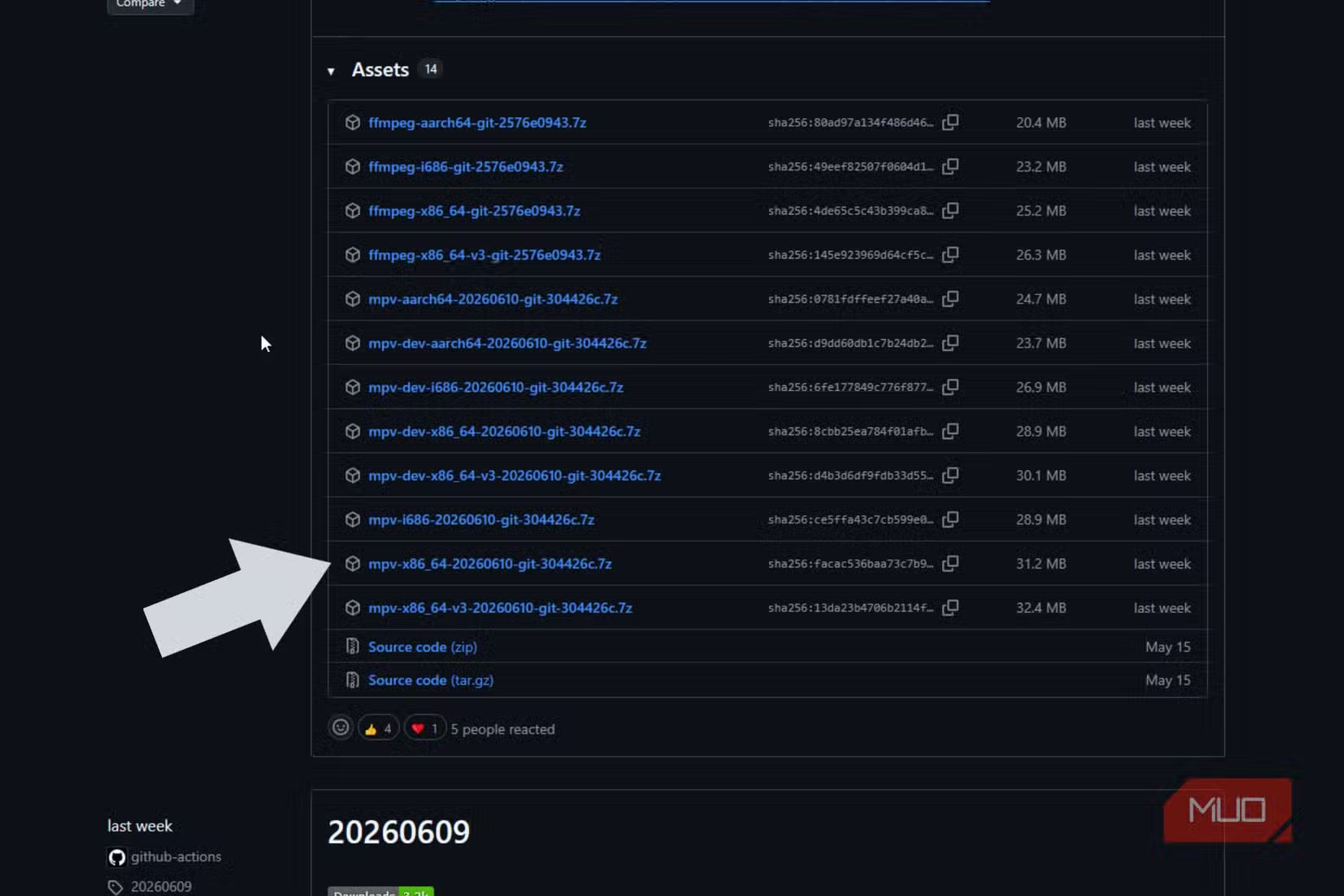
- Download a pre-compiled portable build from Shinchiro or Zhongfly
- Extract the archive into a folder on your drive
- Run mpv-install.bat or mpv-register.bat as administrator
- Double-click any video file to test
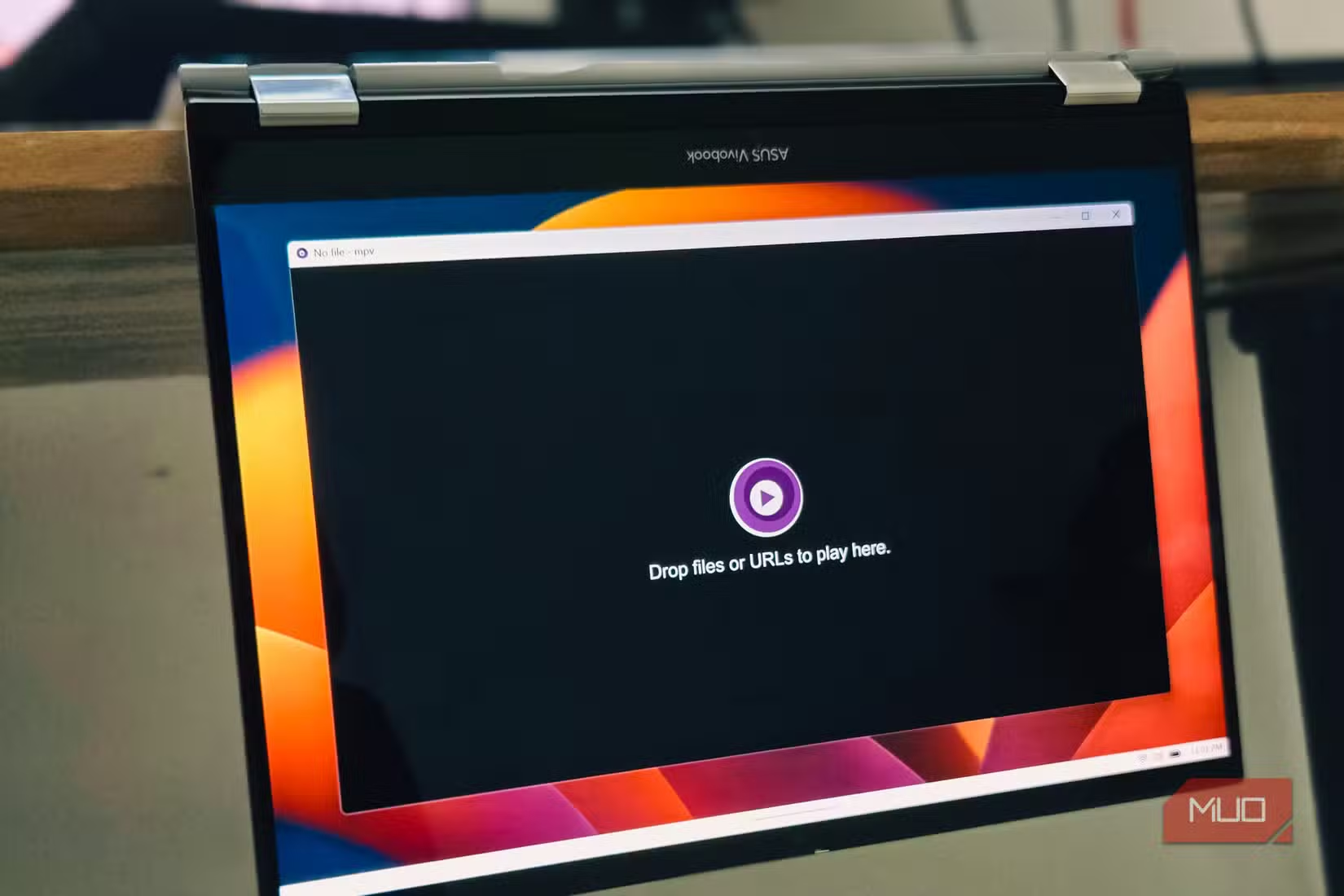
When MPV opens, you'll see nothing but the video. No toolbar, no media library, no skin. A small control bar appears when you move your mouse, then disappears. This isn't a bug. The processing power that VLC spends rendering buttons and panels goes into rendering video instead.
Set MPV as the default player for your video files
Windows routes video files to Movies & TV or Windows Media Player unless you change it. If you've previously switched to VLC, files open there instead. Neither handles large 4K high-bitrate files well.
Open Settings, then Default Apps. Use the search box to find specific file types: .mkv, .mp4, .webm, or .ts. Click the currently assigned app, dismiss the Microsoft Store suggestions, choose "Choose an app on your PC," and navigate to mpv.exe in your installation folder. Repeat for each container format you use.
Enable hardware decoding for real performance gains
MPV ships with hardware decoding disabled by default. The setting hwdec=no forces your CPU to handle everything. That's a safety net for systems with outdated drivers, but it falls apart fast with demanding content.
To enable GPU acceleration, find the portable_config folder in your MPV installation directory and edit mpv.conf. Add one line:
hwdec=autoThis lets MPV pick the most appropriate hardware API. If you want to force Direct3D 11 video acceleration on a modern Windows machine with a dedicated GPU, use hwdec=d3d11va instead.
With this enabled, the compressed video stream goes directly to your GPU's hardware decoder. Decoded frames land in VRAM and pass straight to the renderer without touching system RAM or the PCIe bus. Your CPU ends up doing almost nothing.
Who should stick with VLC?
MPV isn't for everyone. If you want a media library, playlist management, or a graphical settings menu, VLC remains the better choice. MPV's configuration happens entirely through text files. There's no GUI for tweaking options.
Power users on macOS and Linux often wrap MPV in friendlier frontends. IINA on Mac and Celluloid on Linux add traditional interfaces while keeping MPV's playback engine underneath. On Windows, the bare MPV experience is the norm.
Another Windows default worth changing for better system management
Frequently Asked Questions
Is MPV better than VLC for 4K playback?
For high-bitrate 4K files, yes. MPV's GPU-based decoding handles demanding content more smoothly than VLC's CPU-heavy approach. Users report 10-20% lower CPU usage and fewer dropped frames.
Does MPV support HDR video?
Yes. MPV's GPU-next shaders provide refined HDR-to-SDR tone mapping, and the player handles HDR metadata properly when paired with compatible hardware.
Why doesn't MPV have a normal installer?
The MPV developers distribute source code only. Pre-compiled Windows builds come from trusted community maintainers like Shinchiro and Zhongfly, distributed as portable archives.
What's the difference between hwdec=auto and hwdec=d3d11va?
hwdec=auto lets MPV choose the best available hardware API automatically. hwdec=d3d11va forces Direct3D 11 video acceleration, which is optimal for modern Windows systems with dedicated GPUs.
Can I use MPV with a graphical interface?
On macOS, IINA wraps MPV with a traditional interface. On Linux, Celluloid does the same. On Windows, most users run MPV directly with its minimal default interface.
Logicity's Take
MPV's appeal isn't just performance. It represents a different philosophy: the player should be invisible, and the video should do the talking. For developers and power users who already live in config files, the setup friction is negligible. The bigger question is why Windows still ships with a media player that can't handle the files people actually download in 2026. Microsoft's inattention to Movies & TV created the vacuum that MPV fills.
Need Help Implementing This?
If you're managing media playback across enterprise workstations or building video into your product, Logicity can connect you with consultants who specialize in multimedia workflow optimization. Reach out through our contact page.
Source: MakeUseOf
Huma Shazia
Senior AI & Tech Writer
Produced with AI assistance and reviewed by the Logicity editorial team. Learn more in our Editorial Policy.






