Key Takeaways
- METROV focuses on Windows Phone 8.1 UI rather than Windows 10 Mobile, setting it apart from competitors
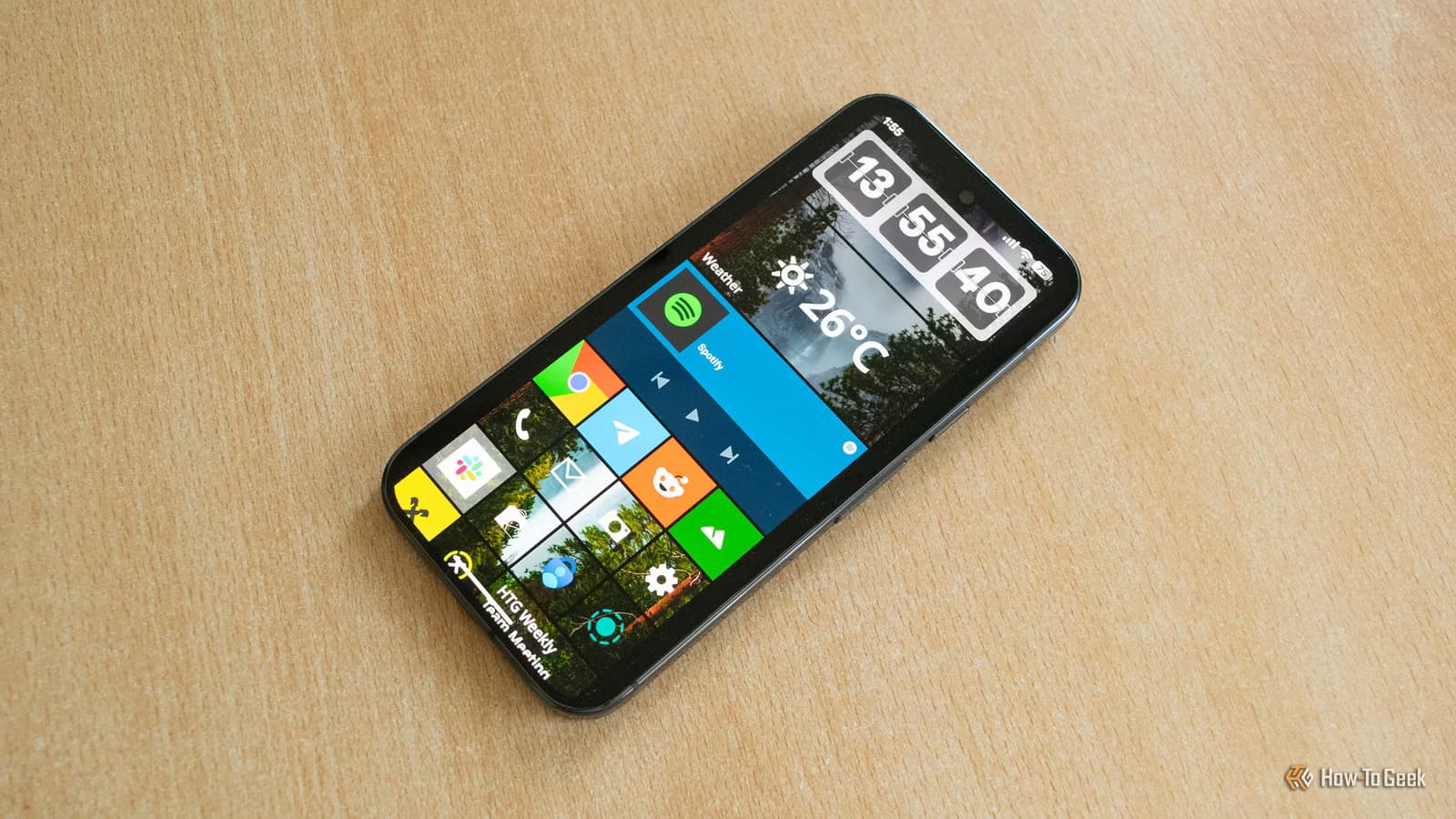
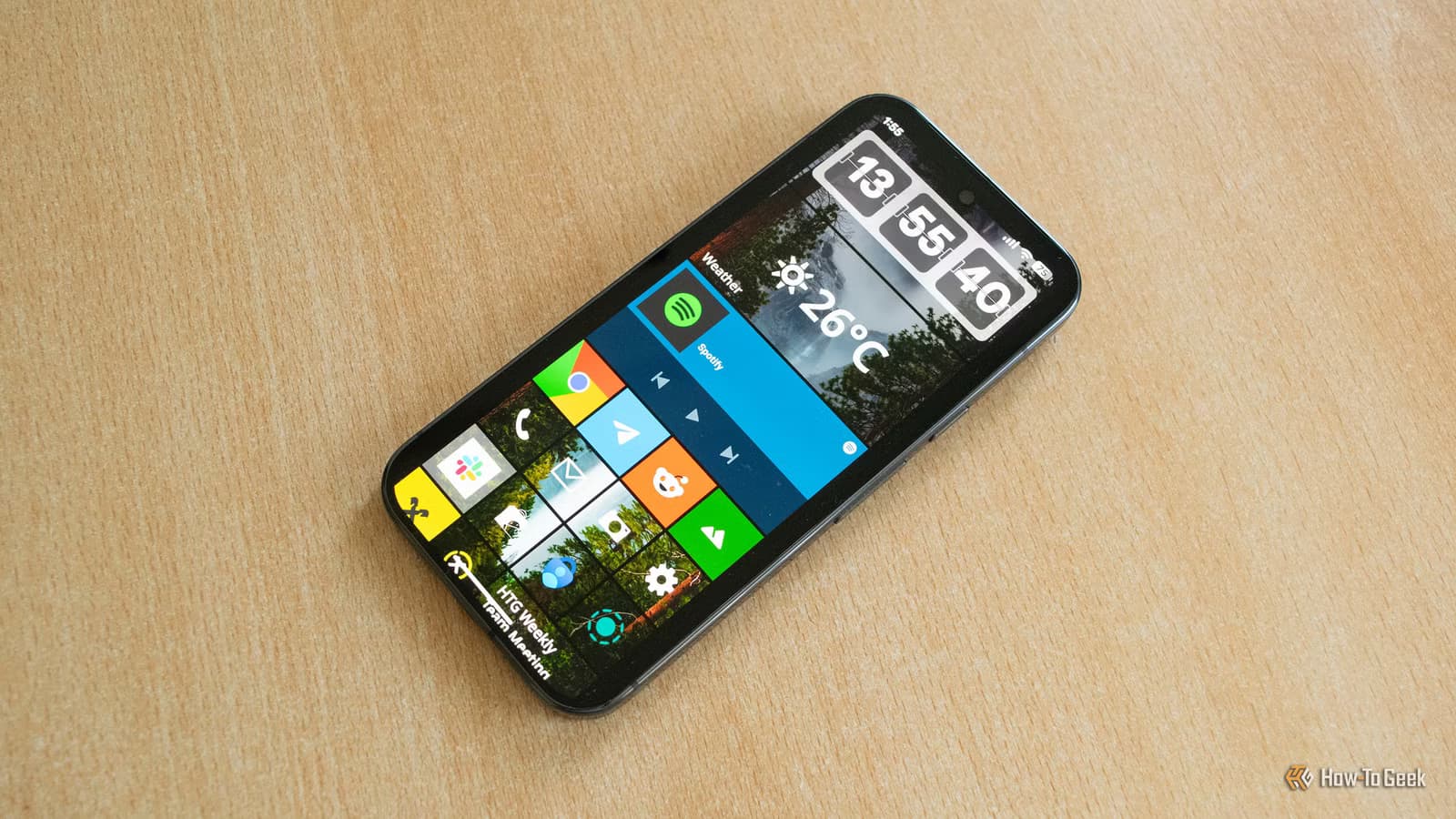
- The launcher supports live tiles, transparent lock screen widgets, and the classic scrolling home screen
- Some rough edges remain, but the launcher is usable enough for daily driving
Windows Phone died years ago, but its interface never stopped looking good. The Metro UI, with its scrolling live tiles and clean typography, still feels more coherent than most Android home screens. Now an Android launcher called METROV is bringing that design back.
Goran Damnjanovic at How-To Geek has been testing METROV on a Pixel 10 Pro for about a week. His verdict: it's good enough for daily use, though it still has some issues that need fixing.
Why Windows Phone 8.1 Still Matters
Microsoft's mobile OS failed commercially, but its interface ideas were ahead of their time. The Metro UI put all your important apps and widgets on a single scrolling screen. No app drawer hunting. No widget configuration nightmares. Just tiles that showed live information at a glance.
Damnjanovic calls his Nokia Lumia 520 "one of the best phones I've owned." He's been on Android for a decade but says Metro "still has the edge over the latest iteration of Android when it comes to home screen design."
METROV vs Other Windows Phone Launchers
Several launchers try to recreate the Windows Phone look on Android. Square Home and Launcher 10 are popular options. But these target Windows 10 Mobile, the final version of Microsoft's mobile OS.
METROV takes a different approach. It focuses specifically on Windows Phone 8.1, which was the most popular version of the platform. This distinction matters because the two versions look quite different. Windows Phone 8.1 had a cleaner aesthetic that many users preferred.
"What I like most about the METROV launcher is its focus on the Windows Phone 8.1 UI," Damnjanovic writes. The launcher "does it with aplomb."
What METROV Gets Right
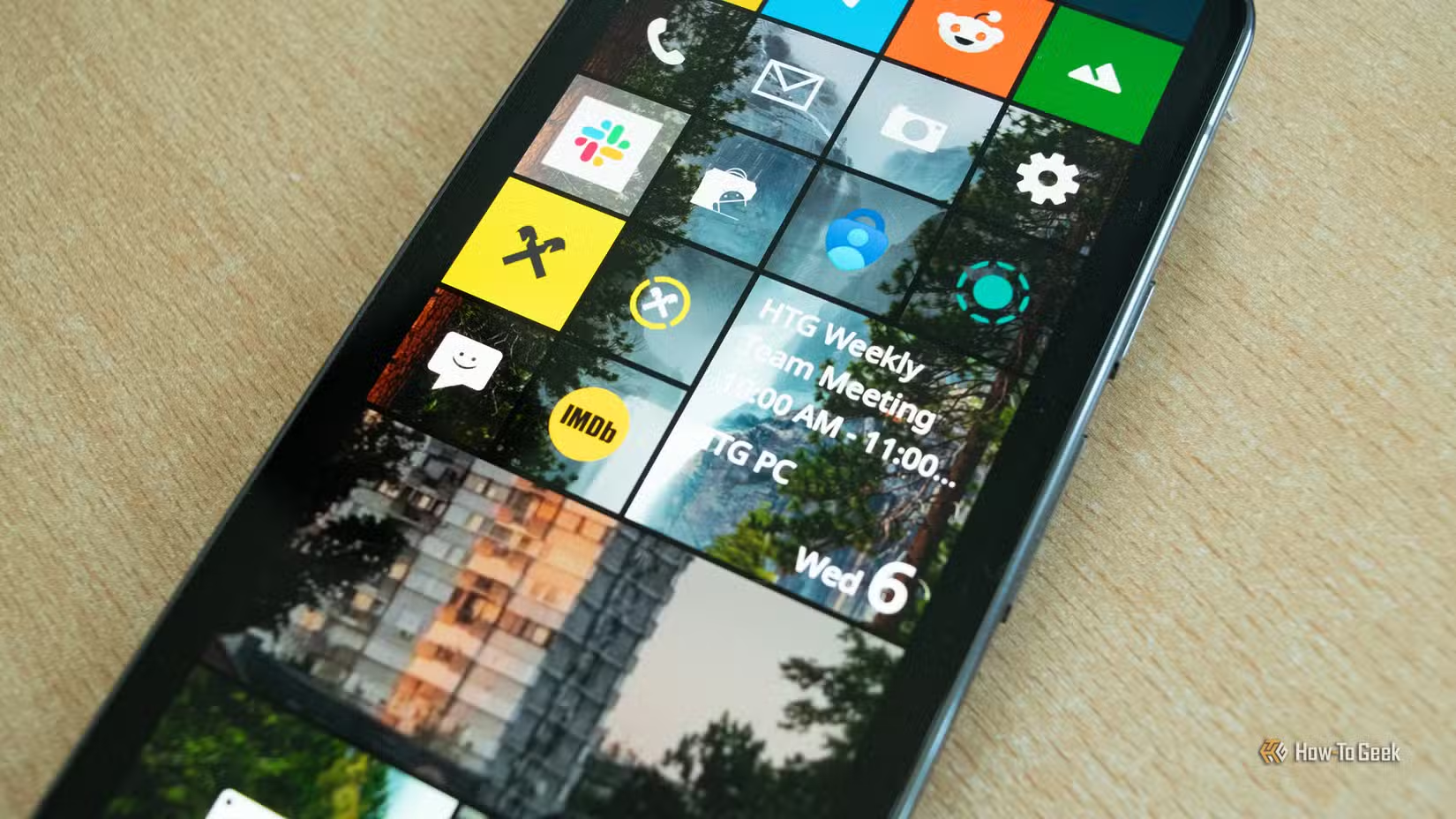
The launcher nails the visual fundamentals. Live tiles work as expected, showing information without opening apps. The home screen scrolls vertically like the original. The typography and color schemes match Windows Phone's signature look.
METROV also supports the Windows Phone 7 visual style for users who prefer the earlier design. This flexibility lets you recreate whichever era of Windows Phone you remember most fondly.
Where It Falls Short
Damnjanovic notes that METROV "still has some issues that need fixing." The source article was cut off before detailing these problems, but the takeaway is clear: this is a work in progress.
That's typical for community-built launchers. Android's flexibility makes these projects possible, but matching a full operating system's polish takes time and iteration.
Is Nostalgia Worth the Switch?
Using a non-standard launcher means giving up some conveniences. Google's default Pixel launcher integrates tightly with Android features. Third-party launchers can lag behind on new OS capabilities.
But for former Windows Phone users, the tradeoff might be worth it. The Metro interface genuinely solved problems that Android still handles awkwardly. Having everything on one scrolling page beats the Android pattern of home screen plus app drawer plus widgets sidebar.
Logicity's Take
More ways to customize your Android experience
How to Try METROV
METROV is available on the Google Play Store. Install it like any other launcher, then set it as your default through Android settings. You can always switch back to your previous launcher if the Windows Phone life isn't for you.
The launcher works on most Android phones, not just Pixels. If you still have fond memories of your Lumia, this is the closest you'll get to reliving that era without digging an old phone out of a drawer.
Frequently Asked Questions
Does METROV work on all Android phones?
The launcher should work on most Android phones, though the testing described was done on a Pixel 10 Pro. Performance may vary on older devices.
What's the difference between METROV and other Windows Phone launchers?
METROV focuses on Windows Phone 8.1's interface, while competitors like Square Home and Launcher 10 target Windows 10 Mobile. The visual styles are noticeably different.
Can I switch back to my normal launcher after trying METROV?
Yes. Android lets you change your default launcher at any time through Settings > Apps > Default apps. Your old launcher remains installed unless you delete it.
Do live tiles actually work on Android?
METROV implements live tiles using Android's widget system. Functionality depends on which apps support widgets and how well METROV integrates with them.
Need Help Implementing This?
Source: How-To Geek
Huma Shazia
Senior AI & Tech Writer
Produced with AI assistance and reviewed by the Logicity editorial team. Learn more in our Editorial Policy.






