Key Takeaways
- Mako Launcher is a free, open-source alternative to Niagara that runs entirely on-device with no account required
- The app is available on F-Droid under GPL-3.0 license, with all settings stored locally
- Mako matches Niagara's single-screen minimalist design but skips the $43 lifetime license or yearly subscription
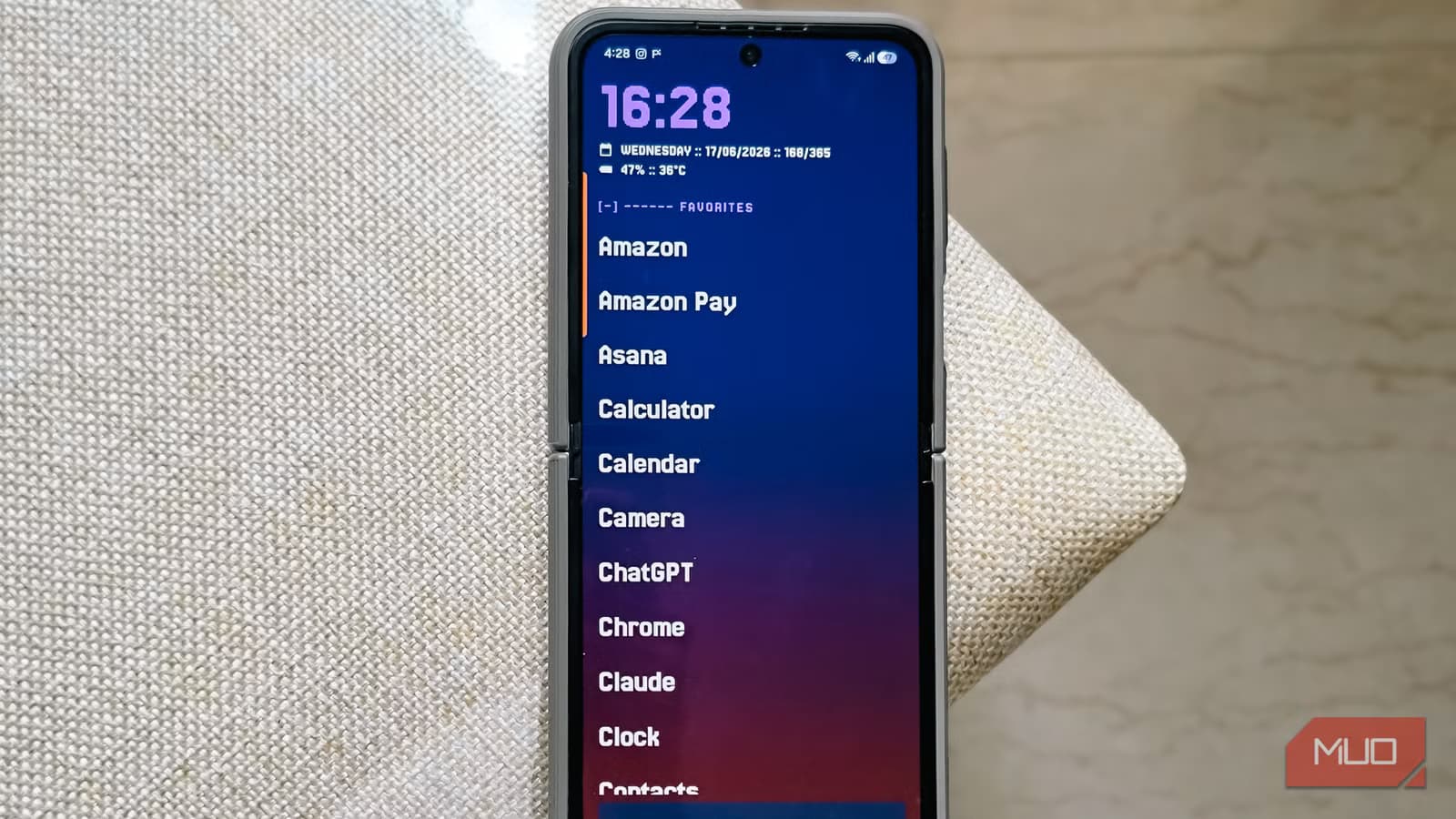
Mako Launcher does what Niagara does, for zero dollars. It's a single-screen Android home replacement built in native Kotlin, running fully on-device, with no tracking and no login. For anyone who balked at Niagara's $43 lifetime license or its yearly subscription, that pitch alone might be enough.
Tashreef Shareef at MakeUseOf ran both launchers for extended testing and came away convinced Mako is the better deal. He'd used Niagara on a lifetime license for years but switched after realizing the free alternative matched the experience on everything from his daily phone to an aging tablet.
What makes Mako different from Niagara?
The philosophy is identical: one screen, one list, notification dots that respect your attention. Niagara built a following on that premise, and Mako copies the formula faithfully. Where they diverge is the business model.
Niagara asks new users for a yearly subscription by default. The alternative is a $43 one-time purchase. Neither option unlocks widgets. That's the ceiling Niagara hasn't lifted, and Mako doesn't lift it either. The difference is Mako doesn't charge you for the view.
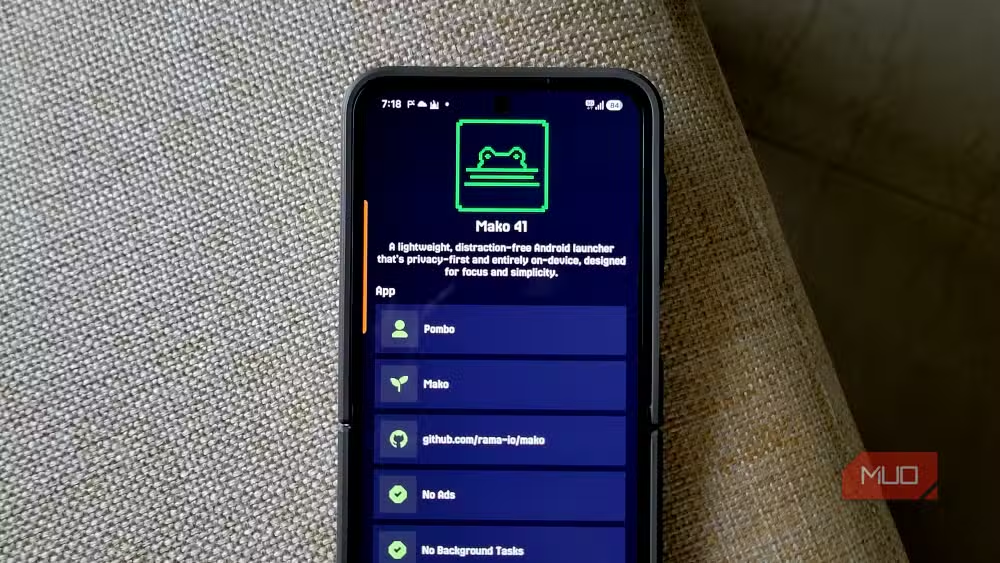
Mako ships under the GPL-3.0-or-later license. You can grab it from F-Droid, the open-source app repository that never asks for an account. No email sign-up, no Google account linking, no onboarding flow begging for a profile. Set it as your home app and it works. Every setting stays local on the device.
Does Mako work offline?
Yes. The launcher doesn't need a network connection to function. That's a privacy win, but it also means the app runs lighter than cloud-synced alternatives. On older hardware, that matters. Shareef reports smooth performance even on a tablet "old enough to stutter under anything heavier."
How does app organization work?
Mako lists apps alphabetically by default. With hundreds of apps installed, that means your carrier's bloatware sits at the top while the things you actually use get buried. The fix is grouping.
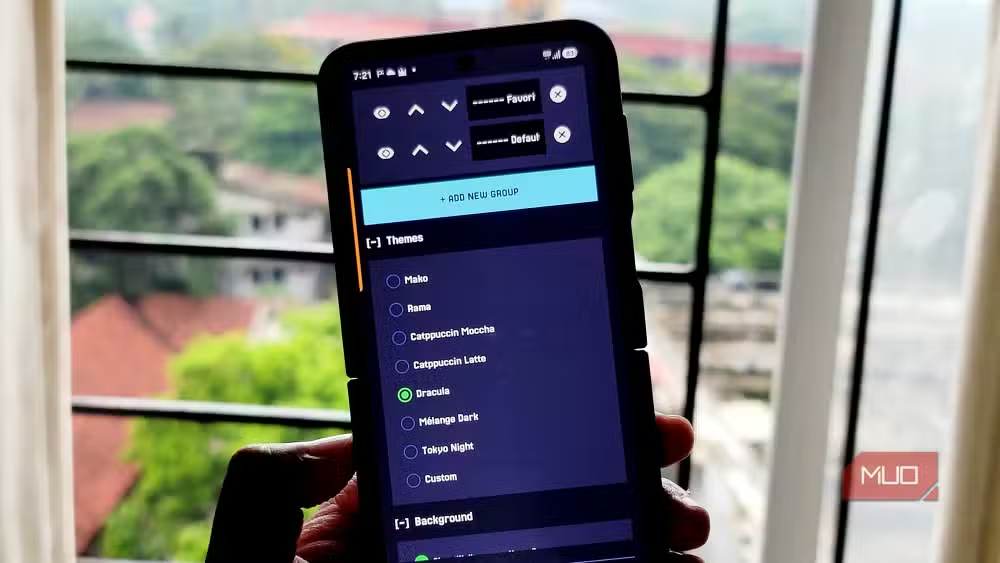
Out of the box, you get two groups: Favorites and Default. To see group headers, long-press an empty space on the app list to open Settings, then toggle on Show group header and Allow collapsing groups. From there, you can add new groups or remove ones you don't need.
Sorting takes a few taps. Long-press any app to enter selection mode, tap each app you want to move, hit the move icon, and pick the destination group. Collapse the groups you rarely touch and a list of hundreds shrinks to the handful you actually open.
What about customization and themes?
The default layout drops app icons entirely. Mako leans on a sharp, geometric typeface called Jersey 25, which gives the whole screen a blocky, deliberate look. In a world of rounded corners and soft gradients, it stands out.
Themes are limited but thoughtful. You get pastel-leaning presets with names like Dracula, Catppuccin Moccha, and Catppuccin Latte. These mix purples, pinks, and greens across the interface. Pair one with a wallpaper and adjust the opacity slider, and you can build something coherent without spending an hour tweaking.
A compact info strip pins to the top of the screen: time, day, full date, day of the year, battery percentage, and battery temperature. All of it in one glance.
Is Niagara still worth the money?
Niagara has a 4.6/5 rating on Google Play with over 150,000 reviews. The design philosophy holds up, and the company continues active development. For users who want a polished, supported product and don't mind paying, it remains a solid choice.
But the value proposition has shifted. Mako delivers the same core experience without the subscription prompt. For privacy-conscious users, the fact that Mako runs entirely on-device with no tracking is the stronger argument.
| Feature | Mako Launcher | Niagara Launcher |
|---|---|---|
| Price | Free | $43 lifetime or subscription |
| Account required | No | No |
| Open source | Yes (GPL-3.0) | No |
| Widget support | No | No |
| Tracking | None | Limited |
| Available on | F-Droid | Google Play, F-Droid |
Logicity's Take
The minimalist launcher category has needed a credible free option for years. Mako fills that gap without the usual tradeoffs. It's not trying to be feature-complete. It's trying to be invisible. For the growing number of Android users who want their phone to feel less like a slot machine, that's exactly the point.
Frequently Asked Questions
Where can I download Mako Launcher?
Mako is available on F-Droid, an open-source app repository. It's not currently on Google Play Store.
Does Mako Launcher support widgets?
No. Like Niagara's free tier, Mako does not support widgets on the home screen.
Is Mako Launcher safe to use?
Mako runs entirely on-device with no tracking and no network requirement. It's open source under GPL-3.0, so the code can be audited by anyone.
Can I use Mako Launcher on a tablet?
Yes. The launcher works on both phones and tablets, including older devices with limited resources.
Does switching launchers delete my apps?
No. Changing your default launcher only changes how your home screen looks. All apps and data remain intact.
Android 17's security improvements affect how all launchers interact with the OS
Need Help Implementing This?
If your team is building Android apps and wants guidance on launcher integrations, open-source licensing, or privacy-first mobile design, reach out to Logicity's consulting network for expert recommendations.
Source: MakeUseOf
Huma Shazia
Senior AI & Tech Writer
Produced with AI assistance and reviewed by the Logicity editorial team. Learn more in our Editorial Policy.






