Key Takeaways
- Proton Drive costs $180/year for 1TB but offers end-to-end encryption OneDrive lacks
- Migration requires manual download from OneDrive and upload to Proton, no direct transfer exists
- The Proton Drive desktop app integrates into Windows File Explorer similar to OneDrive
If you want to replace OneDrive with something that prioritizes privacy and gives you more control over your files, Proton Drive is a strong option. The tradeoff: it costs more than OneDrive, and migrating your files requires manual work since there's no direct transfer tool. Here's how one long-time Windows user made the switch.
Why leave OneDrive in the first place?
Nick Lewis, an editor at How-To Geek, recently documented his decision to ditch OneDrive after years of using it. His reasoning came down to three things: wanting more control over his PC, supporting smaller independent companies, and prioritizing open-source software where possible.
"Increasingly, my Windows PC has felt less and less like my PC and more like I'm using someone else's device, and Microsoft has both hands on the wheel," Lewis wrote. He noted, somewhat wryly, that this feeling started creeping in around the same time Microsoft renamed "My Computer" to "This PC."
The frustration isn't unique to Lewis. Microsoft has progressively deepened OneDrive's integration into Windows 11, automatically syncing Desktop and Documents folders to the cloud and making it genuinely difficult to use Windows without a Microsoft account. For users who value data sovereignty, that's a problem.
Why Proton Drive over other alternatives?
Lewis evaluated cloud providers based on three criteria: privacy-first design, support for end-to-end encryption, and availability of Windows and Android apps. Several services qualified, but he chose Proton Drive because of the company's established reputation in the privacy space.
Proton, the company behind ProtonMail, has built its brand around encryption and privacy. Unlike OneDrive, Proton Drive encrypts files end-to-end, meaning Proton itself cannot access your data. That's a meaningful difference for anyone concerned about cloud providers scanning or accessing their files.
The downside is cost. Proton Drive charges $15 per month ($180 annually) for 1TB of storage. Compare that to Microsoft 365 Personal, which bundles 1TB of OneDrive, the full Office suite, and other perks for $70 per year. You're paying more than double for Proton Drive alone.
Proton does offer a bundle called Proton Unlimited that includes 500GB of storage, a VPN, 15 email addresses, and a password manager for $96 per year (first two years). If you need a VPN anyway, that math looks better. Lewis opted for the standalone 1TB plan because he needed the full storage and already had his other services covered.
How to move files from OneDrive to Proton Drive
There's no elegant migration path here. You download everything from OneDrive, then upload it to Proton Drive manually. It's tedious but straightforward.
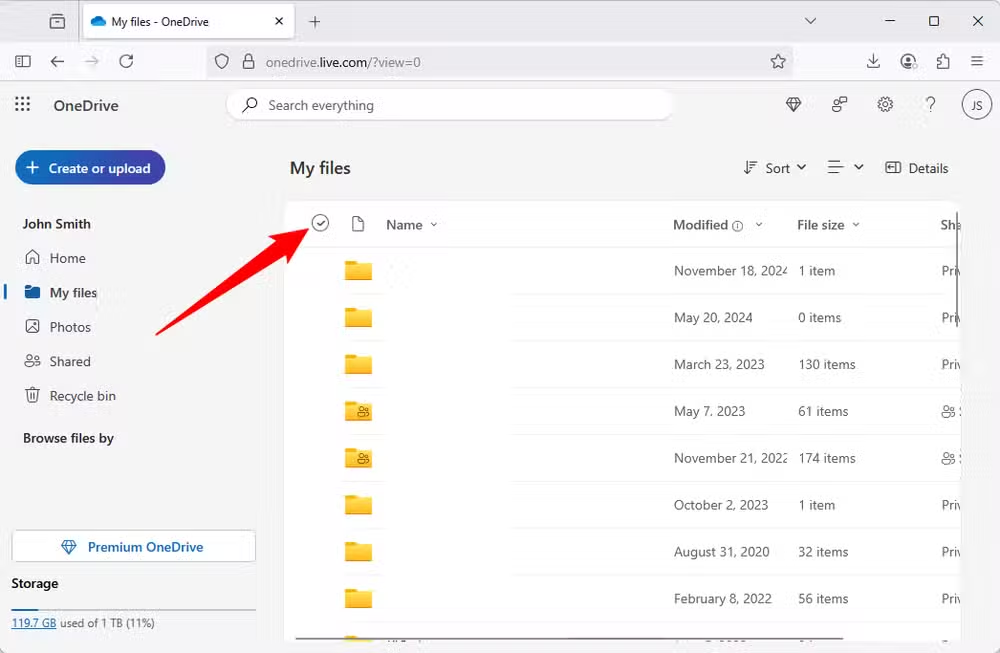
Start by logging into OneDrive in your browser. Go to the "My files" tab and click the checkmark to the left of the Name column to select everything. This checkbox isn't visible by default; hover near the column header to reveal it.
One quirk: the download button disappears when Personal Vault is selected. Make sure you manually uncheck the circle next to Personal Vault, then hit download. OneDrive will zip your files and let you save them locally.
Once the download finishes, upload everything to Proton Drive. You can use either the web interface or the desktop app. Lewis recommends the desktop app since you'll likely want it running anyway for ongoing sync.
Setting up Proton Drive on Windows
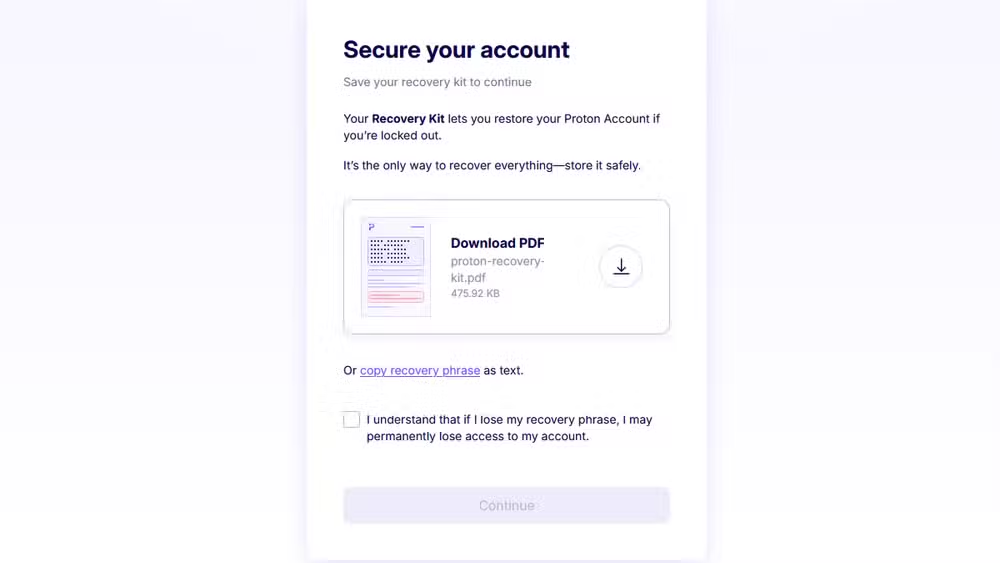
Create an account on the Proton Drive website first. The most important step during setup is downloading your Recovery Kit. This is a passphrase that lets you recover your account and decrypt your files if you lose access. Without it, your encrypted data is gone forever. Write it down and store it somewhere safe.
After account setup, download and install the Proton Drive desktop app for Windows. Sign in with your credentials, and the app will create a local sync folder. Any files you put in this folder sync automatically to Proton's servers, encrypted before they leave your machine.
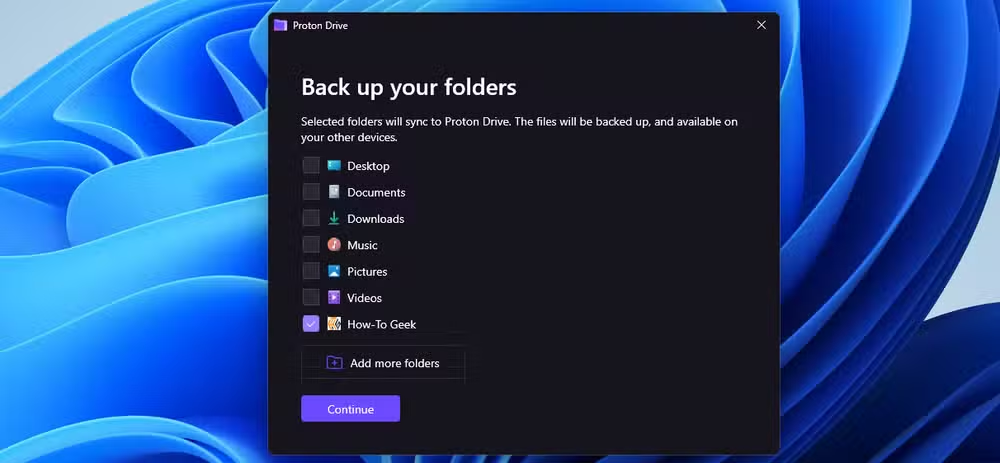
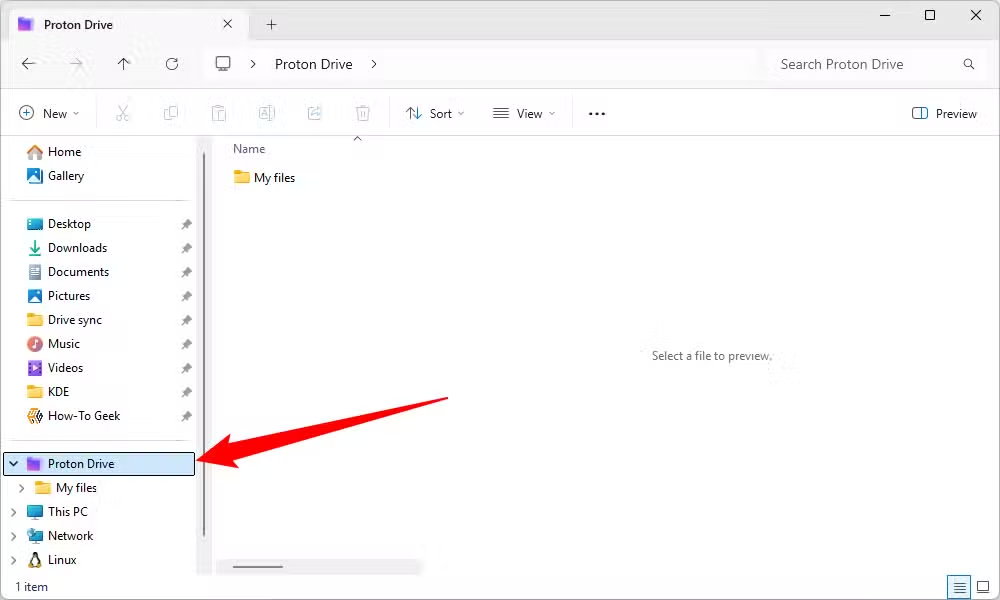
The desktop app integrates into Windows File Explorer, appearing in the sidebar much like OneDrive does. You won't lose the convenience of drag-and-drop file management.
What you lose by leaving OneDrive
Switching away from OneDrive means giving up some conveniences. Microsoft's tight Windows integration means OneDrive syncs Desktop, Documents, and Pictures folders seamlessly. Replicating that with Proton Drive requires manually redirecting those system folders, which isn't hard but requires extra configuration.
You also lose Office integration. If you use Word or Excel online and rely on OneDrive for automatic saving, that workflow breaks. Lewis noted he planned to self-host alternatives like NextCloud for productivity apps, so this wasn't a concern for him.
Finally, OneDrive's free tier offers 5GB without paying anything. Proton Drive has a free tier too, but it's only 1GB. If you need more, you're paying.
Is the switch worth it?
That depends on what you value. If end-to-end encryption and independence from Microsoft matter more than cost savings and deep OS integration, Proton Drive delivers. If you're happy with OneDrive's features and don't mind Microsoft's cloud-first direction for Windows, staying put makes sense.
The broader trend here is real. Self-hosted cloud storage alternatives like NextCloud now power over 400,000 enterprise deployments globally. Consumer-focused encrypted services like Proton continue growing as users push back against big tech's control over their data. Microsoft's aggressive OneDrive integration may be driving as many users away as it's locking in.
Logicity's Take
The price premium for Proton Drive is steep, more than double OneDrive's cost for the same storage. But framing this as a straight storage comparison misses the point. You're paying for encryption that Proton can't break, a company with a track record of fighting for user privacy, and independence from an ecosystem that increasingly treats your PC as a Microsoft service terminal. For privacy-conscious professionals, that's worth something. For everyone else, OneDrive remains the pragmatic choice.
Frequently Asked Questions
Can I transfer files directly from OneDrive to Proton Drive?
No. There's no direct migration tool. You must download your files from OneDrive and upload them to Proton Drive manually.
Does Proton Drive work with Windows File Explorer?
Yes. The Proton Drive desktop app integrates into File Explorer's sidebar, similar to how OneDrive appears.
How much does Proton Drive cost compared to OneDrive?
Proton Drive costs $180 per year for 1TB. Microsoft 365 Personal, which includes 1TB OneDrive plus Office apps, costs $70 per year.
Is Proton Drive more secure than OneDrive?
Proton Drive uses end-to-end encryption, meaning Proton cannot access your files. OneDrive encrypts data in transit and at rest, but Microsoft holds the keys.
What happens if I lose my Proton Drive recovery kit?
You lose access to your encrypted files permanently. Proton cannot recover them for you since they don't have your encryption keys.
If you're exploring alternatives to Microsoft's ecosystem, Arch-based Linux distros offer a complete OS escape route.
Need Help Implementing This?
If you're a business considering migrating away from OneDrive to encrypted alternatives, reach out to Logicity for consulting on secure cloud infrastructure and data sovereignty strategies.
Source: How-To Geek
Manaal Khan
Tech & Innovation Writer
Produced with AI assistance and reviewed by the Logicity editorial team. Learn more in our Editorial Policy.






