Key Takeaways
- The free Ampere app shows real-time charging current in milliamps, revealing what Android's vague 'fast charging' label hides
- Charging cables without labeling are a common culprit for slow speeds, so trial and error with Ampere is the fastest diagnostic method
- Android's built-in battery settings may be limiting your charging speed without your knowledge
Android's "Fast Charging" notification tells you almost nothing useful. Is your phone pulling 18W or 65W? The lock screen won't say. Pankil Shah at MakeUseOf ran into this problem, used a free app called Ampere to measure actual charging current, and immediately spotted issues with his setup.
His Galaxy S26 showed the comforting "Fast charging" label but Ampere reported only 1900 mA, well below what the phone should pull with proper hardware. The diagnosis took minutes. The fix took a cable swap and a settings change.
What does Ampere actually measure?
Ampere is a free Android app that reads charging current data the operating system already collects but doesn't display. It shows the flow in milliamps (mA) rather than watts, updating in real time as you charge. The numbers jump around, so Shah recommends waiting a minute for the readings to stabilize.
The app also tracks maximum and minimum current during a charging session, which helps identify intermittent connection problems. Beyond charging speed, it displays battery health, capacity, temperature, and type. It's not as precise as a USB power meter, but for most diagnostic purposes it's accurate enough.
The core question Ampere answers: is your phone charging at its potential, or is something throttling it? The app won't tell you why speeds are low. That part requires some detective work.
Why your charger and cable are the usual suspects
Most slow charging problems trace back to the adapter or cable. Checking the adapter is straightforward. Flip it over and look for the power rating, usually printed as something like "9.0V ⎓ 2.22A" or "20.0V ⎓ 3.25A". Multiply volts by amps to get maximum wattage. That first example delivers roughly 20W. The second delivers 65W.
Compare that number to your phone's supported charging speed. A quick search will tell you. If your adapter can't deliver what the phone accepts, you're leaving speed on the table.
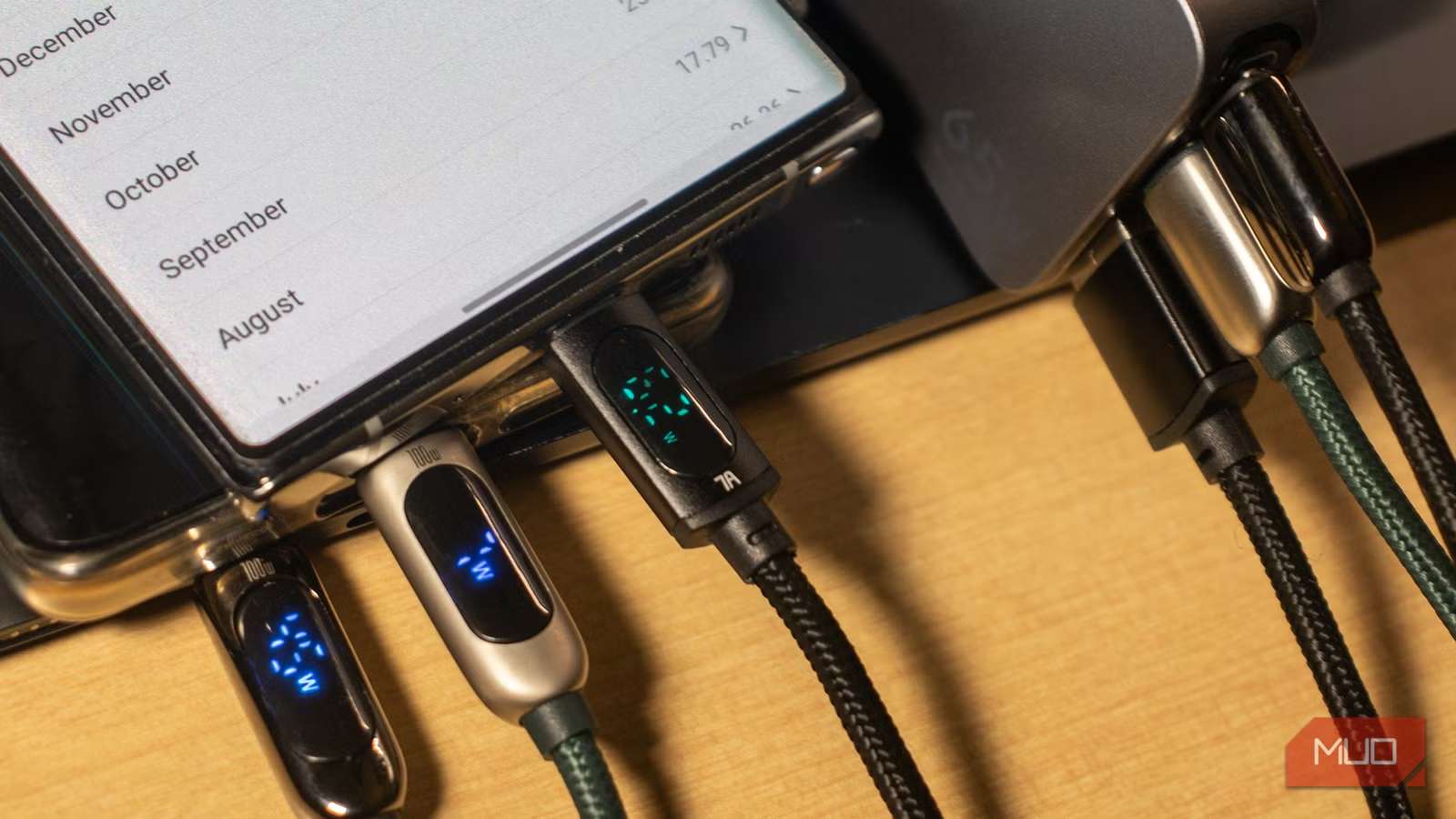
Cables are trickier. Most USB-C cables lack any labeling. A cheap cable might only support 15W even if your charger and phone support 65W. The cable becomes a bottleneck.
Shah's recommendation: use the cable that came with your phone. If you've lost it or need extras, trial and error with Ampere is the fastest way to identify which cables in your drawer actually support high speeds. Test each one, note the charging current, and retire the slow ones.
Check your Android settings for hidden throttling
Your hardware might be fine. Android itself could be limiting charging speed.
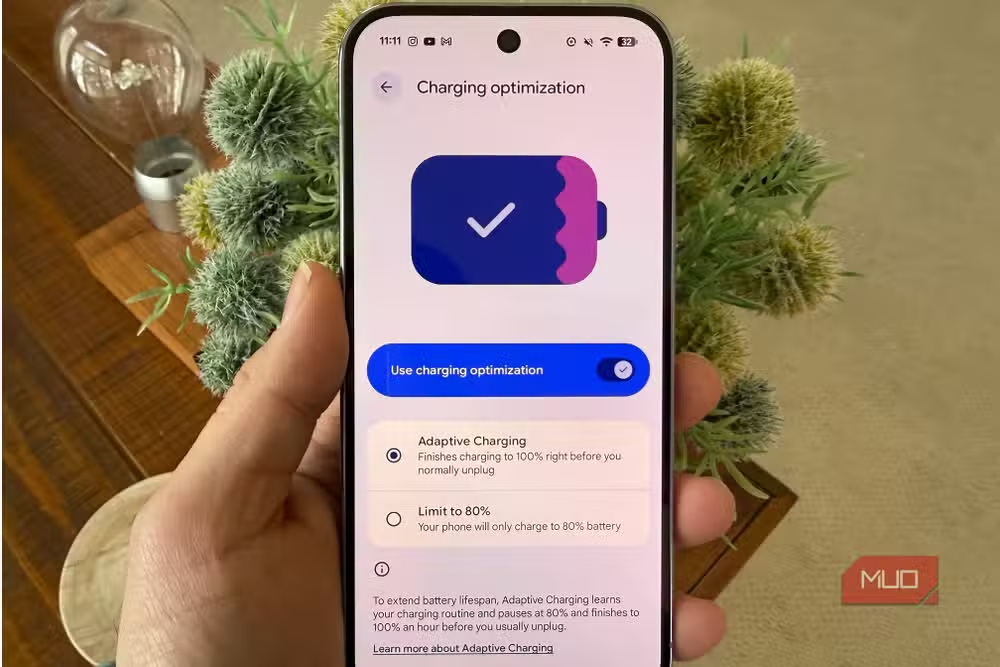
Most Android phones include options to cap charging speed. The logic: slower charging generates less heat and extends battery lifespan. Some phones enable these limits by default, or you might have turned them on and forgotten.
To check, go to Settings > Battery > Charging settings. Look for toggles labeled "Fast charging" and "Fast wireless charging" and make sure they're enabled. On Samsung devices, there may also be a "Super fast charging" option for 45W+ speeds.
After changing these settings, retest with Ampere. The difference should be immediate.
Other factors that slow charging
Temperature matters. Phones throttle charging when hot to prevent battery damage. If you're charging in a warm room or while running heavy apps, expect slower speeds. Letting the phone cool before plugging in helps.
Battery percentage also affects speed. Most phones charge fastest between 20% and 80%, then slow down to protect the battery as it approaches full. This is normal behavior, not a problem to fix.
Background processes can draw power faster than the charger supplies it, especially during updates or syncs. If Ampere shows charging current dropping to near zero periodically, close apps or let the phone idle while charging.
The math behind charging speeds
Ampere reports milliamps (mA), but phone specs usually list watts (W). Here's the conversion: watts equal volts times amps. At 5V (standard USB), 2000 mA equals 10W. At 9V (common for fast charging), 2000 mA equals 18W. At 20V, 2000 mA equals 40W.
Modern fast charging negotiates higher voltages to push more power through the same cables. That's why the same 2000 mA reading can mean very different things depending on what voltage your charger negotiated. Ampere shows current but not voltage, which is a limitation. For precise measurements, you'd need a USB-C power meter.
Logicity's Take
Ampere solves a UX problem Google should have fixed years ago. The charging APIs exist. The data flows. Android just chooses to hide it behind a vague label. For a platform that prides itself on giving users control, this is an odd gap. Power users should install Ampere immediately. Casual users shouldn't need to install anything. This should be a toggle in Developer Options at minimum.
More Android settings you're probably overlooking
Frequently Asked Questions
Is Ampere accurate for measuring charging speed?
Ampere reads data Android already collects rather than measuring directly. It's accurate enough to diagnose problems and compare cables or chargers, but not precise enough for lab measurements. A USB-C power meter is more accurate if you need exact wattage.
Why does my phone say fast charging but charge slowly?
The "fast charging" label just means the phone detected a compatible charger. Actual speed depends on charger wattage, cable quality, battery temperature, current charge level, and software settings. Any of these can throttle speed below what the label implies.
How do I know what charging speed my phone supports?
Search your phone model plus "charging speed" or check the manufacturer's spec sheet. Common speeds range from 18W on budget phones to 120W+ on flagships from OnePlus, Xiaomi, and OPPO.
Does fast charging damage the battery?
Modern phones manage heat and voltage to minimize damage, but faster charging does stress batteries more than slow charging. If battery longevity matters more than convenience, using slower chargers or enabling battery protection modes helps.
Why does Ampere show negative numbers?
Negative values in Ampere indicate the battery is discharging, not charging. This happens when power draw exceeds charger input, usually because of intensive apps running during charging. Close apps or use a higher-wattage charger.
Need Help Implementing This?
If you're managing device fleets or setting up standardized charging infrastructure for a team, the cable and charger consistency problem scales badly. Contact us for recommendations on enterprise mobile device management and hardware standardization.
Source: MakeUseOf
Manaal Khan
Tech & Innovation Writer
Produced with AI assistance and reviewed by the Logicity editorial team. Learn more in our Editorial Policy.






