Key Takeaways
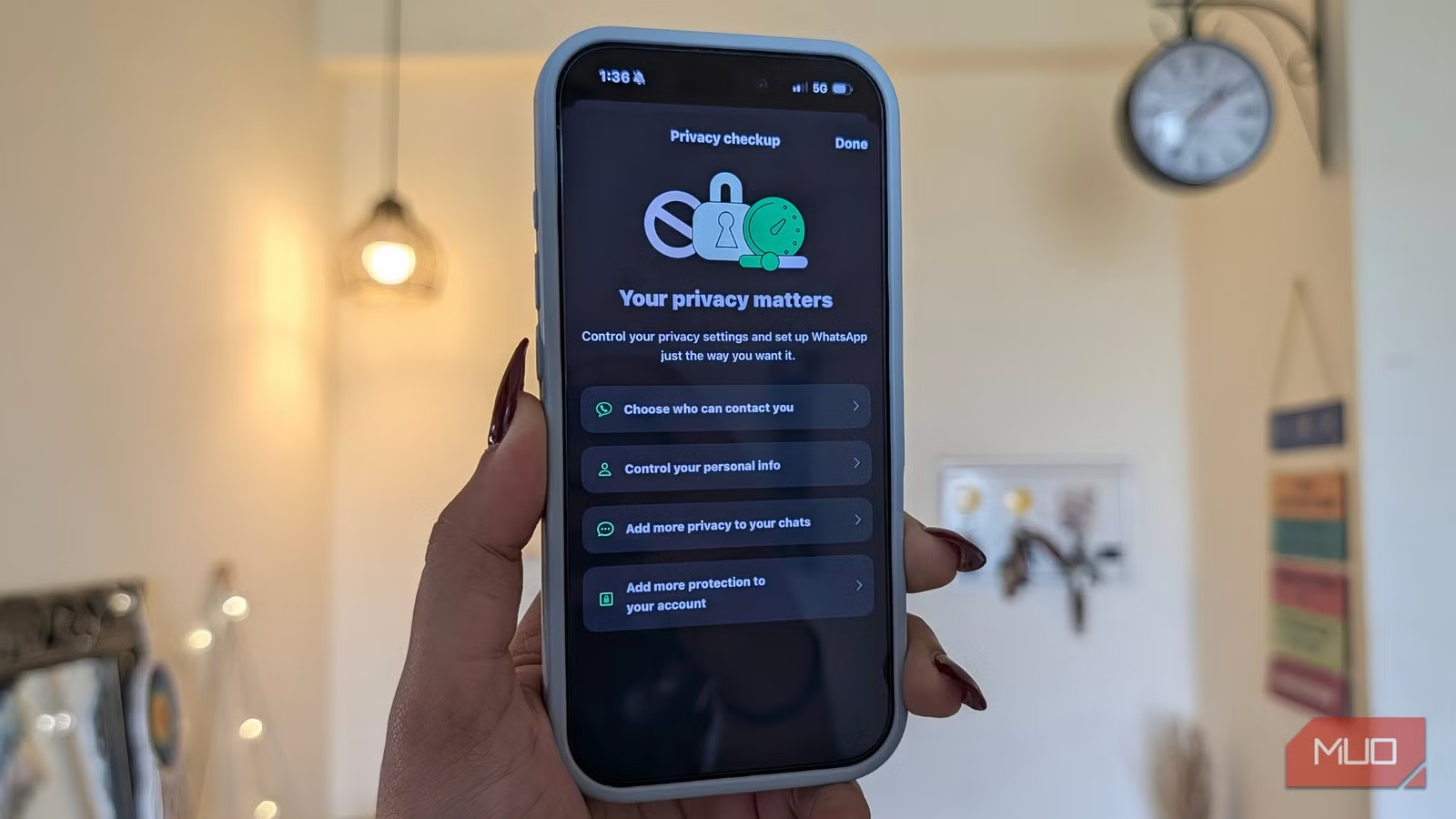
- WhatsApp calls use peer-to-peer connections that can expose your IP address to anyone with basic network tools
- Link previews also leak your IP; disabling them trades convenience for privacy
- Profile photos, last seen status, and group invitations are all visible to strangers by default
WhatsApp encrypts your messages end-to-end. Your privacy, however, still leaks through a handful of default settings that most users never touch. Your IP address, profile photo, last-seen timestamp, and phone number can all be visible to people you have never met. Fixing this takes about five minutes.
The app serves over three billion monthly users. That scale means your phone number has probably ended up in group chats you forgot existed, forwarded to people you do not know, or scraped by services you never authorized. Default settings assume you want maximum visibility. You probably do not.
How WhatsApp calls expose your IP address
Voice and video calls on WhatsApp connect you directly to the other person. This peer-to-peer link improves audio quality and reduces latency. It also means the person on the other end can determine your IP address using standard network analysis tools.
An IP address reveals your approximate location. In targeted attacks, it can also be used for DDoS, where an attacker floods your connection until you cannot access any service. This is not hypothetical. Security researchers have demonstrated the technique repeatedly.
WhatsApp offers a fix: routing calls through its own servers instead of a direct connection. The tradeoff is slightly reduced audio quality and higher data usage. For most people, that is worth it.
To enable it, go to Settings, then Privacy, then Advanced. Toggle on Protect IP address in calls.
Link previews also leak your IP
When you send or receive a link, WhatsApp fetches metadata from the target site to generate a preview. That request comes from your device, which means the site sees your IP address.
Disabling link previews removes this risk. Links will appear as plain URLs without thumbnails or descriptions. You lose some convenience, but you stop broadcasting your IP to every server behind every link you touch.
The setting lives in the same place: Settings, Privacy, Advanced. Toggle off Disable link previews.
Who can see your profile picture?
By default, anyone with your phone number can view your profile photo, even if they are not in your contacts. That is a problem if your number has circulated through work chats, college groups, or anywhere else over the years.
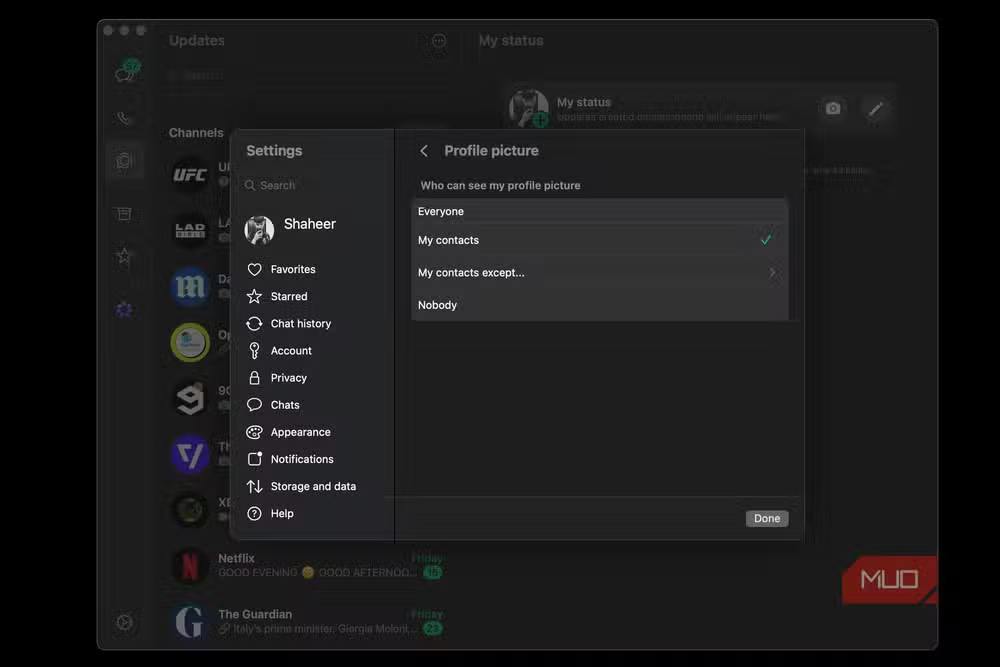
You can restrict visibility to contacts only, or even exclude specific people. WhatsApp also blocks screenshots of profile pictures now, so your photo will not end up in a stranger's gallery.
Find this under Settings, Privacy, Profile Photo. Choose My Contacts or My Contacts Except and pick who to exclude.
Group invitations: strangers can add you
Anyone with your phone number can add you to a group chat. Once you are in, every other member can see your number and profile. This is how spam groups work.
WhatsApp lets you restrict group invitations to contacts only. Anyone else must send you a private invitation that you can decline. It adds friction, but friction is the point.
Go to Settings, Privacy, Groups. Select My Contacts.
Last seen and online status
Your last seen timestamp tells people when you were last active. The online indicator shows when you are currently in the app. Both are visible to anyone by default.
Hiding this information limits surveillance from both strangers and people you know. The tradeoff: if you hide your last seen, you cannot see anyone else's either. That seems fair.
The setting is under Settings, Privacy, Last Seen and Online. Set it to Nobody or My Contacts.
The five-minute privacy audit
All five settings live in the same place. Open Settings, tap Privacy, and work through each section. The stricter configuration looks like this:
- Protect IP address in calls: On
- Disable link previews: On
- Profile Photo: My Contacts
- Groups: My Contacts
- Last Seen and Online: Nobody
WhatsApp's end-to-end encryption protects message content. These settings protect everything around the messages: your identity, your location, your activity patterns. The defaults favor convenience. The fixes take five minutes.
Logicity's Take
WhatsApp ships with settings optimized for engagement, not privacy. That is standard practice across Meta's products. What is unusual here is how easy the fixes are. Most privacy improvements require sacrificing core functionality. These mostly do not. The link preview toggle is the only one with a noticeable daily impact. If you use WhatsApp for business communication, treat this five-minute audit as basic operational hygiene.
Another quick privacy and customization fix for default settings that favor the platform over the user
Frequently Asked Questions
Does protecting my IP address in WhatsApp calls affect call quality?
Yes, slightly. Routing calls through WhatsApp's servers instead of a direct peer-to-peer connection adds latency and uses more data. Most users will not notice the difference on a stable connection.
Can I hide my WhatsApp profile picture from specific contacts?
Yes. Under Settings, Privacy, Profile Photo, choose My Contacts Except and select the people you want to exclude. They will see a blank placeholder instead of your photo.
If I hide my last seen, can I still see other people's last seen?
No. WhatsApp enforces reciprocity. If you hide your last seen status, you lose access to everyone else's as well.
Do these settings affect WhatsApp's end-to-end encryption?
No. Message encryption is always on and cannot be disabled. These settings control metadata and visibility, not message content.
Can WhatsApp groups still see my phone number if I restrict group invitations?
Yes. Once you join a group, all members can see your phone number. Restricting group invitations only controls who can add you in the first place.
Need Help Implementing This?
If your organization uses WhatsApp for business communication and needs a consistent privacy policy across devices, reach out to Logicity's consulting team for guidance on mobile security configurations and employee training.
Source: MakeUseOf
Huma Shazia
Senior AI & Tech Writer
Produced with AI assistance and reviewed by the Logicity editorial team. Learn more in our Editorial Policy.






