Key Takeaways
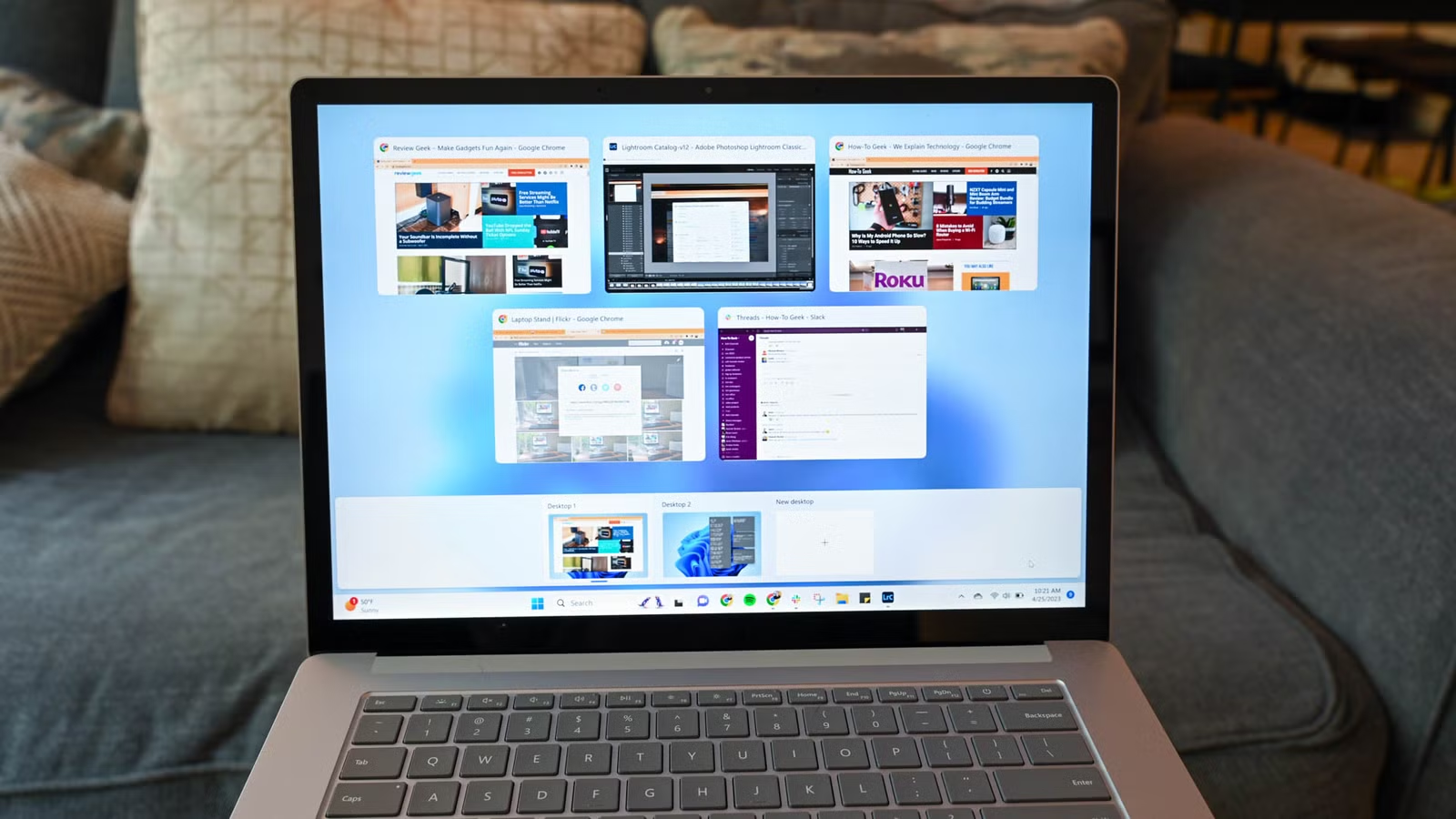
- A single registry edit removes Bing search results from the Windows 11 Start Menu
- The classic right-click context menu can be restored with a new registry key
- Always export a backup of your registry before making any changes
Windows 11 has matured since its rocky 2021 launch, but Microsoft still ships defaults that annoy power users. Bing results clutter the Start Menu. The redesigned right-click menu buries useful options behind an extra click. These aren't dealbreakers, but they add friction to a fresh install. Three quick Windows 11 registry tweaks fix them in minutes.
Nick Lewis at How-To Geek published his go-to registry edits this week. The list is short and low-risk. None of these changes touch system-critical keys, and all are reversible. That said, the registry is powerful enough to break things if you wander off-script. Export a backup before you start: open Registry Editor, click File, then Export, and save the .reg file somewhere safe.
How to disable Bing search in the Start Menu
Type a search in the Start Menu, and Windows 11 mixes local results with Bing web results. A typo or vague query often returns sponsored Bing links instead of the app or file you wanted. Microsoft provides no toggle for this in Settings.
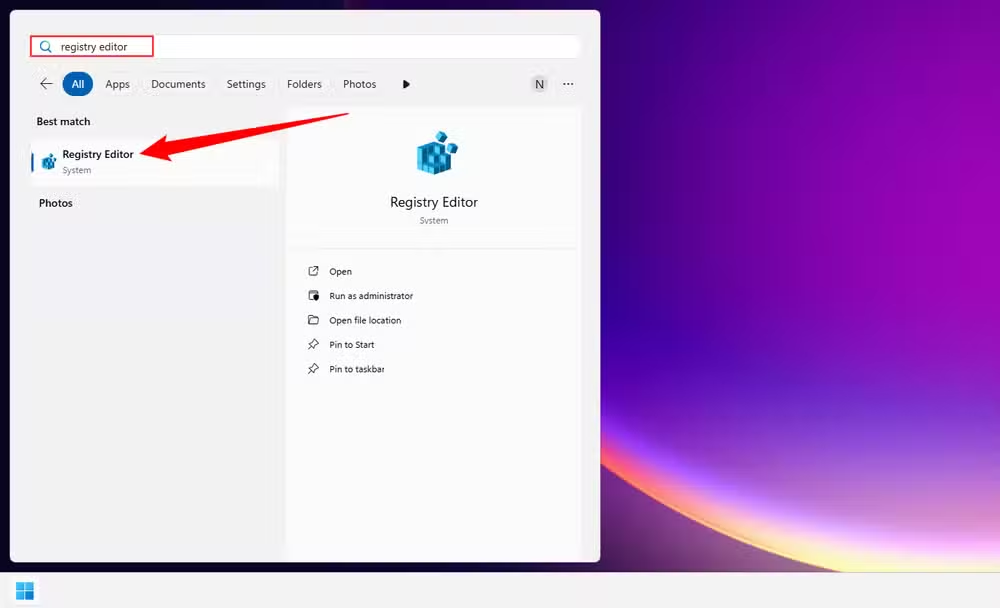
The fix lives in the registry. Open the Start Menu, search for Registry Editor, and launch it. Navigate to this path, or paste it into the address bar:
Computer\HKEY_CURRENT_USER\SOFTWARE\Policies\Microsoft\Windows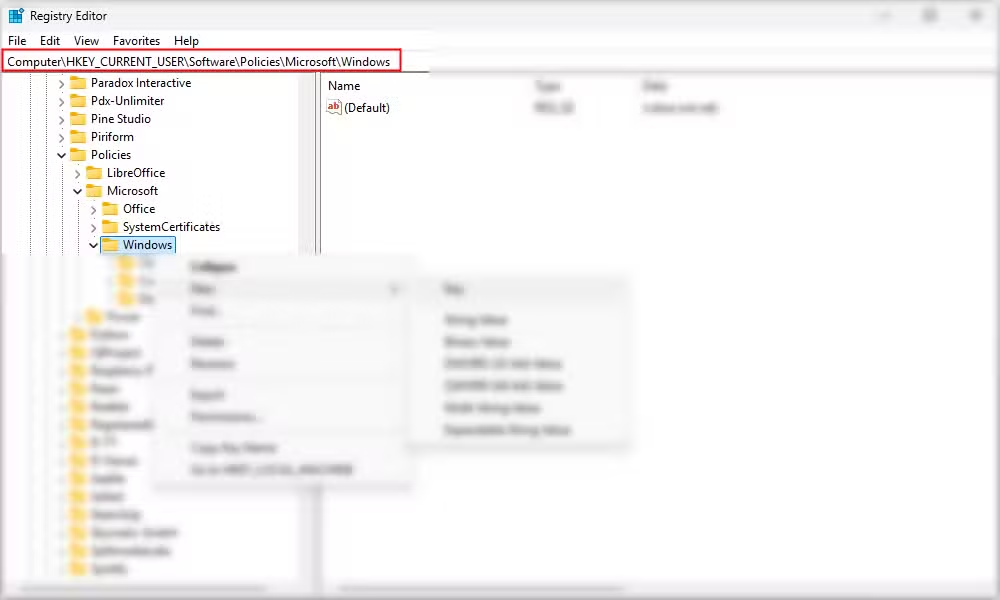
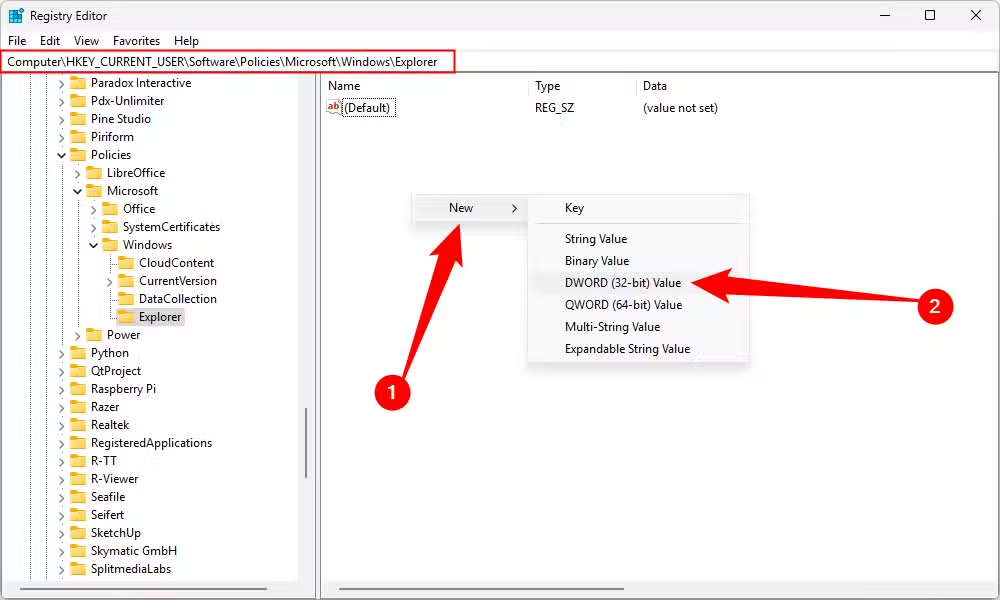
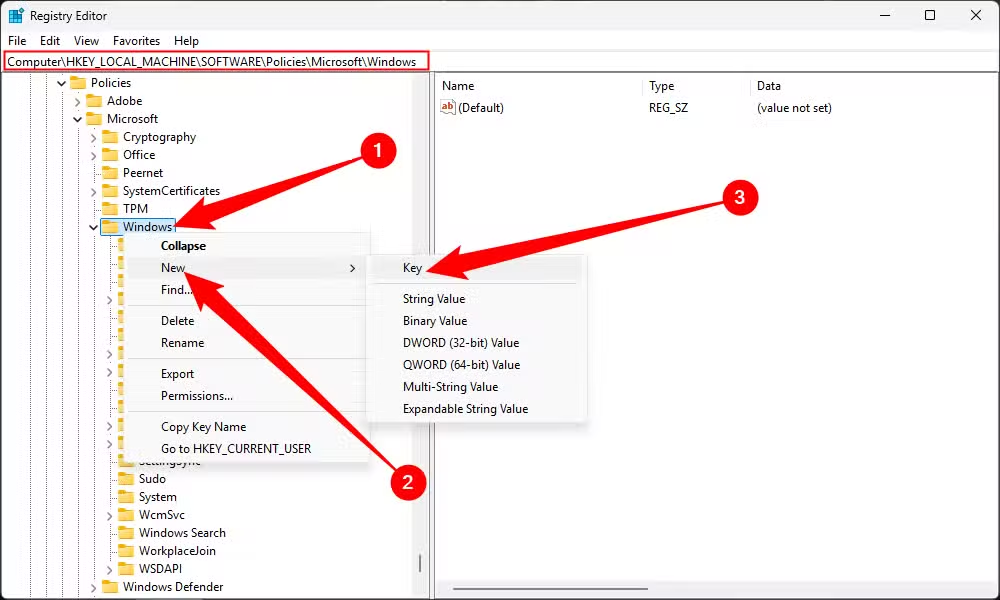
Look for a key named Explorer. If it doesn't exist, right-click the Windows folder, select New, then Key, and name it Explorer.
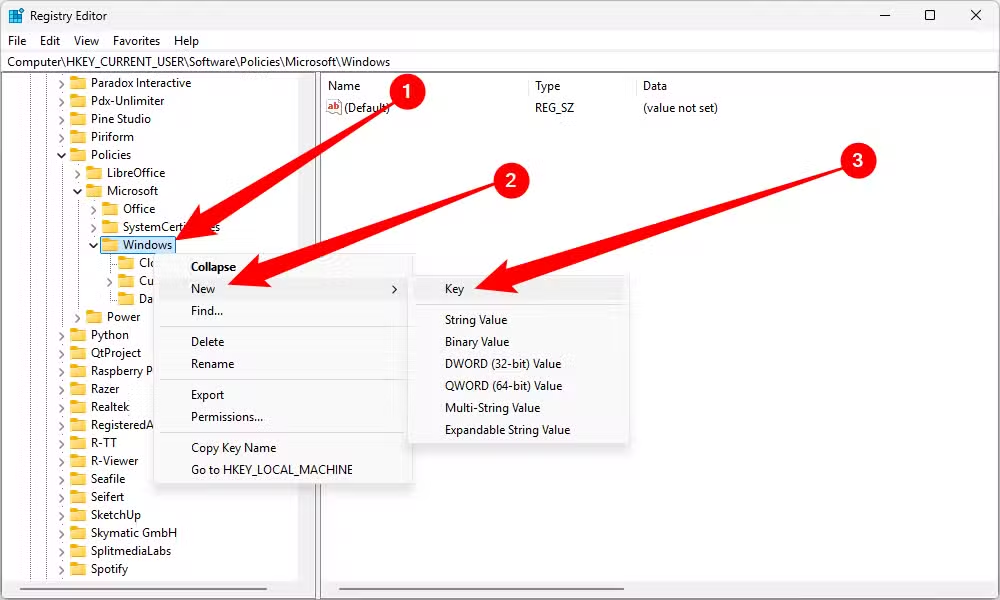
Inside the Explorer key, right-click empty space and choose New, then DWORD (32-bit) Value. Name it DisableSearchBoxSuggestions. Double-click the new entry and set its value to 1. Restart your PC. Bing results will no longer appear in the Start Menu. To undo this, change the value back to 0.
Restore the classic right-click context menu
Windows 11 replaced the traditional right-click menu with a cleaner, shorter version. Useful? Debatable. The new menu hides common options like Open with behind a secondary "Show more options" click. If you right-click files dozens of times a day, that extra click adds up.
This tweak brings back the full Windows 10-style menu. Open Registry Editor and navigate to:
Computer\HKEY_CURRENT_USER\SOFTWARE\CLASSES\CLSID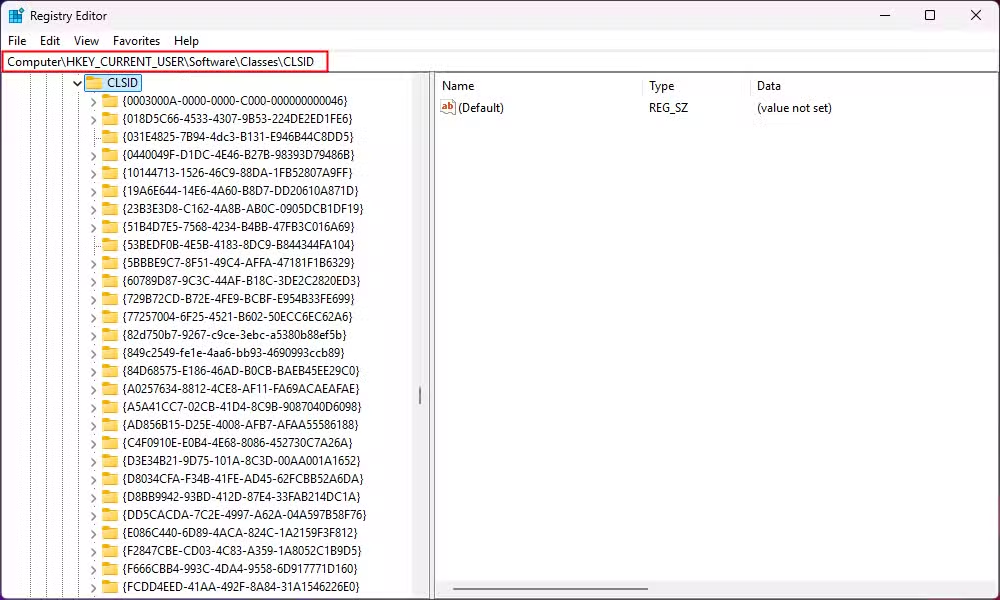
Right-click empty space, select New, then Key. Paste this exact string as the name:
{86ca1aa0-34aa-4e8b-a509-50c905bae2a2}Open that new key. Right-click empty space again, create another key, and name it InprocServer32. Inside InprocServer32, double-click the Default entry. Leave the value data field completely empty and click OK. Restart your PC. Right-clicking anywhere now shows the full classic menu immediately.
Why registry tweaks still matter in 2026
Microsoft has over 400 million Windows 11 installations, but the Settings app still lacks options that power users consider essential. The registry fills that gap. It has been the backbone of Windows configuration since Windows 3.1 in 1992, storing low-level settings that Microsoft chooses not to expose through the GUI.
The registry is not without risk. A wrong edit can break applications or, in rare cases, prevent Windows from booting. But the tweaks described here modify user-level keys, not system-critical ones. They're safe for most users willing to follow instructions carefully.
Should you bother with these changes?
If you rarely use the Start Menu search or don't mind the new context menu, skip this entirely. These tweaks solve specific annoyances. They won't speed up your PC or improve security. But if Bing results in the Start Menu have ever made you close and reopen the search, or if you've clicked "Show more options" for the hundredth time today, five minutes in the registry pays for itself.
Frequently Asked Questions
Can registry tweaks break Windows 11?
Yes, modifying critical system keys can cause crashes or boot failures. The tweaks in this article modify user-level keys and are low-risk, but always export a registry backup before making changes.
How do I undo a registry change in Windows 11?
If you exported a backup, double-click the .reg file to restore it. For individual changes, navigate back to the key and delete it or set the value to 0.
Why doesn't Microsoft let you disable Bing in the Start Menu through Settings?
Microsoft integrates Bing to promote its search engine and advertising platform. The company has not publicly explained why there's no toggle, but the registry workaround has existed since Windows 11 launched.
Do these registry tweaks persist after Windows updates?
Usually, yes. Major feature updates occasionally reset certain registry keys, so you may need to reapply them after significant updates.
Logicity's Take
Microsoft positions Windows 11 as simpler and more modern, but it keeps removing options power users relied on for decades. The irony: every registry hack in this article addresses a feature Microsoft deliberately locked away. That gap between what Microsoft wants and what users want keeps widening. Until Redmond ships a proper "advanced settings" panel, the registry remains the unofficial preferences menu for anyone who knows where to look.
Need Help Implementing This?
If you're managing Windows 11 deployments across a team or company, registry tweaks can be pushed via Group Policy or configuration scripts. Reach out to Logicity for guidance on enterprise-level Windows customization.
Source: How-To Geek
Huma Shazia
Senior AI & Tech Writer
Produced with AI assistance and reviewed by the Logicity editorial team. Learn more in our Editorial Policy.






