Key Takeaways
How to Integrate AI Into Your Marketing Workflows (3 Systems You Must Try)

- AI integration means connecting AI models to your existing apps so they can automate tasks requiring judgment, not just rules
- Four integration types exist: native features, workflow automation, assistant integration, and custom API builds — most teams use a mix
- Start with one painful, repeatable process before scaling AI across your stack
AI integration connects artificial intelligence models like ChatGPT and Claude to the apps your team already uses, letting AI handle tasks that previously required human judgment. Instead of toggling to a separate chat window, your workflows route support tickets through a model that summarizes, prioritizes, and assigns them before anyone reads them. That shift, from AI as novelty to AI as infrastructure, is what separates pilot projects from production systems.
Disclosure
Some links in this post are affiliate links — Logicity earns a commission if you sign up, at no extra cost to you. We only link products we have used or actively recommend.
Three in four enterprises are already using or testing AI agents, according to recent industry surveys. Four in five say they feel competitive pressure to accelerate adoption. But adoption numbers only tell half the story. An AI tool that isn't connected to your systems and data stalls in the pilot phase. Integration is almost always the missing piece.
What's the difference between AI automation and AI integration?
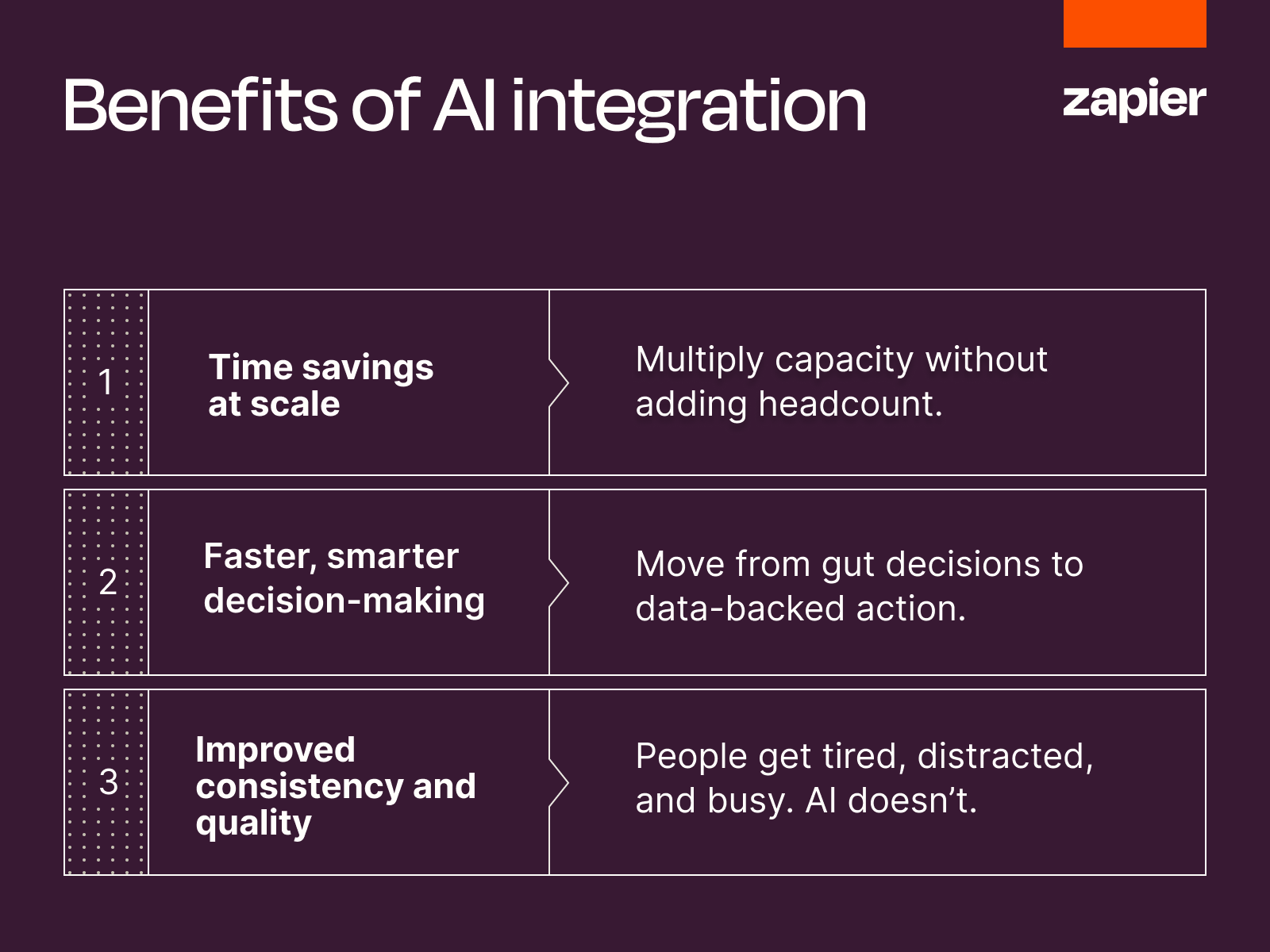
The terms overlap but aren't interchangeable. AI automation describes workflows that combine rule-based triggers with AI-powered steps: automation moves data between systems, and AI handles the steps that require reading, writing, or deciding. AI integration is the broader process that makes those workflows possible by connecting models to your apps and data.
Think of integration as the plumbing. Automation is what flows through the pipes. You can't run AI automation at scale without first solving integration. That's why ops teams spending months on "AI transformation" often find themselves stuck, not for lack of models, but for lack of connectors.
Covers the automation layer that runs on top of integration
Four types of AI integration
AI integration generally comes in four forms, depending on where the model lives and how much control you need.
Native AI features are the simplest. You use AI already built into apps you pay for. Gmail drafting replies, Notion summarizing meeting notes, Slack recapping threads. Setup is zero, but the AI only sees data inside that single app.
Workflow AI integration uses an automation platform like Zapier, Make, or n8n to connect AI models to your apps. AI-powered steps run inside automated workflows. A new support ticket triggers a Zap that summarizes, classifies urgency, and routes it to the right queue. This approach scales across apps and runs without human oversight.
AI assistant integration connects your assistant directly to your apps. Using protocols like MCP, ChatGPT or Claude can pull data and take action from the chat window. You ask your assistant to pull this week's deals from HubSpot and draft follow-ups. It's flexible but ad hoc, best for one-off requests that don't follow a fixed process.
Custom AI integration means building directly against model APIs, often fine-tuned on your own data. An in-app support bot trained on your help docs is a common example. This path demands engineering resources but delivers product features and specialized use cases no off-the-shelf tool can match.
Most businesses end up using a combination. Native features handle personal productivity. Workflow integration runs the processes your team executes every day. Assistant integration fills the gaps for ad hoc questions. The mix depends on team size, technical resources, and how much you need AI to act autonomously.
Why AI integration matters for ops teams
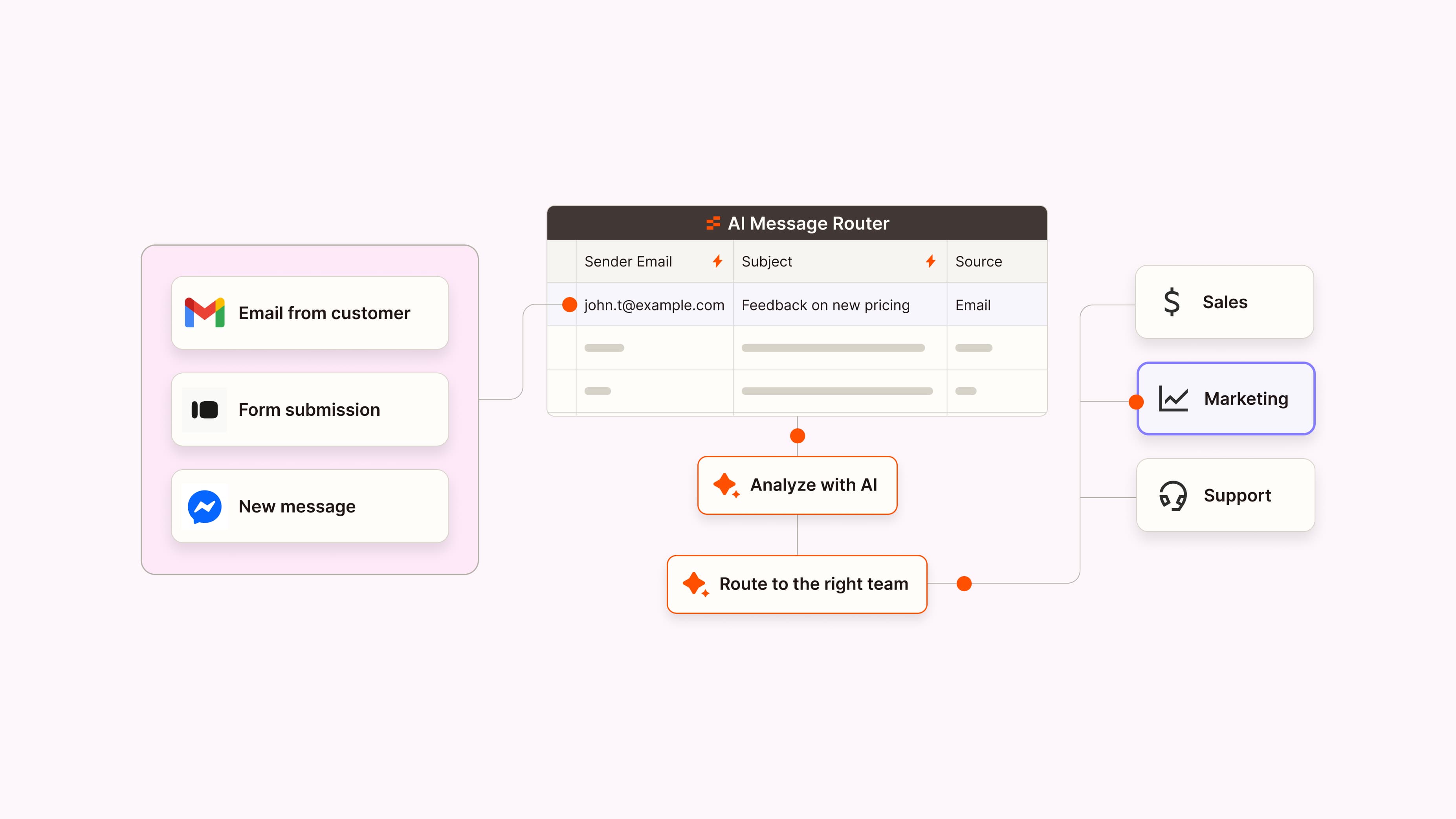
Time savings compound fast. AI can knock out repetitive tasks in seconds. When you bake those automations into your workflows, you multiply your team's capacity without adding headcount. A RevOps team routing 200 inbound leads per day might save 15 minutes per lead on qualification. That's 50 hours a day returned to the pipeline.
Decision-making speeds up. AI tools analyze large data sets faster than any human, surfacing insights that would otherwise take hours or get missed entirely. Integrated AI moves teams from gut decisions to data-backed action. When a model scans every support ticket from the past quarter and surfaces the three product areas driving churn, you've got a real answer, not a hunch.
Consistency improves. People get tired, distracted, and busy. AI doesn't. When integrated into your workflows, AI can maintain consistent tone in communications, apply the same classification logic to every ticket, and catch data quality issues humans would gloss over at 4 PM on a Friday.
Real AI integration examples
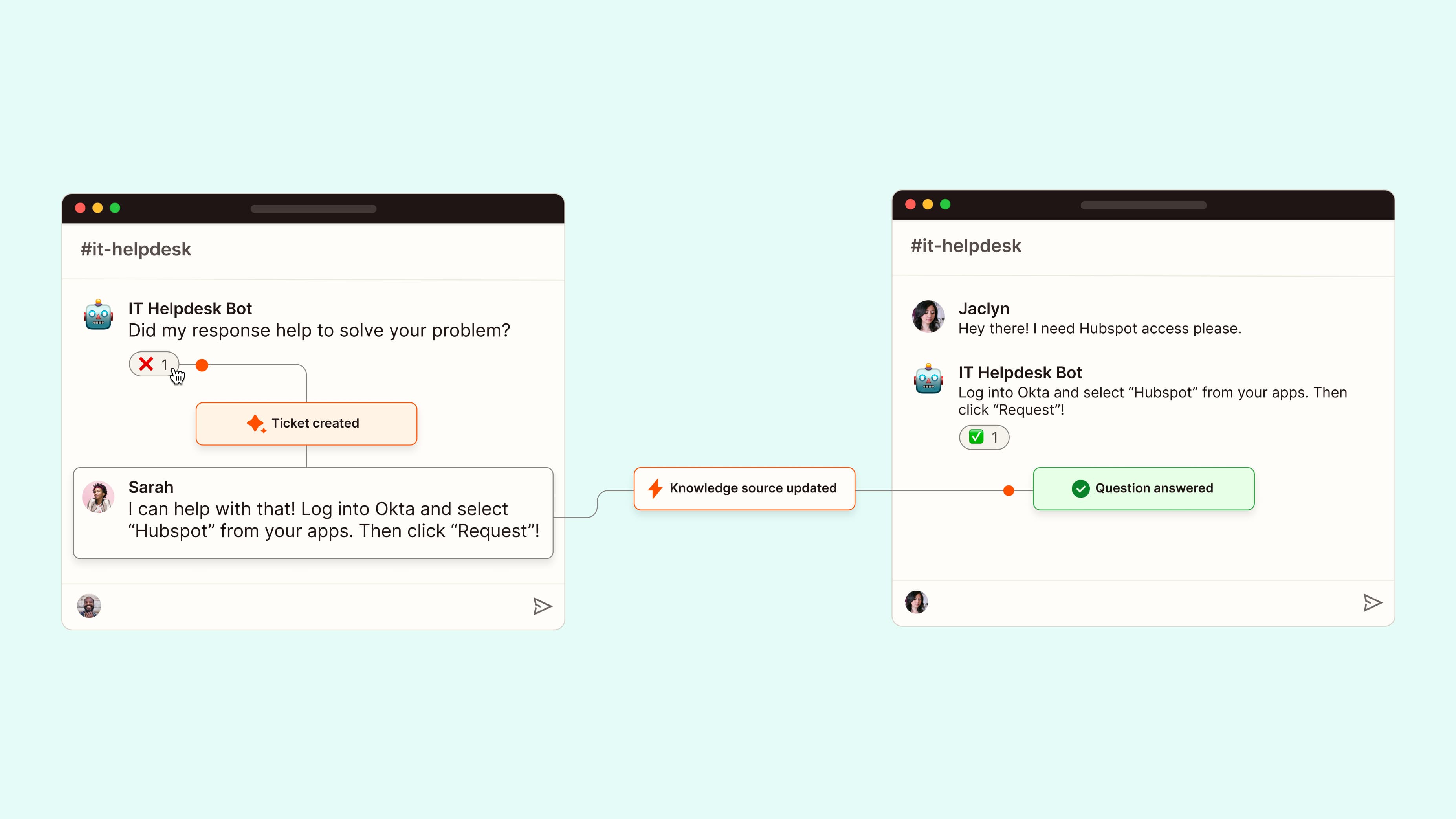
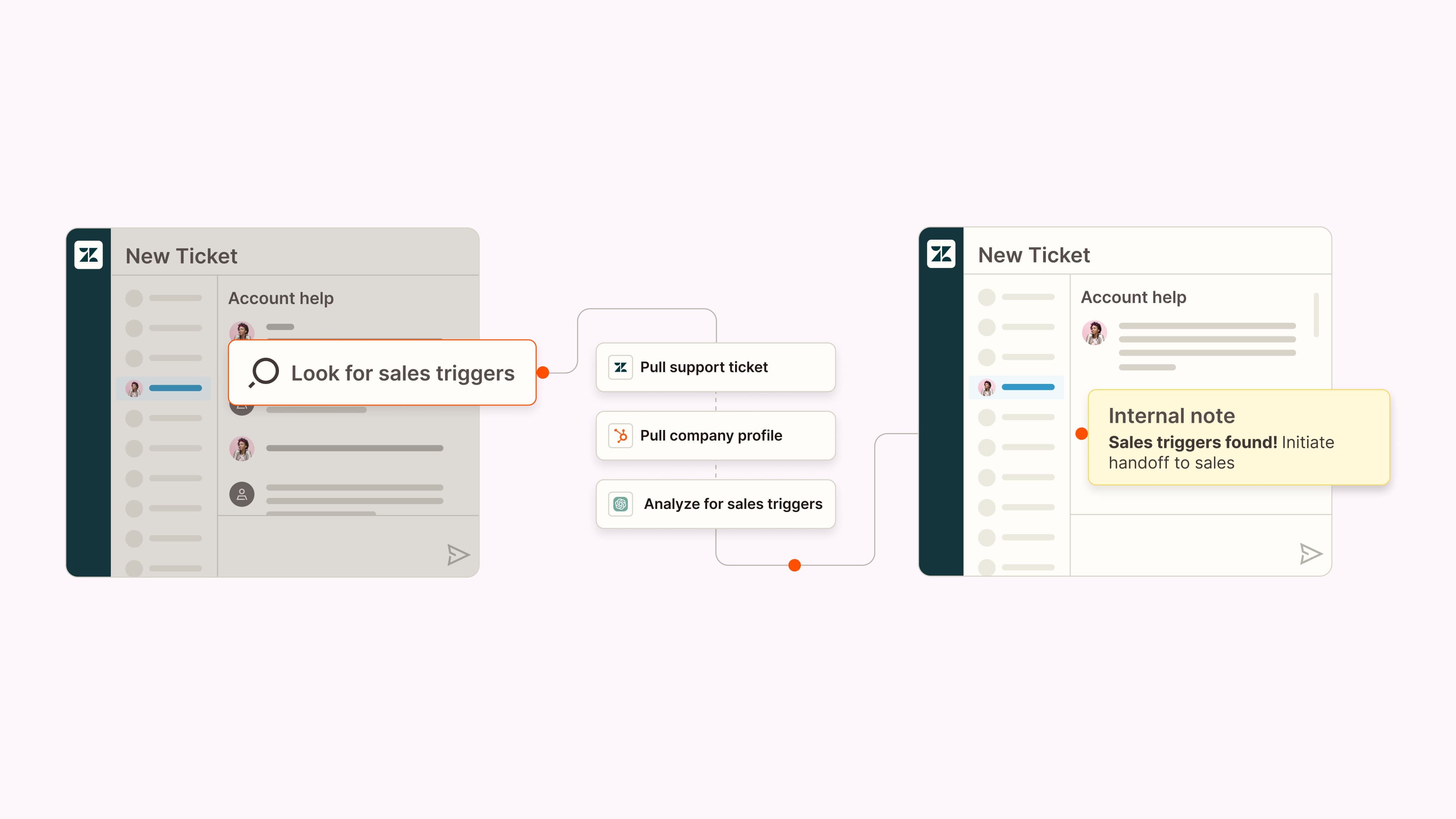
Support ticket triage is the canonical use case. A new ticket arrives in Zendesk or Freshsales. An AI step reads the message, extracts the product area, estimates urgency, and assigns the ticket to the right specialist. The agent picks it up with context already attached.
Lead scoring runs similarly. A form submission hits your CRM. AI analyzes the company's website, LinkedIn, and any enrichment data you have. It flags high-intent signals and assigns a score before your SDR even sees the record. Teams using Salesforce or Pipedrive can trigger these workflows from native integrations or via Zapier.
Content repurposing is another quick win. A long-form blog post publishes. An automation sends the text to Claude, which generates a LinkedIn post, an email newsletter intro, and three tweet variations. The marketer reviews and schedules. A task that took 45 minutes now takes five.
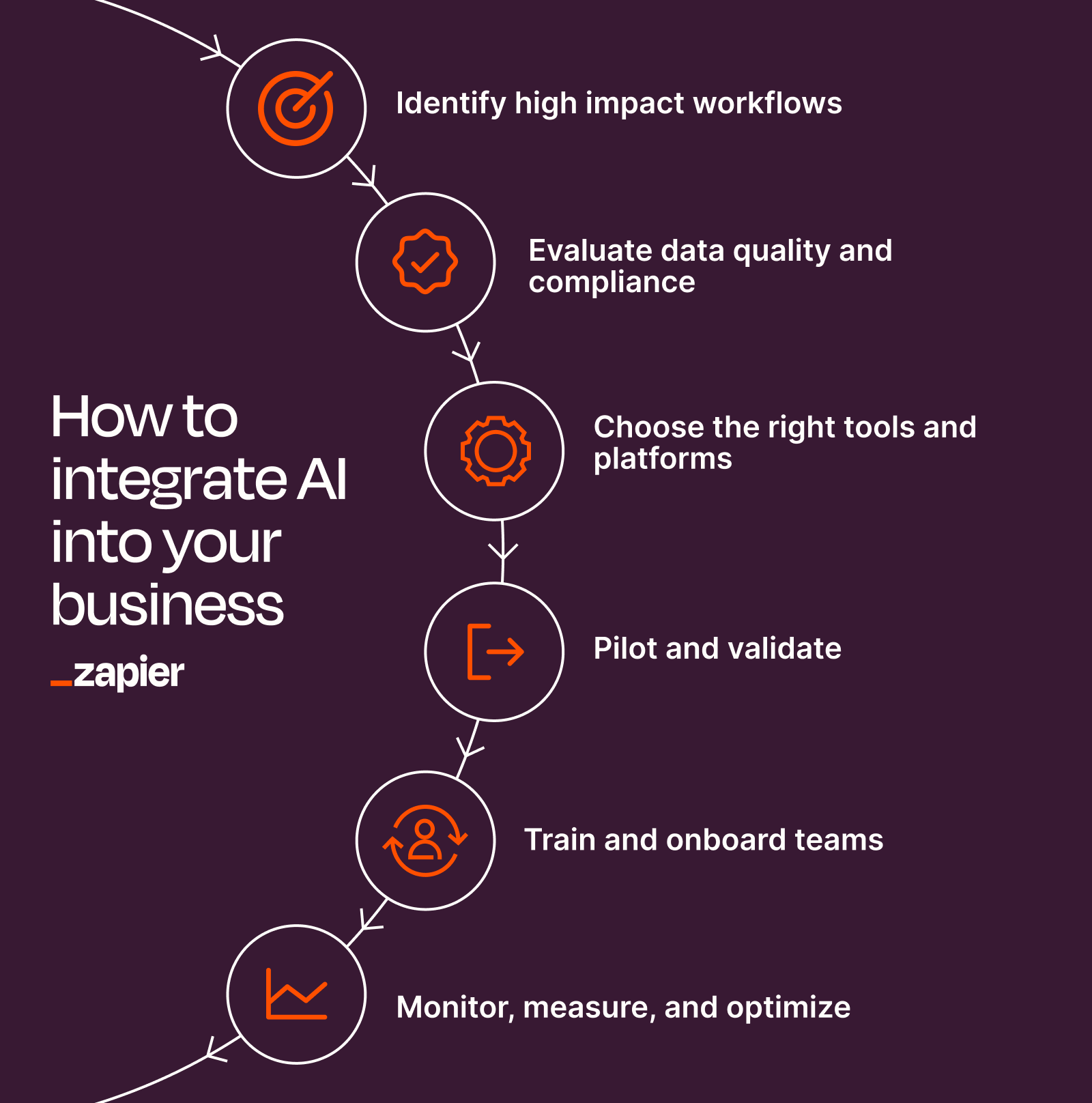
How to integrate AI into your business in 6 steps
Step one: identify one painful, repeatable process. Don't start with "AI transformation." Start with a single workflow that's manual, time-consuming, and consistent enough to automate. Support routing, lead enrichment, and contract summarization are safe first targets.
Step two: choose your integration type. If the AI feature already exists in your tool, use it. If you need cross-app automation, pick a platform like Zapier, Make, or n8n. If you need conversational access to your data, configure an AI assistant with MCP or function calling. If you need a product feature, plan an API build.
Step three: map the data flow. Identify what triggers the workflow, what data the AI needs to read, what action it should take, and where the output goes. Write it down before you build anything. Gaps in this map are where integrations break.
Step four: build and test with real data. Use production data, not test records. AI models behave differently on messy real-world inputs. Run 20 to 50 examples through the workflow and check every output before going live.
Step five: add human review. For the first 30 days, route AI outputs to a human for approval. You'll catch edge cases the model mishandles. Once error rates drop below your threshold, remove the review step.
Step six: measure and iterate. Track time saved, error rates, and downstream outcomes. If the AI consistently misclassifies a ticket type, update the prompt. If it hallucinates data, add validation steps. Integration is ongoing work, not a one-time project.
What slows AI integration down
Data access is the first bottleneck. AI models are only as useful as the data they can see. If your CRM doesn't expose the fields you need via API, or your data warehouse requires an engineering ticket for every new query, integration stalls. Audit your data access before picking tools.
Prompt engineering takes longer than expected. Getting consistent, accurate outputs from an LLM requires iteration. The prompt that works for one customer segment may fail for another. Budget time for testing and refinement.
Governance concerns slow enterprise rollouts. Legal and compliance teams want to know what data touches the model, whether it's retained, and who's liable for errors. Have answers ready before you pitch a pilot.
Logicity's Take
For most RevOps and operations teams, workflow AI integration via Zapier, Make, or n8n offers the fastest path to value. Zapier starts at $19.99/month for basic Zaps, with AI steps available on Teams plans ($69/month per user). Make's free tier supports 1,000 operations per month, and n8n offers a self-hosted option for teams with compliance constraints. Native AI features are useful but siloed; custom API builds are powerful but require engineering capacity most ops teams don't have. Start with one workflow, prove ROI, then expand.
Frequently asked questions
Frequently Asked Questions
Do I need engineering resources to integrate AI into my workflows?
Not for workflow or assistant integration. Platforms like Zapier, Make, and n8n let ops teams connect AI models to apps without code. Custom API builds do require developers.
Which AI models can I connect to my business apps?
Most automation platforms support OpenAI (GPT-4o, GPT-4 Turbo), Anthropic (Claude 3.5 Sonnet, Claude 3 Opus), and increasingly Google's Gemini models. Check your platform's integrations page for the current list.
How do I prevent AI from making mistakes in production workflows?
Start with human review on all AI outputs. Track error rates. Update prompts when you see patterns. Add validation steps that check outputs against business rules before the workflow continues.
AI integration isn't about replacing your team. It's about routing the repetitive, judgment-light work to a model so humans can focus on the decisions that actually require context, creativity, and accountability. The teams that get this right will outpace competitors still toggling between browser tabs. The ones that wait will eventually have to catch up anyway.
Need Help Implementing This?
Logicity works with RevOps and operations teams to design, build, and optimize AI-integrated workflows. If you're planning a pilot or stuck on data access and prompt engineering, reach out — we've helped teams like yours get from pilot to production.
Source: The Zapier Blog
Manaal Khan
Tech & Innovation Writer
Produced with AI assistance and reviewed by the Logicity editorial team. Learn more in our Editorial Policy.