Key Takeaways
- CGNAT shares one public IP among many customers, breaking port forwarding for remote access
- A $5/month VPS with RustDesk's relay server acts as a meeting point between your devices
- RustDesk has over 115,000 GitHub stars and 6 million registered users as an open-source TeamViewer alternative
The CGNAT Problem
When you move house or switch to a different ISP plan, you might discover your router's WAN address starts with 10.x, 100.64.x, or similar private ranges. That's Carrier-Grade NAT at work. Your ISP shares a single public IPv4 address among dozens or hundreds of customers to conserve the dwindling pool of available addresses.
This creates a real problem for anyone running a home server, jump box, or homelab. Port forwarding rules become useless because your router isn't at the edge of your internet connection anymore. The ports you open lead nowhere public.
Gregory Gibson, an IT specialist with 15 years of enterprise experience, hit this wall after moving house. His ISP's backhaul network placed his connection behind CGNAT, and paying extra for a static IP wasn't feasible. His solution: stop trying to make his home connection reachable and create a cheap relay point in the cloud instead.
Why RustDesk Works When Port Forwarding Fails
RustDesk is an open-source remote desktop application that works similarly to TeamViewer or AnyDesk. The key difference is that you can self-host its relay infrastructure. With over 115,000 stars on GitHub and 6 million registered users, it has become the go-to choice for users who want control over their remote access setup.
“RustDesk is designed to be the open-source answer to TeamViewer, putting control back into the hands of users rather than behind a proprietary firewall.”
— Gregory Gibson, IT Specialist and Technical Writer
The architecture is simple. Your home server behind CGNAT can still make outbound connections. A VPS with a public IP can receive connections from anywhere. RustDesk's relay server runs on that VPS and acts as a meeting point. Your home machine connects out to the relay. Your remote laptop connects to the same relay. The relay bridges them.
What You Need
- A cheap VPS with a public IPv4 address. One vCPU and 2GB RAM is more than enough.
- RustDesk client installed on your home server and remote device
- RustDesk's relay components: hbbs (ID/rendezvous server) and hbbr (relay server)
- Basic Linux command line skills to set up firewall rules
The VPS doesn't need to be powerful. RustDesk's relay handles signaling and connection brokering, not heavy processing. A $5/month Linode, DigitalOcean droplet, or Vultr instance works fine. The public IP is the critical requirement.
Setting Up the Relay Server
After spinning up your VPS, you'll need to open specific ports in the firewall. RustDesk uses TCP ports 21115-21117 and UDP port 21116 for its relay services.
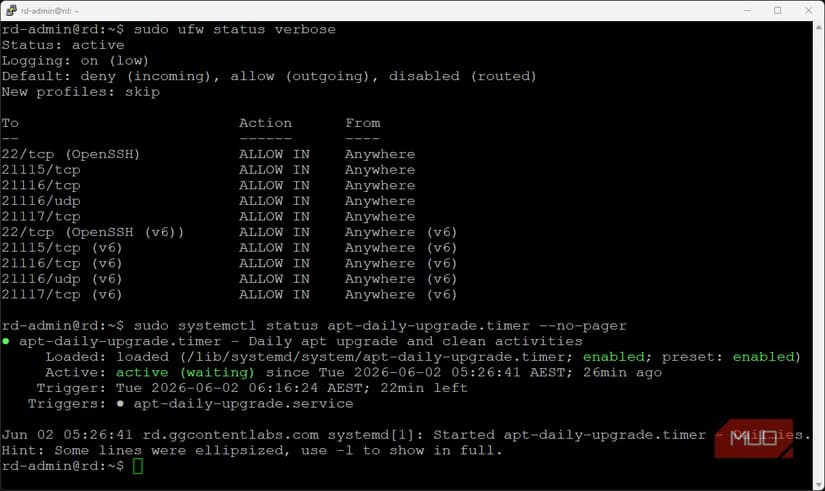
The relay consists of two services. The hbbs component handles ID registration and rendezvous, helping devices find each other. The hbbr component manages the actual relay traffic when direct peer-to-peer connections aren't possible, which is always the case with CGNAT.
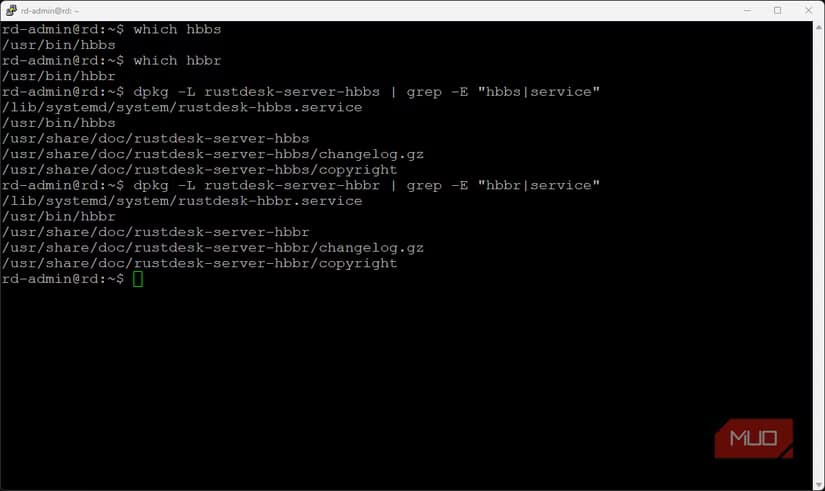
You can run these services directly or use Docker containers. The containerized approach is cleaner and makes updates easier. RustDesk's documentation provides Docker Compose files that handle the setup with minimal configuration.
Configuring the Client
Once your relay is running, configure the RustDesk client on both your home server and remote device. In the network settings, enter your VPS's public IP as the ID server and relay server address. The client will generate a unique ID and password for connections.
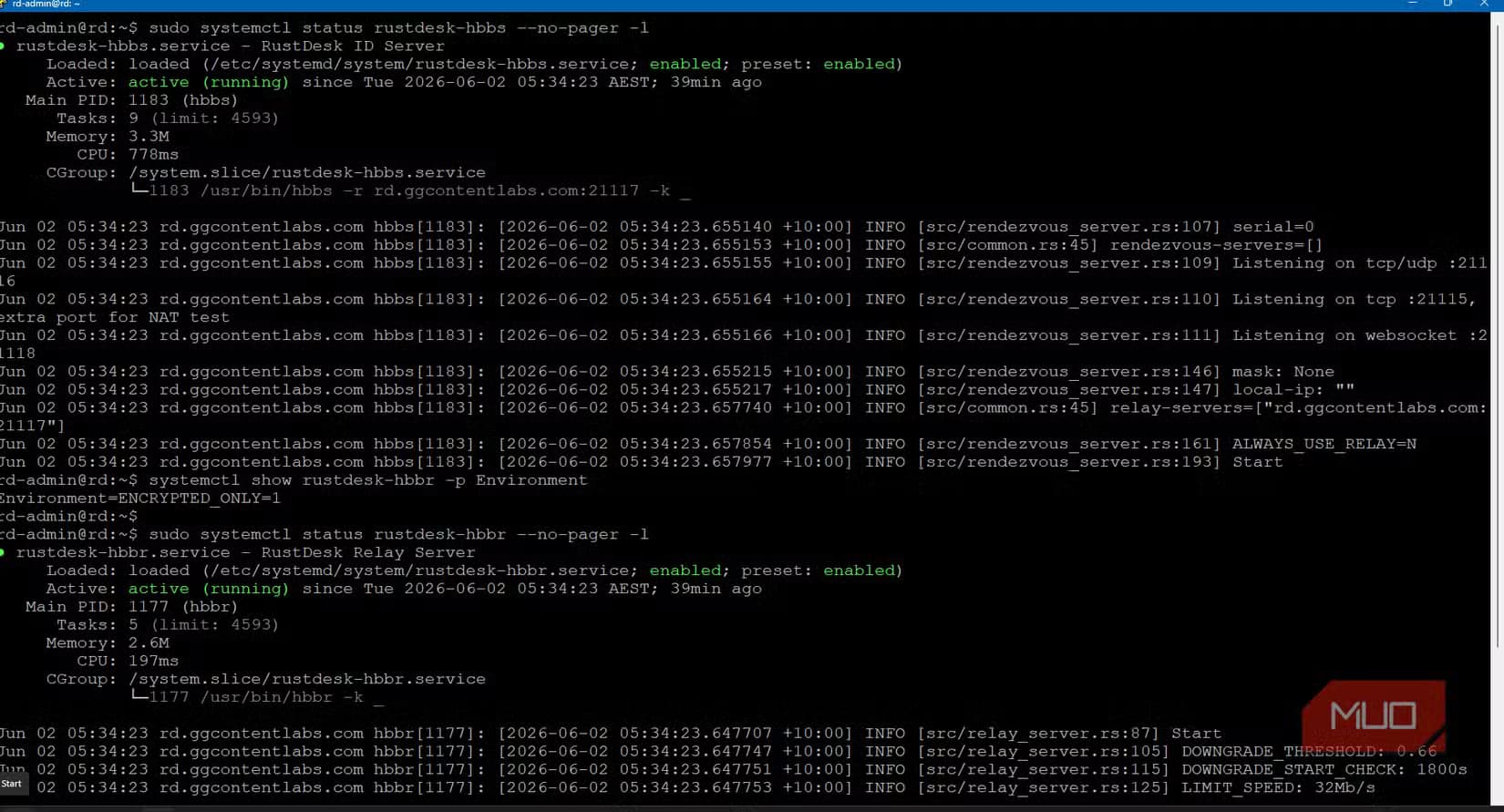
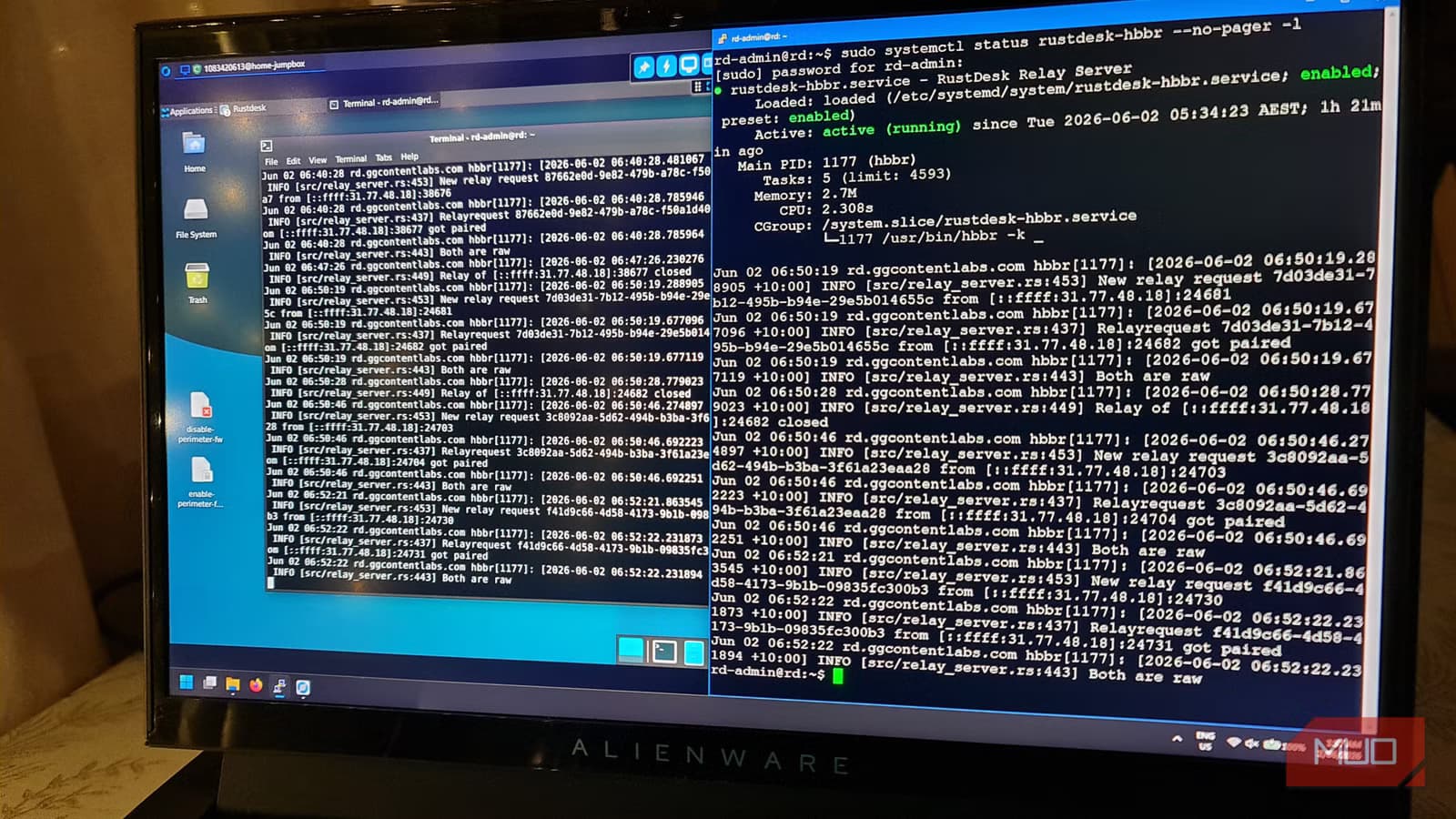
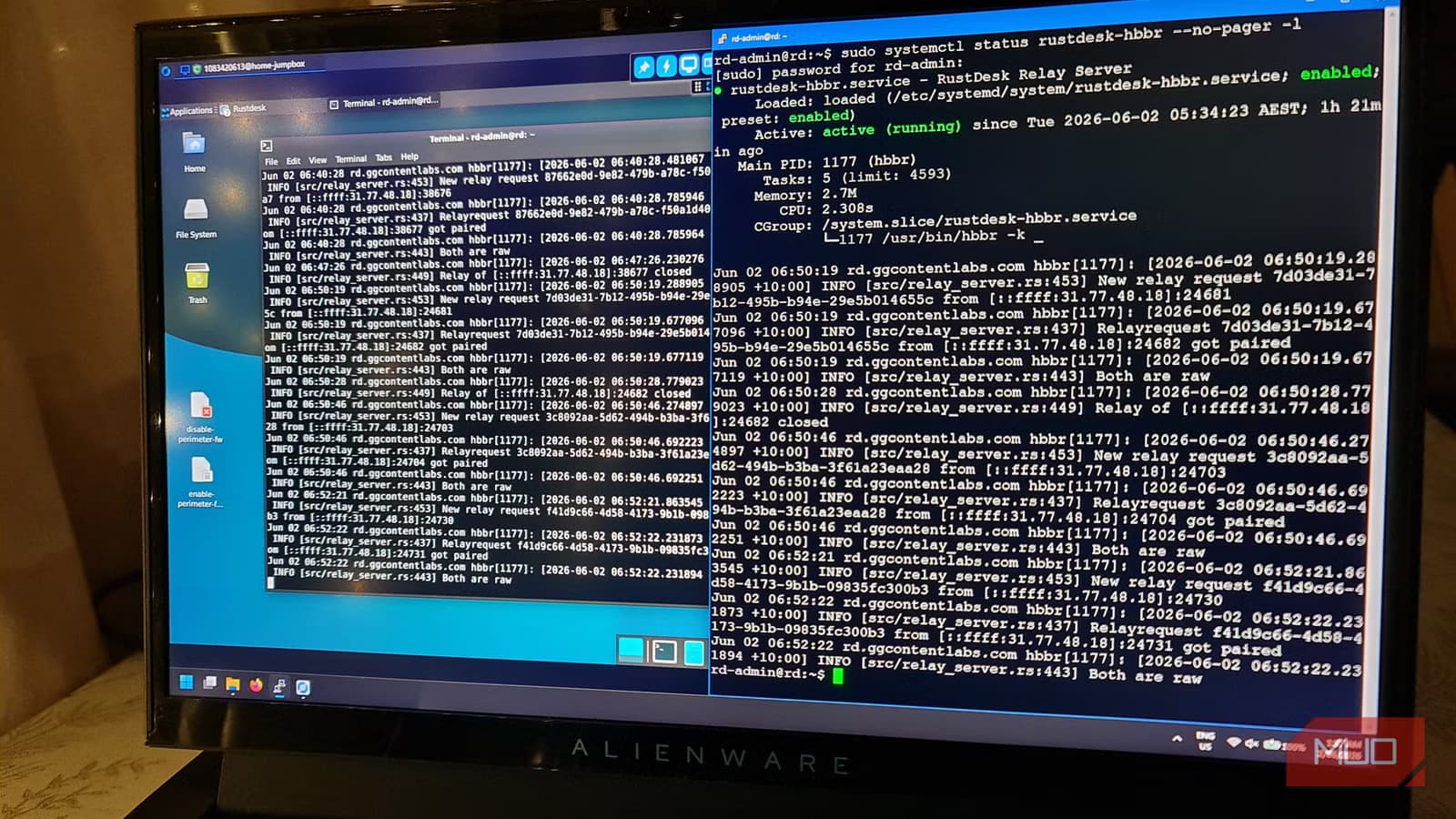
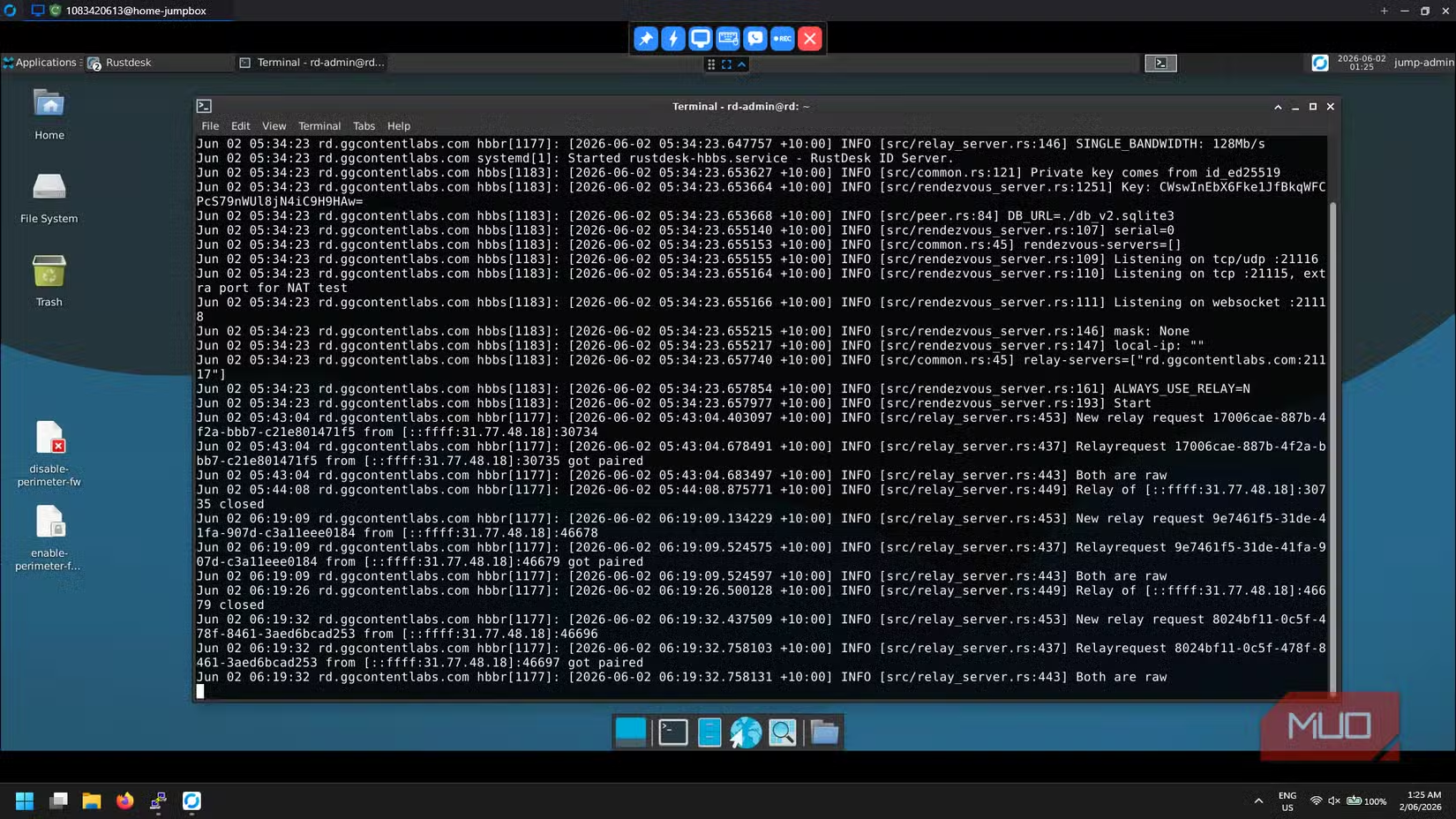
When you connect from your remote device, the logs will show the relay doing its job. Both devices connect outbound to your VPS. The relay bridges those connections. Your ISP's CGNAT never needs to accept inbound traffic.
Why Self-Host Instead of Using Public Relays
RustDesk offers public relay servers that work out of the box. So why bother with a VPS? Three reasons: privacy, latency, and reliability.
Public relays route your traffic through RustDesk's infrastructure. Self-hosting means your data stays on servers you control. For accessing home servers that might contain sensitive files, this matters.
Latency improves when you pick a VPS geographically close to both your home and typical remote locations. Public relays might route traffic through servers halfway around the world.
Reliability comes from not depending on free infrastructure. Public relays can get overloaded or go down. Your $5 VPS serves only your connections.
Logicity's Take
Alternatives Worth Considering
RustDesk isn't the only solution. Tailscale and ZeroTier create mesh VPNs that also bypass CGNAT by making outbound connections to coordination servers. WireGuard on a VPS achieves similar results with more manual configuration.
The RustDesk approach wins when you specifically need remote desktop functionality rather than full network access. It's also simpler if you're just trying to reach one or two machines rather than exposing an entire home network.
More open-source tools that deliver commercial-grade functionality
Security Considerations
Your relay VPS becomes a critical piece of infrastructure. Lock it down. Keep it patched. Use SSH keys instead of passwords. Consider fail2ban to block brute-force attempts.
RustDesk's traffic is encrypted end-to-end, so the relay can't read your session data. But the relay does see connection metadata: which IDs connect when and from what IP addresses. If that concerns you, the relay is yours to secure however you see fit.
Frequently Asked Questions
How much does it cost to run a RustDesk relay server?
A basic VPS with 1 vCPU, 2GB RAM, and a public IPv4 address costs $4-6 per month from providers like Linode, DigitalOcean, or Vultr. This is often cheaper than ISP fees for a static IP.
Does RustDesk work if both devices are behind CGNAT?
Yes. That's precisely why the relay exists. Both devices make outbound connections to your relay server, which bridges them. Neither device needs to accept inbound traffic.
Is RustDesk traffic encrypted?
Yes. RustDesk uses end-to-end encryption for session data. The relay server handles connection brokering but cannot decrypt the actual remote desktop traffic.
Can I use RustDesk's public relays instead of self-hosting?
Yes. RustDesk provides free public relay servers. Self-hosting offers better privacy, lower latency if you choose a nearby VPS region, and independence from shared infrastructure.
What's the difference between hbbs and hbbr in RustDesk?
hbbs is the ID/rendezvous server that helps devices find each other. hbbr is the relay server that handles actual traffic when direct peer-to-peer connections fail, which is always the case with CGNAT.
Need Help Implementing This?
Source: MakeUseOf
Huma Shazia
Senior AI & Tech Writer
Produced with AI assistance and reviewed by the Logicity editorial team. Learn more in our Editorial Policy.