Key Takeaways

- MCP is an open standard that lets AI agents communicate with external tools using a shared protocol
- Multi-agent systems outperform single agents on complex workflows by splitting work across specialized roles
- Zapier MCP exposes 8,000+ apps to any MCP-compatible AI tool without custom integration code
Give an AI agent a single task and it performs well. Ask it to handle work spanning multiple tools, formats, and decisions, and that same agent's reasoning degrades under the weight of your request.
Multi-agent systems fix this by splitting up the work. Instead of one agent doing everything, you have a team of agents. Each handles a smaller piece of the job. The hard part is getting each agent to share tools, pass outputs, and coordinate actions across your apps.
That's where the Model Context Protocol comes in. MCP provides a shared language for AI agents to talk to external tools. And Zapier's MCP server now connects any MCP-compatible agent to more than 8,000 apps without custom setup.
What is the Model Context Protocol?
MCP is an open standard that gives AI agents a common language for talking to external tools and data. Any agent that speaks MCP can request a tool, send it parameters, and get a result back. It doesn't matter which AI platform the agent runs on.
Think of it as a universal translator. Before MCP, connecting an AI agent to a new tool meant custom integration work for every single app. Developers built fragile, one-off connections that broke when APIs changed.
An MCP server sits between your agent and the outside world. It translates agent requests into actions across apps, databases, and services. When your agent needs to send a Slack message or update a Salesforce record, the MCP server handles the translation.
Why Single Agents Hit a Wall
Consider a whirlwind day at work. There are only so many tasks you can own before you miss a deadline or rush through something. When you're spread too thin, your output suffers.
AI agents work the same way. In a single-agent setup, one agent handles every step of a workflow. The more tools and instructions it juggles, the more its reasoning degrades. Context windows fill up. Decision quality drops. Errors compound.
Divide that work across a team, and everything gets done faster and better. That's the logic behind multi-agent systems.
How Multi-Agent Systems Work
A multi-agent system is a group of AI agents where each one handles a smaller task that contributes to a larger goal. The system splits work across specialized roles, so each agent focuses only on the piece it was built for.
- A research agent gathers information from multiple sources
- An analysis agent processes and interprets that data
- A writing agent drafts content based on the analysis
- A review agent checks for errors and inconsistencies
Each agent maintains a narrow focus. It doesn't need to hold the entire workflow in context. It just needs to do its job well and pass results to the next agent in the chain.
“Multi-agent systems transform automation from brittle, linear workflows into resilient, reasoning-based processes.”
— Zapier Engineering Team
Zapier MCP: Connecting Agents to 8,000+ Apps
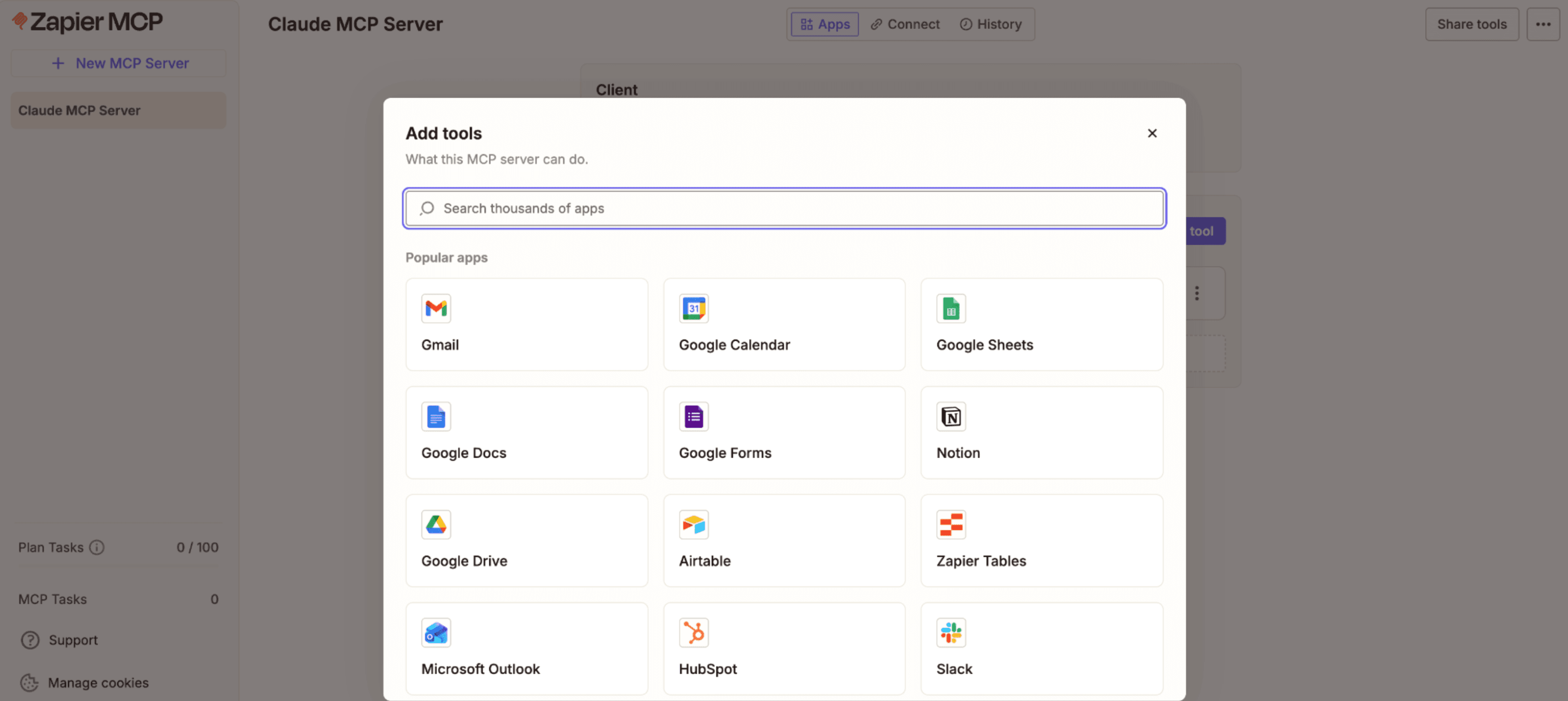
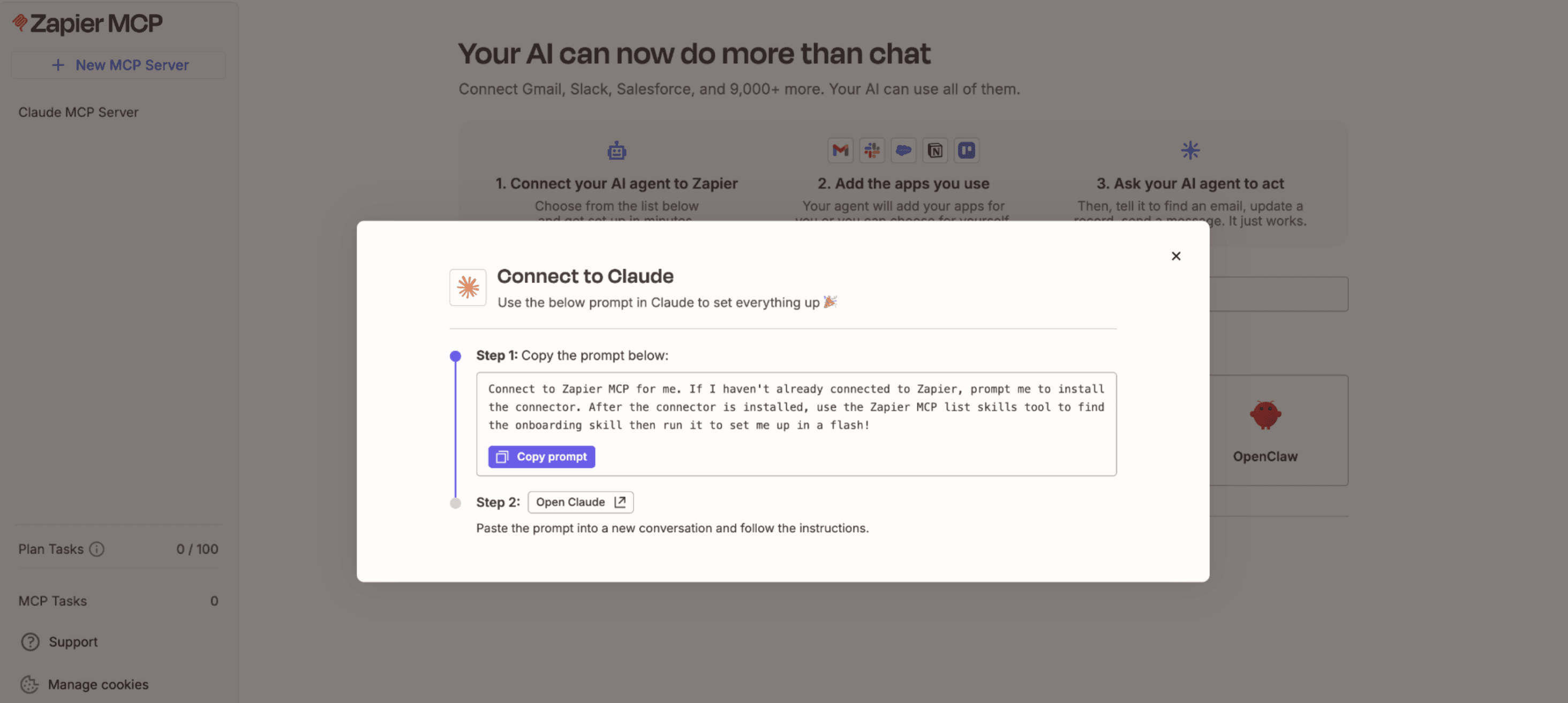
Zapier MCP is an MCP server that exposes Zapier's library of more than 8,000 apps and 30,000 actions to any MCP-compatible AI tool. An agent running in Claude, ChatGPT, or Gemini can send Slack messages, update Salesforce records, or tap into any other Zapier integration. No custom setup required.
Security matters when agents can touch your business apps. Zapier MCP handles this through OAuth-managed connections. Your app credentials are never exposed to the AI model. You choose which apps and actions each agent can access. The system runs on Zapier's SOC 2 Type II certified infrastructure.
Building Your First Multi-Agent System
The basic architecture involves three components: your AI agents, an MCP server, and the external tools they need to access.
- Define agent roles based on workflow steps, not tools
- Connect each agent to Zapier MCP using your preferred AI platform
- Configure which apps and actions each agent can access
- Design the handoff protocol between agents
- Test with simple workflows before scaling complexity
Start with clear boundaries between agents. A research agent shouldn't also handle data entry. A notification agent shouldn't also do analysis. Narrow scope means better performance.
The coordination layer is where most teams struggle. Agents need to know when their upstream agent has finished, what data to expect, and where to send results. MCP standardizes the tool interface, but you still need to design the workflow logic.
Common Pitfalls to Avoid
Don't over-engineer the first version. Start with two agents and one handoff. Add complexity only when you've proven the basic architecture works.
Watch for context loss between agents. When Agent A passes results to Agent B, critical details can disappear. Design explicit data contracts for each handoff point.
Test failure modes. What happens when one agent in the chain returns an error? What happens when an external API times out? Build retry logic and fallback paths before deploying to production.
Logicity's Take
What's Next for MCP and Multi-Agent Systems
Developer communities on Hacker News and Reddit have responded with enthusiasm. Many call MCP the "missing piece" to make LLM-based automation production-ready. The comparison to early API standards comes up frequently. The tech is still evolving, but it lowers the barrier for building agentic architectures.
Early estimates suggest MCP can reduce developer time for new tool integrations by roughly 50%. That number will likely shift as the ecosystem matures, but the direction is clear. Integration work is moving from custom code to configuration.
Frequently Asked Questions
What is MCP in AI?
MCP (Model Context Protocol) is an open standard that gives AI agents a shared language for communicating with external tools and data sources. It allows any MCP-compatible agent to request tools, send parameters, and receive results regardless of which AI platform it runs on.
How do multi-agent systems differ from single agents?
Single agents handle every step of a workflow, which degrades their reasoning as complexity increases. Multi-agent systems split work across specialized agents, each handling a narrow task. This improves performance and reduces errors on complex workflows.
What apps can Zapier MCP connect to?
Zapier MCP provides access to more than 8,000 apps and 30,000 actions, including Slack, Salesforce, Gmail, and most popular business software. Any MCP-compatible AI agent can use these integrations without custom development.
Is Zapier MCP secure for enterprise use?
Zapier MCP uses OAuth-managed connections so app credentials are never exposed to AI models. Administrators control which apps and actions each agent can access. The infrastructure is SOC 2 Type II certified.
Do I need coding skills to build multi-agent systems with MCP?
Basic multi-agent setups can be configured without code using Zapier's interface. More complex orchestration and custom workflows may require some development work, particularly for designing agent handoffs and error handling.
The memory infrastructure powering the AI models these agents run on
Need Help Implementing This?
Source: The Zapier Blog
Manaal Khan
Tech & Innovation Writer
Produced with AI assistance and reviewed by the Logicity editorial team. Learn more in our Editorial Policy.