Key Takeaways
- Context windows are the real bottleneck for local LLMs, not model size
- Embedding models convert text to vectors, enabling semantic search instead of brute-force context stuffing
- RAG cuts token consumption by roughly 40% while improving response relevance
The Real Problem With Local LLMs
Local LLMs keep getting better. Models like Gemma 4 and Llama 3 run on consumer hardware. Privacy stays intact. No subscriptions. No API costs. But anyone who has tried building a local workflow hits the same wall: context.
To get useful answers from an LLM, you need to feed it relevant information. The naive approach is dumping entire documents into the prompt. This works until it doesn't. On cloud APIs, more tokens mean higher bills. Locally, more tokens mean slower inference. Every token in that context window gets processed during generation.
"The fix for local LLMs was never a bigger model. It was smarter retrieval," writes Amir Bohlooli, Segment Lead for Software at MakeUseOf. "We are finally moving away from the 'stuff it all in the prompt' era."
The solution is a model most people ignore: the embedding model.
What Embedding Models Actually Do
Embedding models are tiny compared to LLMs. Where a capable local LLM might be 7B or 13B parameters, embedding models like bge-large-en sit around 335M parameters. They load fast. They run fast. And they do something fundamentally different.
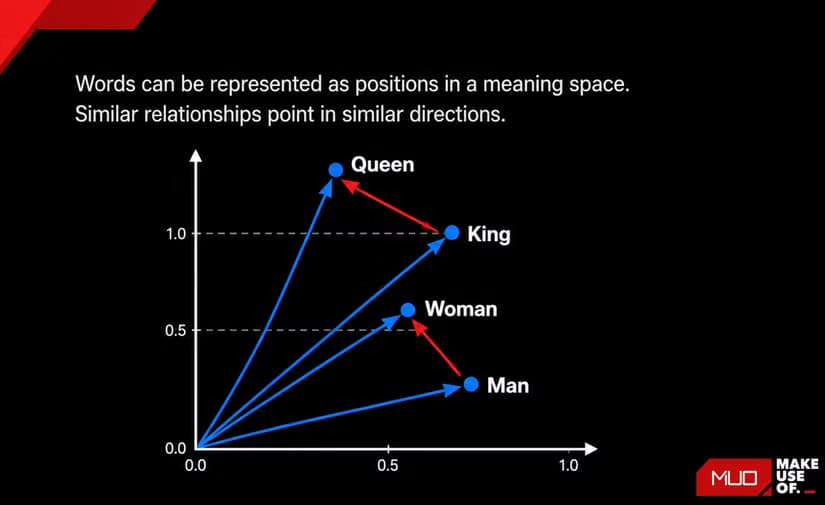
An embedding model takes text and converts it into a list of numbers. These numbers represent the semantic meaning of the text as coordinates in high-dimensional space. Similar concepts cluster together. "Dog" and "puppy" end up near each other. "Dog" and "quantum mechanics" end up far apart.
This matters because you can now search by meaning instead of keywords. You chunk your documents into paragraphs, run each chunk through the embedding model, and store the resulting vectors in a database. When you ask a question, the system embeds your question, finds the chunks with the closest vectors, and feeds only those relevant chunks to the LLM.
This is Retrieval-Augmented Generation. RAG.
Why RAG Changes the Math
The difference is significant. Instead of cramming a 50-page document into your context window, you retrieve the three paragraphs that actually relate to your question. The LLM processes less. It responds faster. And because it's not drowning in irrelevant information, the answers tend to be more focused.
Local RAG also changes the privacy equation. "You no longer need to choose between privacy and high-quality document intelligence," notes one senior AI researcher from the OpenSource AI Coalition. Your documents never leave your machine. Your queries never hit external servers. The entire stack runs offline.
Setting This Up in LM Studio
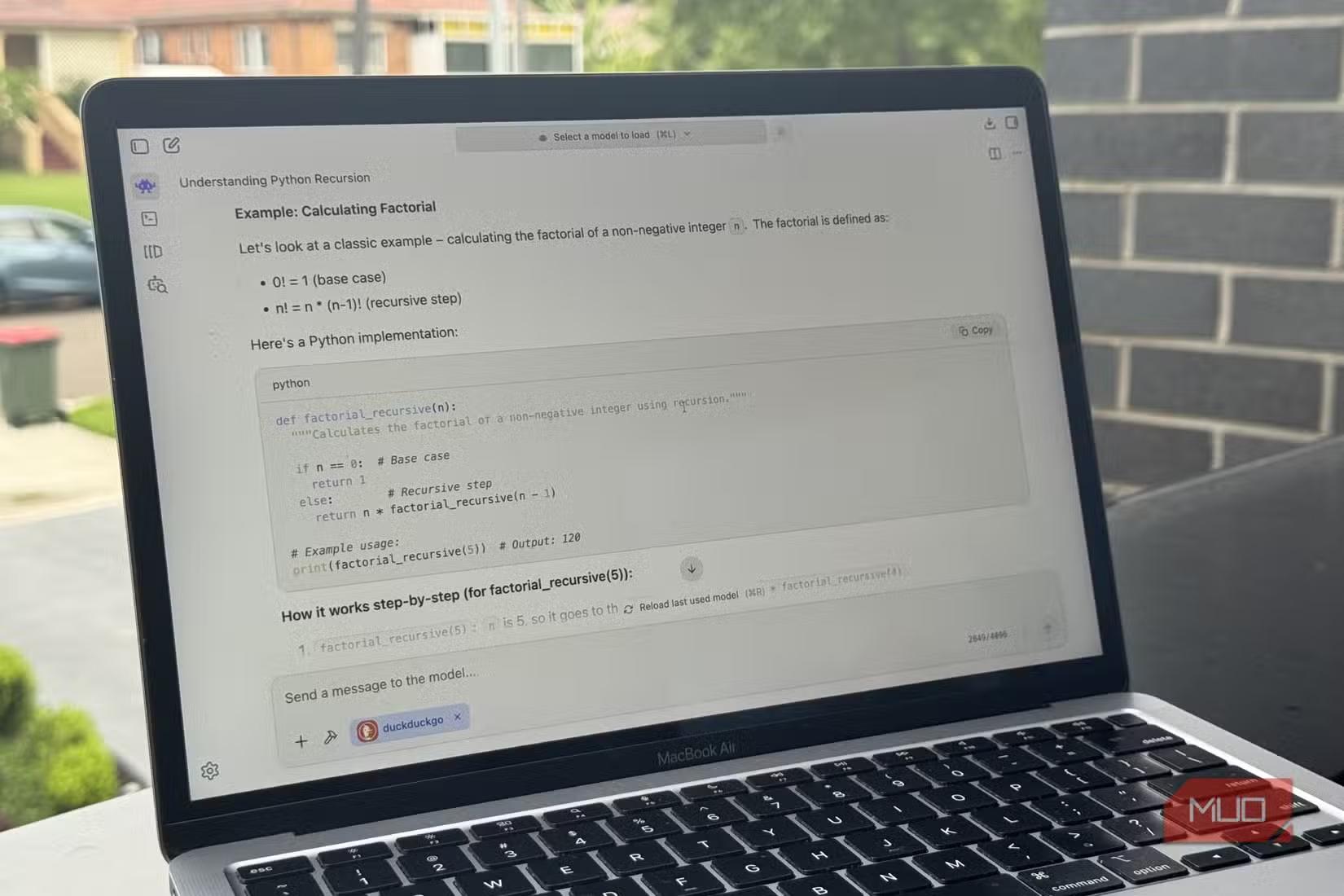
LM Studio now includes native RAG support with its "Chat with Your Documents" feature. The setup is straightforward.
- Download and install LM Studio
- Load a language model (Gemma 4, Llama 3, or similar)
- Load an embedding model (bge-large-en or nomic-embed-text work well)
- Point LM Studio at a folder containing your documents
- Start chatting
The embedding model runs in the background. When you ask a question, LM Studio embeds your query, searches your document chunks, retrieves the relevant sections, and passes them to the language model. All of this happens locally.
For users who want more control, tools like AnythingLLM offer additional configuration options. You can choose different vector databases, adjust chunking strategies, and build more complex pipelines. But for most people, LM Studio's built-in RAG is enough to see immediate benefits.
Built-In vs. Pro Setups
HackerNews discussions frequently debate the trade-offs between simple tools and custom pipelines. LM Studio's approach wins on simplicity. You point it at a folder. It works. No Python scripts. No LangChain. No terminal commands.
Custom setups with AnythingLLM or LangGraph offer more flexibility. You can connect multiple document sources. You can fine-tune retrieval parameters. You can build agents that chain multiple retrieval steps. But these require more technical investment.
If you're running local LLMs, you're probably comfortable in the terminal. These commands help manage the files you'll feed into your RAG system.
Reddit communities lean toward no-code RAG solutions. The barrier to entry has dropped enough that non-technical users can build private knowledge bases without writing code. This matters for adoption. Most people who want local AI are not ML engineers.
Hardware Considerations
Running two models sounds expensive. It's not. Embedding models are small enough to coexist with your main LLM without fighting for VRAM. A MacBook Air with 16GB of unified memory handles both comfortably. On Windows, a GPU with 8GB VRAM can run a 7B language model and an embedding model simultaneously.
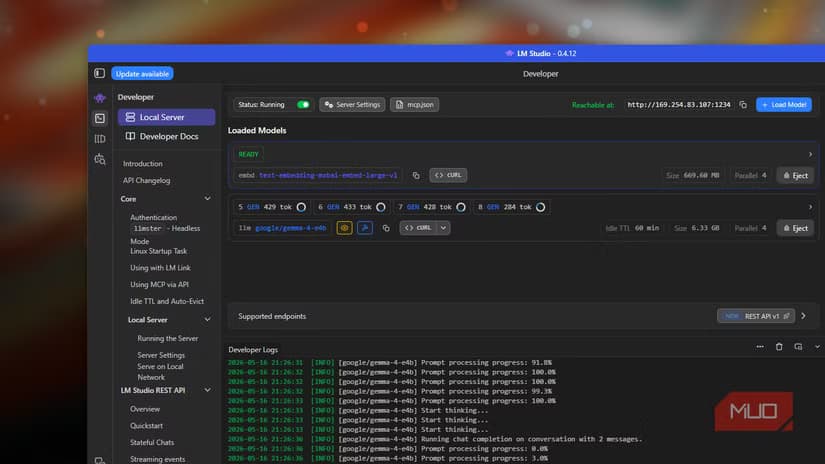
The embedding step itself is fast. Optimized local embedding models like bge-large-en add roughly 20ms of latency per query. You won't notice it. The time saved by not processing bloated context windows more than compensates.
When RAG Isn't the Answer
RAG solves retrieval problems. It doesn't solve reasoning problems. If your task requires the LLM to synthesize information across an entire document, you still need that document in context. Summarization of long texts, for example, doesn't benefit from RAG.
RAG also depends on chunking quality. If your documents are poorly chunked, retrieval suffers. A paragraph split in the wrong place loses semantic coherence. Most tools use overlap strategies to mitigate this, but edge cases exist.
Understanding when AI retrieval fails helps set realistic expectations for your local RAG setup.
The Practical Upshot
If you're running local LLMs and hitting context limits, the fix isn't a bigger model or more RAM. It's adding a tiny embedding model and letting RAG do the heavy lifting. Your setup stays private. Your responses get faster. Your context window stays clean.
The monthly cost of a fully functional local RAG stack is zero. No subscriptions. No API fees. Just your hardware and your documents.
Logicity's Take
Frequently Asked Questions
Do I need a powerful GPU to run local RAG?
No. Embedding models are small (300-500M parameters) and run well on CPU. A MacBook Air or mid-range PC with 8GB VRAM handles both an embedding model and a 7B LLM.
What's the best embedding model for local RAG?
bge-large-en and nomic-embed-text are popular choices. They balance quality and speed for most document types.
Can I use RAG with any local LLM?
Yes. RAG happens before the LLM sees the prompt. Any model that accepts text input works with RAG retrieval.
How much does a local RAG setup cost?
Zero ongoing cost. You need LM Studio (free) and your existing hardware. No subscriptions or API fees.
Does RAG work for all document types?
RAG works best for question-answering over large document sets. Tasks requiring full-document reasoning, like summarization, still need traditional context approaches.
Need Help Implementing This?
Source: MakeUseOf
Manaal Khan
Tech & Innovation Writer
Produced with AI assistance and reviewed by the Logicity editorial team. Learn more in our Editorial Policy.






